Timegrapher — Watch Accuracy
Rate, Amplitude & Beat Error
Designed for iPhone
Free · In-app purchases
- Age rating4+
- CategoryUtilities
- DeveloperFotios Avgidis
- LanguagesEnglish+ 7 more
- Size3.8 MB
Links to the official App Store page
Download.org hosts no file of Timegrapher — Watch Accuracy. The button opens its official App Store page, published by Fotios Avgidis. Listing last checked on Nov 29, 2026.
Screenshots


About
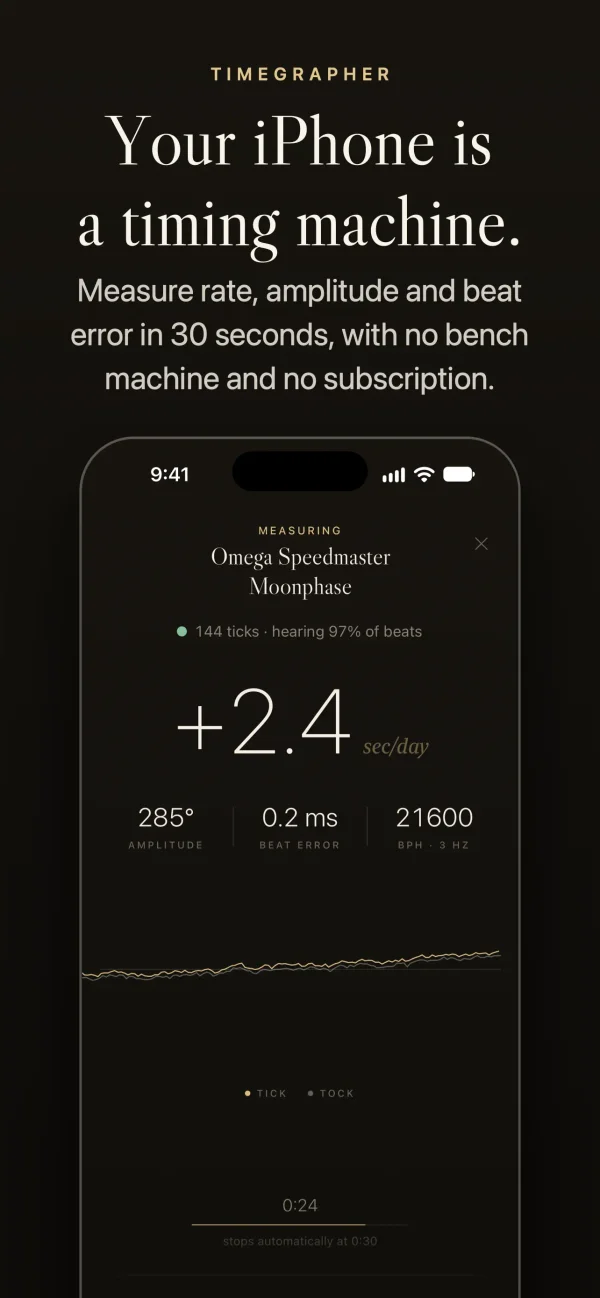
Timegrapher measures your mechanical watch's rate, amplitude and beat error with your iPhone's microphone, in 30 seconds. It reads through room noise and works out amplitude from your calibre's lift angle. Your first watch is free, and Pro is a single purchase with no subscription.
WHAT IT MEASURES
• Rate: seconds gained or lost per day, the figure a chronometer certificate is based on
• Amplitude: how far the balance swings, the first thing a watchmaker checks
• Beat error: the difference between tick and tock, which shows when the escapement needs adjusting
• Beat rate: detected automatically, from 18,000 bph vintage movements to 36,000 bph hi-beats
STEADY READINGS
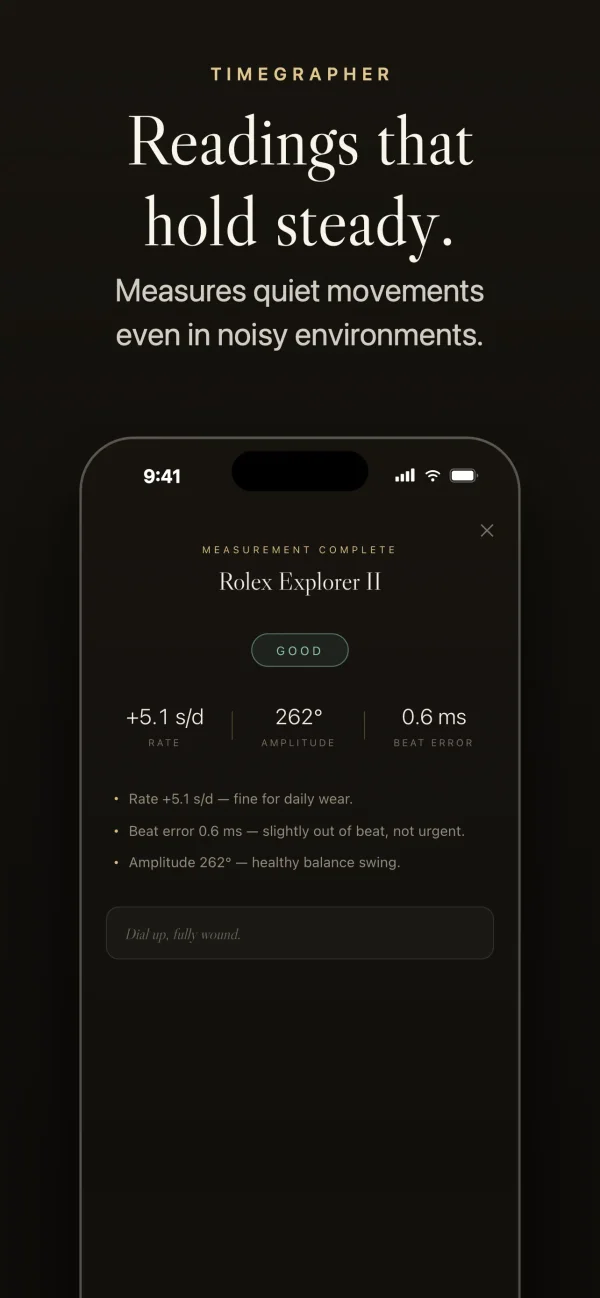
Phone timing apps are known for jumpy numbers and unreliable amplitude. Timegrapher handles both. It tracks the room's noise floor and ignores stray sounds, so it stays locked onto a quiet movement even with a dog barking nearby. It also calculates amplitude from the lift angle you set for each calibre, to a tenth of a degree. A wrong lift angle is the most common reason phone apps get amplitude wrong.
MEASURE IN POSITIONS
A watch runs differently lying flat and standing on its side. Measure in Positions guides you through all six positions, or four for a quicker check, and shows a table of the results with the average rate and the spread between positions.
IS IT MAGNETIZED?
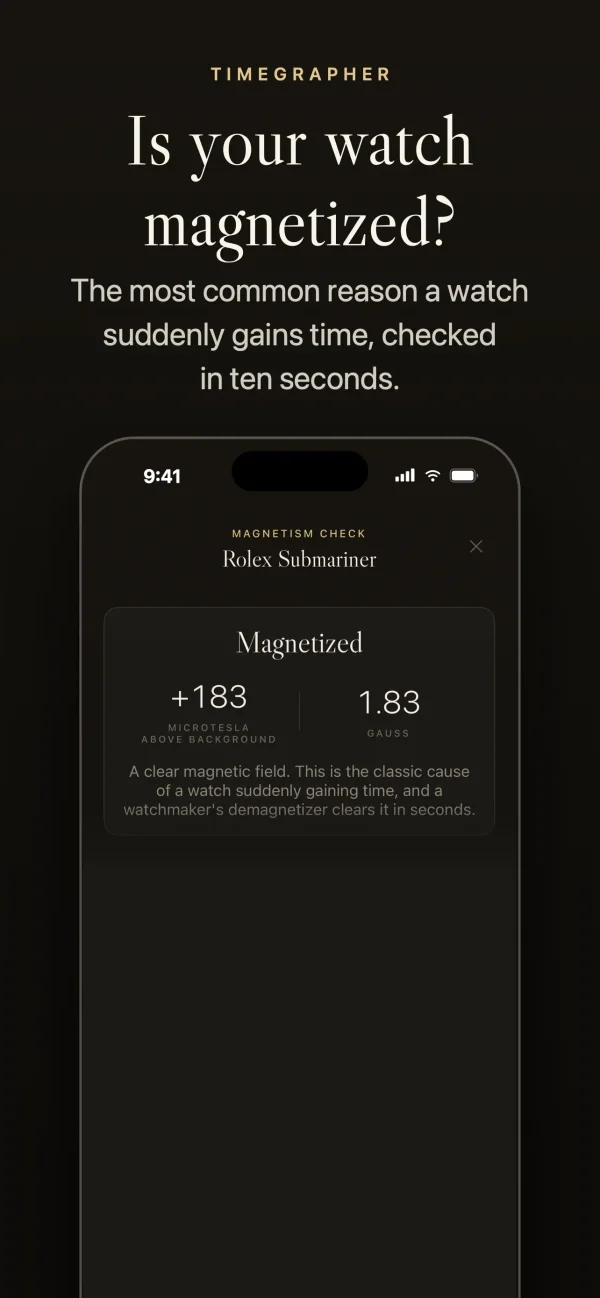
A magnetized hairspring is the most common reason a watch suddenly gains time, often by minutes a day. Timegrapher reads the room's magnetic field first. Then you move the watch slowly around the back of the iPhone, and the magnetometer shows whether the watch needs demagnetizing.
RATE OVER A DAY OF WEAR
Take a photo of the dial, then another one a day later. Timegrapher compares the hands with the time each photo was taken and shows how the watch ran on your wrist.
YOUR COLLECTION
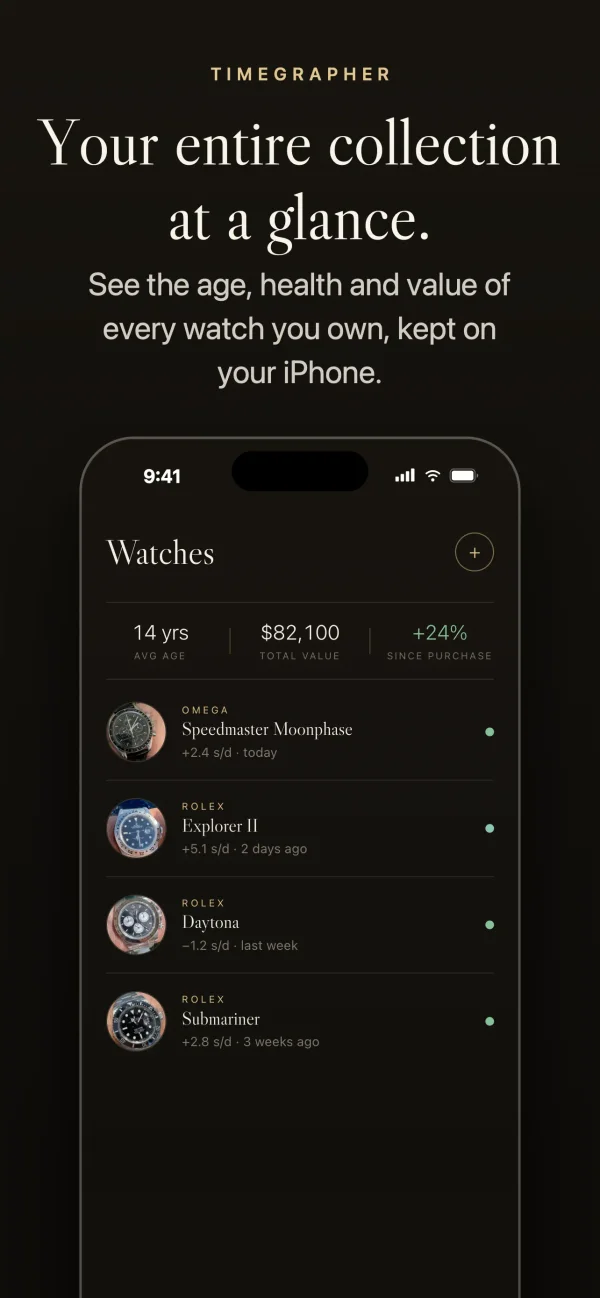
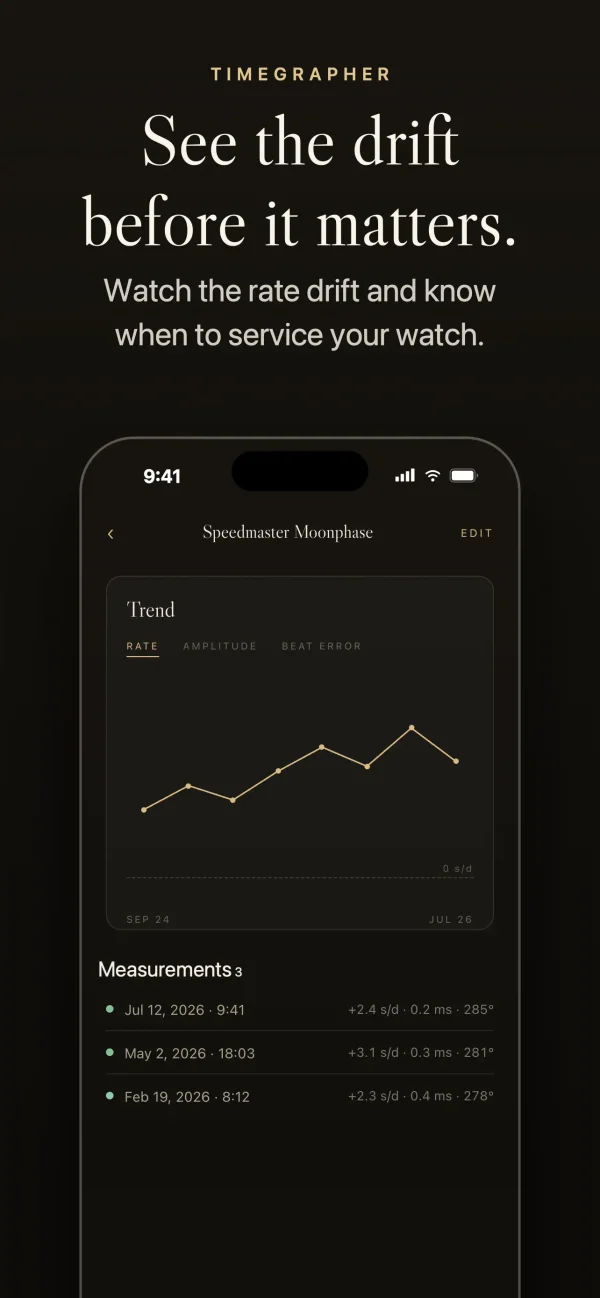
Add each watch with up to 13 photos, the reference and serial number, year, calibre, movement type and lift angle. On iOS 27, Identify from Photo suggests the brand and model. Every measurement is saved, and charts show how the rate drifts over months and years, so you can spot a movement going off early. Reminders tell you when to measure again. After each reading you get a verdict from Excellent to Service needed, with the reasons. The Guide tab explains every number.
TIMING REPORT
Share a one-page report on a watch as a PDF or an image, with the latest reading, the positions and the rate over time. The serial number is left out, so you can post the report or add it to a sale listing. You can also export your measurements as a CSV file.
ATOMIC CLOCK
The Clock tab shows the exact time from Apple's time server and how far your iPhone's clock is off. Countdown tones before each minute help you set your watch to the second. Its dial also shows the day, date, month and moon phase, with a guide to setting calendar and moonphase watches.
WHAT IT'S WORTH
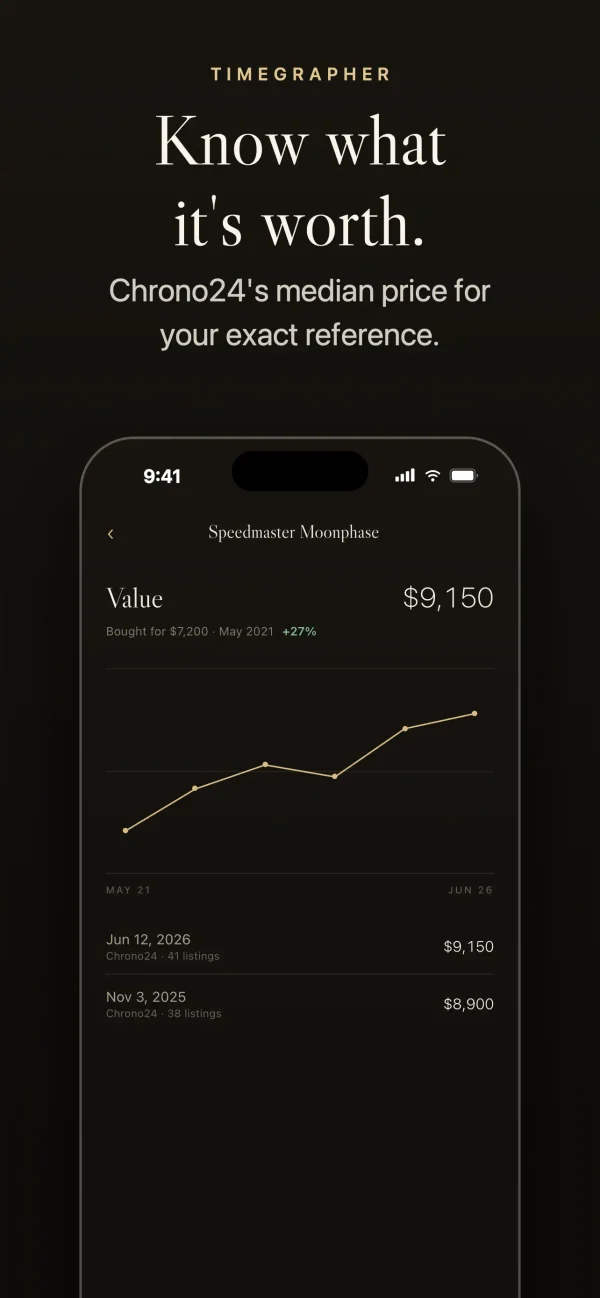
One tap fetches current Chrono24 asking prices for your exact reference and saves the median, worked out on your iPhone in your own currency. Enter what you paid, and Timegrapher charts each watch's value over time, its gain since purchase and your collection's total.
PRIVACY
Audio is analysed on the device and is never recorded, stored or uploaded. There is no account, no advertising and no tracking. The app goes online only for features you use: the price check searches Chrono24 for your reference, the Clock tab asks Apple's time server for the time, and Identify from Photo sends that one photo to Apple's Private Cloud Compute.
PRICING
Your first watch is free for good. Timegrapher Pro adds unlimited watches for one payment, with no subscription. Purchases restore on any device signed in to the same Apple Account.
LIMITS
A quiet room and firm contact between the phone and the watch give the best readings. Treat the results as a guide: for service decisions, a bench machine and a watchmaker's judgement come first.
What’s new
Version 2.14 · Nov 28, 2026
The Clock tab now shows the day, date, month and moon phase on a new dial, so you can set a calendar or moonphase watch as well as the time. Below the dial you can see how many days it has been since the last full or new moon, and the guide explains how to set your watch's moon.
Timegrapher is now available in Simplified and Traditional Chinese.
App privacy
What Fotios Avgidis declares on the App Store about how this app handles data.
-
Data not collected
The developer does not collect any data from this app.
Privacy practices may vary, for example with the features you use or your age.
Information
- Seller
- Fotios Avgidis
- Category
- Utilities
- Version
- 2.14
- Updated
- Nov 28, 2026
- Released
- Jul 20, 2026
- Size
- 3.8 MB
- Requires
- iOS 17.0 or later
- Age rating
- 4+
- Price
- Free
- In-app purchases
- Yes
- Languages
- English, French, German, Japanese, Portuguese, Simplified Chinese, Spanish, Traditional Chinese
- Copyright
- © 2026 Fotios Avgidis
You might also like
-
 Tickscope — Watch AccuracyMechanical Watch Timegrapher
-
 Isochron: Watch AccuracyTimegrapher & watch tracker
-
 Oscillo: Watch Accuracy MeterRate, Beat Error & Amplitude
-
 Tempochron: Watch TimegrapherIs Your Watch Fast or Slow?
-
 Wrotate: Watch TimegrapherAccuracy, Timing & Collection
-
 Escapement: Watch TimegrapherTiming Tool for Watches
-
 ChronoLog • Watch AccuracyTimegrapher & Collection Log
-
 Timegrapher - watch accuracyMeasurement tool for watches
-
 tickIQ: Measure, Track WatchesACCURACY, CONDITION, WEAR TIME
-
 Timegrapher AdvancedMechanical watch readings