- Age rating4+
- CategoryPhoto & Video
- DeveloperNguyen Nghiem
- LanguagesEnglish
- Size10.5 MB
Links to the official App Store page
Download.org hosts no file of TimeMark Edition™. The button opens its official App Store page, published by Nguyen Nghiem. Listing last checked on Nov 10, 2026.
Screenshots
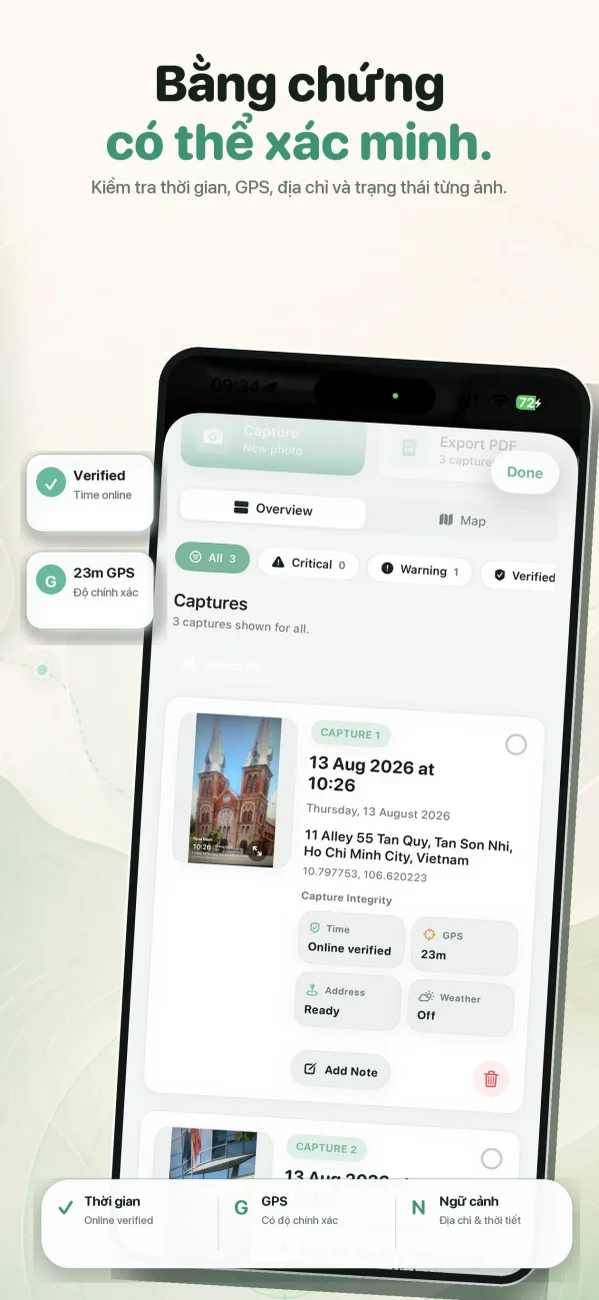

About
Capture the moment. Keep the context.
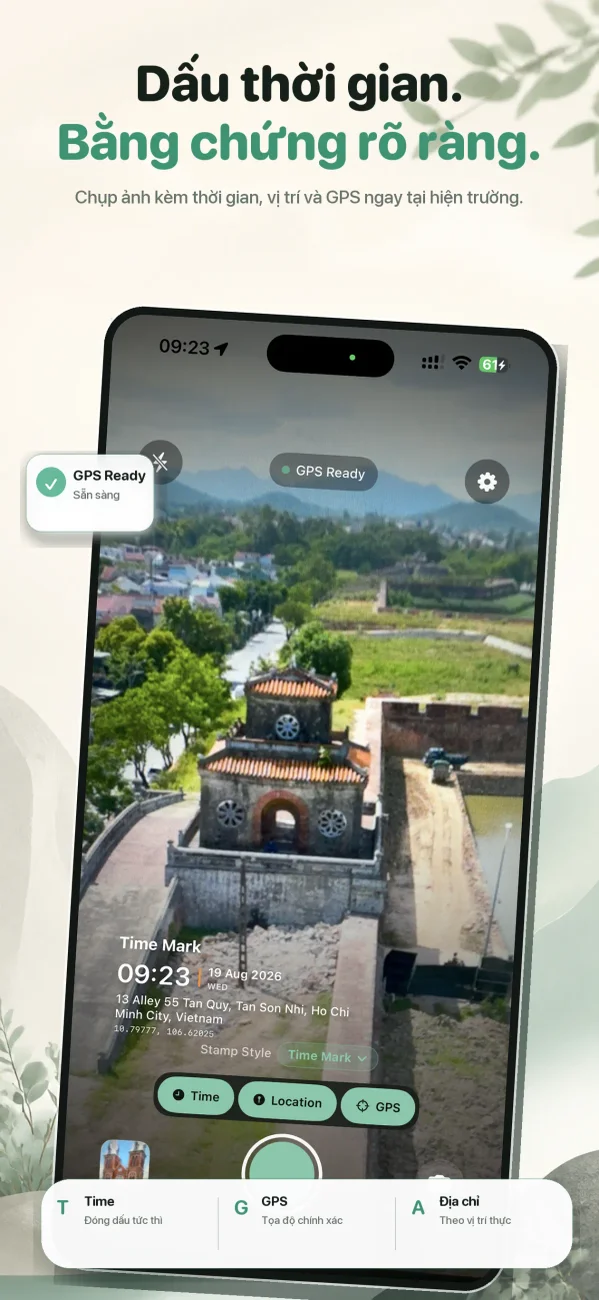
ProofCam is a real-time TimeMark camera designed to add useful date, time, location and GPS information directly to your photos.
Whether you're documenting field work, construction progress, inspections, maintenance, property conditions or everyday records, ProofCam makes it easy to capture photos together with the information that matters.
REAL-TIME TIMEMARK
See your TimeMark directly in the camera while capturing. Date, time, location and GPS information are displayed clearly so you know how your photo will look before you take it.
CUSTOMIZABLE STAMP STYLES
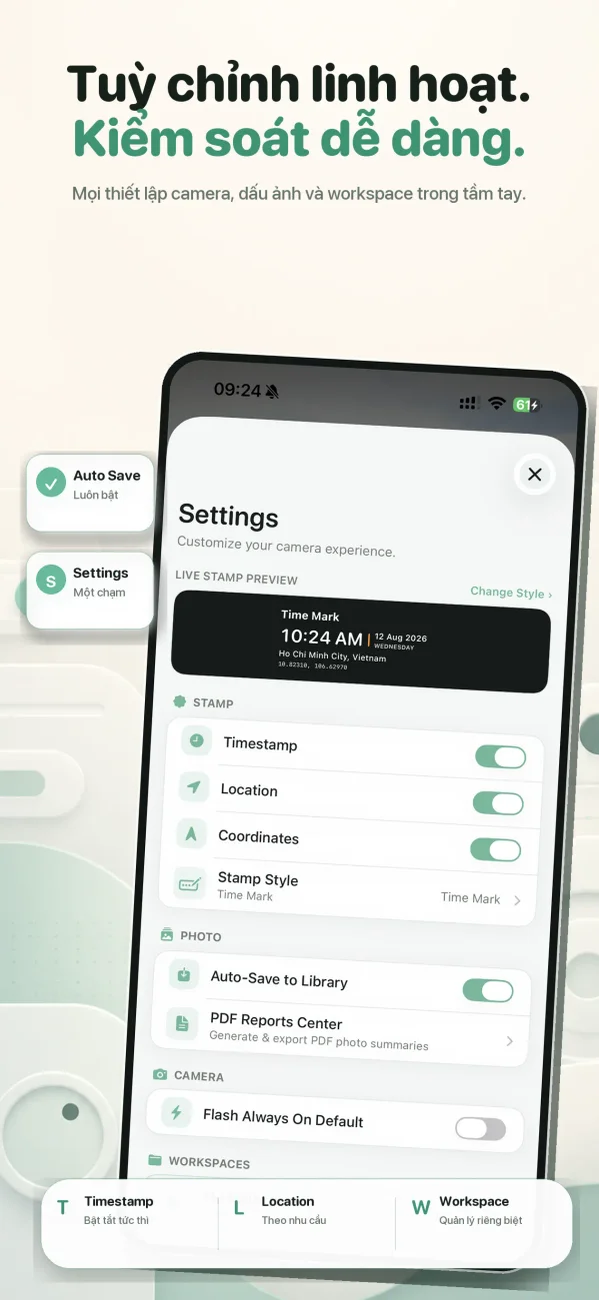
Choose from multiple professional TimeMark templates and select the layout that works best for your photos.
DATE & TIME
Add clear date and time information directly to captured photos with customizable display options.
LOCATION & GPS
Add location information and GPS coordinates when location access is enabled. ProofCam remains useful even when you choose not to use location.
WORKSPACES
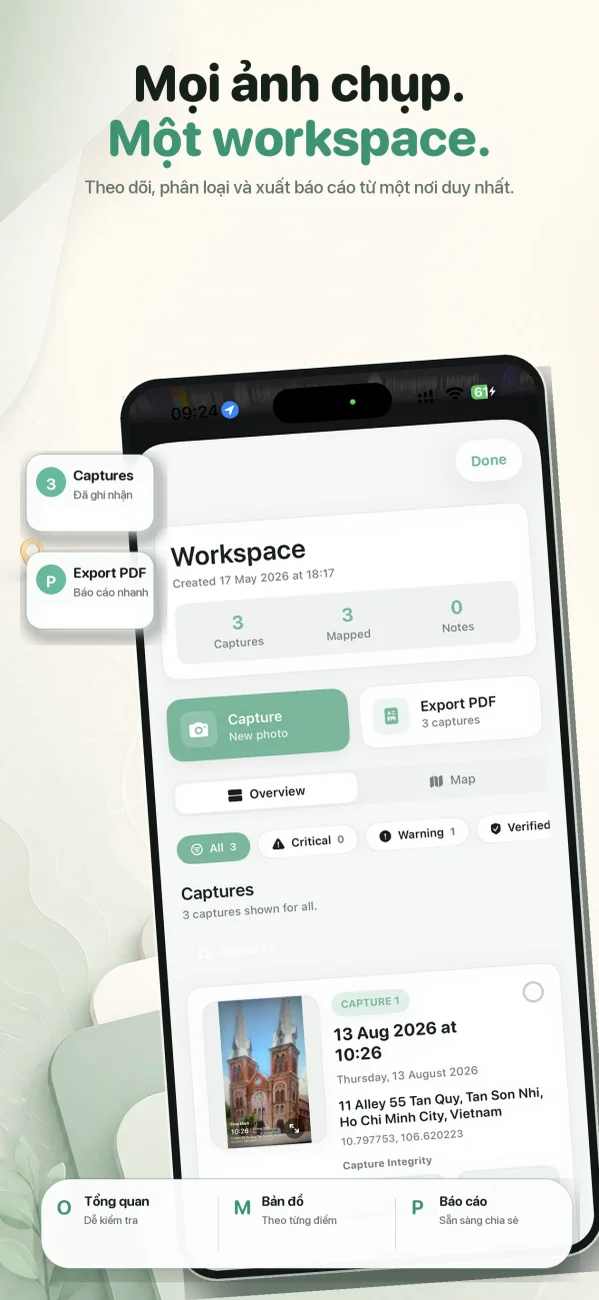
Keep work photos organized by project or job site, making it easier to manage photo records from different locations and tasks.
PHOTO RECORDS
Review your captured photo together with its TimeMark information before saving or sharing.
BUILT FOR REAL-WORLD WORK
ProofCam is useful for:
• Construction progress
• Field work
• Property inspections
• Maintenance records
• Installation documentation
• Delivery records
• Site visits
• Before & after photos
• Personal photo records
SIMPLE BY DESIGN
ProofCam is designed around a fast workflow:
Open the camera.
Check your TimeMark.
Capture.
Save.
No complicated setup is required.
Download ProofCam and create clearer photo records with real-time date, time and GPS context.
What’s new
Version 3.1 · Oct 26, 2026
Welcome to TimeMark Edition 3.1:
• [New] Official Name Update: Rebranded to TimeMark Edition with a refined, professional design for field documentation and site evidence.
• [New] Timemark Pro Lifetime: One-time purchase, pay once and keep forever with no recurring subscriptions.
• [New] Device Time Mode: Zero-delay shutter button, instant photo capture without waiting for online NTP sync — fully functional offline.
• [New] On-Demand Address & GPS Search: Search any venue, landmark, or street name on the map to auto-set precise custom coordinates.
• 100% Ad-Free Experience: All advertisements have been removed for an uninterrupted photography flow.
• Enhanced stamp rendering quality and performance optimizations for the latest iOS.
App privacy
What Nguyen Nghiem declares on the App Store about how this app handles data.
-
Data used to track you
May be used to track you across apps and websites owned by other companies.
- Identifiers
- Usage data
-
Data not linked to you
May be collected but is not linked to your identity.
- Identifiers
- Usage data
Privacy practices may vary, for example with the features you use or your age.
Information
- Seller
- Nguyen Nghiem
- Category
- Photo & Video
- Version
- 3.1
- Updated
- Oct 26, 2026
- Released
- Apr 20, 2026
- Size
- 10.5 MB
- Requires
- iOS 17.0 or later
- Age rating
- 4+
- In-app purchases
- Yes
- Languages
- English
- Copyright
- © Nghiem Nguyen
You might also like
-
 TrustShot: GPS Timestamp CamGPS Camera & Timesheets
-
 Scoop Camera ProAuto-record. Pick the moment.
-
 Timestamp Camera: LHTTDate, Time & GPS Photo Stamps
-
 GhostShot +Capture. Share. Vanish.
-
 Timestamp Camera: GPS TagWork Photos, Date & Location
-
 TimeMark: Worksite ReportsBefore/After Site Reports
-
 Timestamp Camera - Photo DateBest add date, GPS to video
-
 Stamp Camera Date and LocationCapture and Mark Moments
-
 Timestamp Camera: LokmiGPS, Map & Address · No Ads
-
 PicStamp: GPS CameraTimestamp Camera & GPS Photo