
- Age rating4+
- CategoryProductivity
- DeveloperAlepTau LLC
- LanguagesEnglish
- Size22.4 MB
Links to the official App Store page
Download.org hosts no file of TimeMasters. The button opens its official App Store page, published by AlepTau LLC. Listing last checked on Nov 17, 2026.
Screenshots

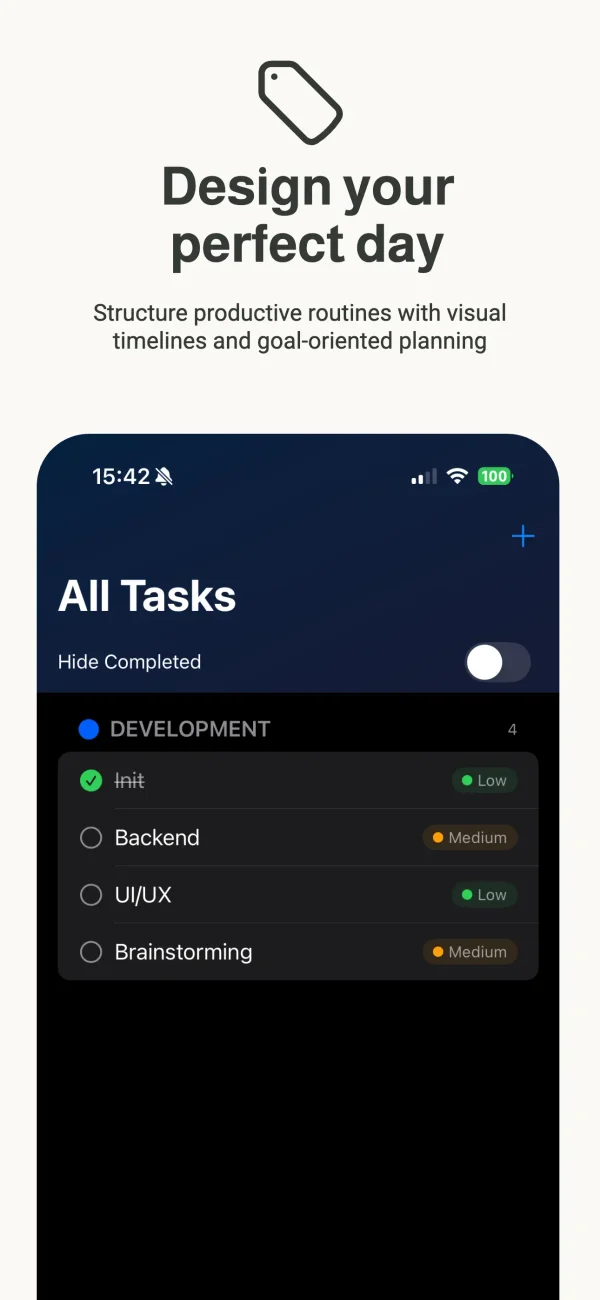


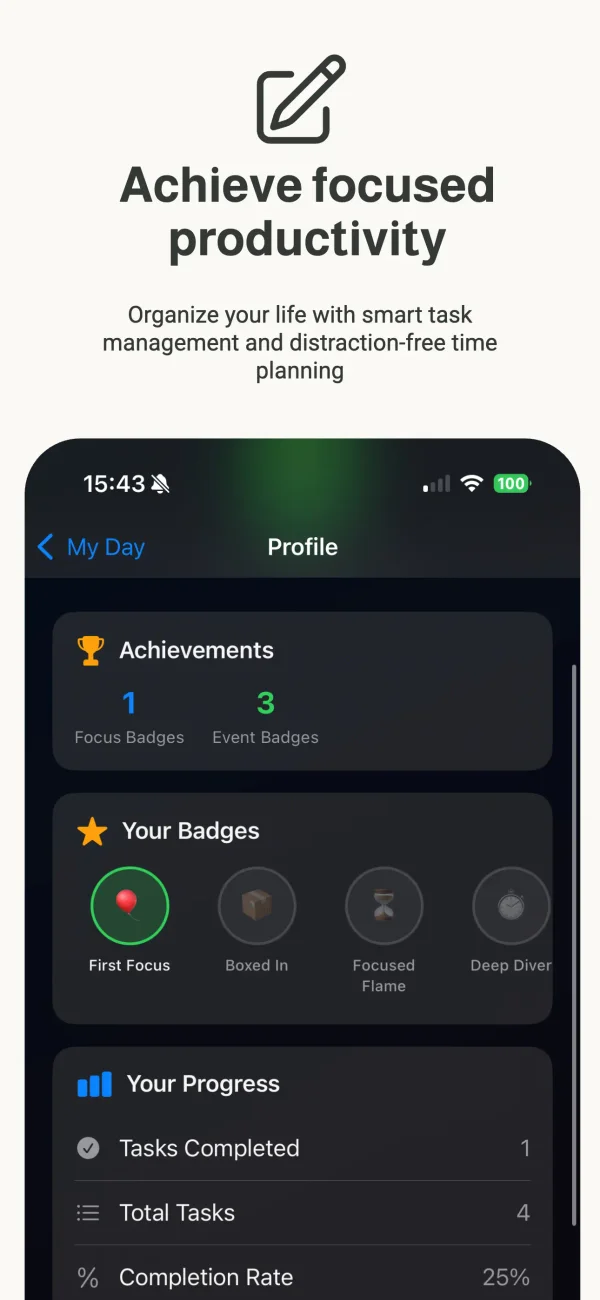
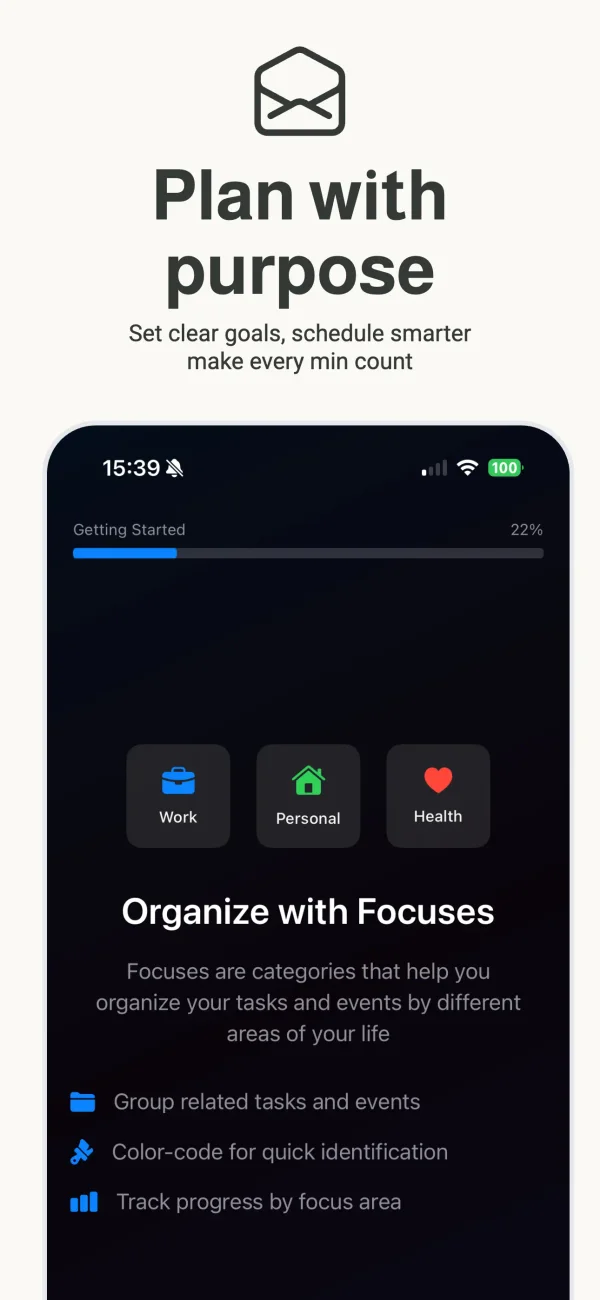
About
TimeMasters is the ultimate time blocking app that helps you plan, organize, and execute your perfect day. Transform scattered schedules into focused, productive routines with intelligent time management.
Powerful Time Blocking Features:
• Visual Time Blocks - Plan your day with intuitive hourly scheduling
• Focus-Based Organization - Group tasks by life areas (work, personal, health)
• Smart Calendar Integration - Seamless event planning and time allocation
• Task Time Blocking - Assign specific time slots to important tasks • Daily Timeline View - See your entire day at a glance
Boost Your Productivity:
• Habit Tracking - Build consistency with daily routine monitoring
• Priority Management - Focus on what matters most each day
• Achievement System - Stay motivated with progress rewards
• Distraction-Free Planning - Clean, minimalist interface for clarity
• Weekly Planning - Strategic time allocation across multiple days
Perfect For:
Busy professionals seeking better work-life balance
Students managing study schedules and assignments
Entrepreneurs optimizing productivity workflows
Time management enthusiasts and productivity seekers
Anyone wanting to build lasting daily habits
What’s new
Version 1.4.0 · Jun 9, 2026
TimeMaster 1.5 is our biggest system-integration release yet. Five new ways your schedule meets the rest of iOS.
Home Screen Widget
See today's events at a glance in small, medium, and large sizes. Stays in sync with the app via a shared App Group.
iOS Focus Filter
Connect TimeMaster to a Focus mode and the widget plus in-app views automatically narrow to that focus. Work hours show work. Personal time shows personal.
Notification Deep Links
Tap an event reminder and land directly on that event's detail screen. Works from cold start, the Lock Screen, and Notification Center.
Apple Calendar Mirroring (opt-in)
Turn on "Mirror to Apple Calendar" in Profile and your one-off events show up in Apple Calendar automatically. One-way, idempotent, and recurring events stay where they belong.
Weekly Review
A new screen in Profile that summarizes the week: minutes scheduled vs. tracked, completion rate, and a per-focus breakdown so you can see where the time actually went.
Under the hood: SchemaV3 migration, lazy recurrence, 91 unit tests, 0 warnings.
App privacy
What AlepTau LLC declares on the App Store about how this app handles data.
-
Data not collected
The developer does not collect any data from this app.
Privacy practices may vary, for example with the features you use or your age.
Information
- Seller
- AlepTau LLC
- Category
- Productivity
- Version
- 1.4.0
- Updated
- Jun 9, 2026
- Released
- Jul 23, 2025
- Size
- 22.4 MB
- Requires
- iOS 17.6 or later
- Age rating
- 4+
- Languages
- English
- Copyright
- © AlepTau LLC
You might also like
-
 TaskTangle: A Task ManagerTaskTangle: Your Tasks Master
-
 Outline - Tasks & NotesProductivity
-
 The Productive AppProductivity
-
 Eat the Frog Planner - FrogDo your most important task
-
 timeblazer: timeboxing plannerTimeboxing Planner & calendar
-
 Daypiece AI Daily PlannerSchedule, Calendar, To-Do List
-
 JuglBusiness Productivity
-
 Linknote: Smart Link ManagerAI-assisted Link Manager
-
 Planote - Daily Planner TasksSchedule Organizer, To-do list
-
 LogsitYour Second Memory