TimeRoom: Simple Desk Clock
Pomodoro/Stopwatch/Timer
Designed for iPhone, iPad
Free · In-app purchases
- Age rating4+
- CategoryUtilities
- DeveloperWizMe, Inc.
- LanguagesEnglish+ 4 more
- Size97.7 MB
Links to the official App Store page
Download.org hosts no file of TimeRoom: Simple Desk Clock. The button opens its official App Store page, published by WizMe, Inc. Listing last checked on Nov 17, 2026.
Screenshots

About
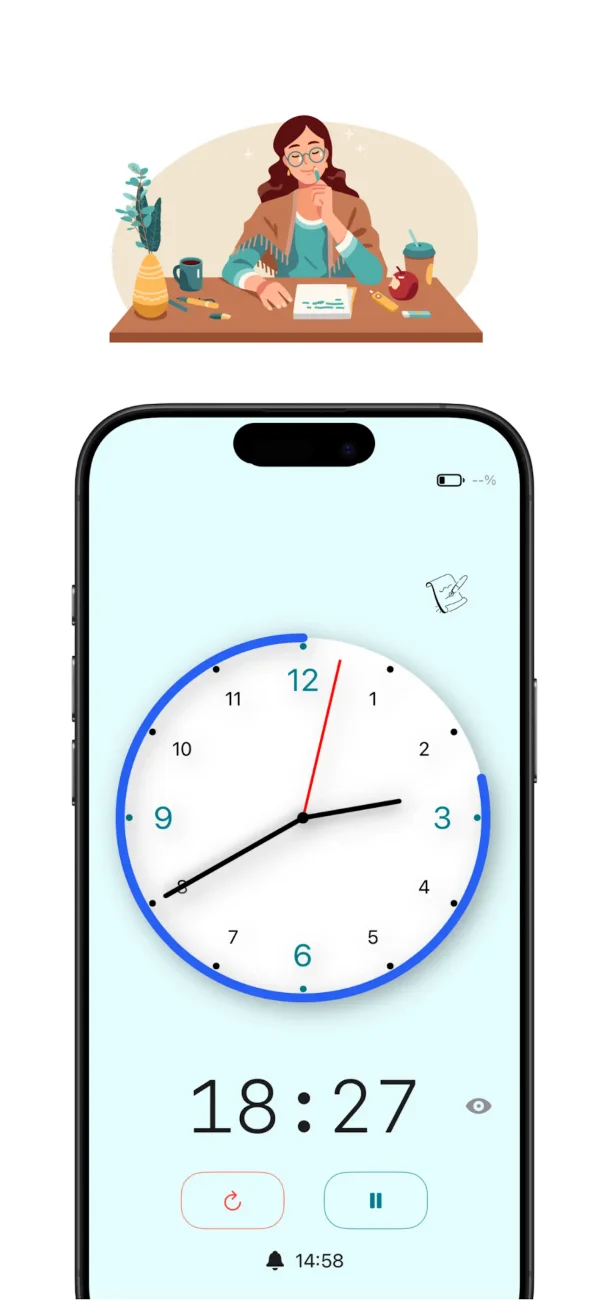
Timeroom — A Simple and Powerful Clock App
Timeroom combines elegant clock design with smart time-tracking features to help you focus and manage your time effectively.
Perfect for
Turning your smartphone into a desk clock
Students studying in libraries or quiet spaces
Professionals working in coworking spaces
People who often work in cafés
Anyone who needs a silent timer
Those who want to track and review their daily routines
Key Features
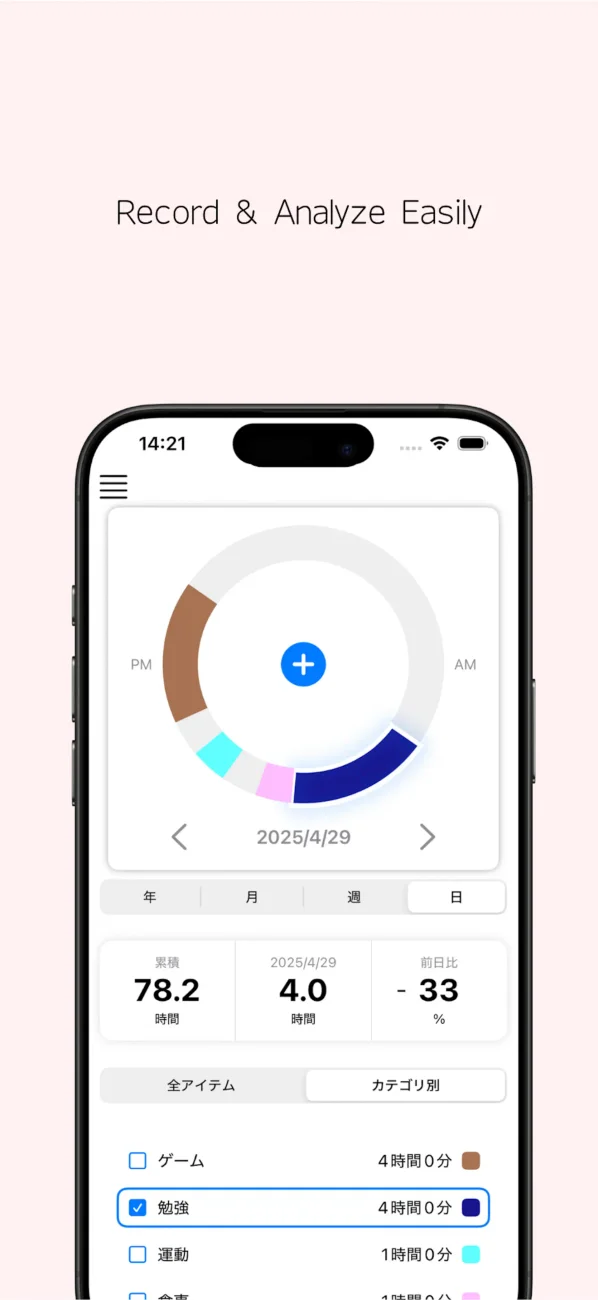
One-Tap Time Tracking
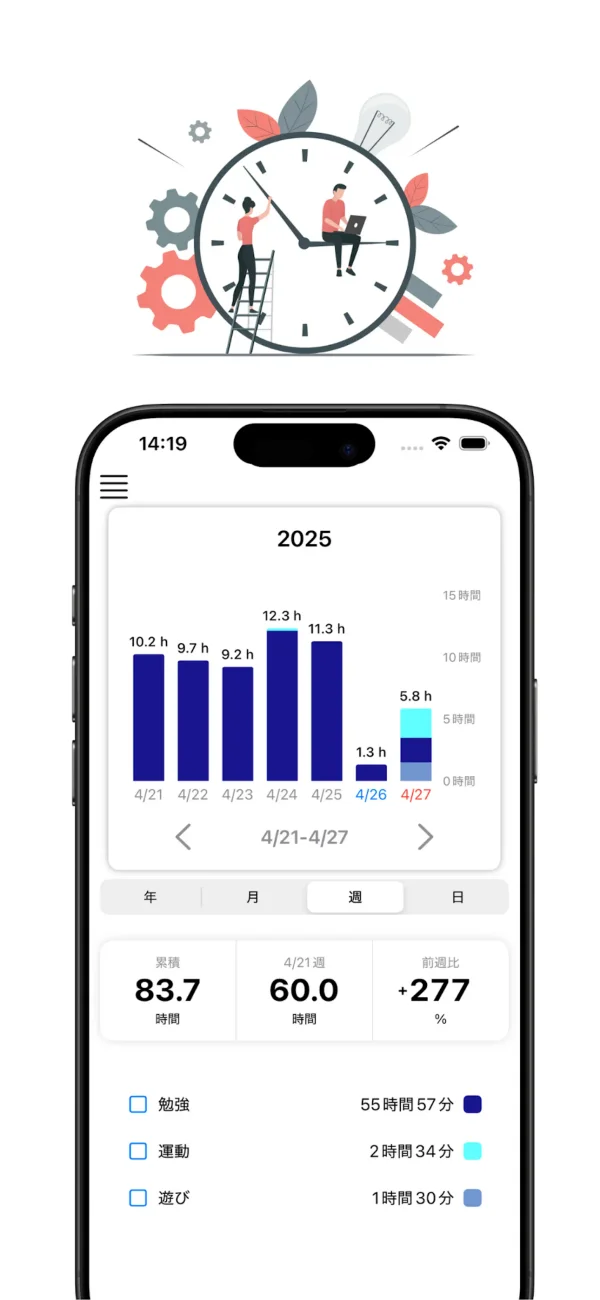
Track your study or work sessions with a single tap.
Your records are beautifully displayed in daily reports with day-to-day comparisons, streaks, and total accumulated time.
You can also share your progress on social media to keep yourself and friends motivated. Manual time entry is supported.
Silent by Default, Ideal for Quiet Spaces
Timeroom is designed for quiet environments such as libraries and study rooms.
Sounds and vibrations are turned off by default, so you can focus without disturbing others. You can turn them on if needed.
Alarm and Stopwatch Functions
Perfect for timed study sessions, exam practice, and focused work.
The clean design minimizes distractions, making it especially useful for students.
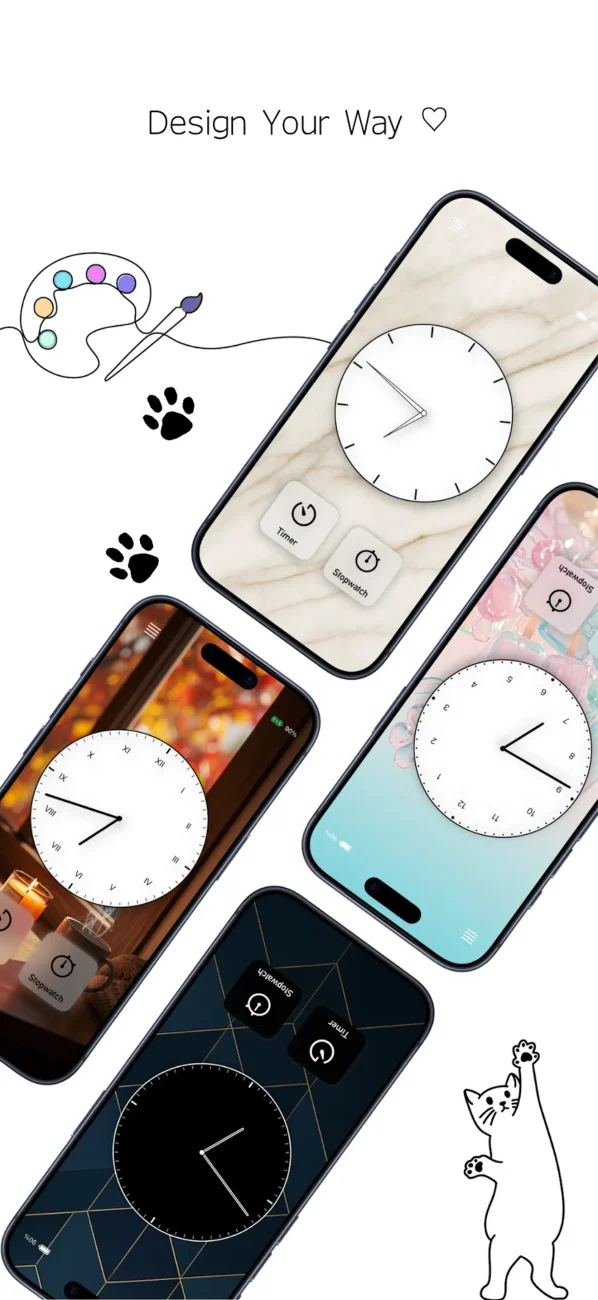
Large and Beautiful Clock Display
A clear, distraction-free clock designed to blend seamlessly into your workspace.
Every element is optimized for real desk clock usage.
Rich Customization Options
Toggle the second hand, enable or disable auto sleep, adjust alarm sounds and vibrations, and more.
Create the clock setup that best fits your focus style.
Analog and Digital Modes
Switch between analog and digital clock styles to match your preference.
Evolving with User Feedback
Timeroom grows with its community.
You can send feedback easily through the official X (Twitter) account or directly within the app. User suggestions help us make the app even better.
What’s new
Version 2.3.8 · Aug 9, 2026
We have added more flexible customization features.
App privacy
What WizMe, Inc. declares on the App Store about how this app handles data.
-
Data used to track you
May be used to track you across apps and websites owned by other companies.
- Identifiers
- Usage data
-
Data linked to you
May be collected and linked to your identity.
- Identifiers
- Usage data
-
Data not linked to you
May be collected but is not linked to your identity.
- Usage data
- Diagnostics
Privacy practices may vary, for example with the features you use or your age.
Information
- Seller
- WizMe, Inc.
- Category
- Utilities
- Version
- 2.3.8
- Updated
- Aug 9, 2026
- Released
- Dec 31, 2021
- Size
- 97.7 MB
- Requires
- iOS 18.4 or later
- Age rating
- 4+
- Price
- Free
- In-app purchases
- Yes
- Languages
- English, Japanese, Korean, Simplified Chinese, Traditional Chinese
- Copyright
- © 2025 WizMe, Inc.
You might also like
-
 Silent Flash Timer - No SoundIdeal for study, focus
-
 Project Timer ~ Count worksTrack where your time goes
-
 SClock - Big Digital ClockUtilities
-
 mini時計Utilities
-
 OneTouchVibrationTimerVibrates instead of make noise
-
 Digital Simple ClockDesk Clock, Stopwatch & Timer
-
 Smart Digital & Analog ClockCustomizable Clock with Widget
-
 COLON - シンプルでスタイリッシュなデジタル時計Utilities
-
 eClock!Essential for study and life.
-
 Countdown Widgets Count365Minimal countdown widget timer