Timesheet PDF
Enter time,sign & send..simple
Designed for iPhone, iPad, Mac, iPod touch
Free · In-app purchases
- Age rating4+
- CategoryBusiness
- DeveloperMobile and Database Solutions
- LanguagesEnglish+ 11 more
- Size10.3 MB
Links to the official App Store page
Download.org hosts no file of Timesheet PDF. The button opens its official App Store page, published by Mobile and Database Solutions. Listing last checked on Nov 25, 2026.
Screenshots


About
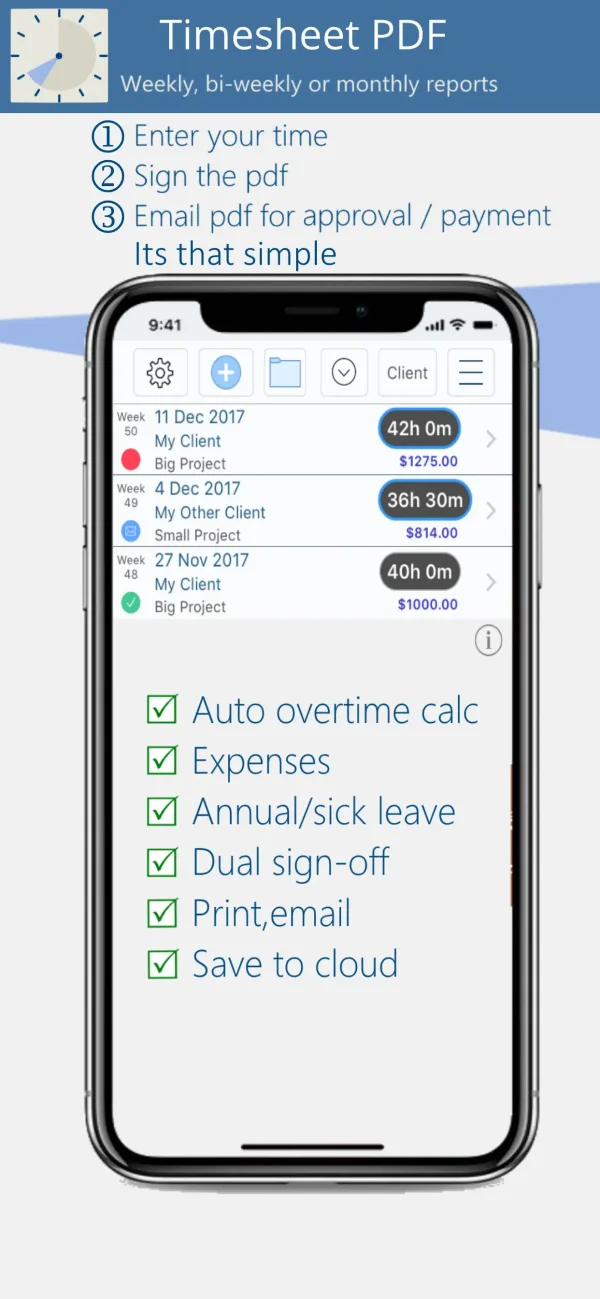
Create weekly or bi-weekly or monthly time sheets.
1.Enter your time.
2.Sign and counter-sign the PDF.
3.Email for payment.
It's that simple
**Please Note - Free download is for evaluation and limited to 3 time sheets.
To subscribe In-App 12 month subscription is required.
See below for more details.
Feature list:
•Quick time entry - simply tap hours to pre-fill times with your defaults.
•Automatically calculate pay based on inputs.
•3 reports to choose from
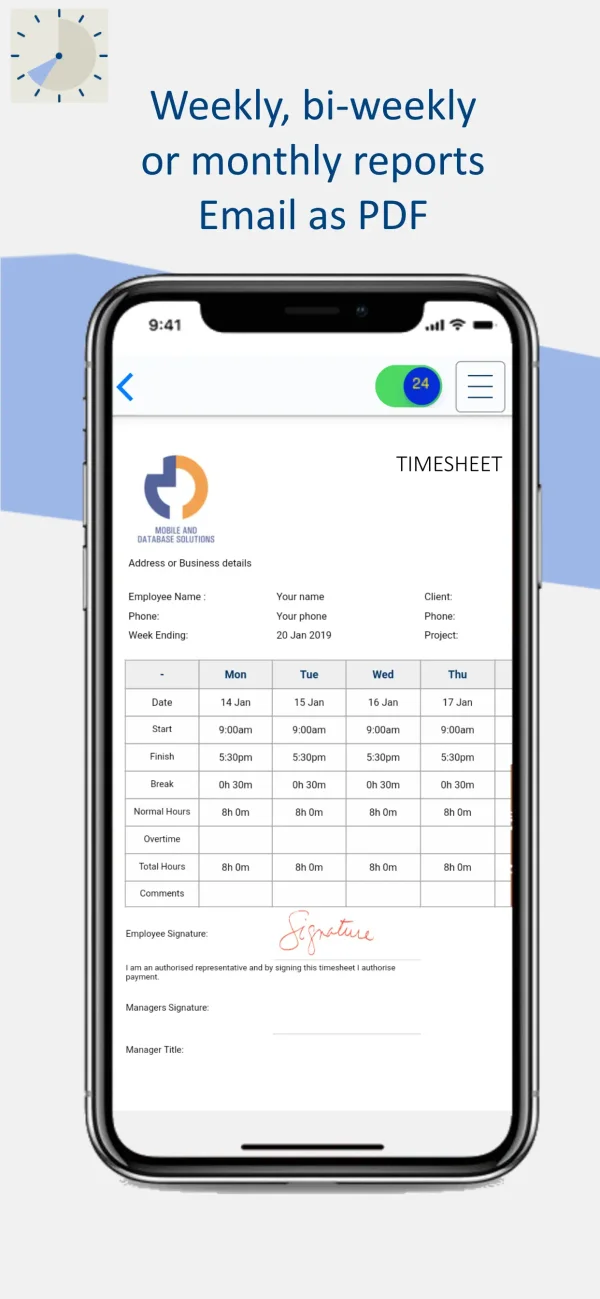
-Single Page Weekly PDF.
-Single Page Bi-Weekly PDF (2 weeks).
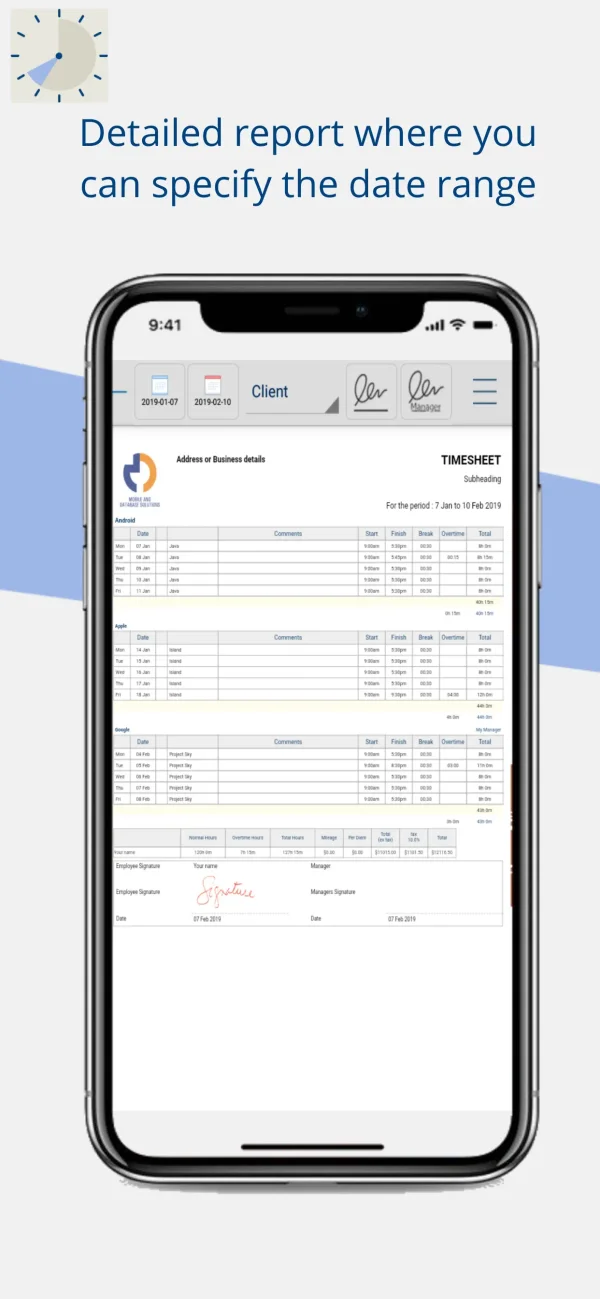
-Detailed PDF - you specify the date range.
•Add expenses or additional payments.
•Per diem / allowance amounts.
•Holiday/Annual and Sick Leave.
•5 Overtime options to choose from
-Daily. Automatic daily calculation when hours exceed the daily limits you set.
-Weekly. Automatic weekly calculation when the weekly total hours exceed the limit you set.
-Daily Accrual or Weekly Accrual - Accrue overtime which can be paid later.
-Or Manual overtime entry.
•Multiple shifts per day.
•Set hourly rate and travel rate for each client.
•Change the overtime rate for individual shifts/days or public holidays.
•Custom logo from device photo library.
•Sign and send timesheet as PDF email attachment or upload to iCloud.
•Sync your hours to device Calendar (iCal).
•Optional comments for each day.
•Optional mileage or trips entry.
•Display time durations as decimal or hr/min.
•Tax Label and % option.
T&Cs
In accordance with fair use policy this app is limited to 1 user/employee per device.
The app contains validation of total hours for the week.
--------------------------------------------
This is a free app download. Within the app users can purchase 12 month auto renewing subscription
Available subscription is:
Timesheet PDF 12 months
• The subscription will renew automatically unless cancelled more than 24 hours before the end of the current period. You will be charged for renewal within 24 hours of the end of the current period, for the same duration and at the current subscription rate for the product.
• You may turn off the auto-renewal of subscriptions through your Account Settings, however you are not able to cancel the current subscription during its active period.
• Payment will charged to your iTunes account at confirmation of purchase and any unused portion of a free trial period, if offered, will be forfeited when a subscription to that publication is purchased.
---------------------------------------------
You can find our privacy policy terms and conditions here :
http://www.mobileanddata.com.au/privacy.html
What’s new
Version 1.27.05 · Nov 23, 2026
updates for iPhone Duo compatibility
toggle Now / Done button order on iPhone
fix displaying comments on IOS 18
App privacy
What Mobile and Database Solutions declares on the App Store about how this app handles data.
-
Data not collected
The developer does not collect any data from this app.
Privacy practices may vary, for example with the features you use or your age.
Information
- Seller
- Paul Keen
- Category
- Business
- Version
- 1.27.05
- Updated
- Nov 23, 2026
- Released
- Jul 25, 2014
- Size
- 10.3 MB
- Requires
- iOS 15.6 or later
- Age rating
- 4+
- Price
- Free
- In-app purchases
- Yes
- Languages
- English, Danish, French, German, Hindi, Italian, Japanese, Polish, Portuguese, Simplified Chinese, Spanish, Traditional Chinese
- Copyright
- © 2026 MDS
You might also like
-
 Work Log -Time sheet-Helps record working hours
-
 TimeSheet - IS -Manage your working hours
-
 Punch time clock - FlexishiftFlex hours tracker and worklog
-
 Timesheet IO - Time TrackerBillable hours & timesheets
-
 Hours Keeper: Time TrackerTimesheet, Pay and Invoice
-
 Timesheet: Work Hours TrackerShift Work & Pay Calculator
-
 Clock In: Shift Hours TrackerTime Clock & Pay Calculator
-
 Work Hours & Pay CalculatorTrack time & expected salary
-
 Toolr: Work time clock trackerTime station, hours calculator
-
 Hours & Pay Tracker: atWorkTime Clock & Work Timesheet