
TimeSnap - Timestamp Camera
Verified Timestamp Camera
Designed for iPhone, iPad, iPod touch
In-app purchases
- Age rating4+
- CategoryPhoto & Video
- DeveloperArusa Zafar
- LanguagesEnglish
- Size57.7 MB
Links to the official App Store page
Download.org hosts no file of TimeSnap - Timestamp Camera. The button opens its official App Store page, published by Arusa Zafar. Listing last checked on Nov 16, 2026.
Screenshots
About
TimeSnap – Verified Timestamp Camera
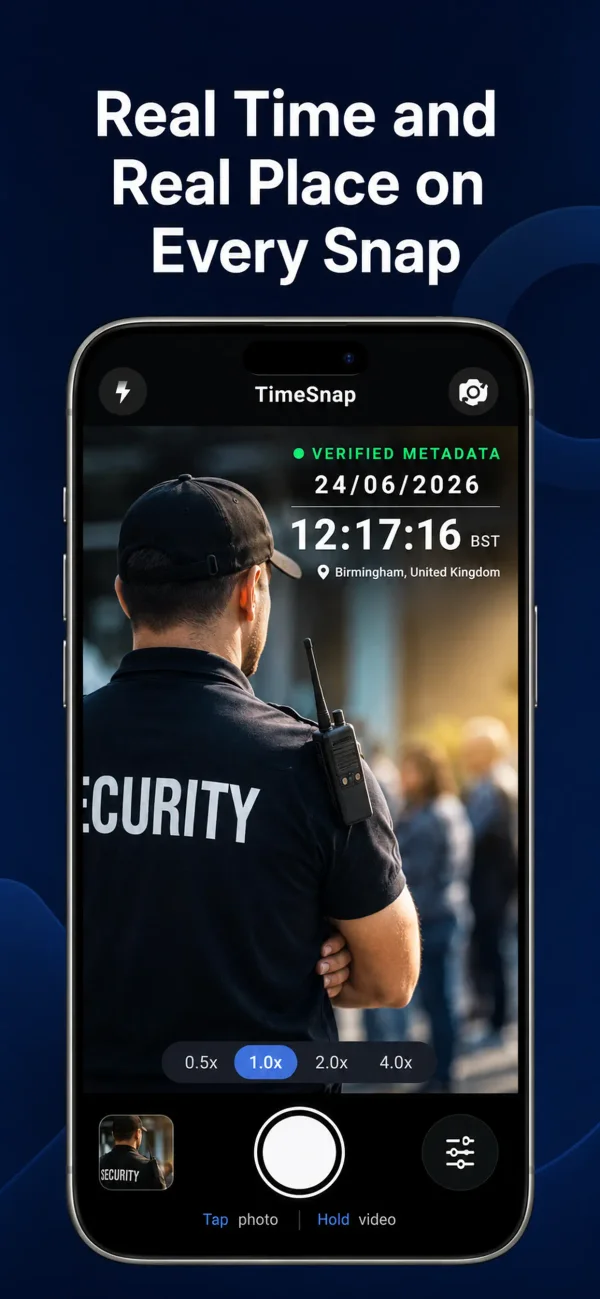
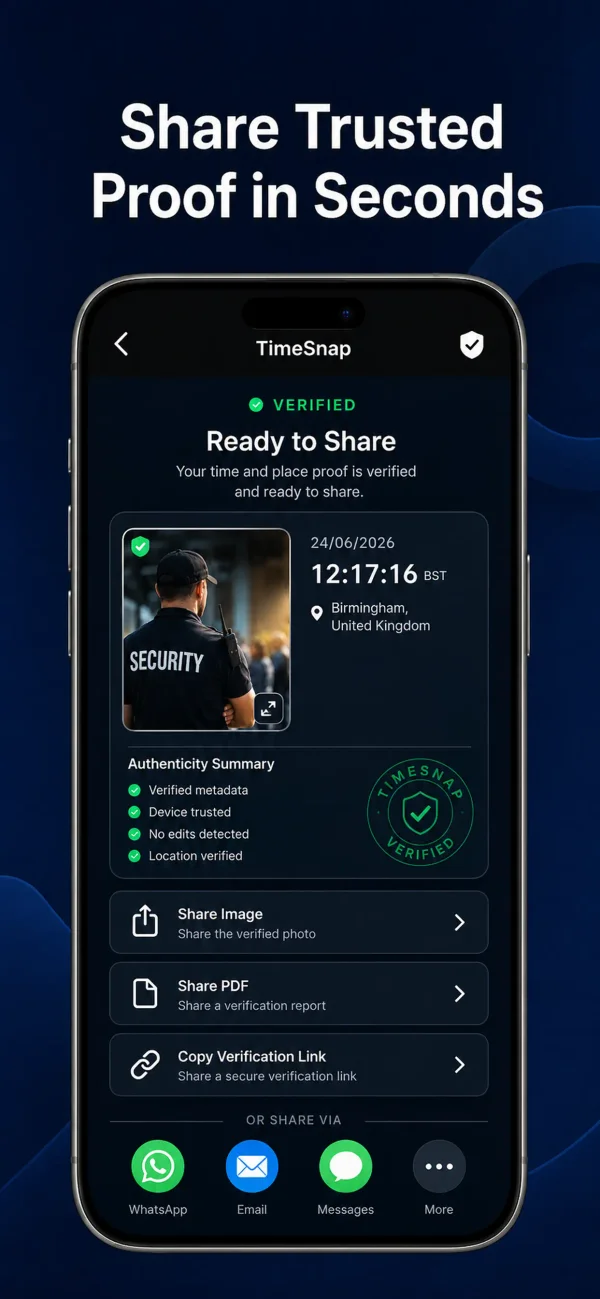
TimeSnap captures photos and videos with a permanently burned-in, tamper-resistant timestamp — real proof of exactly when and where something happened.
Unlike every other camera app, TimeSnap doesn't trust your phone's clock. It fetches the real time directly from global NTP servers, completely bypassing your device settings. Even if someone manually changes their phone's date and time, TimeSnap shows the verified internet time — and stamps every capture VERIFIED METADATA so anyone viewing the file knows it's legitimate.
WHAT GETS BURNED IN
Every photo and video permanently contains:
• Verified date and time, from NTP internet servers
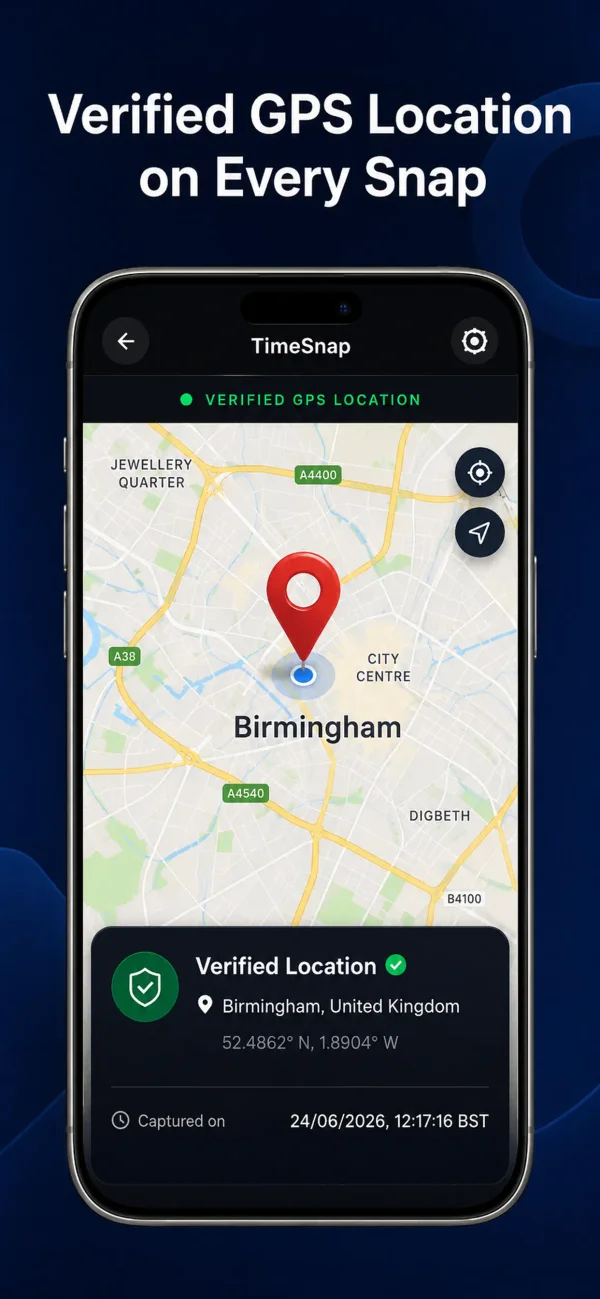
• Live GPS address — street, town, postcode, country
• Live/Offline status indicator
• Your business name or logo (optional)
• A unique verification code, checkable online
This isn't metadata that can be stripped with a tool — it's baked directly into the pixels. Permanent, and tamper-evident.
VERIFY EVERY CAPTURE, NOT JUST TRUST IT
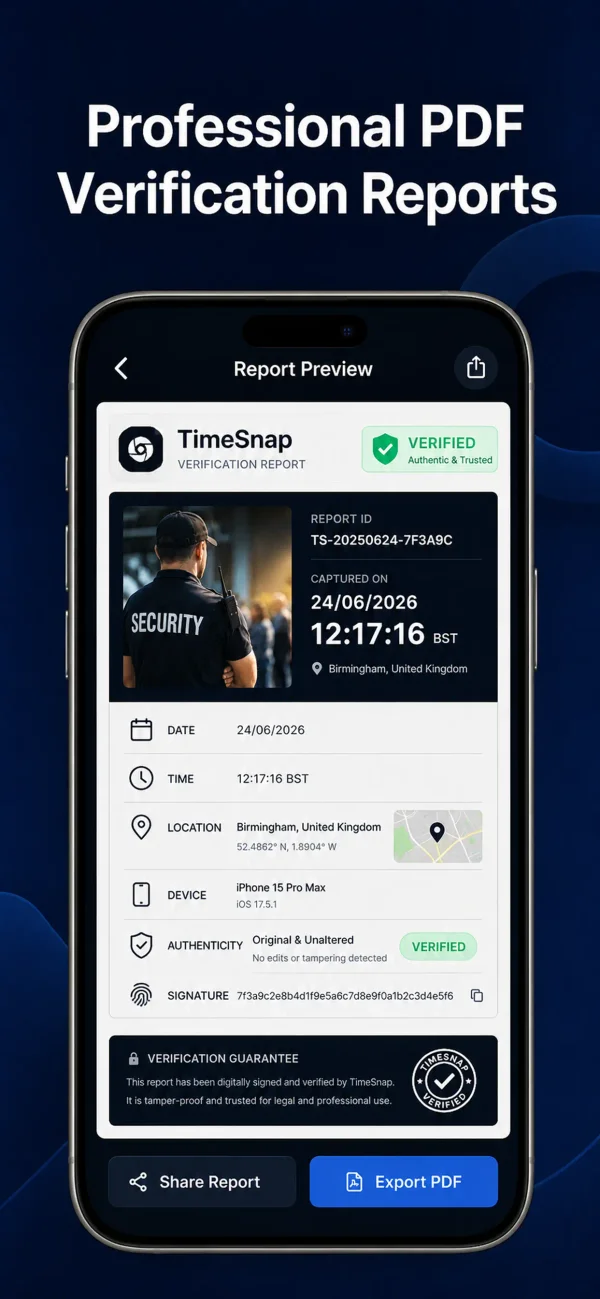
Every verified photo and video gets its own unique verification code. Anyone can check that code online to confirm the exact time, location, and connectivity status at capture — real independent proof, not just a stamp someone has to take your word for. Generate a professional, shareable PDF verification report for any capture in one tap — ideal for evidence, claims, and site documentation.
KEY FEATURES
NTP Verified Time
Real time fetched from global internet servers on every capture. Your device clock is ignored entirely.
GPS Address Overlay
Your exact reverse-geocoded address burned onto every file in real time — no guessing where a photo was taken.
Live Video Clock
While recording, the clock ticks live on every single frame — playback proves the exact second each moment was captured.
Verification Codes & PDF Reports
Every verified capture gets a unique, independently checkable code and a one-tap professional PDF report.
Night Mode
Multi-frame low-light enhancement automatically brightens photos taken in the dark, without sacrificing the verified timestamp.
Auto Face Focus
Automatically keeps focus and exposure locked on the person in frame.
Custom Branding
Add your own business name or logo watermark to every capture — built for teams and companies that need their identity on the evidence.
Full Stamp Customization
• 12-hour or 24-hour format
• DD/MM/YYYY or MM/DD/YYYY
• Multiple fonts and 8+ stamp colours for any background
• Force re-sync NTP on demand
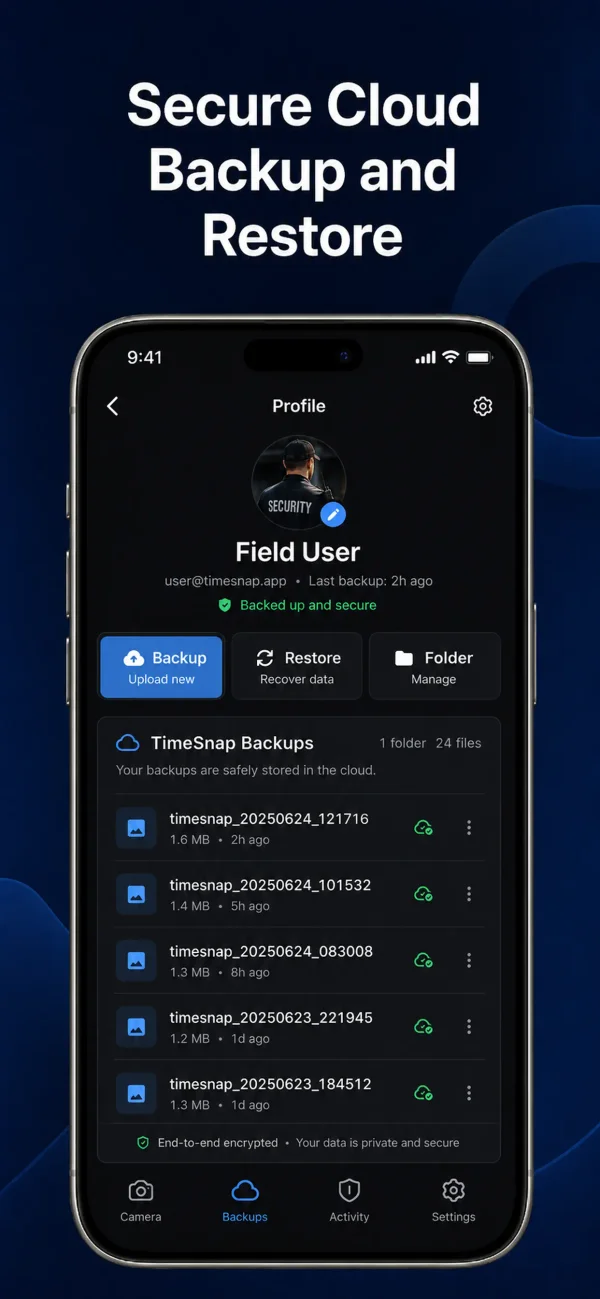
Google Drive Auto Backup (optional)
Automatically back up every capture to your own Google Drive — nothing is ever stored on our servers.
Offline Fallback
No internet? TimeSnap still works, using your device clock and clearly labelling every capture "Offline" so there's never any ambiguity.
Native Gallery
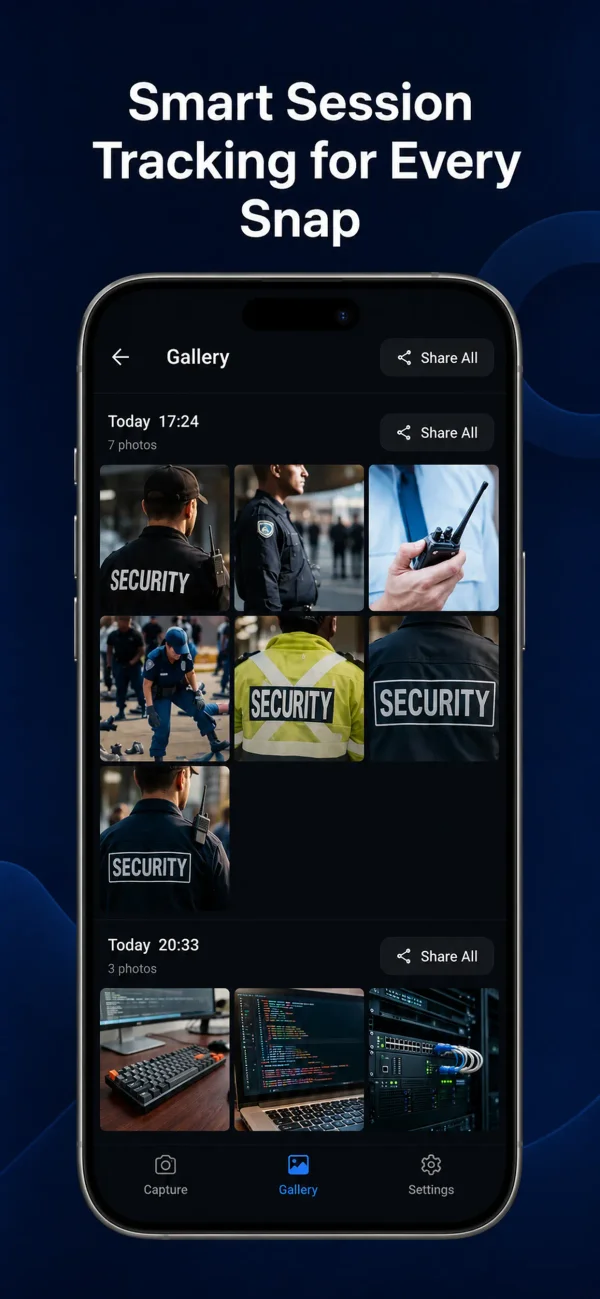
All media saves straight to your phone's Camera Roll — no separate silo, no extra steps.
WHO USES TIMESNAP
• Security and door staff documenting incidents
• Insurance investigators and loss adjusters
• Construction managers logging site progress
• Field engineers recording equipment states
• Landlords and letting agents logging property condition
• Anyone who needs proof a photo wasn't faked or backdated
PRIVACY
No account required to use TimeSnap's core camera and verification features — your photos and videos never leave your device unless you choose to enable optional Google Drive backup.
Privacy Policy: https://timesnap.info/app-privacy/
Terms of Use: https://timesnap.info/terms/
Apple Standard EULA: https://www.apple.com/legal/internet-services/itunes/dev/stdeula/
What’s new
Version 1.6.8 · Nov 11, 2026
Performance improvements and fixes.
App privacy
What Arusa Zafar declares on the App Store about how this app handles data.
-
Data used to track you
May be used to track you across apps and websites owned by other companies.
- Identifiers
- Usage data
- Diagnostics
-
Data not linked to you
May be collected but is not linked to your identity.
- Location
- Identifiers
- Usage data
- Diagnostics
- Other data
Privacy practices may vary, for example with the features you use or your age.
Information
- Seller
- Arusa Zafar
- Category
- Photo & Video
- Version
- 1.6.8
- Updated
- Nov 11, 2026
- Released
- Jul 8, 2026
- Size
- 57.7 MB
- Requires
- iOS 15.6 or later
- Age rating
- 4+
- In-app purchases
- Yes
- Languages
- English
- Copyright
- © 2026 Rivontech
You might also like
-
 GPS Camera: Photo ProofDate, Time & Location Stamps
-
 AI Timestamp CameraSmart GPS & Time Watermarks
-
 StampCam - Date Stamp CameraDate stamp camera for photos
-
 Timestamp Camera - Photo DateBest add date, GPS to video
-
 DualShot-HoriSnapDual Camera Recorder
-
 Time Lapse PlusCreate Amazing Timelapse Video
-
 Date Stamp PhotosCustom Date & Time Stamps
-
 Dual Capture ShotTwo views, separate files
-
 GPS Map Camera : Timestamp CamGPS Photo Location: Timestamp
-
 TimeMark: Worksite ReportsBefore/After Site Reports