
TimeSync: Easy Schedule
Group meeting times, no polls
Designed for iPhone, iPod touch
- Age rating4+
- CategoryProductivity
- DeveloperHyo Eun Lee
- LanguagesEnglish
- Size37.5 MB
Links to the official App Store page
Download.org hosts no file of TimeSync: Easy Schedule. The button opens its official App Store page, published by Hyo Eun Lee. Listing last checked on Nov 16, 2026.
Screenshots
About
TimeSync is the simplest way to find a time that works for everyone.
Planning a get-together with friends or setting up a meeting with coworkers?
"When are you free?"
"I can't make it that day."
"Then when works for you?"
Skip the endless back-and-forth.
Create a meeting link in TimeSync and share it with your group. Everyone marks when they're available, and you can compare all schedules at a glance.
Key Features
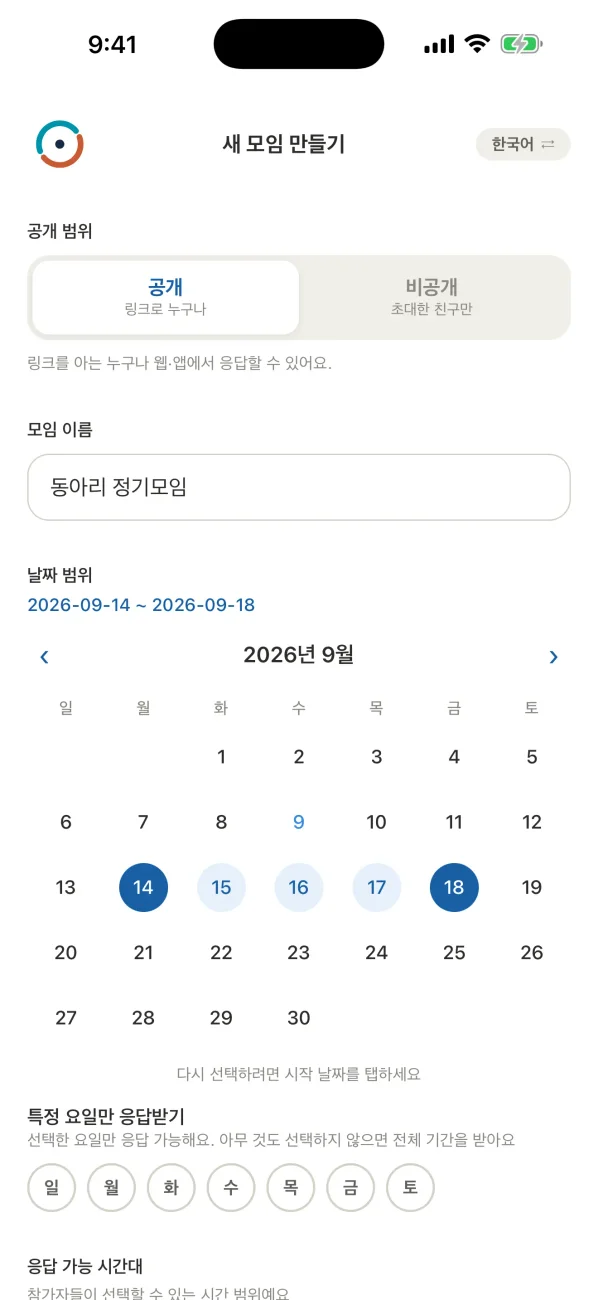
• Create a meeting in seconds
Just set a name, a date range, and a time range, and your scheduling link is ready.
• Share with a single link
Invite friends, family, and coworkers via KakaoTalk, text message, link, or QR code right after creating a meeting. Anyone with the link can enter their availability right away.
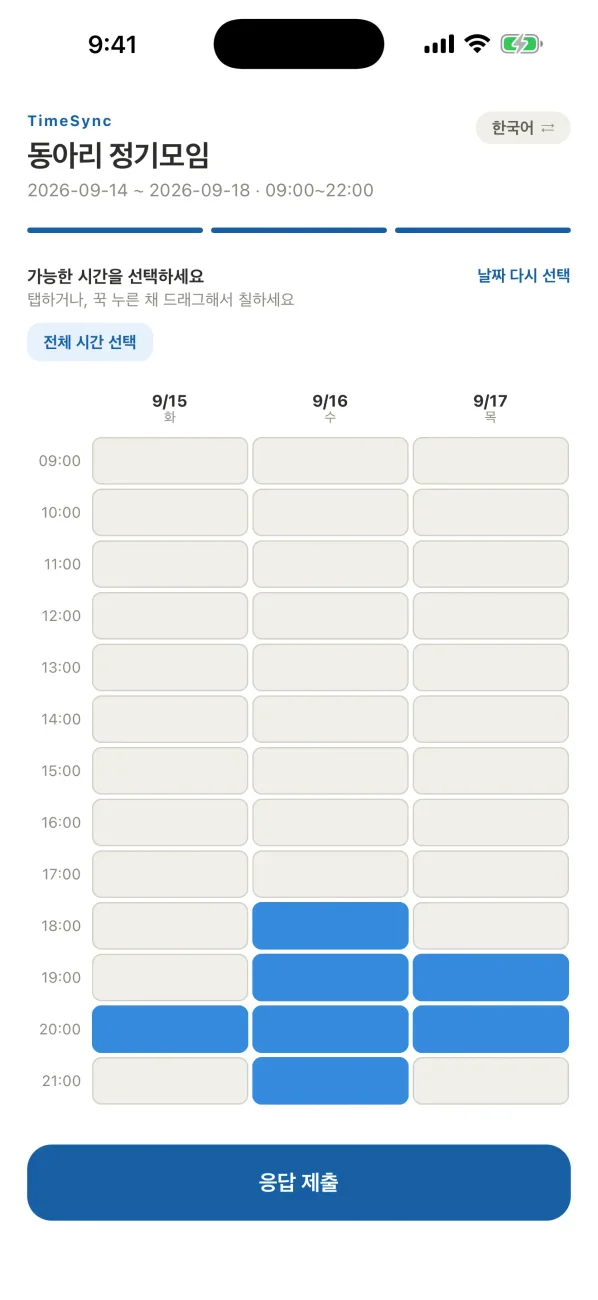
• Pick your available times
Select the times that work for you on a simple calendar.
• Ask a question along with the date
Need to decide where to meet or what to eat? Add a question when you create a meeting — multiple choice or short answer. Everyone answers while picking their times, and you can see the votes and answers in the results.
• Works across time zones
Set a time zone when you create a meeting. Friends abroad can switch to their own local time while picking, and their choices are converted to the meeting's time automatically. Once confirmed, the time is shown in each participant's local time — Seoul, New York, London and more.
• Paint your availability
No need to tap slot by slot. Press and drag to select a whole block of time at once.
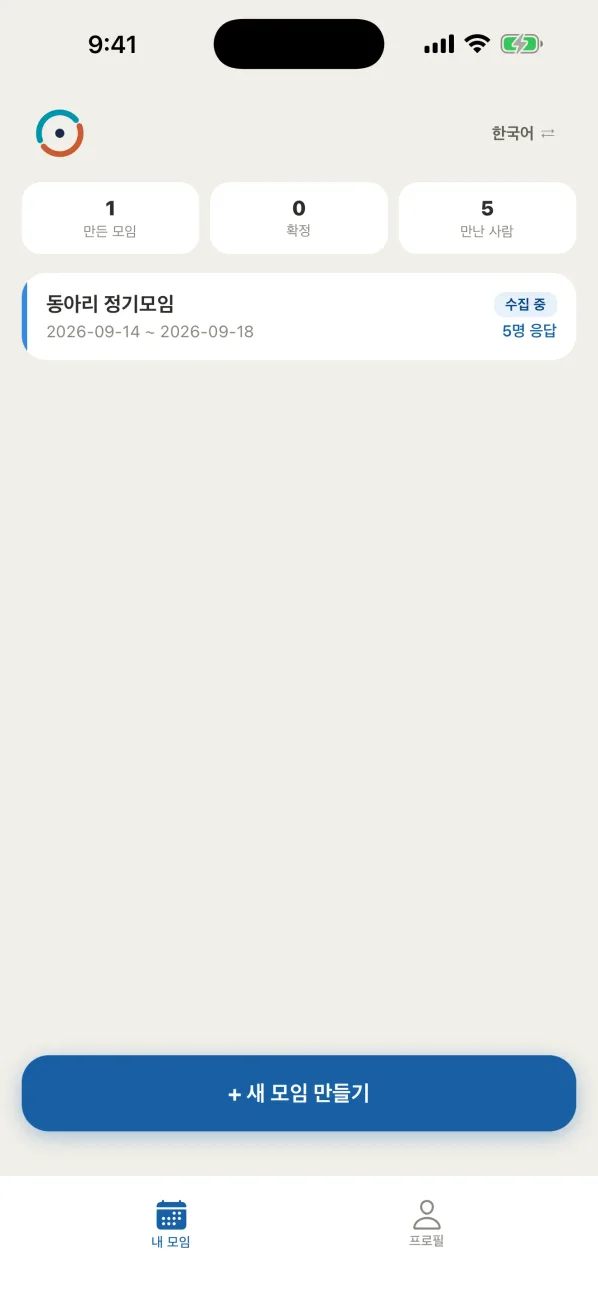
• Delete meetings easily
Swipe a meeting in your list, or delete it right from the meeting screen.
• Available in English and Korean
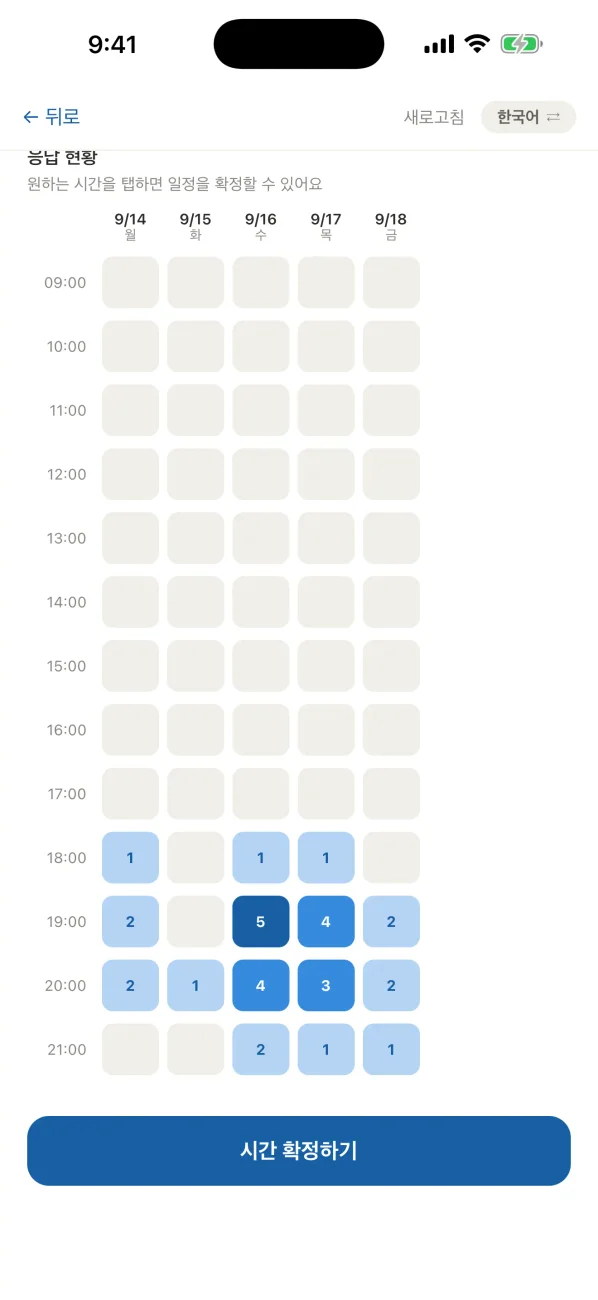
• See everyone's availability at a glance
Instantly see how many people are free in each time slot.
• Find the best time, fast
Popular time slots are highlighted on a heatmap, so the best option stands out.
• Share the confirmed plan as an image
Once you confirm a time, share it as a calendar image or save it to your photos.
• Private meetings for friends only
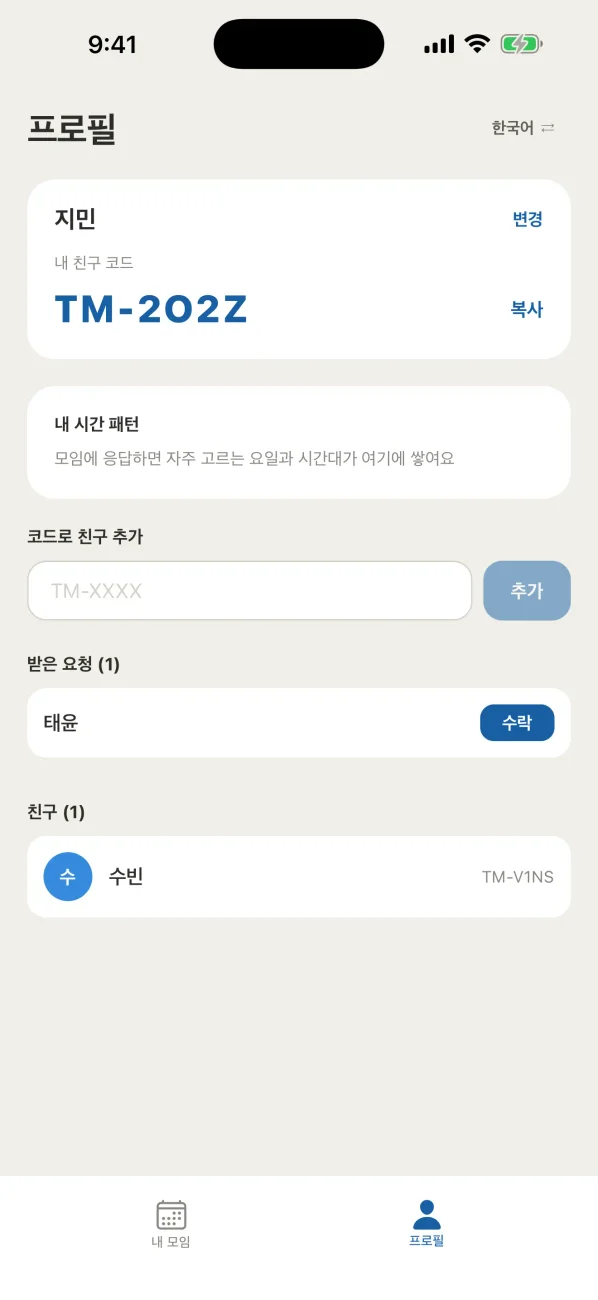
Add friends with a friend code and create private meetings that only invited friends can join.
• No sign-up required
Create and join meetings right away, with no complicated sign-up.
From dinner plans and climbing sessions to study groups, team meetings, and trips.
Find a time that works for everyone with TimeSync.
TimeSync
Easy Schedule
What’s new
Version 1.3.0 · Nov 9, 2026
You can now add a question when creating a meeting. If there’s something to decide along with the date, like where to meet, ask it as multiple choice or short answer. New users also get a unique nickname automatically.
App privacy
What Hyo Eun Lee declares on the App Store about how this app handles data.
-
Data linked to you
May be collected and linked to your identity.
- Contact info
- User content
- Identifiers
Privacy practices may vary, for example with the features you use or your age.
Information
- Seller
- Hyo Eun Lee
- Category
- Productivity
- Version
- 1.3.0
- Updated
- Nov 9, 2026
- Released
- Sep 23, 2026
- Size
- 37.5 MB
- Requires
- iOS 15.1 or later
- Age rating
- 4+
- Languages
- English
- Copyright
- © 2026 HyoEun Lee
You might also like
-
 AligndarShared Calendar & Group Polls
-
 SeeYaWhen: Plan TogetherPick a date. Split the costs.
-
 모여Productivity
-
 언제만나Productivity
-
 틈 - 모두가 괜찮은 시간 찾기Productivity
-
 ShiftStamp - 근무 일정 관리Productivity
-
 Meet Day - Meetup PlannerFind a day everyone can meet
-
 Calmoa – Schedule Polling AppFind the best date together
-
 폰트박스-한글폰트 200종, 원터치 텍스트디자인Productivity