
TimeTable Pro - AI Timetable
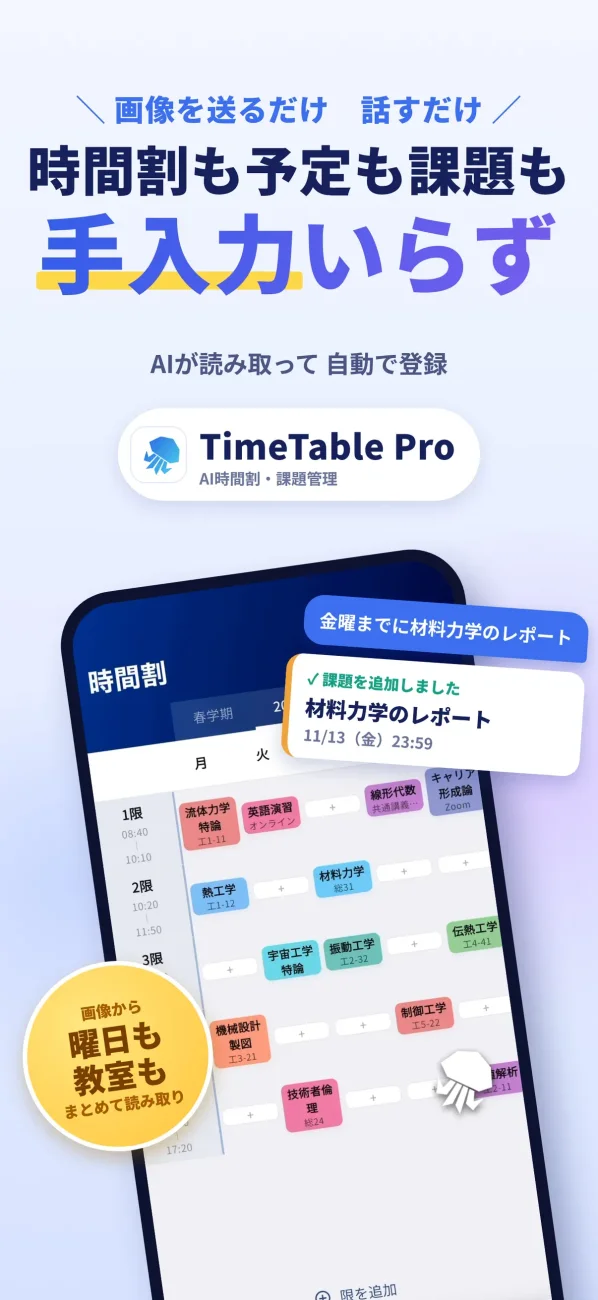
Snap your timetable, just talk
Designed for iPhone
Free · In-app purchases
- Age rating4+
- CategoryProductivity
- DeveloperTaketoshi Hayashida
- LanguagesJapanese
- Size121.5 MB
Links to the official App Store page
Download.org hosts no file of TimeTable Pro - AI Timetable. The button opens its official App Store page, published by Taketoshi Hayashida. Listing last checked on Nov 23, 2026.
Screenshots
About
Note: The app interface is currently in Japanese. English support is planned.
TimeTable Pro is an all-in-one timetable, assignment and schedule manager for university students.
Jerry, a friendly AI jellyfish, takes care of the tedious input for you.
■ Add your whole timetable from one photo
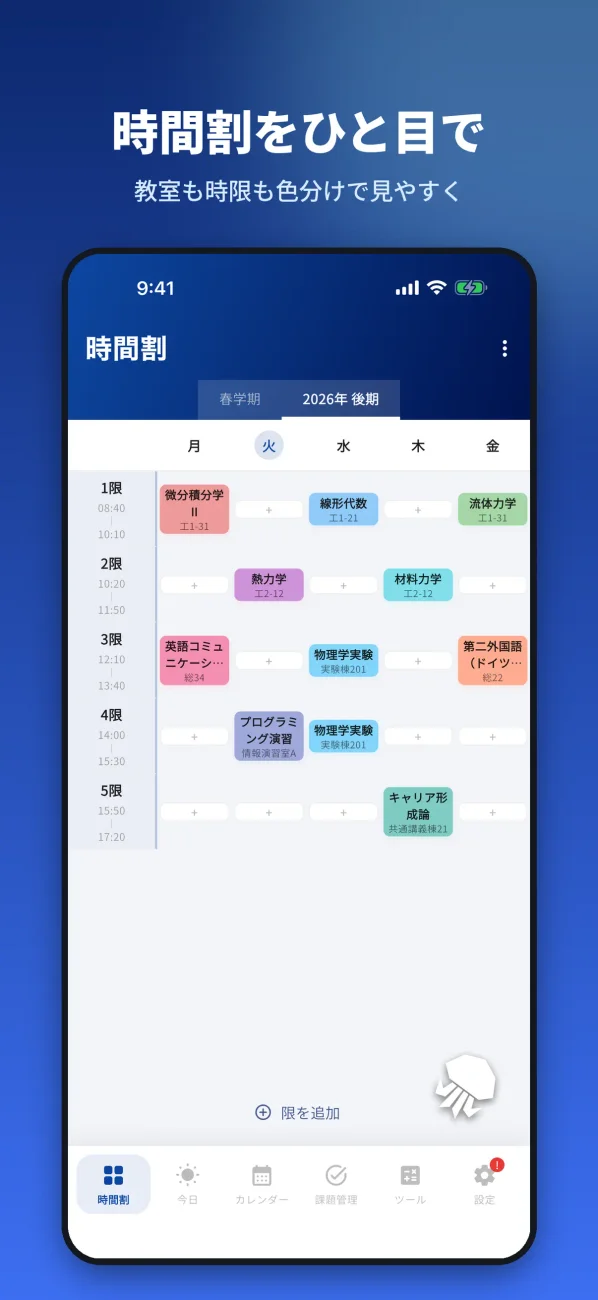
Just take a screenshot of your student portal or course registration page. The AI reads the days, periods, class names and rooms, and builds your timetable automatically. Works with the many different timetable layouts used by each university.
■ Just talk to Jerry
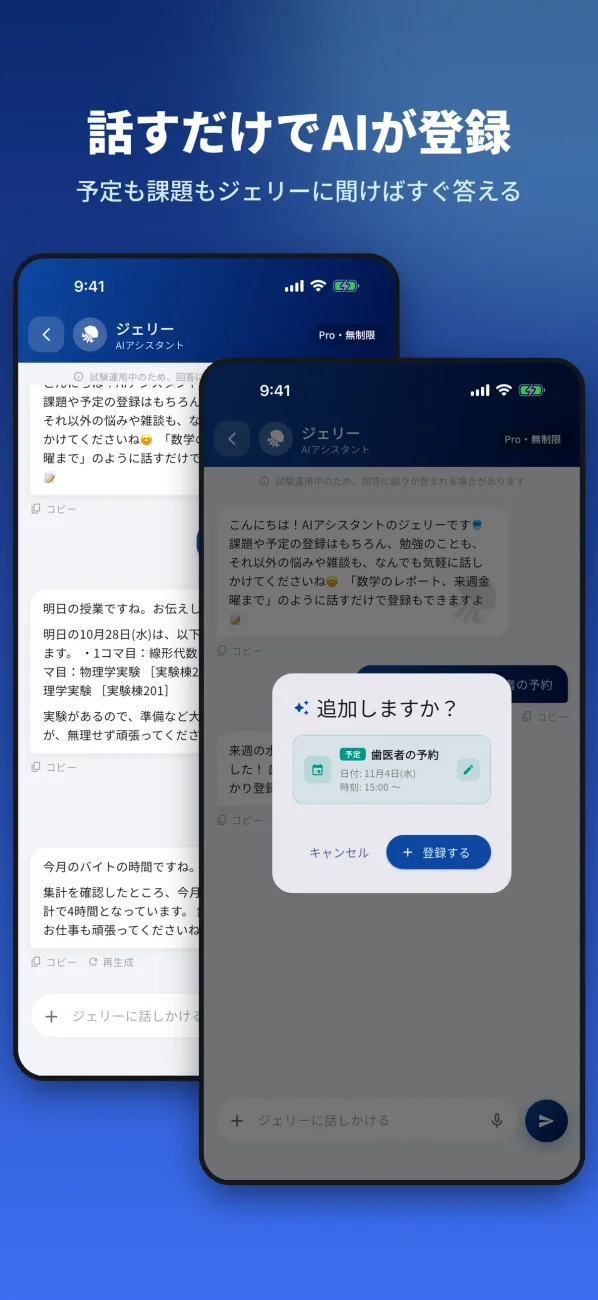
- "Part-time job next Friday from 6 pm" → added to your schedule
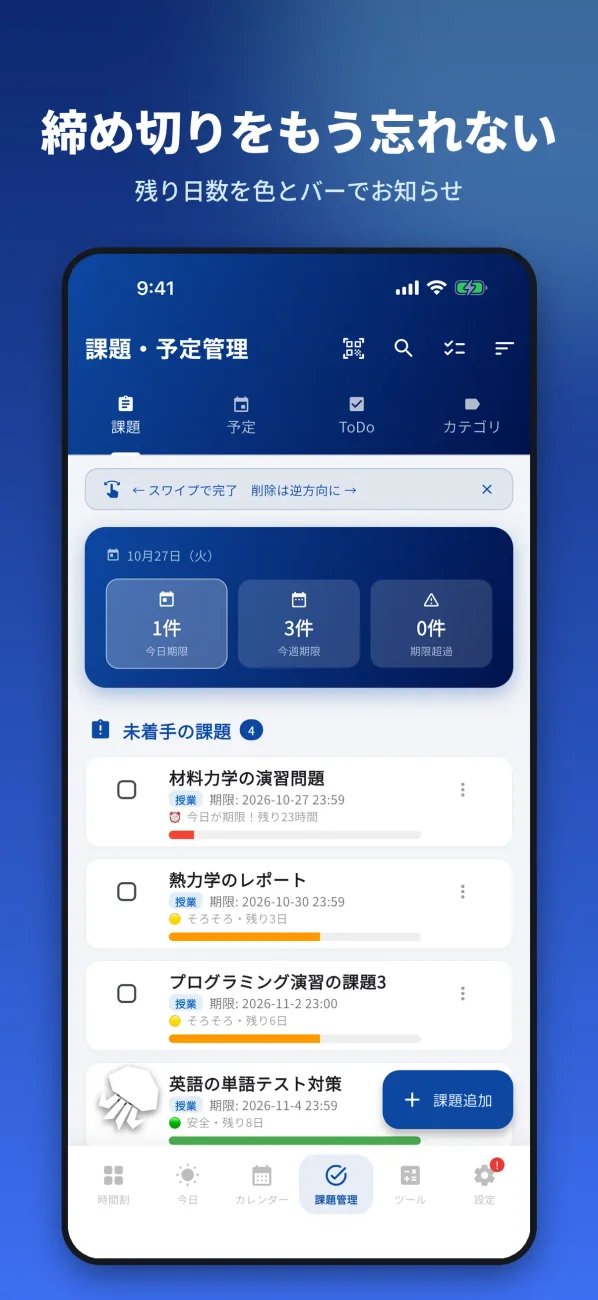
- "My report is due Wednesday" → added to your assignments
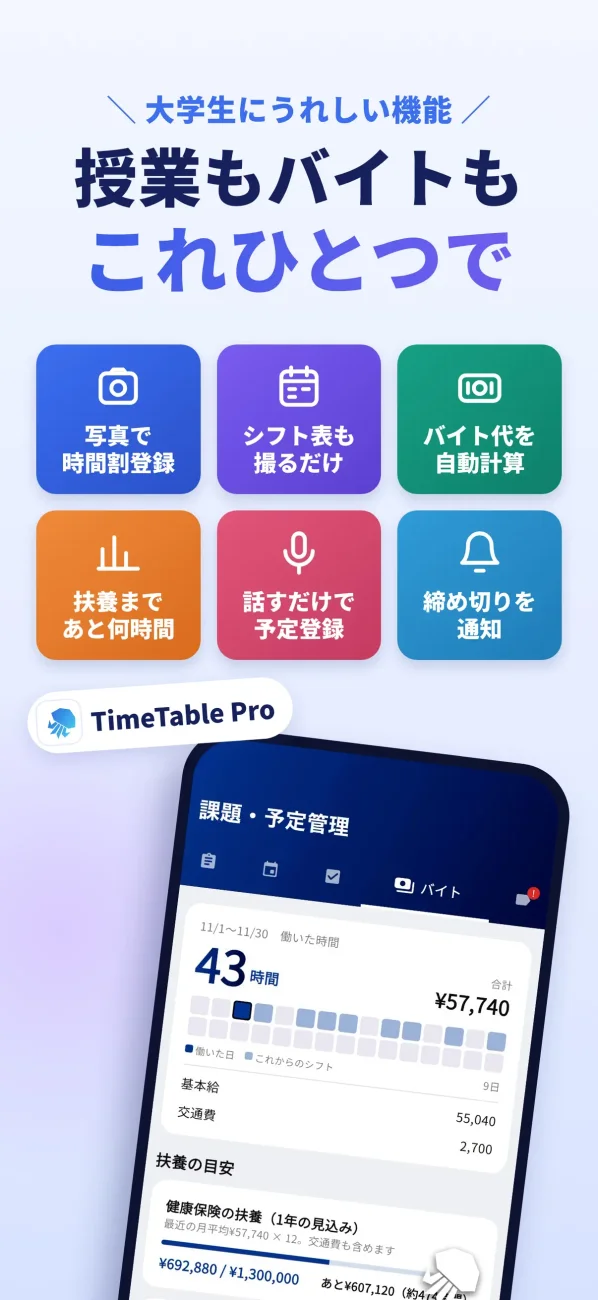
- "What classes do I have tomorrow?" "How many hours did I work this month?" → Jerry answers accurately from your data
You can also talk by voice.
■ Spend your days with Jerry
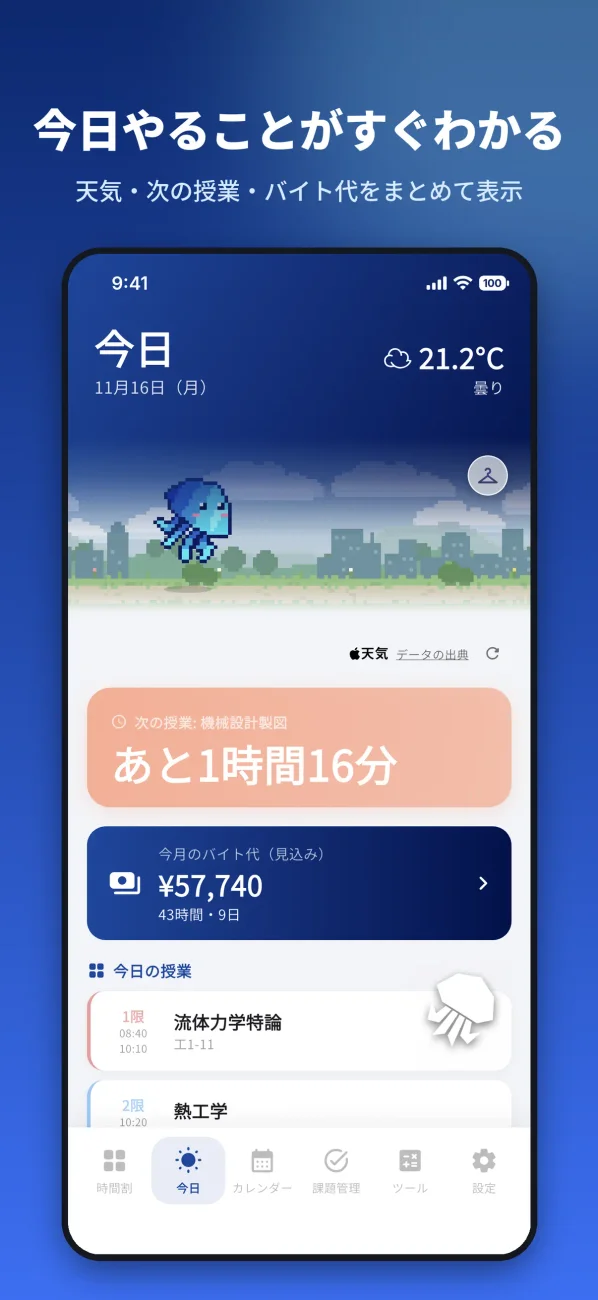
On the Today tab, Jerry floats through a pixel-art scene that follows the weather and time of day. Tap to chat, press and hold to pet him, or grab and toss him. Dress him up with hats, scarves and umbrella colors, and earn hearts and new items as you grow closer.
■ Make every class day easier
- Countdown to your next class, with the room shown
- Cancelled and rescheduled classes, attendance records, class notes
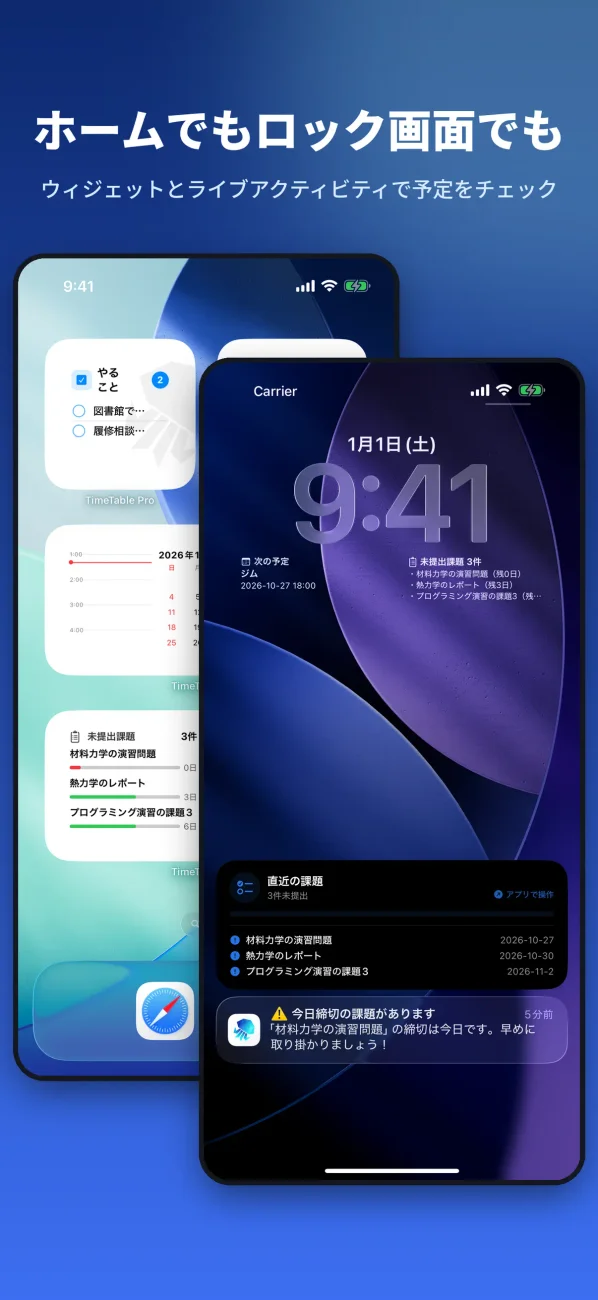
- Home and lock screen widgets and Live Activities (choose their design in the app)
- Notifications for assignment deadlines and upcoming classes
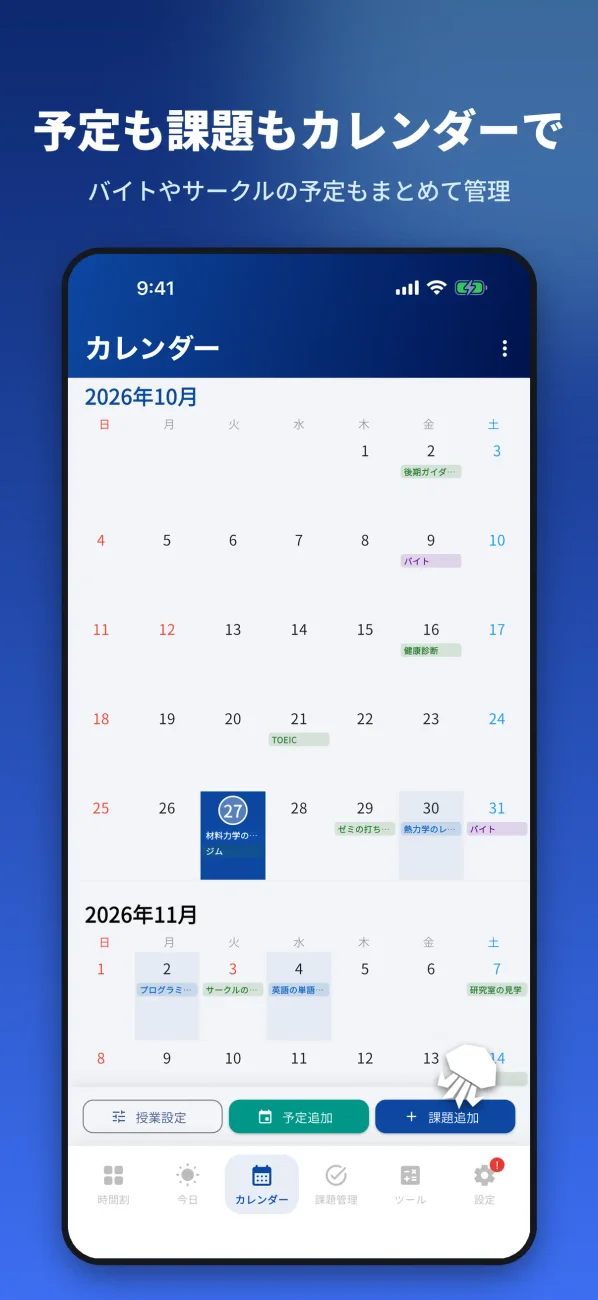
- Sync with the iPhone Calendar, including Google Calendar through your iPhone's Google account
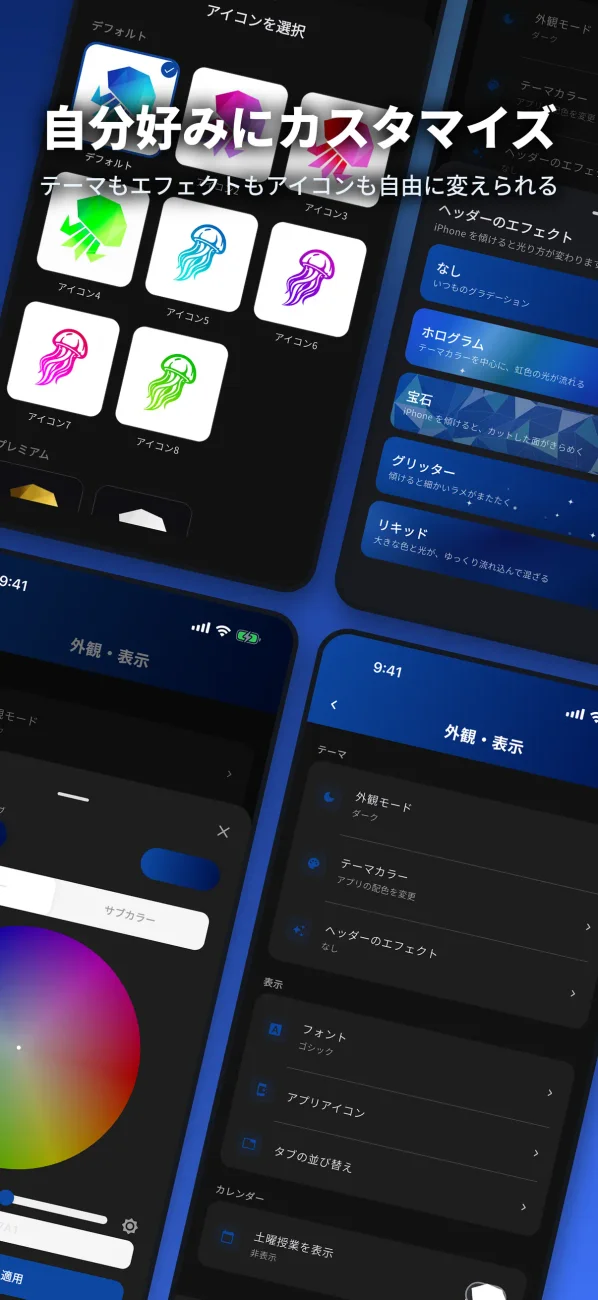
■ Make it yours
Change the theme color, dark mode, font and app icon freely.
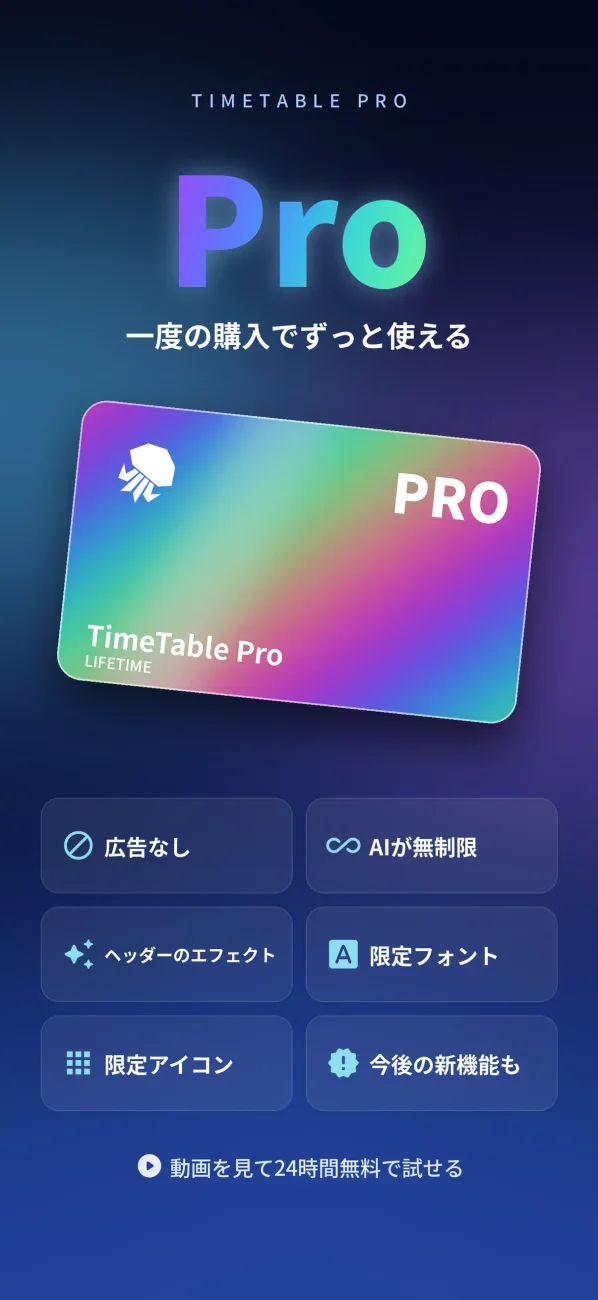
■ Pro (one-time purchase)
- No ads
- Unlimited AI with Jerry
- Dress-up items for Jerry (crown, wizard hat, headphones, gold pendant, starry and rainbow umbrellas and more)
- Scenes for Jerry (night city, sea, snowy mountains; the seasonal cherry blossoms stay after the season)
- Widget and Live Activity designs (faceted gradient, Jerry's scene)
- Header effects that shine as you tilt your iPhone (hologram, gem, glitter, liquid)
- 11 exclusive fonts (handwritten, pop, pixel and more)
- Exclusive app icons, including Jerry icons
- Access to future features
Watch a video ad to try Pro free for 24 hours.
■ Privacy you can trust
Your data is basically stored on your iPhone. When you use the AI assistant, what you type and the schedule details needed to answer are sent for AI processing (never used to train AI models). Timetable images are sent to Google Cloud Vision to read the text. If you use cloud backup by signing in with Apple, your data is saved on the backup server. See the privacy policy for details.
Note: AI answers may contain mistakes. Please check what gets registered.
What’s new
Version 2.2.4 · Nov 17, 2026
Jerry now lives on your Today tab.
- A pixel-art scene on the Today tab that changes with the weather and time of day (sunny, rain, snow, thunder, wind; morning, day, evening, night), with Jerry floating around
- Interact with Jerry: tap to chat, press and hold to pet, or grab and toss him
- Dress up Jerry with hats, scarves and umbrella colors. Grow closer to earn hearts and unlock new items
- Choose the design of your widgets and Live Activities in the app (new "Widgets & Live Activities" section in Settings)
- Redesigned widgets and Live Activities, plus a new small "Next class" widget
- Scenes: night city, sea, cherry blossoms and snowy mountains. Sea in summer, snowy mountains in winter and cherry blossoms in spring are free for everyone, and "Match the season" switches automatically by date
- Pro now includes every scene all year, items like a crown and wizard hat, 8 Jerry app icons, and widget designs
- Restored data now appears right away without reopening the app, and you can undo a restore for 7 days
- Events imported from the iPhone Calendar keep your in-app edits on the next import
- Stopping a repeating item now keeps today's entry
- Clearer calendar menu and sharing, with quick picks like "Today" and "This month"
- Fixed "How to use this screen" opening on the wrong screen when tabs are reordered or hidden
App privacy
What Taketoshi Hayashida declares on the App Store about how this app handles data.
-
Data used to track you
May be used to track you across apps and websites owned by other companies.
- Location
- Identifiers
- Usage data
-
Data linked to you
May be collected and linked to your identity.
- Purchases
- Contact info
- User content
- Identifiers
- Diagnostics
-
Data not linked to you
May be collected but is not linked to your identity.
- Location
- Identifiers
- Usage data
- Diagnostics
Privacy practices may vary, for example with the features you use or your age.
Information
- Seller
- Taketoshi Hayashida
- Category
- Productivity
- Version
- 2.2.4
- Updated
- Nov 17, 2026
- Released
- Oct 29, 2026
- Size
- 121.5 MB
- Requires
- iOS 16.6 or later
- Age rating
- 4+
- Price
- Free
- In-app purchases
- Yes
- Languages
- Japanese
- Copyright
- © 2026 TimeTable Pro
You might also like
-
 CalendarCalendarProductivity
-
 Count Suruo - days countProductivity
-
 ToDo Calendar - dolfySimple Scheduler & Checklist
-
 Mobile Print.Productivity
-
 Chart Builder Graph MakerPie,Bar,Line Chart
-
 Pickle: Your personal AI agentCalls, books & orders for you
-
 Text Scanner OCR App: OCR ScanImage to Text - Word Scan Text
-
 ICリーダー - 電子マネー残高確認アプリProductivity
-
 ClockZ | Desk Clock & AlarmNight & Standby Display
-
 Daily Planner with CalendarPie chart's day scheduler