
TimeTrack: Work & Study Timer
Time Log, Hours & Stopwatch
Designed for iPhone, iPad, iPod touch
Free · In-app purchases
- Age rating12+
- CategoryProductivity
- DeveloperGunawan Santoso
- LanguagesEnglish+ 17 more
- Size75.5 MB
Links to the official App Store page
Download.org hosts no file of TimeTrack: Work & Study Timer. The button opens its official App Store page, published by Gunawan Santoso. Listing last checked on Nov 20, 2026.
Screenshots


About
Where did today actually go?
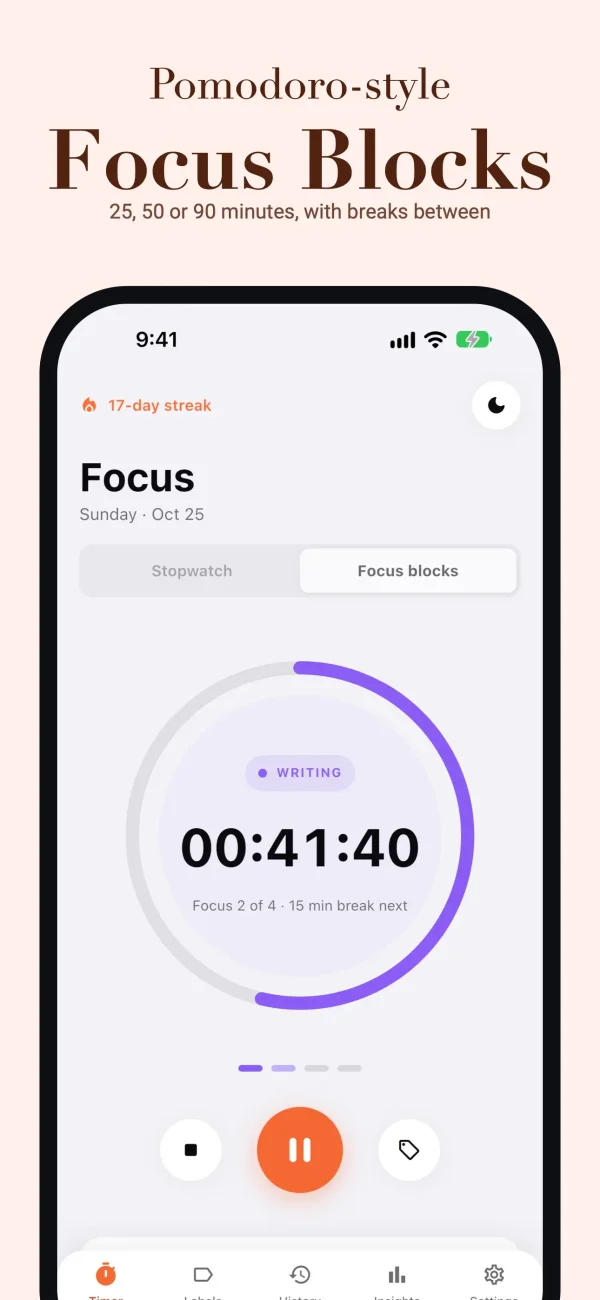
TimeTrack answers that in three taps. Name what you're doing, start the stopwatch, stop when you're done. That's the whole app.
No account. No cloud. No setup screen between you and the timer.
SIMPLE ENOUGH TO ACTUALLY USE
Most time trackers ask you to build a project hierarchy before you can log a single minute. This one opens on a big start button. Everything else — labels, notes, reports — you can add later, or never.
THE TIMER KEEPS RUNNING
Switch apps, lock the phone, take a call. The timer carries on and picks up exactly where it should. Forgot to start it? Add the session by hand afterwards. Left it running overnight? Auto-stop catches that before it ruins your week's data.
LABELS THAT MAKE SENSE OF IT
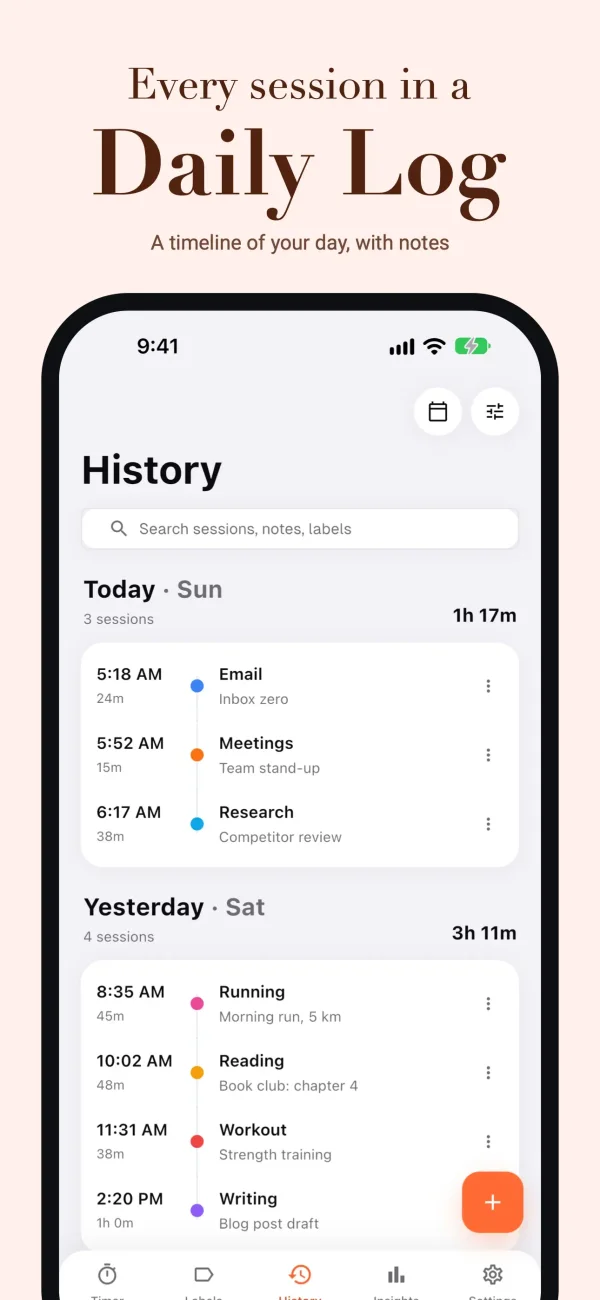
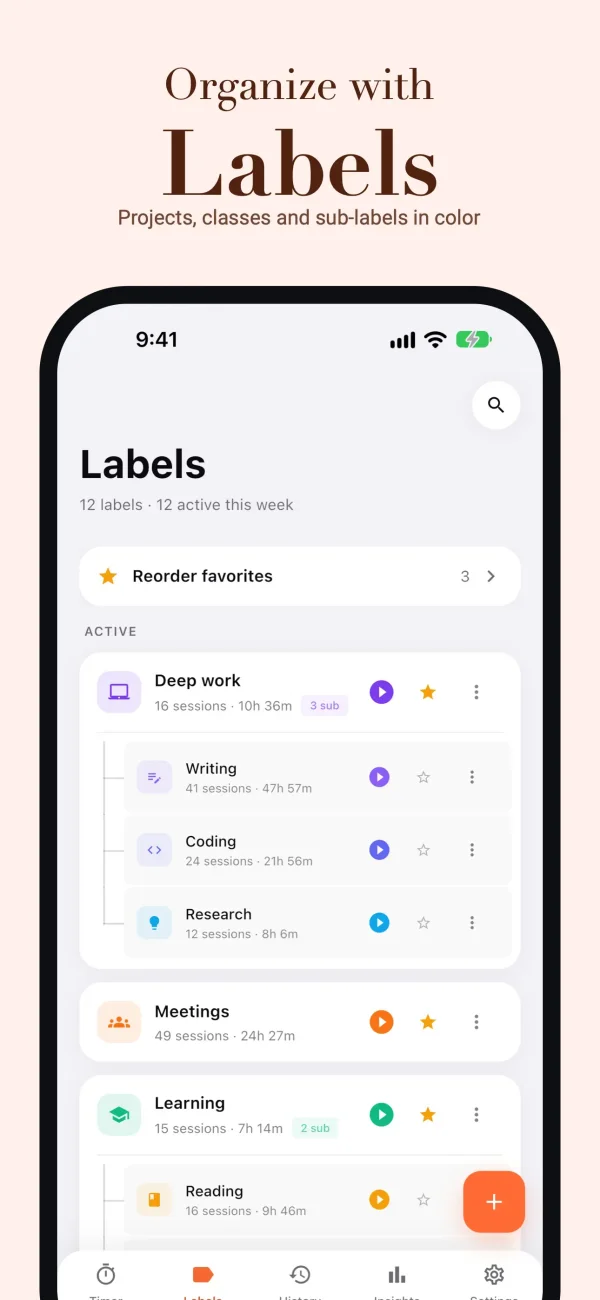
Colour-coded labels with icons for the things you actually do — Work, Study, Client A, Deep Work, Gym. Sub-labels when a project needs breaking down. Favourites for the ones you track every day.
REPORTS THAT TELL YOU SOMETHING
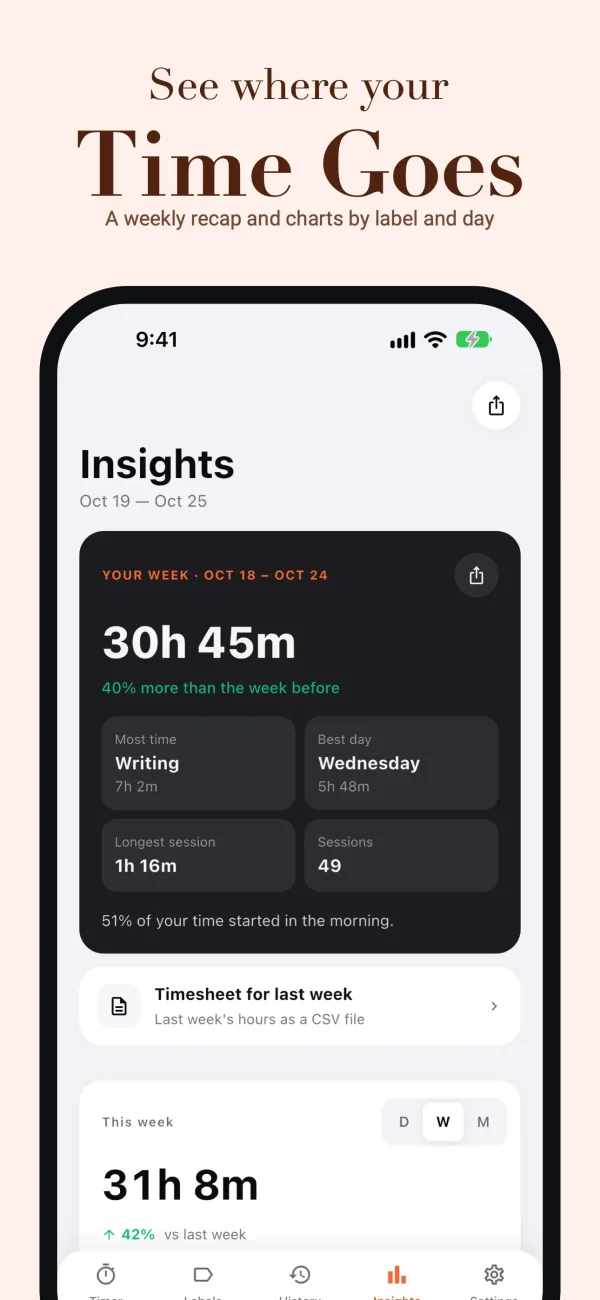
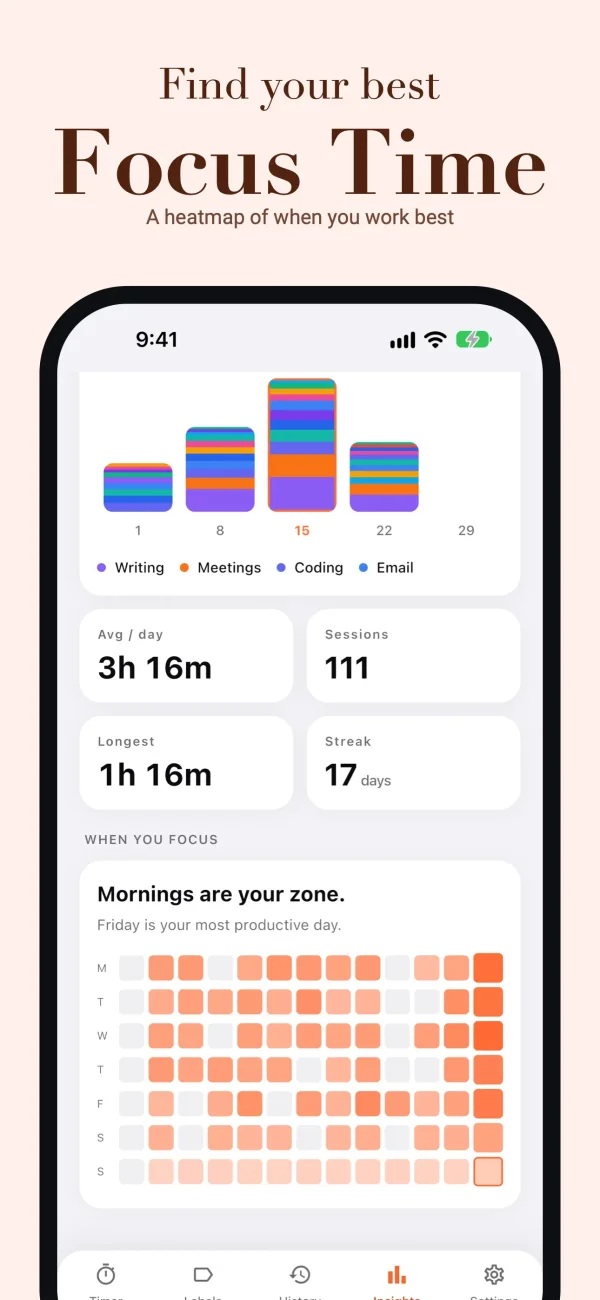
Daily, weekly and monthly breakdowns. Stacked daily bar charts, coloured by label. A 13-week activity heatmap, so a good month and a bad month look different at a glance. Streaks, daily average, longest session and your most productive day.
PRIVATE BY DESIGN, NOT BY POLICY
TimeTrack has no servers. There is nothing to opt out of, because nothing about how you spend your time is collected in the first place. It works on a plane, in a basement, and on a phone with no data left.
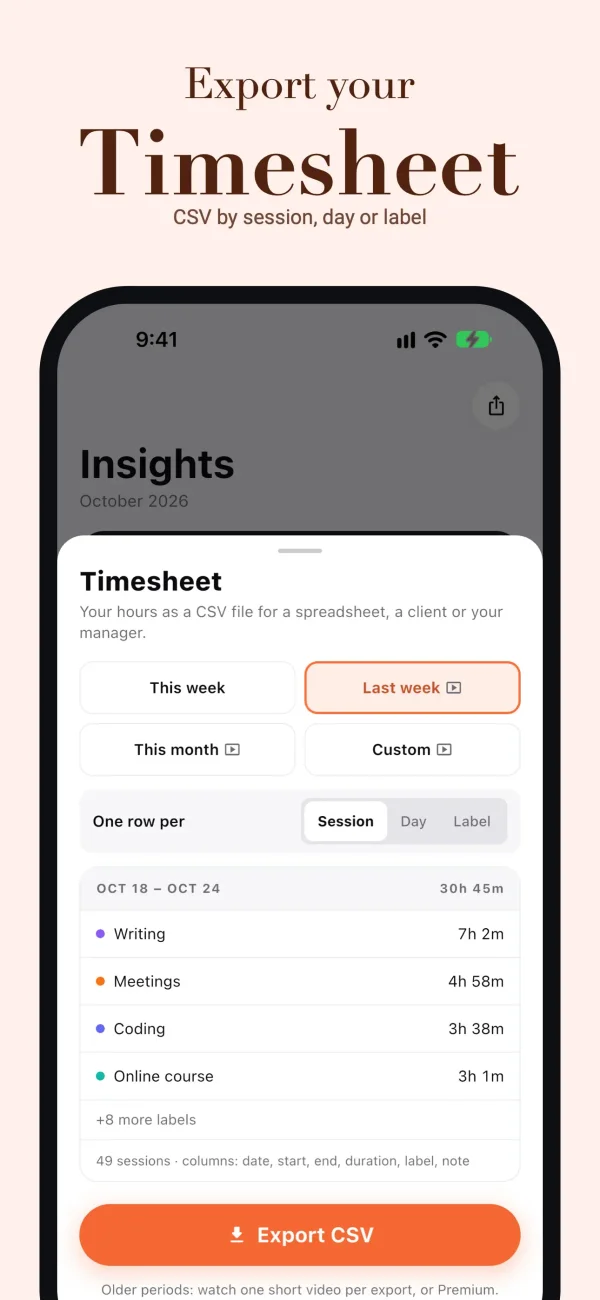
Export everything to JSON whenever you like. Schedule automatic backups daily or weekly. Your data is yours to take.
WHO IT'S FOR
Freelancers billing by the hour. Students who want to know how much they really studied. Remote workers protecting deep work. Anyone who suspects their time goes somewhere other than where they think.
Free to use, with an optional one-time unlock that removes ads and the label limit. One payment, yours forever — never a subscription.
Available in 18 languages.
What’s new
Version 1.6.2 · Nov 16, 2026
What's new in 1.6.2
- Insights: a pie chart of your time by label, with percentages, in the weekly and monthly views.
- Timer goals now go up to 8 hours.
- Fixed: Settings shows the right app version.
App privacy
What Gunawan Santoso declares on the App Store about how this app handles data.
-
Data not collected
The developer does not collect any data from this app.
Privacy practices may vary, for example with the features you use or your age.
Information
- Seller
- Gunawan Santoso
- Category
- Productivity
- Version
- 1.6.2
- Updated
- Nov 16, 2026
- Released
- Apr 13, 2026
- Size
- 75.5 MB
- Requires
- iOS 15.0 or later
- Age rating
- 12+
- Price
- Free
- In-app purchases
- Yes
- Languages
- English, Arabic, French, German, Hindi, Indonesian, Italian, Japanese, Korean, Polish, Portuguese, Russian + 6 more
- Copyright
- © 2026 Micro App Digital
You might also like
-
 D.O.S.E.Rpre-med logging & study app
-
 Time Tracker : Track Your TimeSimple Time Tracking Tool
-
 Time Tracking for ProjectsTime tracking by project
-
 ZenMaru: App BlockerFocus timer for work & study
-
 Zen Timer: Grow with OrbillaPomodoro & study focus timer
-
 PlanGTD: Todo, Task & ProjectProductivity. Organize, Remind
-
 Thread ReaderRead book in half the time
-
 HOLDit: Thoughts & MomentsPrivate Notes, Offline Journal
-
 TimeConsole: Focus TimerA console timer for habits
-
 Stackclock: Work Hours TrackerTime log, many timers, no ads