
TimeWarp AI - Time Tracker
Track hours, bill every client
Designed for iPhone, iPad
Free · In-app purchases
- Age rating4+
- CategoryProductivity
- DeveloperAlexander Fitterling
- LanguagesEnglish
- Size51.7 MB
Links to the official App Store page
Download.org hosts no file of TimeWarp AI - Time Tracker. The button opens its official App Store page, published by Alexander Fitterling. Listing last checked on Nov 20, 2026.
Screenshots


About
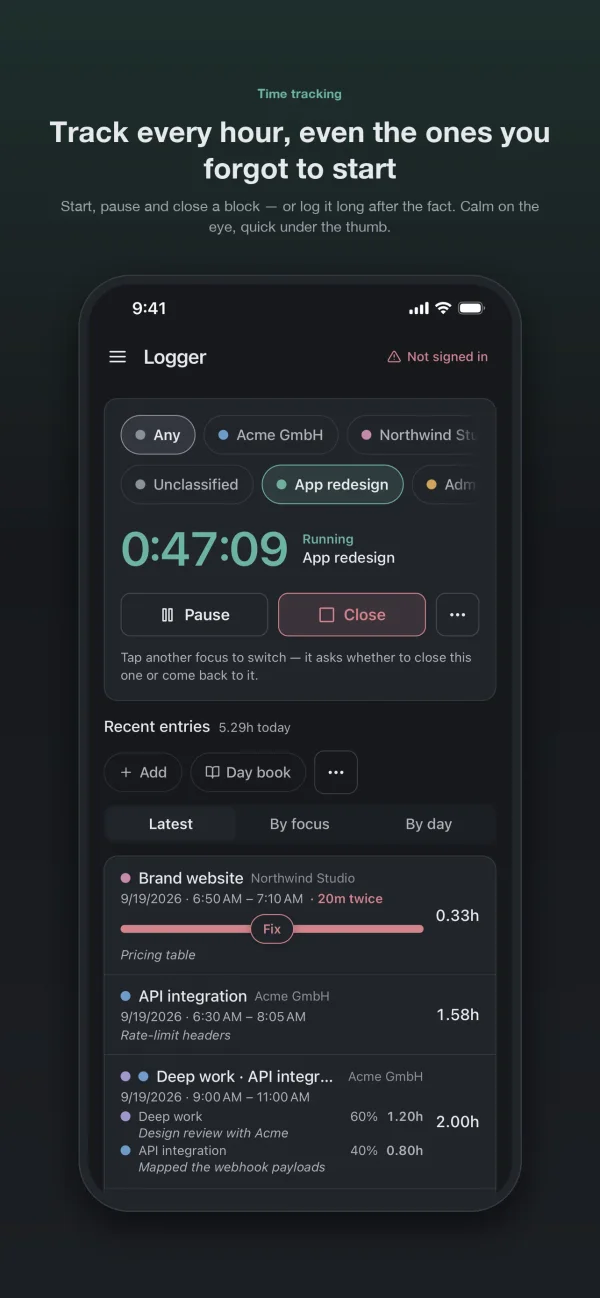
Track every hour — even the ones you forgot to start. Then see what each client owes you.
TimeWarp is a fast, local-first time tracker for people who bill by the hour, run projects, or just want an honest picture of where their week went. Start a timer, log time by hand, or capture it on your Mac — then see your whole week as a clean timetable, roll it up per client, and export it in a tap.
FORGOT TO HIT START? WARP THE CLOCK BACK.
Pressed Start ten minutes late? Spin the WarpDial to add the minutes you already worked. No date pickers, no editing timestamps — just reclaim the time and keep going.
WAYS TO LOG
• Live timer — pick a focus, tap Start. Pause for lunch and resume; one timer at a time, so it's always clear what you're on.
• Details on every block — a line of notes on what the time was for, carried into your exports.
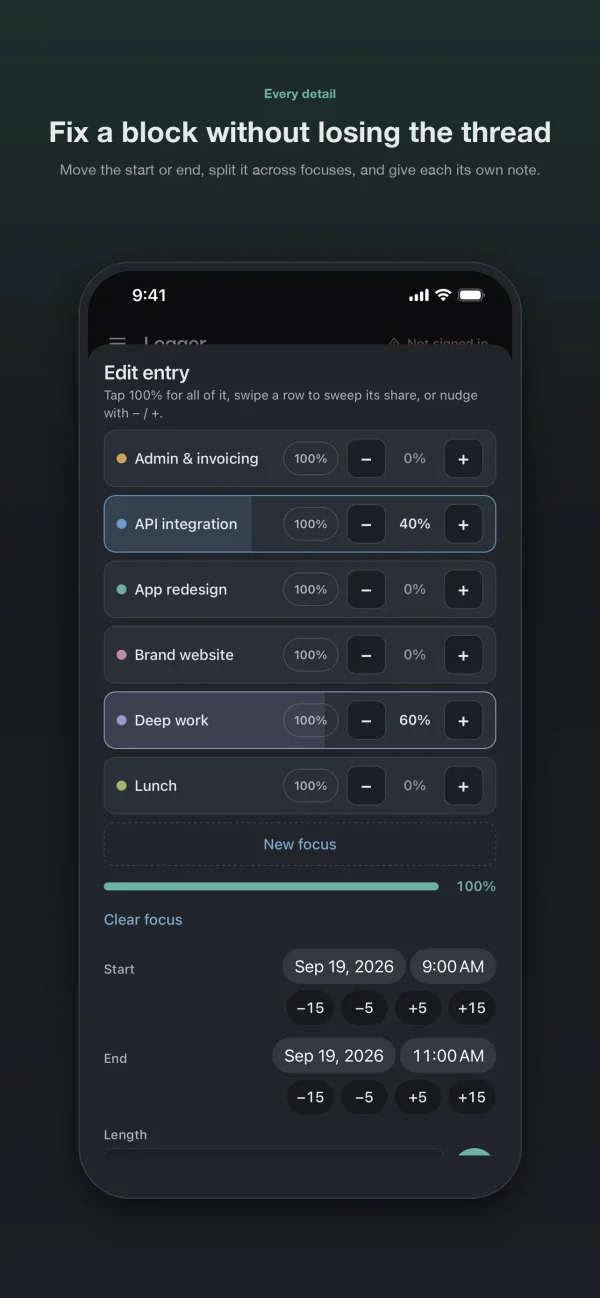
• Manual entry — add a past block, spread one total across a date range, or edit a block while it's still running.
• Unclassified time — start with no focus and assign it later, or split one block across several focuses by percentage.
BILL BY CLIENT
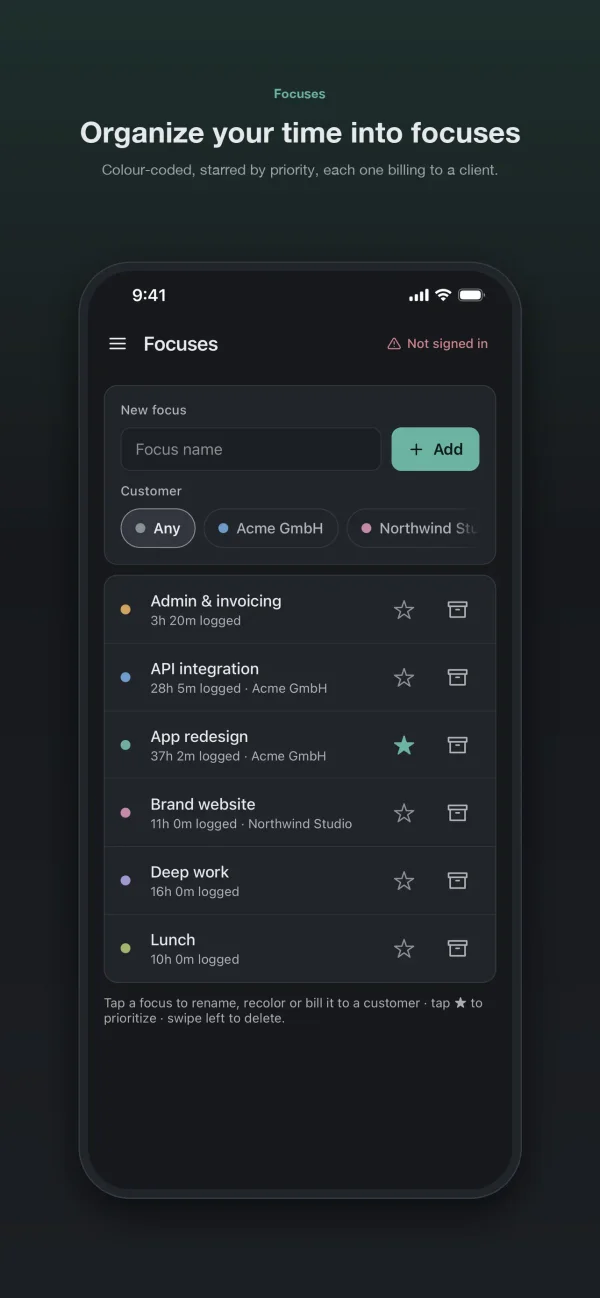
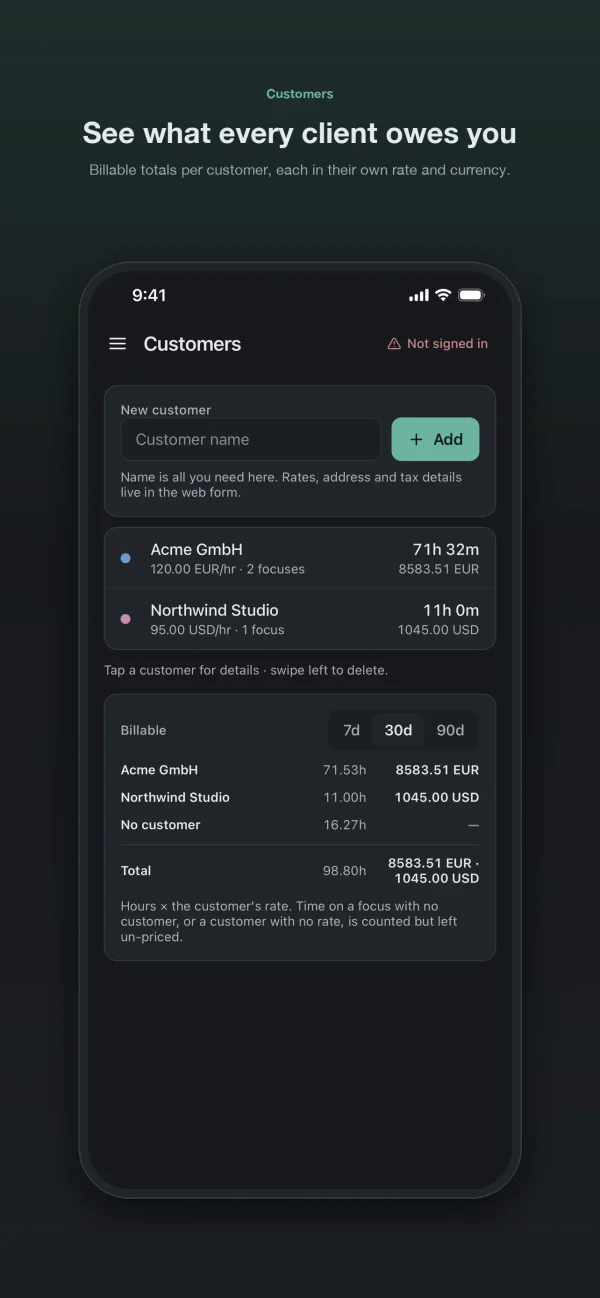
Attach each focus to a customer. TimeWarp rolls your time up entry → focus → client and shows hours × rate per customer, in each client's own currency — so you know what to invoice before you open the invoice. Filter the logger and your focuses to one client and work inside their world.
YOUR WEEK, AT A GLANCE
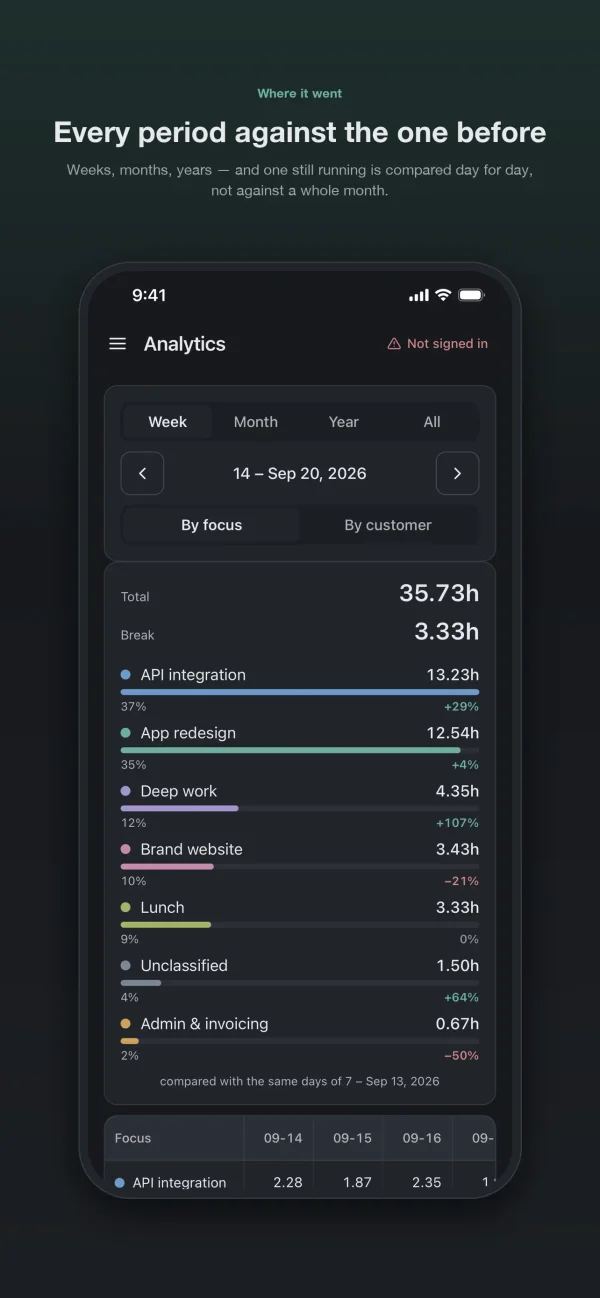
Read your log by latest, by focus, or by day with a total per day. Flip the timetable between focuses and customers, over any range — your timesheet is done before you sit down to do it.
WORKS OFFLINE, SYNCS EVERYWHERE
TimeWarp logs on-device first and syncs when you're back online — never lose a minute. One account keeps your timetable identical on iPhone, iPad and the web, and a running timer shows up ticking across every device.
EXPORT WHERE YOU ALREADY WORK
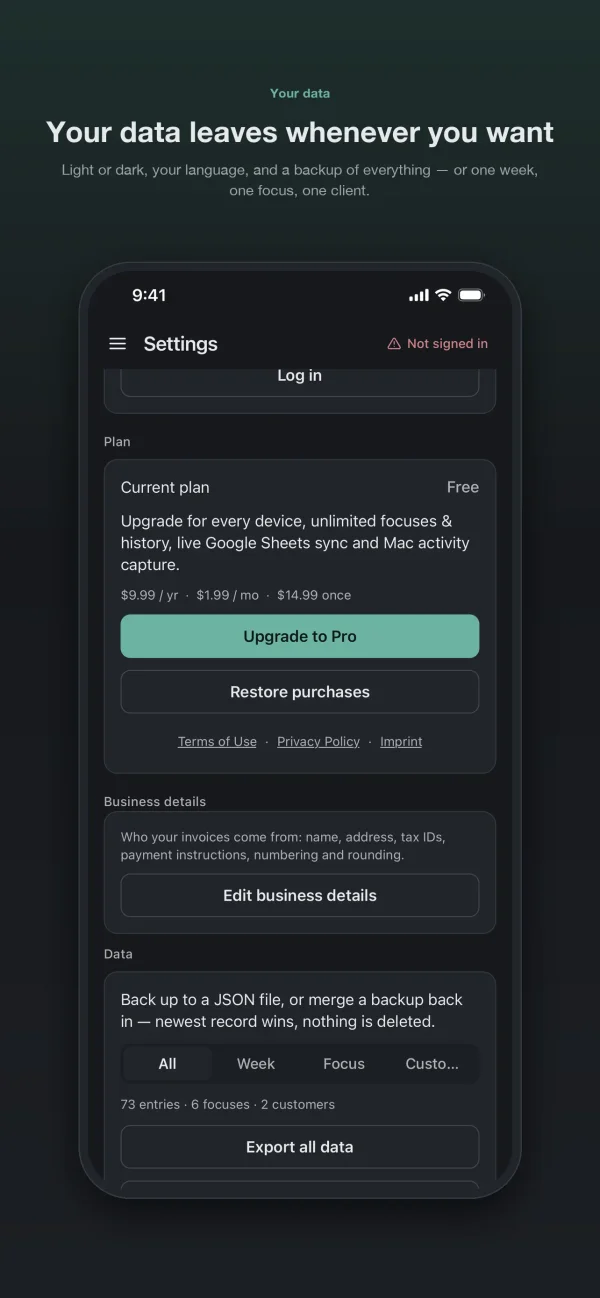
One tap sends your timetable to Excel or CSV. Link a Google Sheet and push to it whenever you like. Back up everything — or just one week, one focus, or one client — as a file you own.
TELL CHATGPT OR CLAUDE WHAT YOU DID
Connect TimeWarp to an AI assistant and log time by saying it: "three hours on the Acme redesign yesterday afternoon" lands in your timetable on the right day. Ask how your week went, pull the numbers per client, or have a draft invoice built from unbilled time for you to check before it goes out. The assistant is your own — ChatGPT, Claude, or anything else that speaks the Model Context Protocol; TimeWarp connects to it and does not include one. You approve the connection, see it listed, and can cut it off at any time.
CAPTURE ON MAC
Add the optional Mac client to quietly record app and window activity as unclassified time, then assign it to your focuses later.
DESIGNED FOR IPHONE AND IPAD
A clean interface in dark or light, with two app icons to match, that adapts to an iPad-optimized layout.
FREE TO START
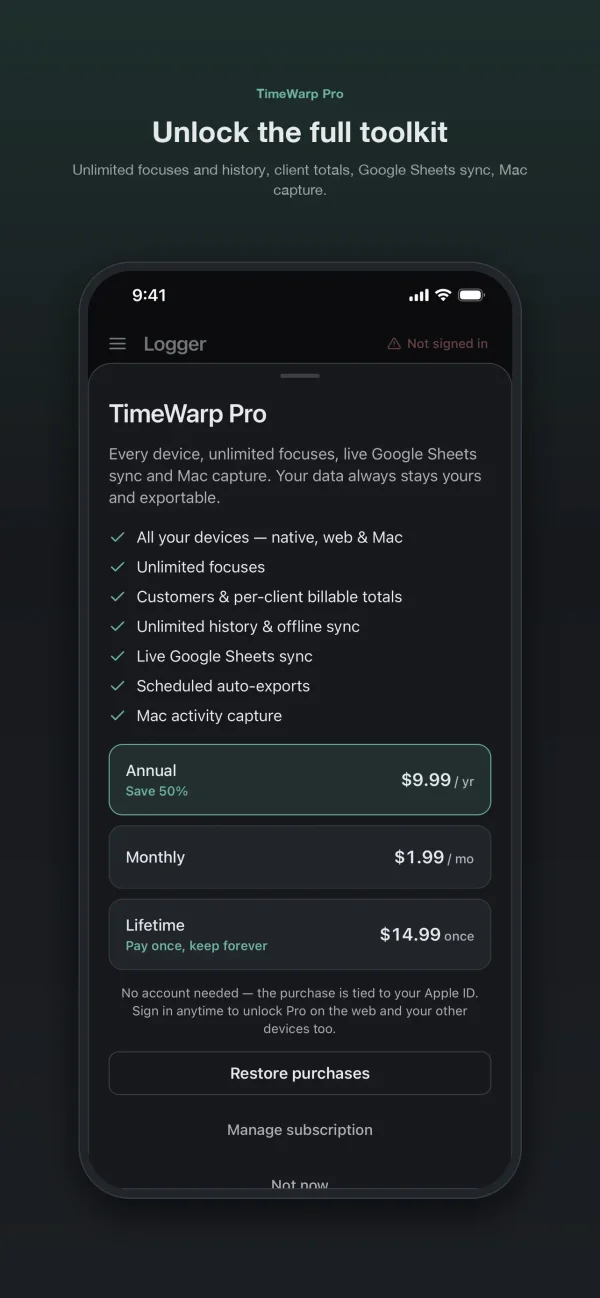
Track with the timer and manual entry, keep three focuses and 30 days of history, and export to Excel — no card required. Upgrade to Pro for unlimited focuses and history, customers with per-client billable totals, every device, live Google Sheets export, scheduled auto-exports, and Mac capture.
Track your first hour in a minute.
TimeWarp Pro is available as a monthly or annual auto-renewable subscription, or as a one-time Lifetime purchase. Payment is charged to your Apple ID at confirmation of purchase. Subscriptions renew automatically unless auto-renew is turned off at least 24 hours before the end of the current period; your account is charged for renewal within 24 hours before the period ends. Manage or cancel your subscription in your Apple ID account settings after purchase.
Terms of Use (EULA): https://timewarp.sp33c.tech/terms
Privacy Policy: https://timewarp.sp33c.tech/data-privacy
What’s new
Version 1.12.1 · Oct 12, 2026
Security update
• Every library the app ships with was checked against public vulnerability databases, and every affected package was updated. The result is published at timewarp.sp33c.tech/security/status.
• Keeps the bulk archiving from 1.12: archive a day, a month, a selection or everything from the By-day list.
App privacy
What Alexander Fitterling declares on the App Store about how this app handles data.
-
Data not linked to you
May be collected but is not linked to your identity.
- Contact info
- User content
- Identifiers
- Diagnostics
- Other data
Privacy practices may vary, for example with the features you use or your age.
Information
- Seller
- Alexander Fitterling
- Category
- Productivity
- Version
- 1.12.1
- Updated
- Oct 12, 2026
- Released
- Aug 4, 2026
- Size
- 51.7 MB
- Requires
- iOS 16.4 or later
- Age rating
- 4+
- Price
- Free
- In-app purchases
- Yes
- Languages
- English
- Copyright
- © 2026 Alex Fitterling
You might also like
-
 Atomic Habits: Habit CalendarGoal Tracker & Daily Streaks
-
 Dona - Simple tasksMinimalist task management
-
 Mindrobe: Daily Planner, FocusRoutine & Habit tracker, ADHD
-
 Speed VPN: Fast Fly ProxySecure Go Tunnel & Plane
-
 Eskritor: AI Writing AssistantCreate Essay & Texts
-
 Screen Time Control - Stay OffFocus,App Blocker,Timer
-
 Stuff | ToDos and ListsMinimalist planner & reminders
-
 Momentum: Energising HabitsFeel energised all day
-
 Planny • Daily To Do PlannerOrganize Tasks and Events
-
 DayDay - Circular TimetableCheck the schedule at a glance