Timonation IPTV
M3U · Xtream · Stalker Player
Designed for iPhone, iPad, Mac
Free · In-app purchases
- Age rating4+
- CategoryEntertainment
- DeveloperTiago Joao Coelho Azevedo
- LanguagesEnglish+ 5 more
- Size78.3 MB
Links to the official App Store page
Download.org hosts no file of Timonation IPTV. The button opens its official App Store page, published by Tiago Joao Coelho Azevedo. Listing last checked on Nov 18, 2026.
Screenshots

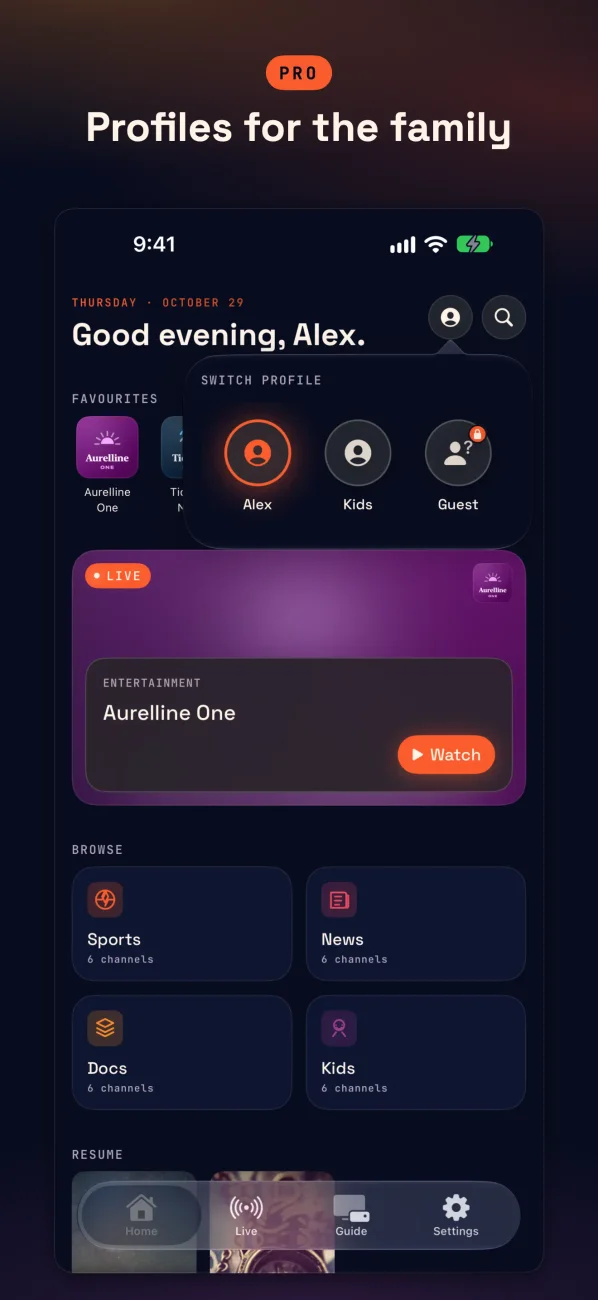
About
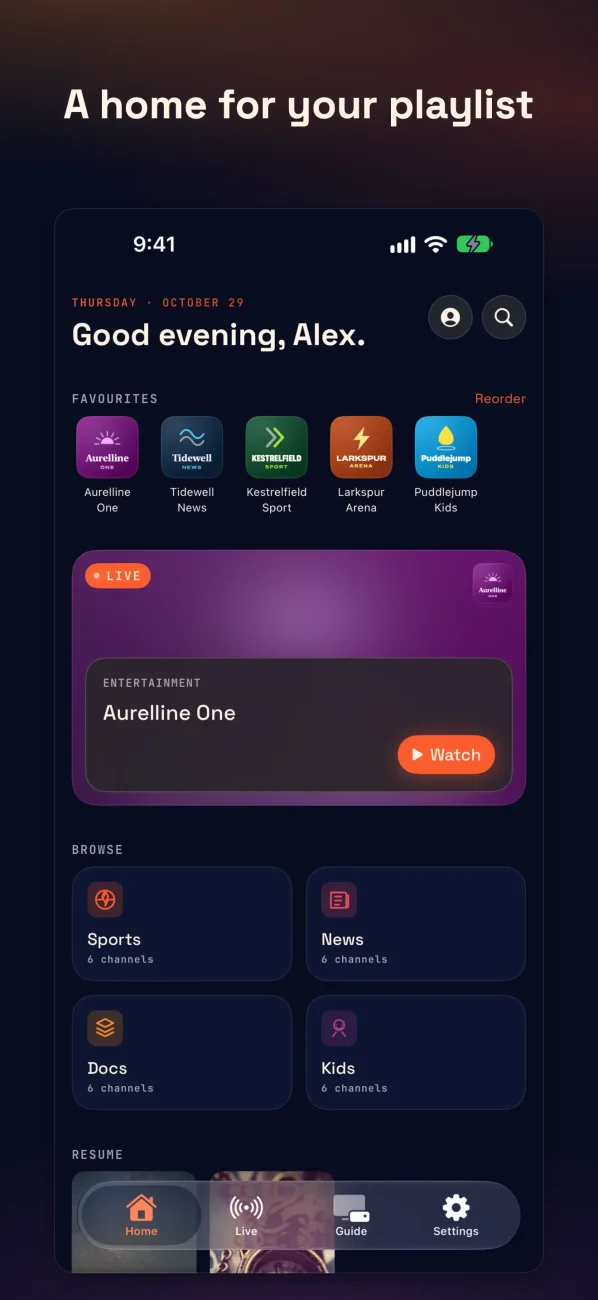
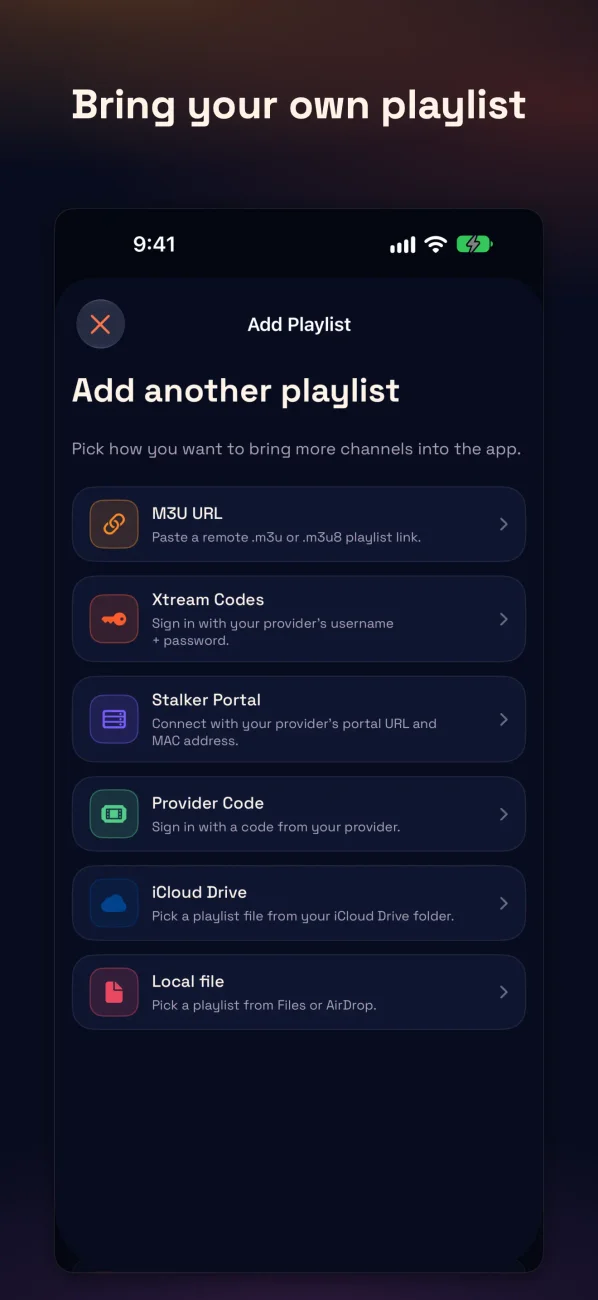
Timonation IPTV is a media player. You supply your own playlists; we host no content. Add the M3U URL or file, Xtream Codes login, Stalker Portal (Ministra) login or provider code you already use, and Timonation gives you a fast, native player for it on iPhone, iPad, Mac and Apple TV.
Built for people who already pay a legal IPTV provider and want a player that feels at home on Apple's platforms.
WHY TIMONATION
- Fast channel switching. We put most of our effort into player reliability, so zapping feels instant.
- One purchase, every device. Buy Pro once and it is unlocked on iPhone, iPad, Mac and Apple TV.
- Control playback from the Lock Screen, Control Center, StandBy, AirPods and the Live Activity, and add controls for Control Center, the Lock Screen and the Action button.
- Your TV, your way. Cast a channel to a Chromecast, or on iOS 27 use Play on TV with a display on USB-C or HDMI while your iPhone or iPad keeps the controls. (Pro)
- Your logins stay yours. They are kept in your Keychain and, when sync is on, travel in your own iCloud sync record, which is not end-to-end encrypted. They are never sent to us.
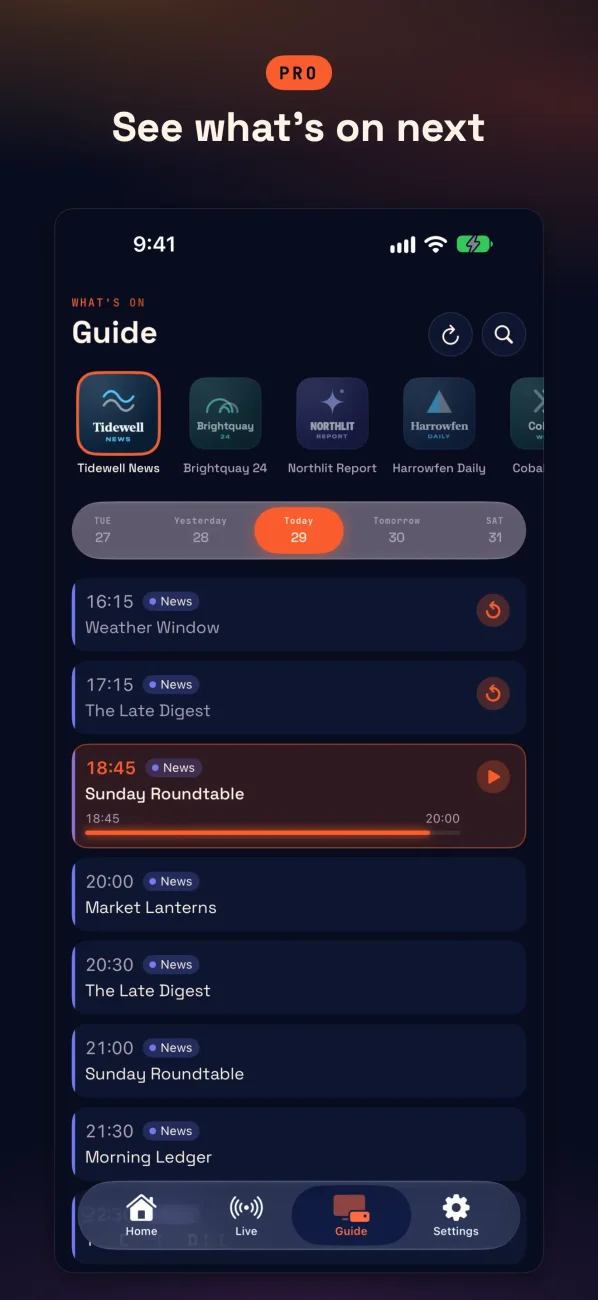
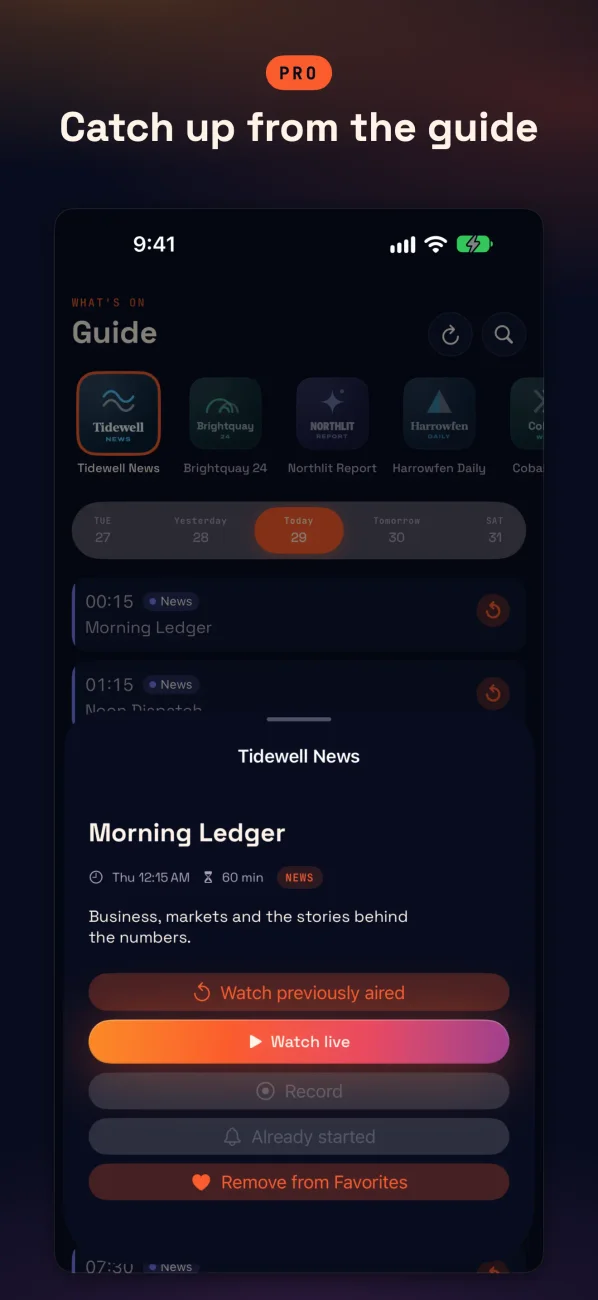
- TV guide from your provider's XMLTV feed, with catch-up where supported, reminders and an overnight refresh. (Pro)
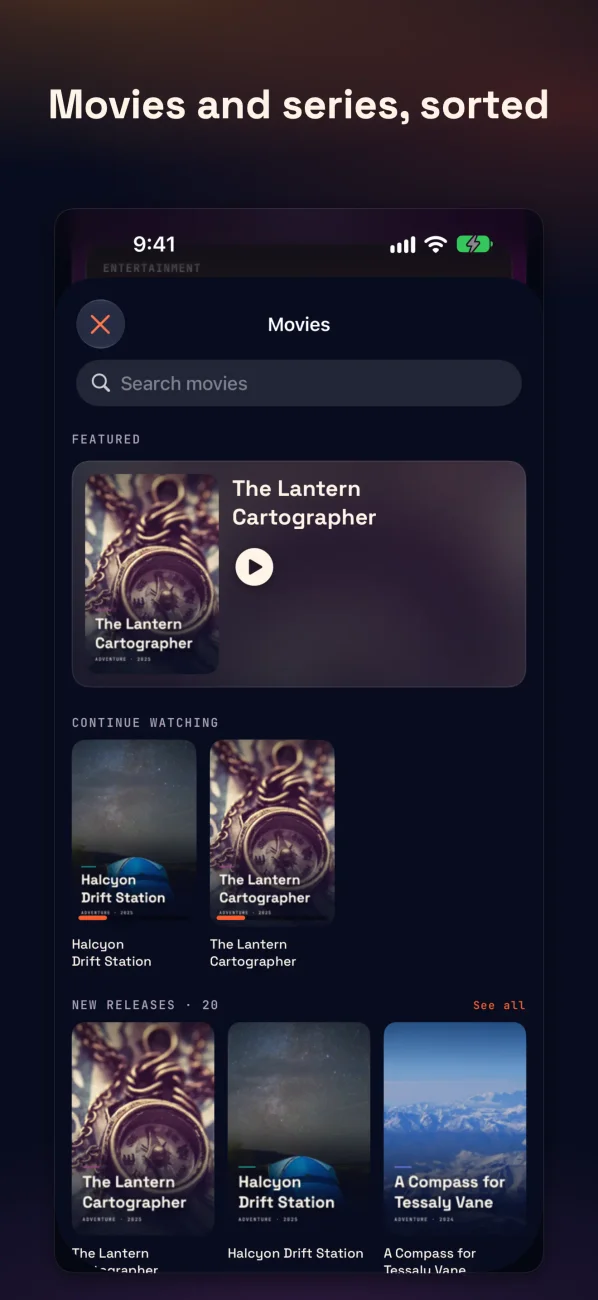
- Movies and series. Browse your provider's catalogue and resume where you left off on any device.
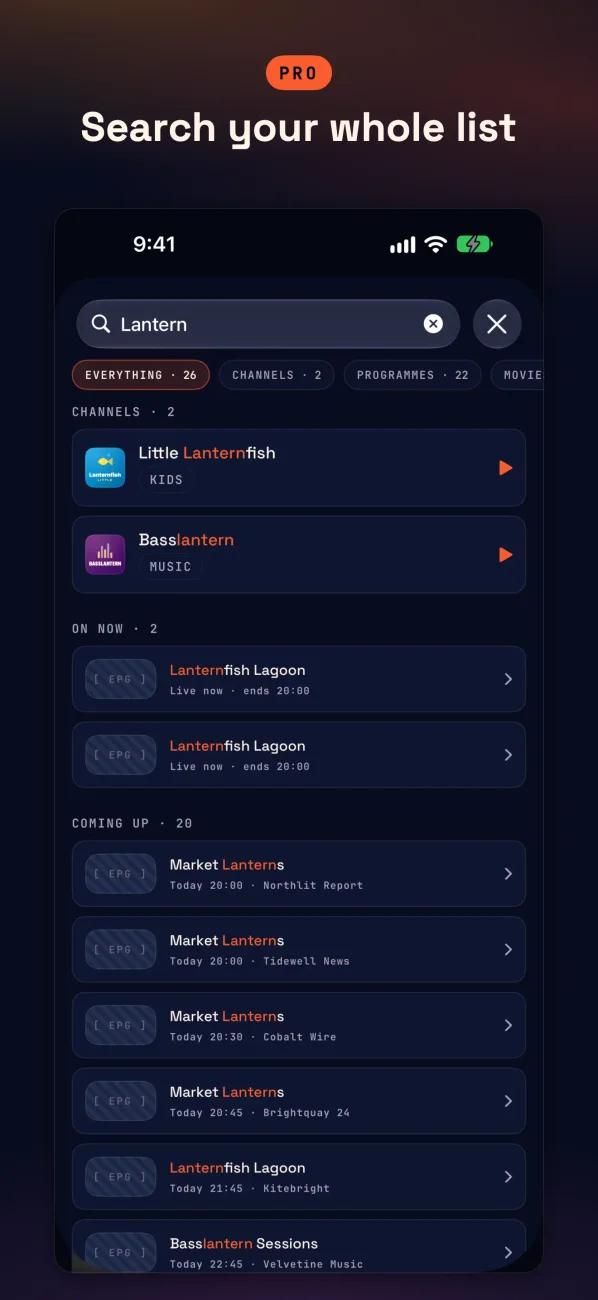
- Search where you are. Each section searches its own content, one search covers everything, and on supported devices Ask finds channels and programmes from a request in your own words.
- Parental controls. A PIN, locked groups, Kids and Guest profiles, a daily Kids limit, and Face ID or Touch ID. On iOS 27 a profile's age can be suggested from Family Sharing.
- iCloud sync of playlists, favourites, profiles and progress across your devices. (Pro)
- Widgets, Siri and Shortcuts. Open a favourite from a widget, Spotlight or a Shortcut for free, see now and next in the What's On widget (Pro), and use Handoff between iPhone, iPad and Mac.
- Open in New Window. On iPad, give a channel its own window.
- Recordings. Record a live channel to watch later. The app saves a copy of the stream, nothing re-encoded, in its own folder, which you can see in Files. (Pro)
Available in English, Portuguese (Portugal and Brazil), Spanish, French, German and Italian.
WHAT TIMONATION IS NOT
Timonation does not host, distribute or curate any media. No sample playlists ship with the app. You are responsible for the legality of the content you choose to play. Please only use playlists you have the right to access.
PRIVACY AND ADS
No account required. No server of ours is in the playback path; the only one the app contacts is the provider code lookup. The free version shows at most one non-personalized ad per session, never on a kids profile.
PRO
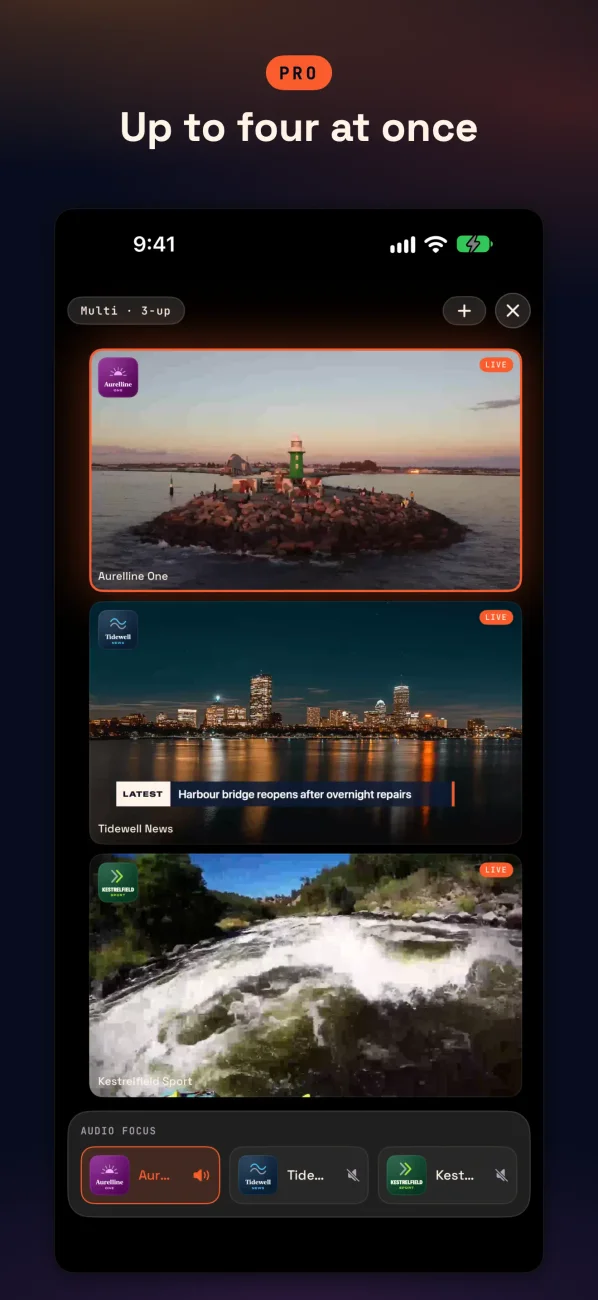
Free with one playlist, the full player, favourites, recents, search and Shortcuts. A one-time Pro purchase adds unlimited playlists, the guide with catch-up, iCloud sync, profiles, Multi-View (up to four channels on iPhone, iPad and Mac, two on Apple TV), recordings, casting and Play on TV, the What's On widget, favourites in your own order and private recents, and removes ads. One purchase covers all four platforms. No subscription. Family Sharing supported.
SUPPORT
https://timonation.app/support
What’s new
Version 1.5.0 · Nov 4, 2026
What's new in 1.5.0
- Timonation on the Mac: a full desktop app with your playlists, favourites, profiles and guide synced over iCloud, plus desktop widgets and a menu-bar player. The Pro you already own unlocks it too.
- Control playback from anywhere: the Lock Screen, Control Center, StandBy, AirPods and the Live Activity show and control what's playing. New controls for Control Center, the Lock Screen and the Action button resume Timonation or play a channel.
- Play on TV (Pro, iOS 27): connect a display over USB-C or HDMI and the stream plays there while your iPhone or iPad keeps the controls.
- Handoff: start a live channel on your iPhone and pick it up on your iPad or Mac.
- Ask in your own words: on supported devices, search channels and programmes in plain language. Siri can tell you what's on a channel, and Shortcuts can play channels and refresh your playlists and guide.
- A fresh set of widgets: What's On (Pro) shows now and next on your favourite channels, and the Home Screen widgets get a new look.
- Stronger parental controls: on iOS 27 a profile's age can come from Family Sharing, Face ID or Touch ID unlocks locked groups, and Kids profiles see only kids' channels.
- Search where you are: Live, the Guide and On Demand each search their own section, and one tap searches everything.
- Catch-up at a glance: channels with catch-up carry a badge, and a filter shows only those. On iOS 27, swipe a row to favourite, record, set a reminder or watch from the start.
- A guide that keeps up: it refreshes itself overnight, reminders say when and where a show starts, and subtitles follow your system caption style.
- Open in New Window on iPad: touch and hold a channel to give it its own window and player.
- Made for iPhone Duo: unfold for a bigger guide, grids and player that keep clear of the fold, and fold back without missing a beat.
- Recordings (Pro): record a live channel to watch later. Finished recordings are saved to the app's folder in Files as a copy of the stream, nothing re-encoded.
- More playlists load: Dropbox, Google Drive and short links work, local M3U files read like online ones, and Stalker series open with their real seasons.
- Switching playlists is now one step you can cancel, and a failed switch puts your old list back.
- Fixes a freeze when opening, closing or rotating the player.
App privacy
What Tiago Joao Coelho Azevedo declares on the App Store about how this app handles data.
-
Data linked to you
May be collected and linked to your identity.
- Identifiers
- Usage data
-
Data not linked to you
May be collected but is not linked to your identity.
- Location
- Diagnostics
- Other data
Privacy practices may vary, for example with the features you use or your age.
Information
- Seller
- Tiago Joao Coelho Azevedo
- Category
- Entertainment
- Version
- 1.5.0
- Updated
- Nov 4, 2026
- Released
- Jun 17, 2026
- Size
- 78.3 MB
- Requires
- iOS 26.2 or later
- Age rating
- 4+
- Price
- Free
- In-app purchases
- Yes
- Languages
- English, French, German, Italian, Portuguese, Spanish
- Copyright
- © 2026 Tiago Azevedo
You might also like
-
 Crivid IPTV Player: M3U XtreamLive TV, EPG guide & Multiview
-
 IPTV Ultimate – Your Online TVStream Live TV & Movies
-
 StreamoreIPTV & M3U Player
-
 Spektra IPTV PlayerYour IPTV made easy
-
 Lumen - Best IPTV PlayerLive TV, Xtream, M3U & EPG
-
 Pocket STB - IPTV PlayerIPTV Player
-
 DringTV: IPTV Player & EPGM3U, Xtream & Stalker player
-
 Tifo: IPTV Player M3U & XtreamLive TV, EPG Guide & Playlist
-
 SuperPlayer IPTV Stalker STBXtream, M3U, MAC & Stalker
-
 MyPTV Smart IPTV PlayerM3U8, M3U, Xtream & Stalker