
tinwidget: Cute Widget Maker
Photo cutout, stickers, frames
Designed for iPhone
Free · In-app purchases
- Age rating4+
- CategoryPhoto & Video
- DeveloperKERNBASE.STUDIO
- LanguagesEnglish+ 18 more
- Size162.1 MB
Links to the official App Store page
Download.org hosts no file of tinwidget: Cute Widget Maker. The button opens its official App Store page, published by KERNBASE.STUDIO. Listing last checked on Nov 22, 2026.
Screenshots

About
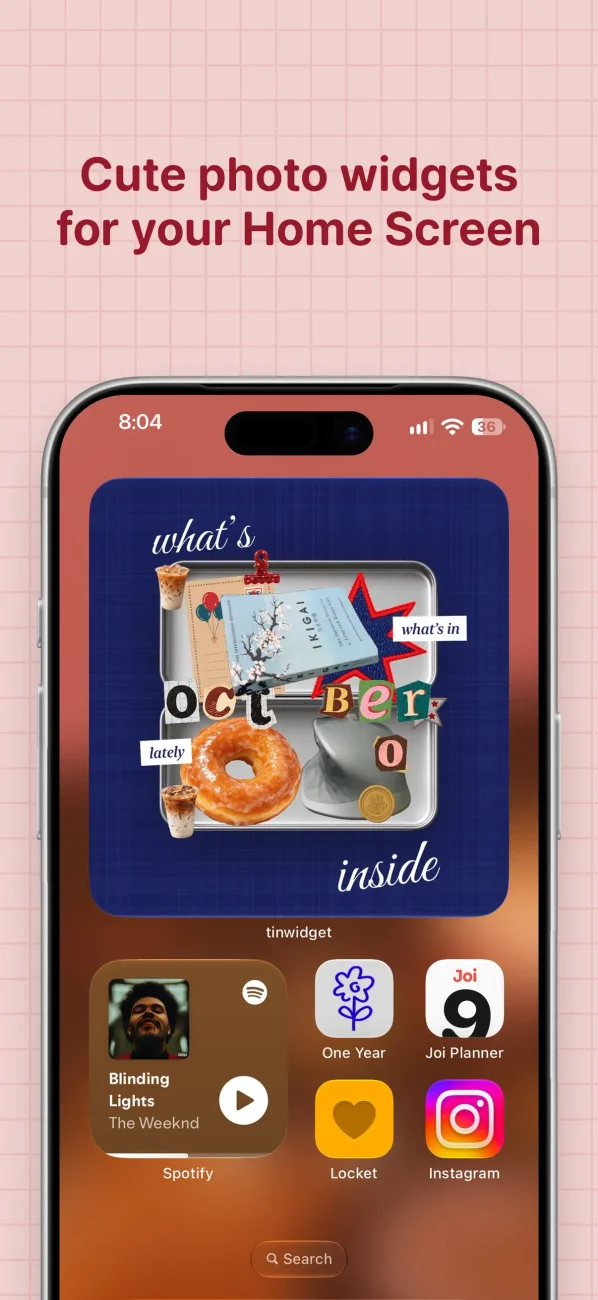
Fill a little tin with photos and stickers, then put it on your Home Screen.
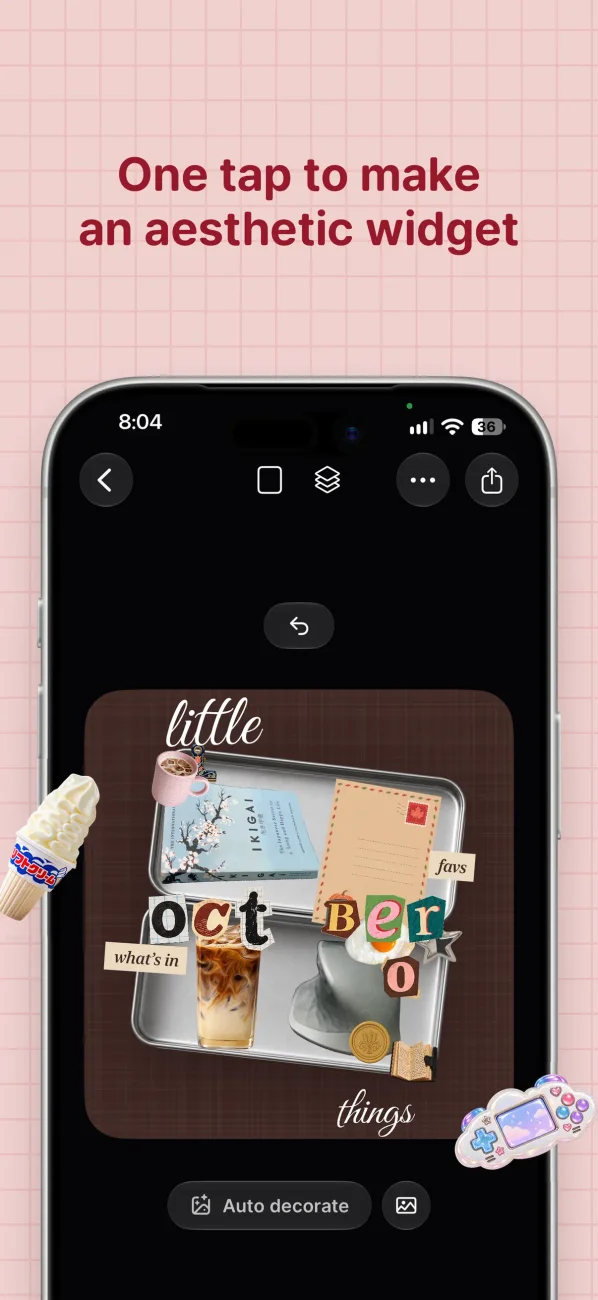
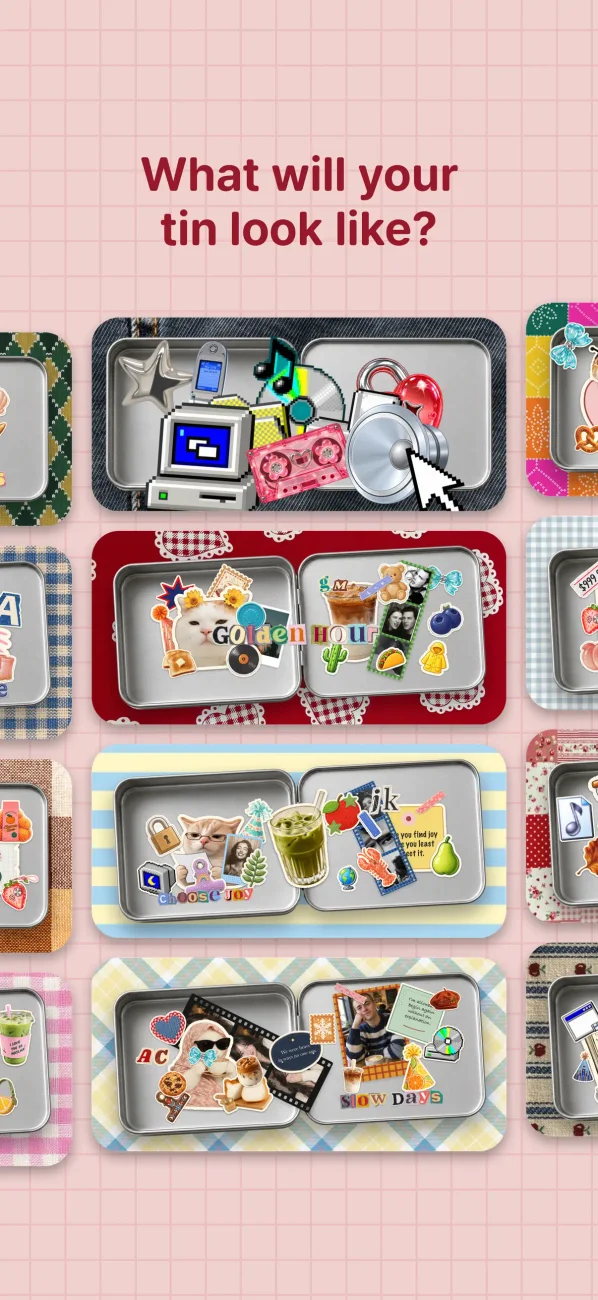
tinwidget is a tiny scrapbook. Add your photos as framed prints or cut the people, pets and things out of them, type words in cut-out magazine letters, add stickers, and arrange it all inside an open tin on a cloth backdrop. Your tin becomes a Home Screen widget in three sizes.
• Auto decorate: pick a few photos and tinwidget lays out a finished tin for you, with matching stickers, a title and a backdrop. Tap again for another look.
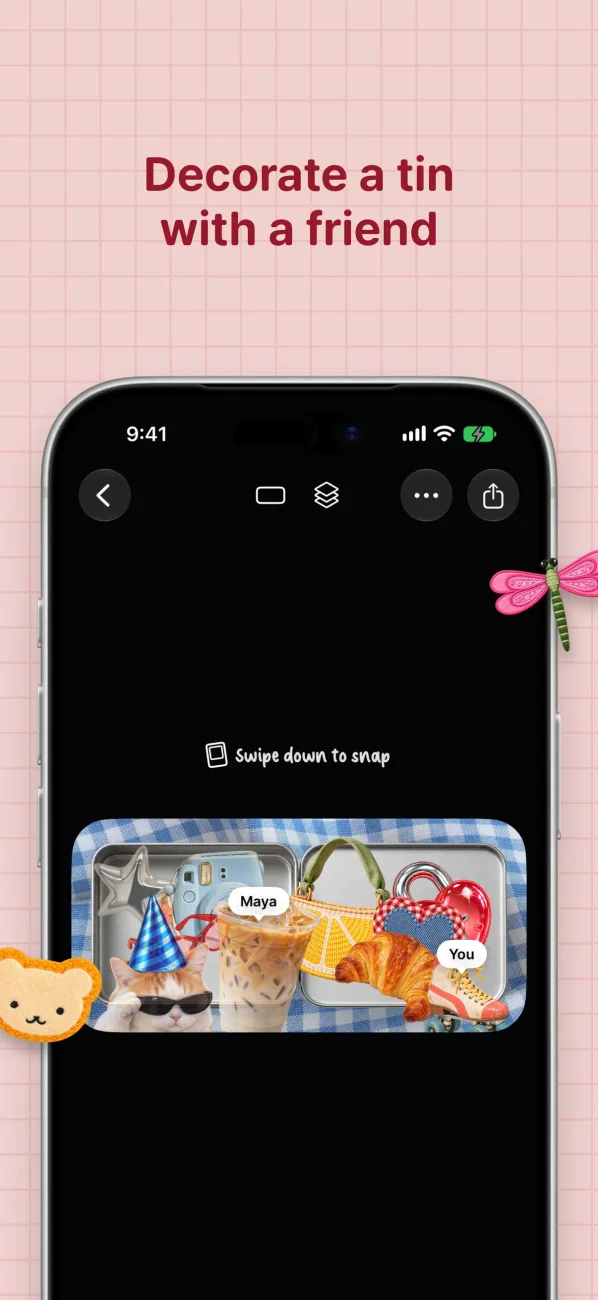
• Snap it in: pull down inside your tin to open the camera, and what you snap is cut out and dropped right in.
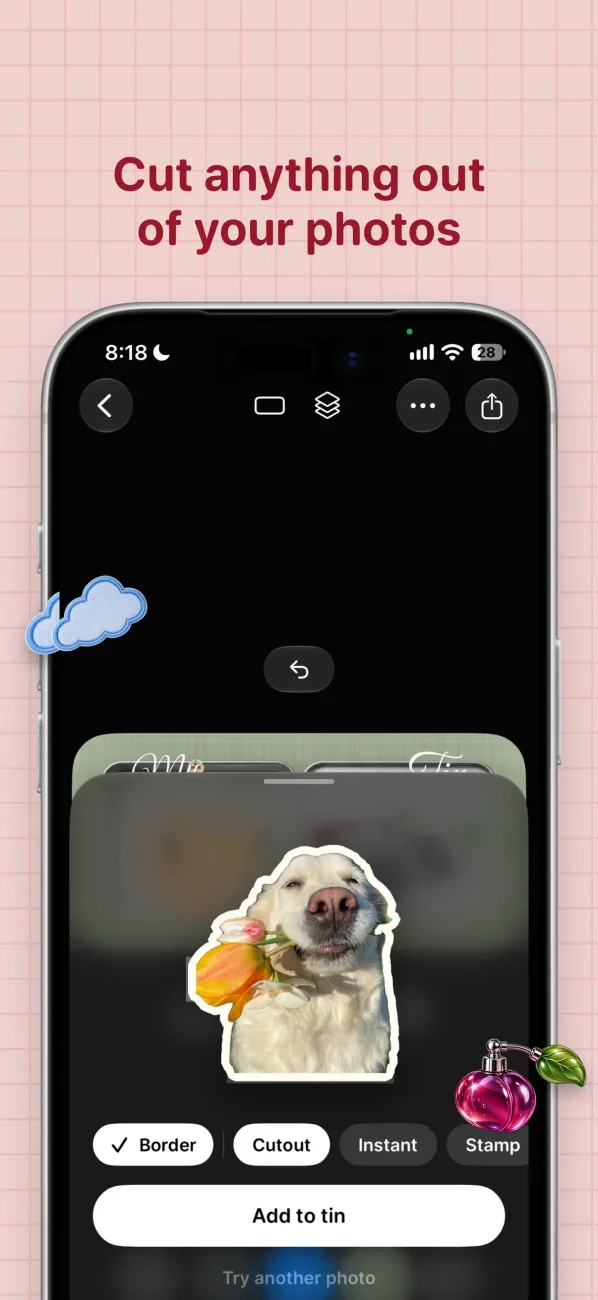
• Photo frames: add a photo as an instant print, a postage stamp, a film frame, a taped or torn print, a round or black-and-white photo. Change the frame any time.
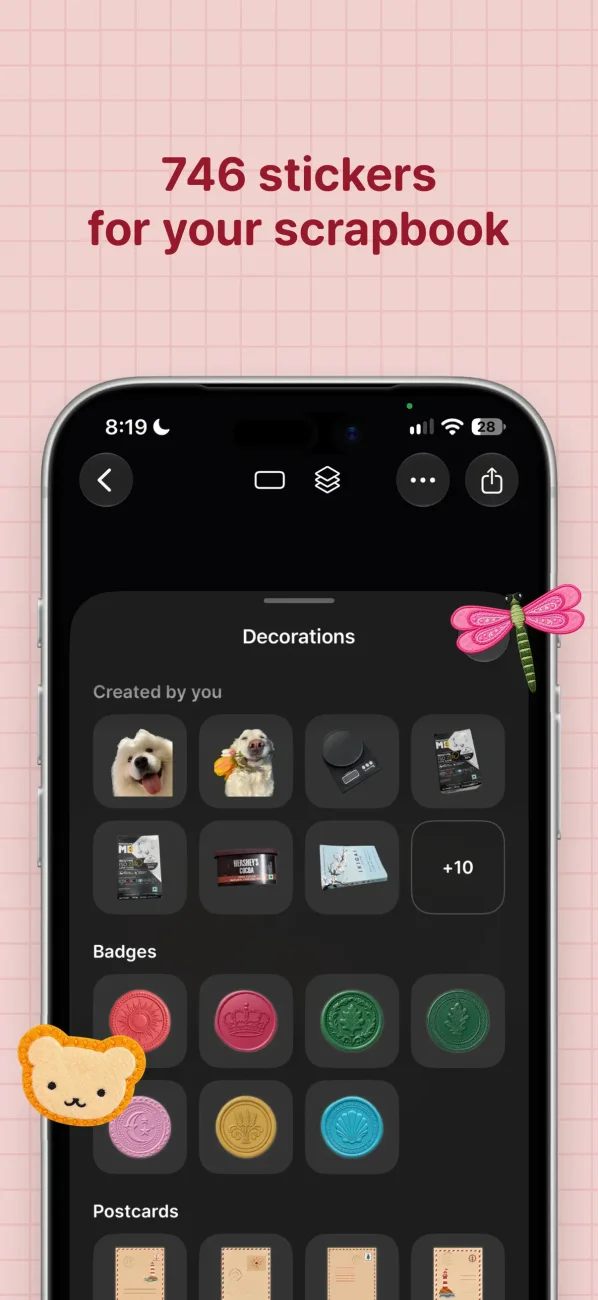
• Photo cutouts: pick a photo and tinwidget lifts the subject out for you. Every cutout is kept in Made by you, ready for your next tin.
• Words three ways: cut-out magazine letters, a flowing script, or a paper label, in the colour you choose.
• 746 stickers in 21 packs: wax seals, postcards, postage stamps, a little bakery and its coffees, matcha moments, washi tape, embroidered patches, Y2K desktop icons, party pets and more. Plus every emoji.
• 62 cloth backdrops: gingham, denim, linen, knits, paper and more, or your own photo.
• Easy to arrange: drag, pinch and turn with your fingers. Tap a sticker to resize, flip, copy or give it a border, or tuck it behind the tin.
• Widgets: small, medium and large, and a different tin for each one.
• Share it: post your tin to your Instagram Story in one tap, save it to Photos, or send it anywhere.
• Decorate together: invite one person through iCloud and fill a tin together, each on your own half.
• Private by design: no account, no sign-up, no tracking. Your tins live only on your iPhone and in your own iCloud.
tinwidget is free with two tins and a selection of stickers and backdrops. One purchase unlocks everything, forever. No subscription.
What’s new
Version 1.2.5 · Nov 21, 2026
• Widget button: put your tin on your widget in one tap
• "Not showing up?" helps when your widget doesn't appear
• Snaps with nothing to cut out now go in as a photo
• A welcome price for your first 7 days
• Small fixes
App privacy
What KERNBASE.STUDIO declares on the App Store about how this app handles data.
-
Data not linked to you
May be collected but is not linked to your identity.
- Purchases
- Contact info
- User content
- Identifiers
- Usage data
- Other data
Privacy practices may vary, for example with the features you use or your age.
Information
- Seller
- KERNBASE.STUDIO
- Category
- Photo & Video
- Version
- 1.2.5
- Updated
- Nov 21, 2026
- Released
- Sep 23, 2026
- Size
- 162.1 MB
- Requires
- iOS 17.0 or later
- Age rating
- 4+
- Price
- Free
- In-app purchases
- Yes
- Languages
- English, Dutch, Filipino, French, German, Hindi, Indonesian, Italian, Japanese, Korean, Polish, Portuguese + 7 more
- Copyright
- © 2026 Kernbase Studio
You might also like
-
 ByFlashback: Visual DiaryDigicam, film, and flash looks
-
 DiscCam: CD & Vinyl CameraCollect Memories, Make Stories
-
 Photoest:ColorPopFind color you love
-
 CapStamp - capture | NoteMake memories special
-
 Pixie+ — Y2K DigicamRetro Camera & Private Friends
-
 Mat: Photo Widget MakerCut out photos, make widgets
-
 ColorWander: Photo Color CardsPalettes, quotes, art journals
-
 MemoDrop: Photo Journal, DiaryMood, Notes & Time Capsules
-
 KeeucPhoto stories, made personal
-
 ColorMo: Photo ScrapbookColor Palette Travel Journal