TinyMath Simple Calculator
Fast. Clean. No Ads.
Designed for iPhone, iPad
Free · In-app purchases
- Age rating4+
- CategoryUtilities
- DeveloperAndrew Morgatov
- LanguagesEnglish+ 43 more
- Size4.6 MB
Links to the official App Store page
Download.org hosts no file of TinyMath Simple Calculator. The button opens its official App Store page, published by Andrew Morgatov. Listing last checked on Nov 20, 2026.
Screenshots

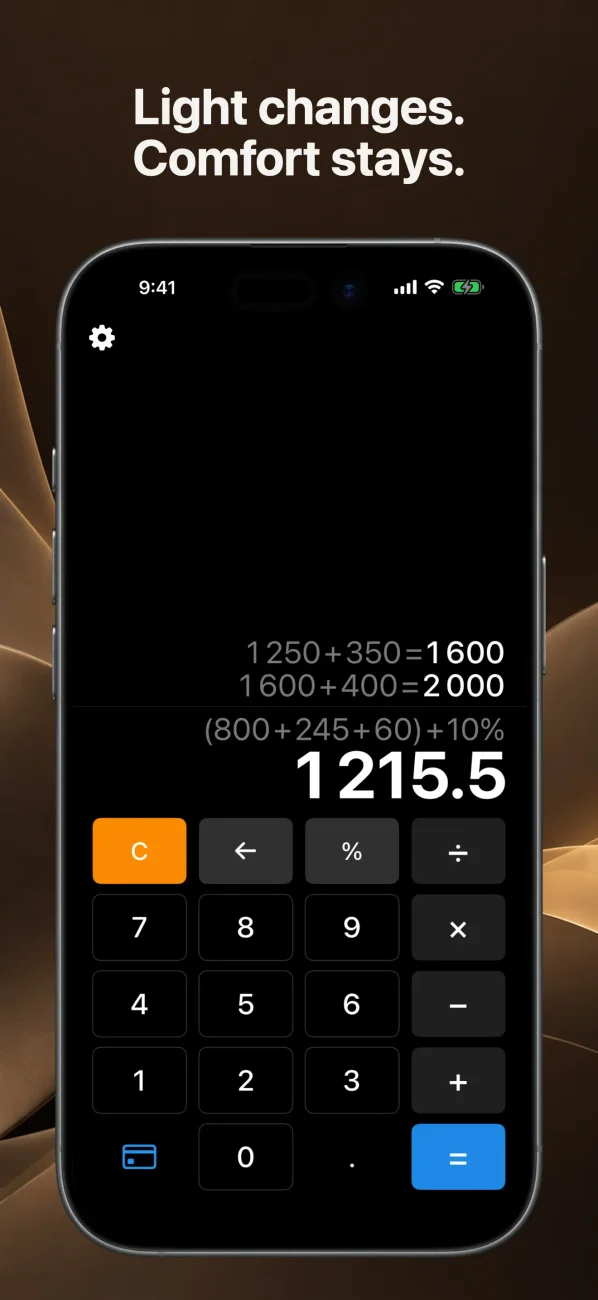
About
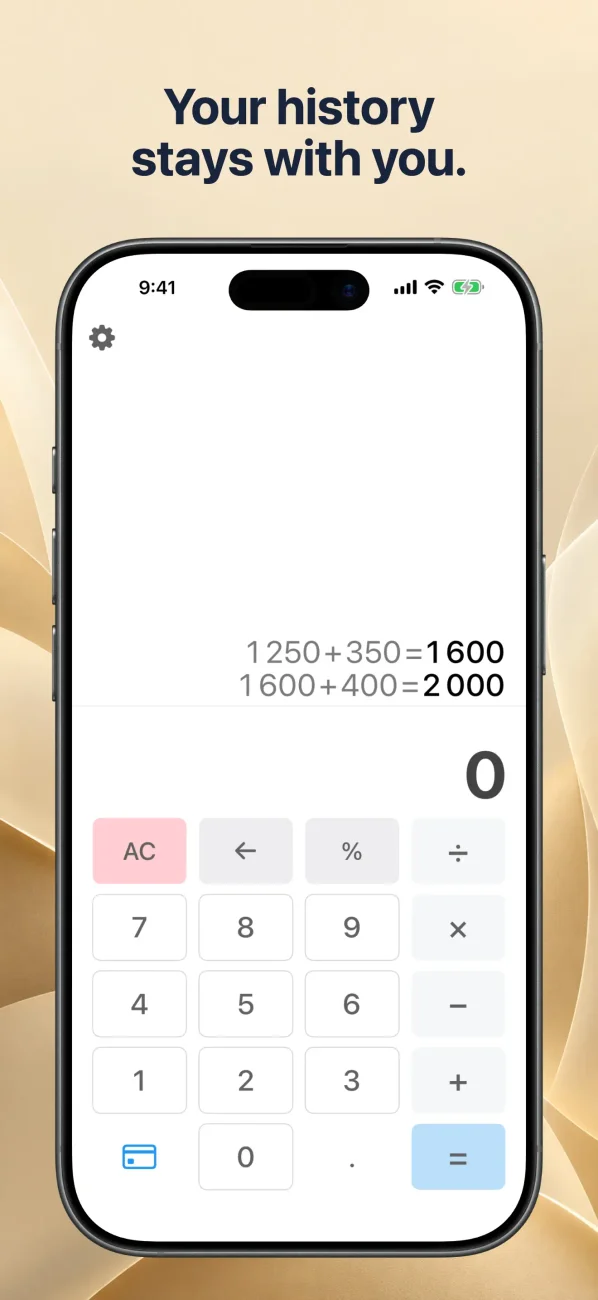
TinyMath is a minimalist calculator for iPhone and iPad. It calculates as you type and keeps the full expression in view. Made for everyday calculations, with a clear interface, no unnecessary features and no ads. Your calculation history is saved automatically.
Add up purchases, work out discounts, tax or tips, and check your expenses. Works offline, with no account or subscription.
THE BASICS
• Results update automatically. Press "=" to save a calculation to history.
• Addition, subtraction, multiplication, division and percentages.
• "←" deletes the last character, "C" clears your input, and "AC" clears your history too.
• Your history stays saved until you delete it.
• Tap the gear for language, themes, haptics, number formatting and other settings.
• Touch and hold a number in the input field to edit it without retyping the rest of the expression. The result updates automatically.
EVERYDAY PERCENTAGES
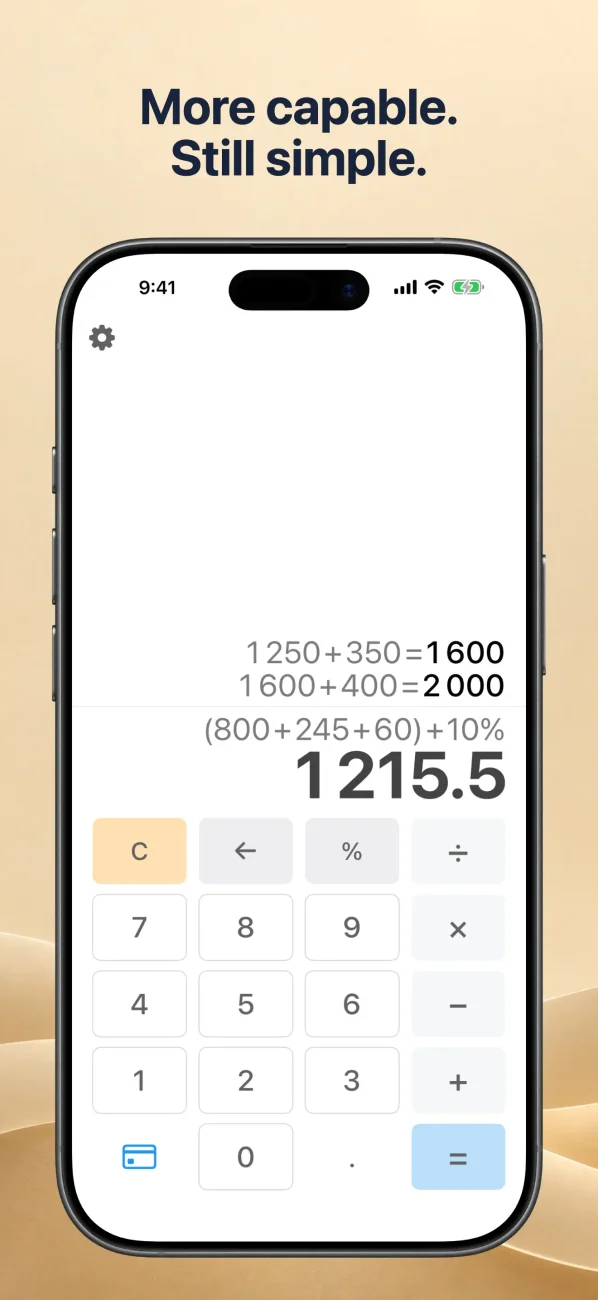
Percentages are based on the number to the left: 1,250 + 18% = 1,475, and 1,250 − 20% = 1,000. Work out discounts and markups, or add tax and tips, without calculating the percentage amount separately. The result updates as you type.
SAVE NUMBERS FOR LATER
Enter a single number and press "=" to save it in history with a "Memory" label. It stays on screen as its own entry. Tap the number to use it in your next calculation.
Touch and hold “=” to save the result to memory. The expression stays in the input field so you can keep calculating.
Save answers from history to memory by touching and holding the result.
PARENTHESES WITHOUT EXTRA KEYS
Tap an operator in the expression to put the two adjacent numbers in parentheses. Tap again to remove them: 10 − 2 − 3 becomes 10 − (2 − 3) = 11. No need to find a "(" key.
COPY AND PASTE
Tap any number in your history, input or result to copy it to the clipboard. If the input field is empty or ends with an operator, the number is also inserted into your current calculation.
Tap "=" in a history entry to bring the full expression back into the input field. Edit or add to an earlier calculation without typing it all again. Added up a purchase but forgot shipping? Bring it back from history and add the missing cost. Hold the result to copy the expression and its answer. Tap the empty input field to paste a number or expression from another app and calculate it immediately.
SOUND FAMILIAR?
A calculation goes missing
You add up expenses, switch to a message, then come back and have to remember which amounts you included. One lost calculation means doing the work twice.
You have an answer, but can't check it
The total looks wrong. Did you leave out a purchase, count an amount twice or mistype a digit? The answer alone doesn't help you find the mistake.
Too many steps for a simple calculation
You need to add a few amounts, reuse a number from an earlier calculation, then work out a percentage. You end up copying digits, remembering intermediate results and switching between your notes and calculator.
One small change means starting over
You've worked out a purchase, then remember shipping. Or you want to compare the cost for a different quantity. It's almost the same calculation, but you have to enter it all again.
The interface gets in the way
You just want to check a receipt or discount, but face dozens of keys with unfamiliar symbols. For everyday calculations, you want the right keys in plain sight and easy to tap.
Your calculator needs other tools alongside it
The calculator does the math, but amounts live in notes, answers in screenshots, and you have to remember what they mean. You want your everyday calculations in one place.
PREMIUM FEATURES
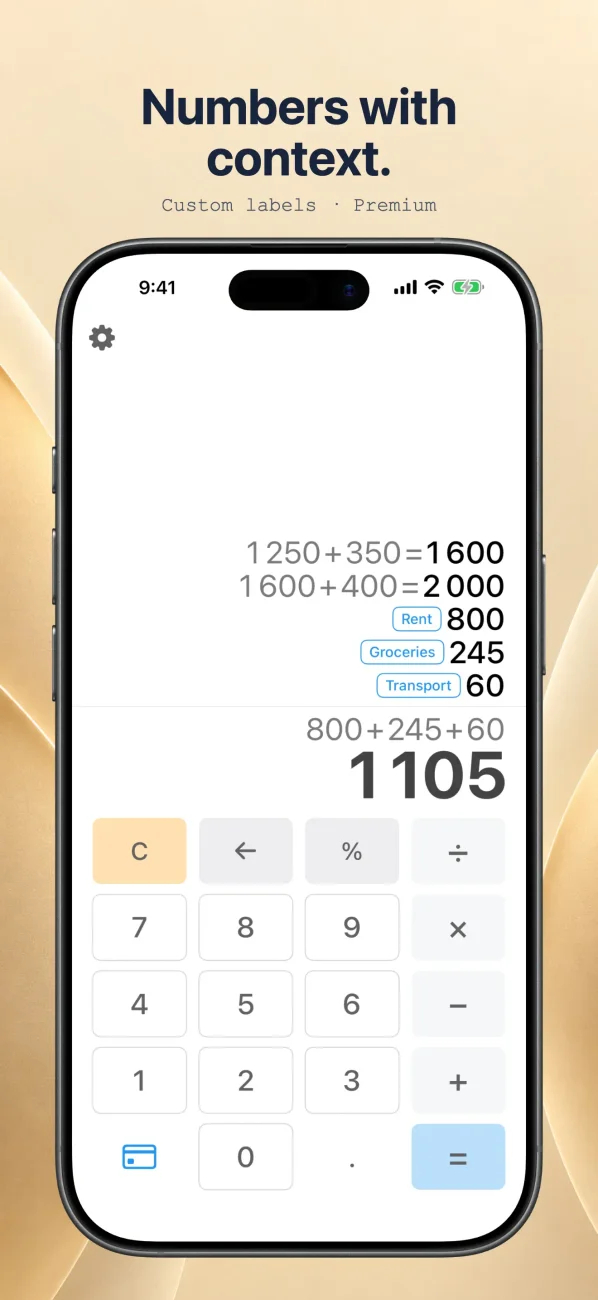
• Keep your history at hand: scroll through past calculations, delete entries you no longer need and give saved numbers names like "Rent".
• On-screen pop-ups show what you've copied or pasted.
• Percentage hints show the base amount and the calculated percentage amount.
• A family option for up to 6 people.
• And more.
What’s new
Version 1.2.3 · Oct 29, 2026
• Touch and hold a number in the input field to edit it without retyping the rest of the expression. The result updates automatically.
• Touch and hold “=” to save the result to memory. The expression stays in the input field so you can keep calculating.
• Save answers from history to memory by touching and holding the result.
App privacy
What Andrew Morgatov declares on the App Store about how this app handles data.
-
Data not linked to you
May be collected but is not linked to your identity.
- Purchases
- Location
- Identifiers
- Usage data
- Diagnostics
Privacy practices may vary, for example with the features you use or your age.
Information
- Seller
- Andrew Morgatov
- Category
- Utilities
- Version
- 1.2.3
- Updated
- Oct 29, 2026
- Released
- Dec 5, 2020
- Size
- 4.6 MB
- Requires
- iOS 17.0 or later
- Age rating
- 4+
- Price
- Free
- In-app purchases
- Yes
- Languages
- English, Arabic, Bengali, Catalan, Croatian, Czech, Danish, Dutch, Finnish, French, German, Greek + 32 more
- Copyright
- © 2025 MORGATOV ANDREW
You might also like
-
 Calculator: History & PercentScientific, Fractions & Units
-
 Print CalculatorPrint your paper tape history
-
 Calculator Plus ProIntelligence,Complex,Calc
-
 Calculator PanecalSTAllow you to modify formulas.
-
 Calculator, basic and advancedMath made easy
-
 Calculator⁻Best hand calculator
-
 Calculator%.Simple, big screen and buttons
-
 Calculator for All: SolvesBasic, Scientific, No Ads
-
 Haseba Calculator & ConverterScientific, Currency, Units
-
 Basic Calculator -basic calculation system!