
- Age rating4+
- CategoryFinance
- DeveloperAdam Moore
- LanguagesEnglish
- Size12.7 MB
Links to the official App Store page
Download.org hosts no file of Tip Tracker - TipTrack3r. The button opens its official App Store page, published by Adam Moore. Listing last checked on Nov 18, 2026.
Screenshots
About
Know what every shift is worth, now on iPhone and Apple Watch.
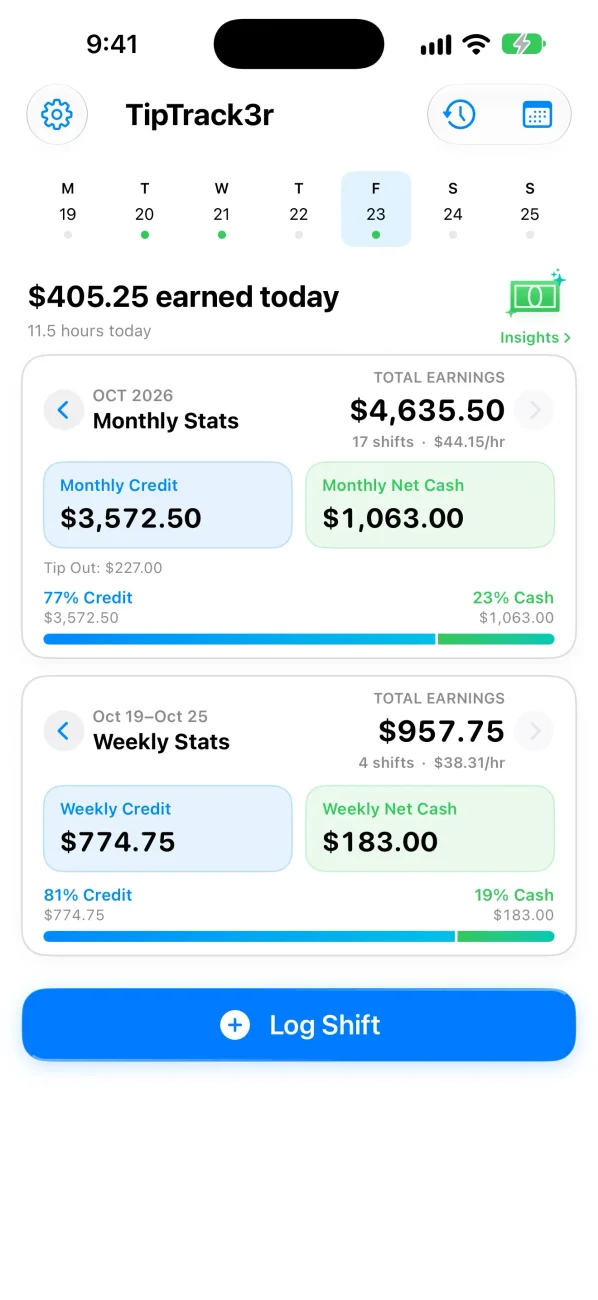
TipTrack3r is a tip tracker for servers, bartenders, and other tipped professionals. Record your tips, hours, and optional hourly pay, then see your earnings in clear weekly and monthly summaries.
TRACK YOUR EARNINGS
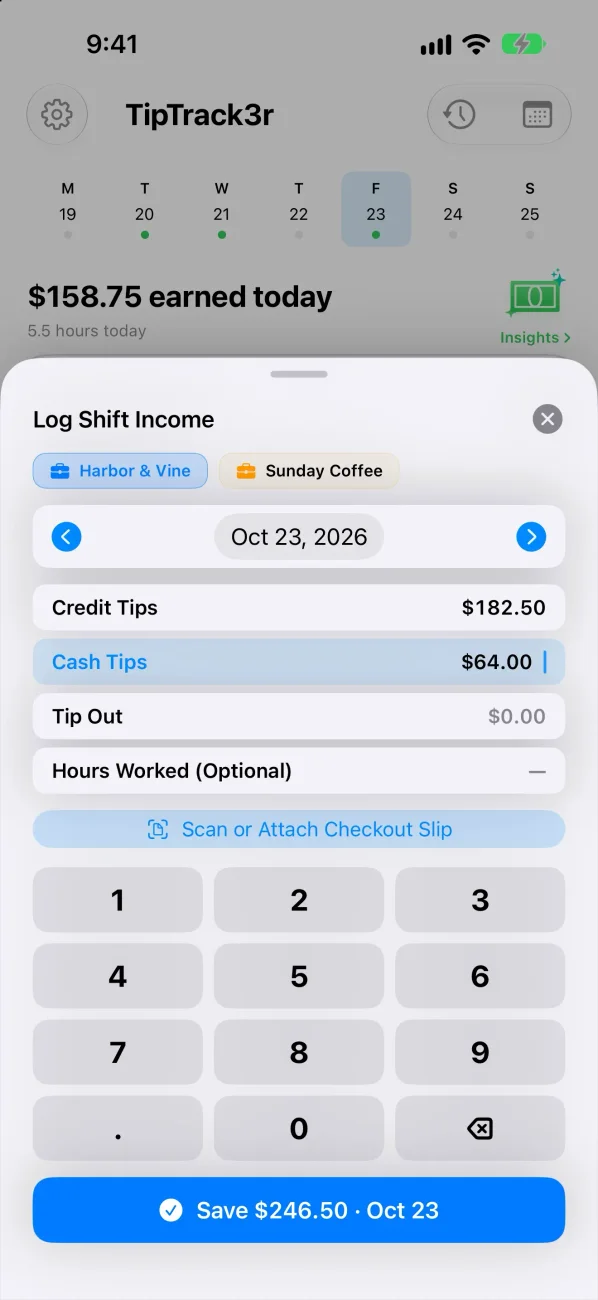
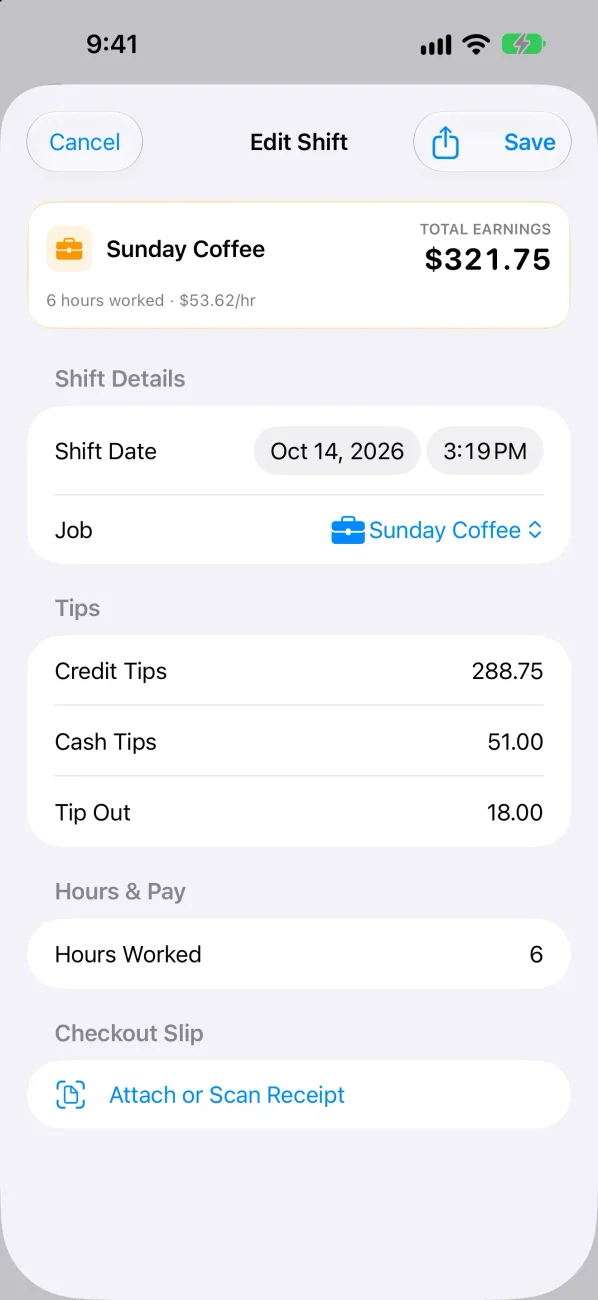
• Log credit tips, cash tips, and tip-outs
• Add hours worked and hourly base pay
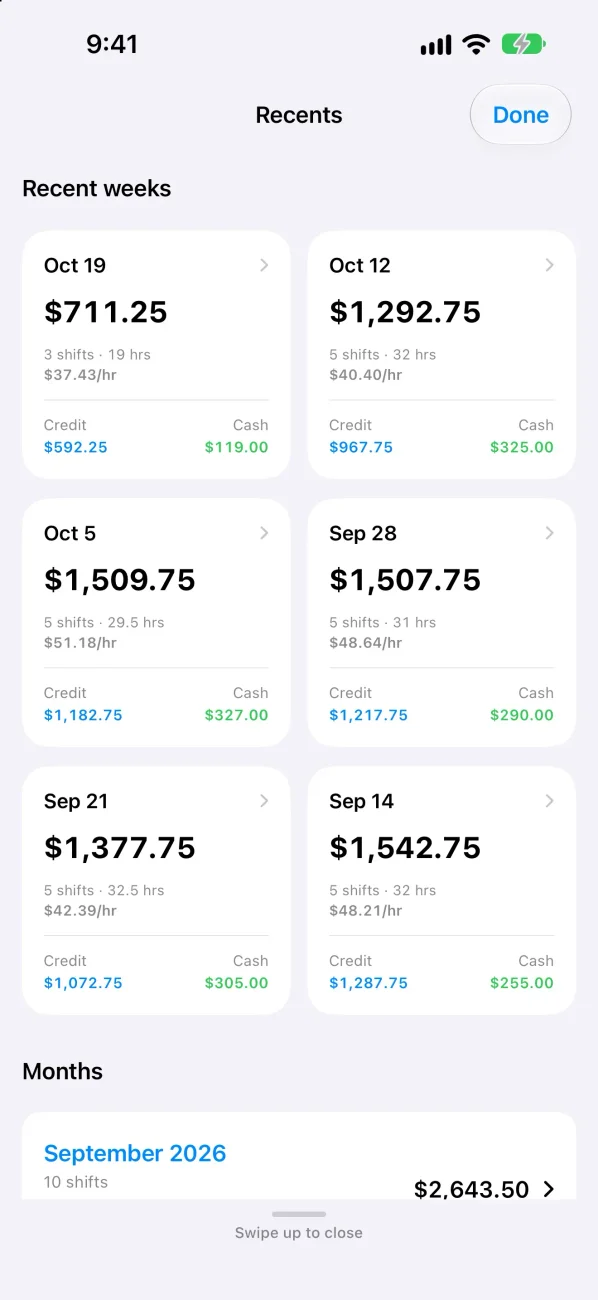
• See total earnings and average earnings per hour
• Review and edit shifts in compact history cards
FIND YOUR BEST SHIFTS
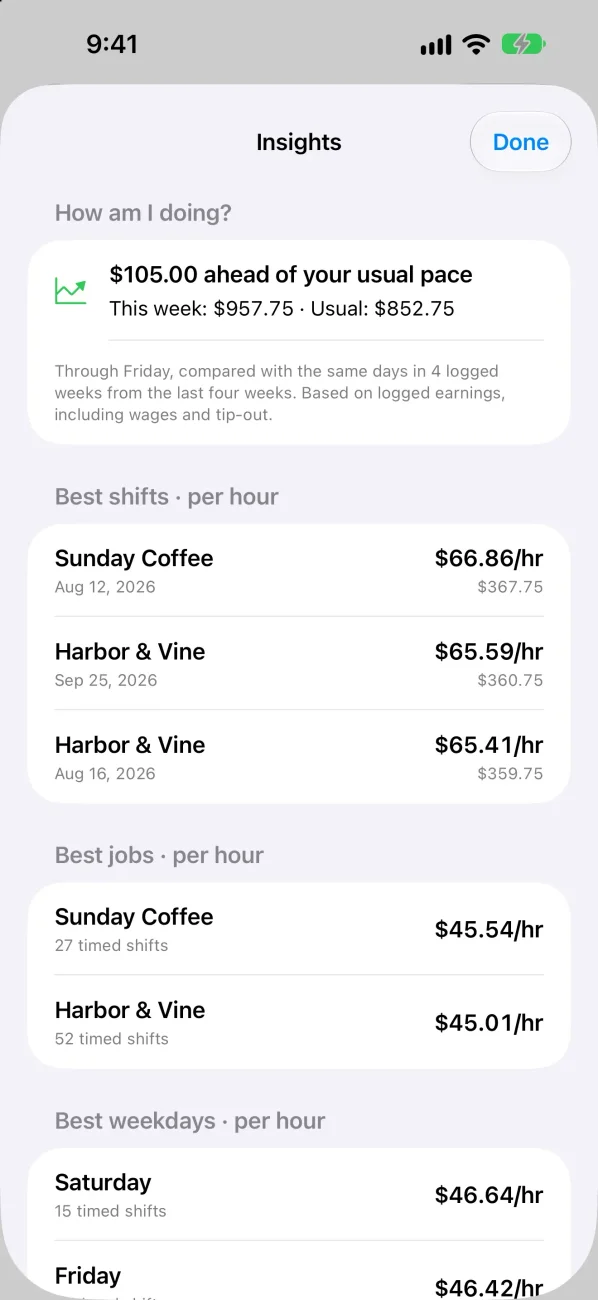
• Explore Earnings Insights for your strongest jobs, shifts, and weekdays
• Compare this week with your usual earning pace
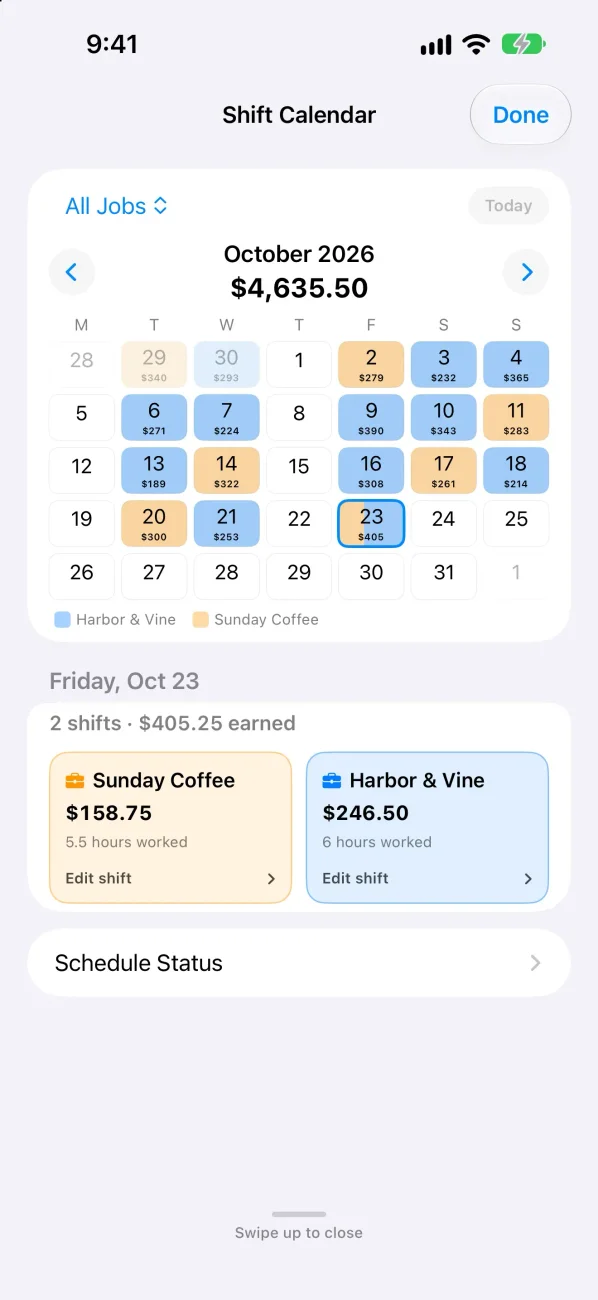
• View earnings by day in a calendar
MAKE IT YOURS
• Manage multiple jobs with individual names, colors, and icons
• Personalize dashboard cards, themes, and displayed statistics
• Choose a POS format per job for receipt scanning, or use automatic detection
• Scan supported checkout slips into an editable draft and attach receipt images
ON YOUR APPLE WATCH
• See today's earnings at a glance
• Log a shift's tips and hours from your wrist
• Start and end a live shift timer
• Check your upcoming scheduled shifts and weekly and monthly totals
• Shifts logged on the watch sync to your iPhone, even if it's out of range for a while
PLAN AND LOG WITH LESS EFFORT
• Subscribe to work schedules using compatible iCalendar links from providers such as 7shifts and HotSchedules
• Set logging reminders before, at, or after a scheduled shift ends
• Hours fill in from your schedule automatically
• Start and end a live shift timer from the Dynamic Island, Lock Screen, or Apple Watch
• Ask Siri about your earnings and insights, or open your history and calendar
• Access quick actions from Home Screen widgets and Control Center
SHARE AND PROTECT YOUR RECORDS
• Create shift-summary images with the details you choose, including hours and hourly earnings
• Add an optional QR code so friends can find TipTrack3r on the App Store
• Import and export shifts with CSV files and create automatic local backups
• Sync jobs and shifts through your private iCloud account
• Protect the app or hide earnings with Face ID, Touch ID, or your passcode
• Restore accidentally deleted shifts
No account or third-party sign-in is required. Optional features can be enabled in Settings. Schedule subscriptions require a compatible calendar feed. Receipt recognition and imported schedule details should be reviewed before saving.
What’s new
Version 1.5 · Oct 23, 2026
TipTrack3r 1.5 comes to Apple Watch.
• New Apple Watch app: see today's earnings, log a shift, start or end a live shift timer, and check what's up next on your schedule. Shifts sync with your iPhone, and the watch saves them until your phone is back in range.
• Redesigned Live Activity in the Dynamic Island with your job's color and icon, plus an End & Log Tips button.
• The dashboard now leads with today's earnings, and Insights is easier to find.
• History week cards show hours and hourly earnings. Long-press a shift to edit, duplicate, or delete it, with Undo.
• Hours pre-fill from your schedule, and you can add optional shift notes.
• A job color key on the calendar.
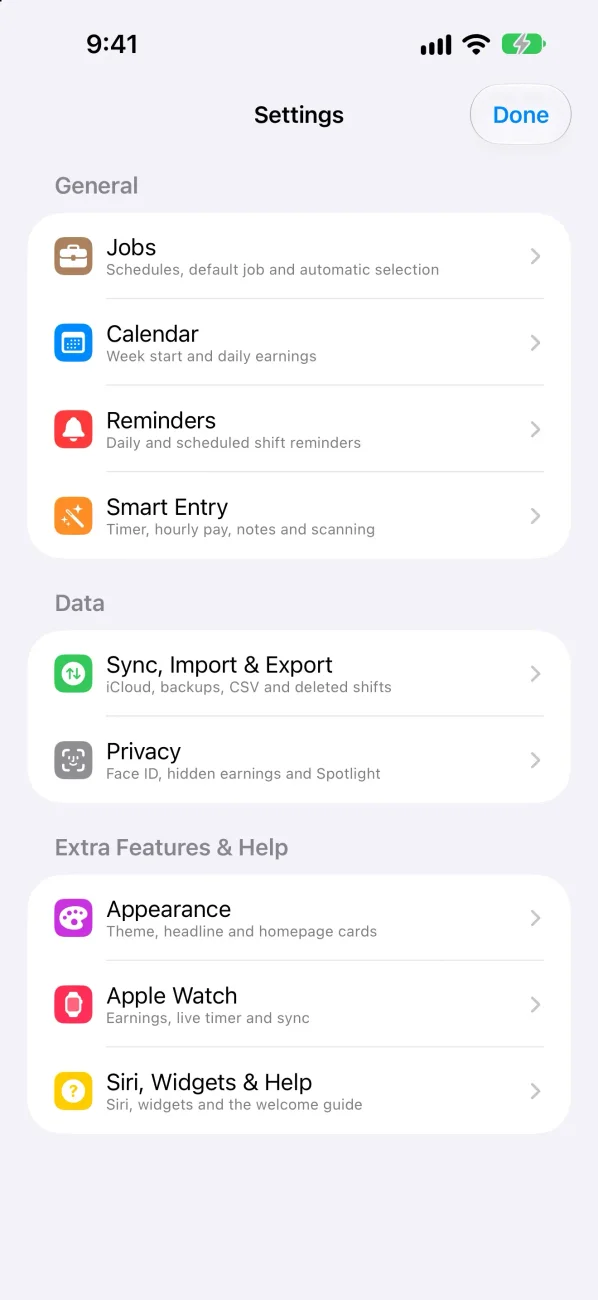
• Reorganized Settings with a new Reminders page.
• Smoother animations and many fixes for schedule feeds, CSV import and export, and sync.
App privacy
What Adam Moore declares on the App Store about how this app handles data.
-
Data not collected
The developer does not collect any data from this app.
Privacy practices may vary, for example with the features you use or your age.
Information
- Seller
- Adam Moore
- Category
- Finance
- Version
- 1.5
- Updated
- Oct 23, 2026
- Released
- Sep 20, 2026
- Size
- 12.7 MB
- Requires
- iOS 17.0 or later
- Age rating
- 4+
- Price
- $0.99
- Languages
- English
- Copyright
- © 2026 Adam Moore
You might also like
-
 Stocks: Signals & WatchlistPrice Alerts & Risk Management
-
 StockDynamicsMake AI decide your stocks
-
 Saldar: Debt Payoff ToolDebt Payoff Strategy Companion
-
 Tableside Tip TrackerFor Servers & Bartenders
-
 DebtWise — Debt Payoff PlannerYour Order. Your Freedom Date
-
 Quantral: Stock SignalsStock picks graded by results
-
 Yieldly: Dividend TrackerFind and track dividend stocks
-
 Stock Signals: Buy Sell AlertsTechnical Trading Model
-
 OnlyDividends Dividend TrackerPayout Calendar & Forecast
-
 Select BankFinance