To-do Calendar
Daily Planner & Schedule
Designed for iPhone, iPad
Free · In-app purchases
- Age rating4+
- CategoryProductivity
- DeveloperHyunsoo Park
- LanguagesEnglish+ 30 more
- Size103.9 MB
Links to the official App Store page
Download.org hosts no file of To-do Calendar. The button opens its official App Store page, published by Hyunsoo Park. Listing last checked on Nov 21, 2026.
Screenshots



About
Your to-dos and your schedule, on one calendar.
Your schedule lives in a calendar. Your to-dos live somewhere else. To see what this month holds and what you still haven't done, you end up checking two places.
To-do Calendar keeps both on the same calendar. A schedule sits on the day it happens, and a to-do stays until you check it off. To-dos with no time attached don't disappear either.
It works with no account and no connection. Sign in only when you want your data backed up and shared across your devices.
■ One calendar, both kinds of work
· Schedules and to-dos sit together, color-coded by event types you create yourself
· Uncompleted to-dos aren't left behind on a past date — they stay pinned to the top of the calendar
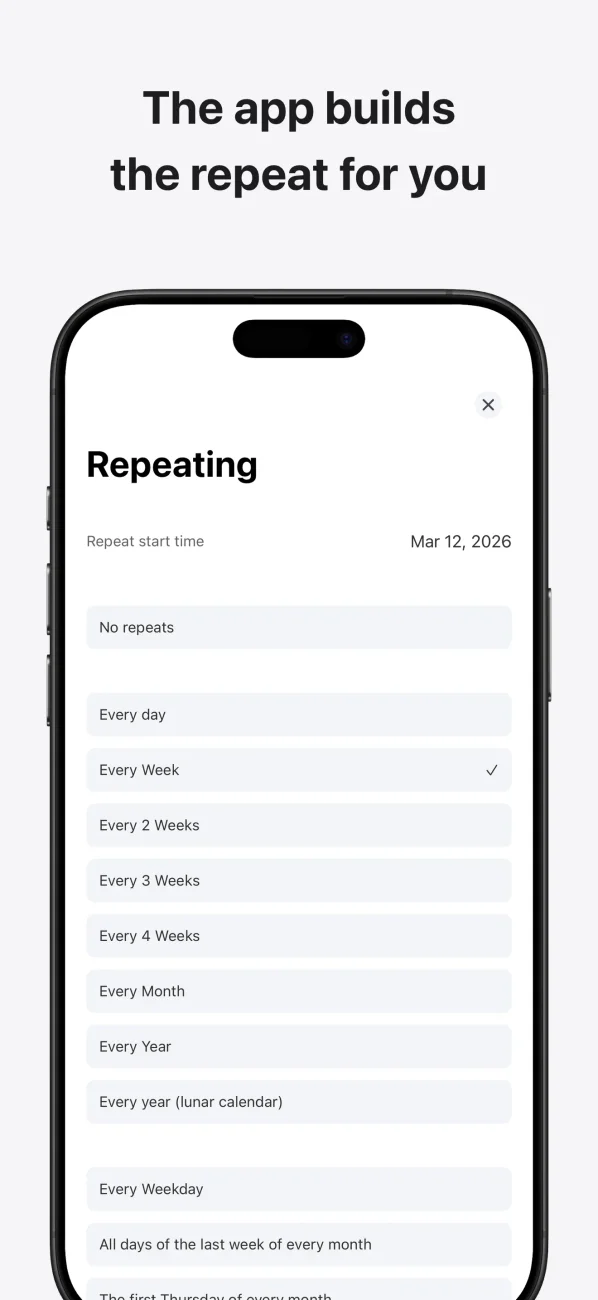
· Pick a date and the app builds the matching repeat for you — every Thursday, the third Thursday of every month, even a yearly lunar date
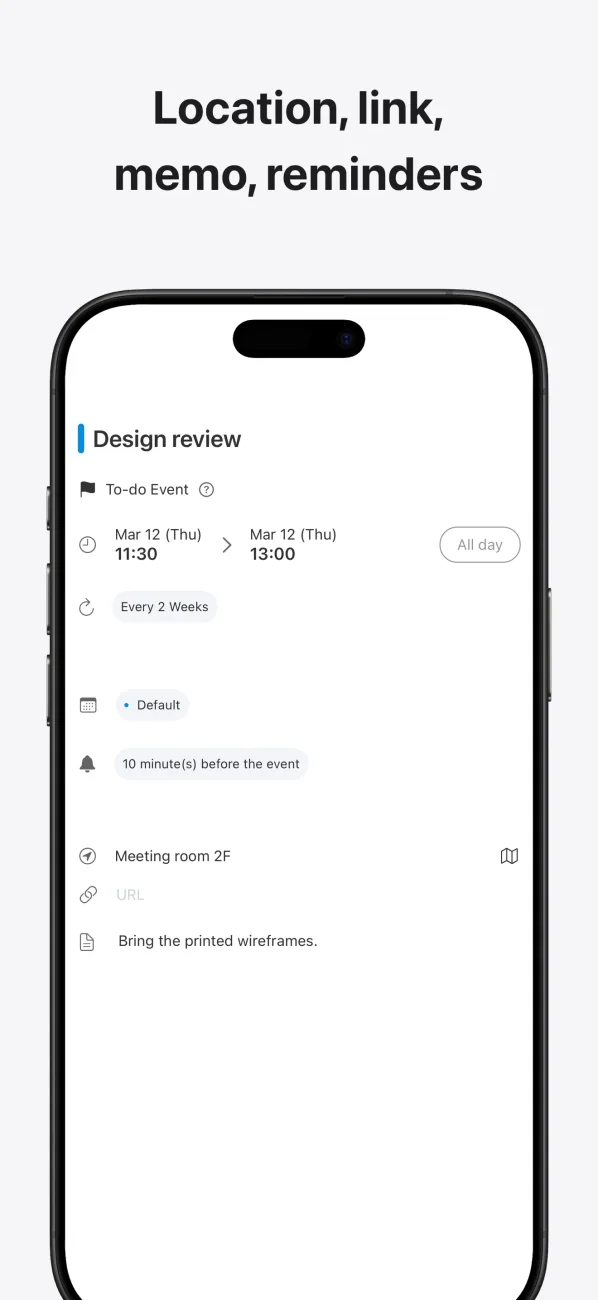
· Every event can carry a location, a link, a memo, and reminders
· Pin the one you can't miss as your foremost event and it stays at the top, whatever day you're looking at
· Share a day, a week, or a month as text or as an image card
■ AI quick input
"lunch with Sara Friday at noon", "move the dentist to next Tuesday", "mark the laundry done".
Describe it the way you'd say it. No forms to fill in, no dates to pick one field at a time.
· Voice, keyboard, and reading from an image — photograph a class timetable or an event poster and the text becomes events
· From Siri, the Action button, a widget, Control Center, or the share sheet, without opening the app
· Not just adding — moving times, renaming, completing, deleting, several at once
· Anything that removes or changes something shows you exactly what it's about to do and waits for your approval
· AI quick input requires signing in
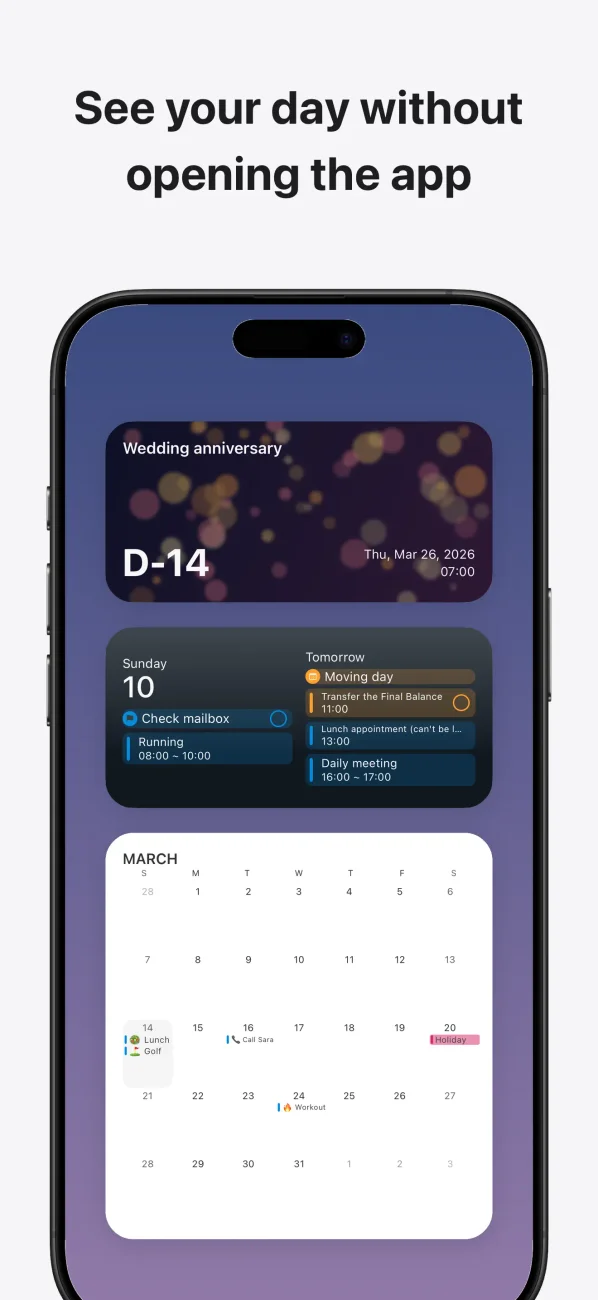
■ See your day without opening the app
· Home Screen widgets — today and what's left, your event list, TODAY, your foremost event, the month and week views, and combined widgets that pair two of them
· Check a to-do off straight from a widget
· Lock Screen widgets for your next event and what's left of today
· An event that's about to start counts down on the Lock Screen and in the Dynamic Island
· Put Add with AI in Control Center and one swipe gets you to the input screen from anywhere
■ Bring your other calendars
· Google Calendar — connect several accounts at once. Each calendar keeps the color you gave it in Google, and attendees, meeting links and attachments are all there, editable on the spot
· Apple Calendar — the calendars already on your iPhone, with one permission grant
· Choose what shows up, one calendar at a time, from the event type list
· Disconnect and nothing is removed from your Google account or your device
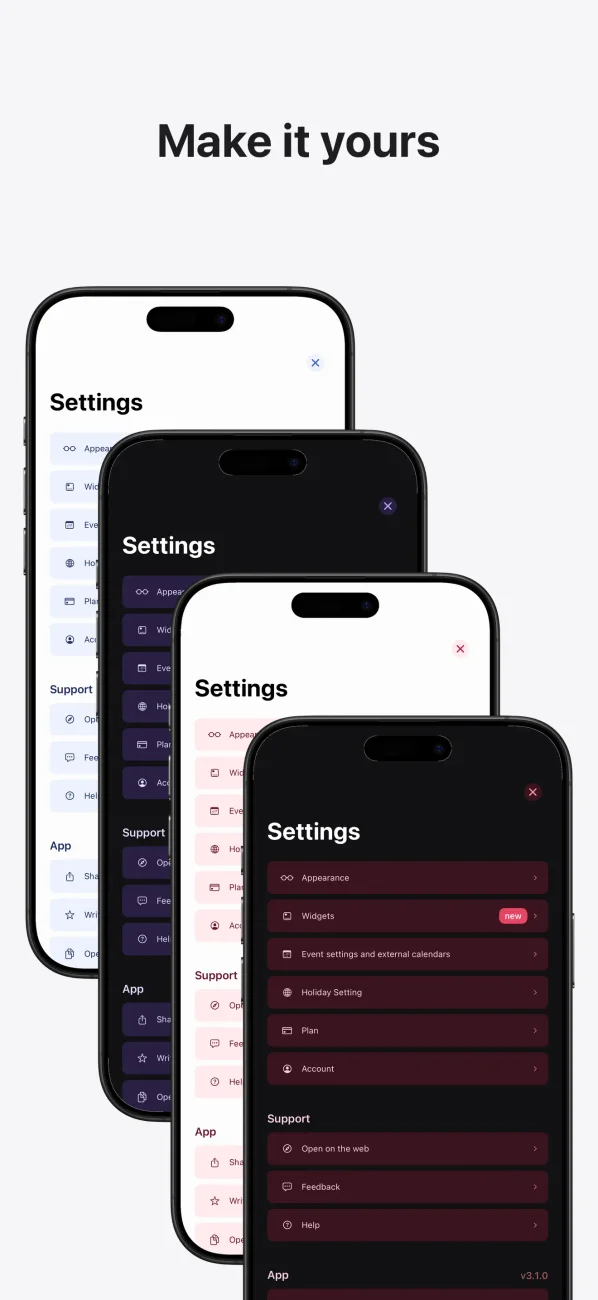
■ Make it yours
· How much detail each event shows, event text size and event colors — every change previews live
· Color theme and widget theme, the first day of the week, accented days
· Holidays by country, the lunar calendar, 24-hour time, and time zone
· Set the event type and reminder time new events should start with
Terms of Use (EULA): https://www.apple.com/legal/internet-services/itunes/dev/stdeula/
What’s new
Version 3.2.0 · Nov 16, 2026
■ iPad support
· To-do Calendar now runs on iPad
■ Widget event text size
· Adjust "Event text size" for the week and month widgets in "Customize widget"
■ Google Calendar
· Right after you connect a Google account, you can choose your "Calendars to show"
· Bug fixes
App privacy
What Hyunsoo Park declares on the App Store about how this app handles data.
-
Data used to track you
May be used to track you across apps and websites owned by other companies.
- Purchases
- Identifiers
- Usage data
-
Data linked to you
May be collected and linked to your identity.
- Purchases
- Identifiers
- Usage data
-
Data not linked to you
May be collected but is not linked to your identity.
- Purchases
- Location
- Contact info
- User content
- Diagnostics
Privacy practices may vary, for example with the features you use or your age.
Information
- Seller
- Hyunsoo Park
- Category
- Productivity
- Version
- 3.2.0
- Updated
- Nov 16, 2026
- Released
- Sep 19, 2024
- Size
- 103.9 MB
- Requires
- iOS 17.0 or later
- Age rating
- 4+
- Price
- Free
- In-app purchases
- Yes
- Languages
- English, Catalan, Croatian, Czech, Danish, Dutch, Finnish, French, German, Greek, Hindi, Hungarian + 19 more
- Copyright
- © 2024 sudo.park
You might also like
-
 ToDo Calendar - dolfySimple Scheduler & Checklist
-
 Time Calendar, Event, TaskSchedule Planner & Reminder
-
 TaskMind: Daily Planner AgendaTask Manager,To do list,Kanban
-
 Tiny Planner - Daily OrganizerPlanner and Journal. Reminder
-
 Across: Calendar, Your WaySimple start, endless depth
-
 Simple Calendar・Schedule appProductivity
-
 Finalist: Daily PlannerYour Whole Day on One Page
-
 NoteCircle: To-Do ListWeekly Planner,Habit,Checklist
-
 24me: Calendar・Planner & To DoReminders, Schedule, Organizer
-
 Tweek: Minimal Weekly PlannerTo Do List, Reminders & Tasks