
todd: focus & time tracker
track time. reflect. grow.
Designed for iPhone, iPod touch
In-app purchases
- Age rating4+
- CategoryProductivity
- DeveloperBiomon Proprietary Limited
- LanguagesEnglish
- Size41.8 MB
Links to the official App Store page
Download.org hosts no file of todd: focus & time tracker. The button opens its official App Store page, published by Biomon Proprietary Limited. Listing last checked on Nov 9, 2026.
Screenshots



About
Todd shows you where your time actually goes.
Plan a session, work through your tasks, and see the truth when you're done. No rigid timers. No guilt. No gamification. Just honest evidence of how you spend your time.
That's the core. Everything else builds on it.
SOFT TIMEBOXING
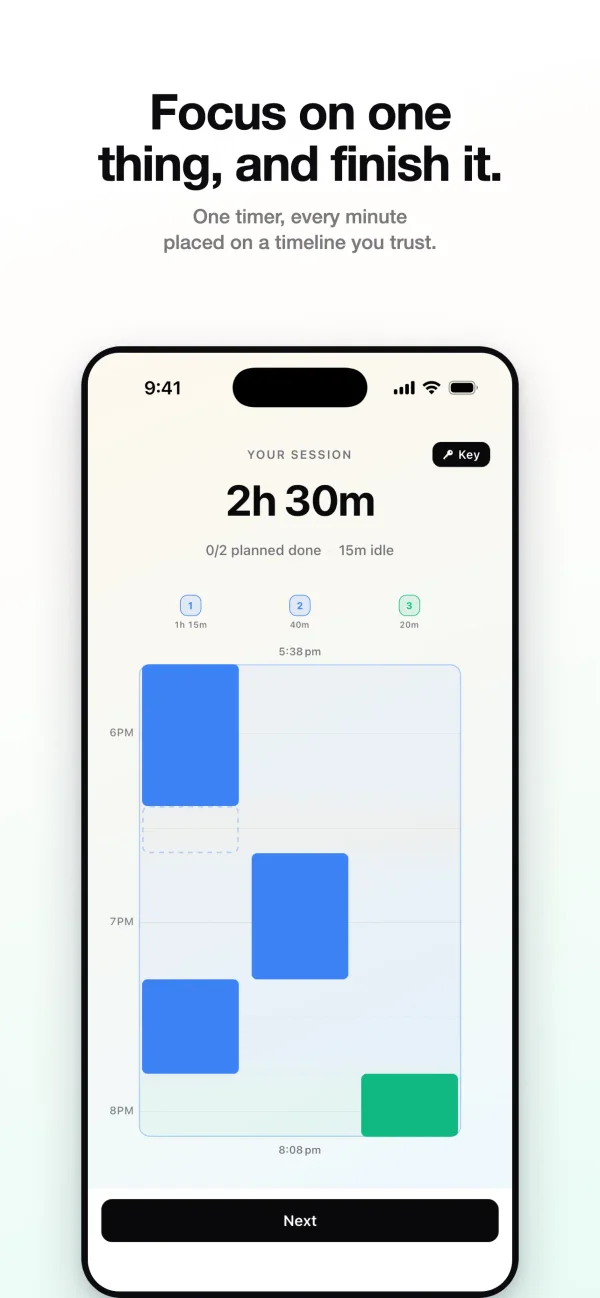
Pick your tasks, start a session, and let time flow. Move between tasks naturally. Pause when you need to. There's no countdown forcing you to stop. When you're done, you're done.
SESSION REVIEW
After every session, see a visual timeline of each task, pause, and switch. Reallocate time if reality didn't match the plan. Reflect on how it went. The evidence is there. What you do with it is up to you.
INTELLIGENT FEED
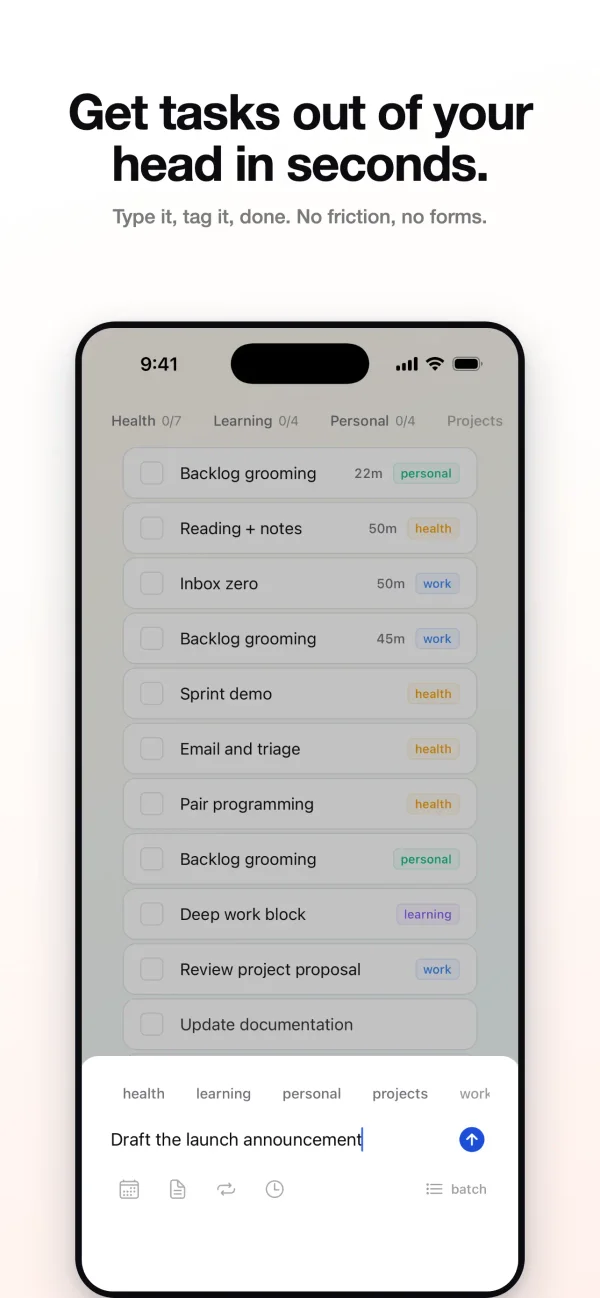
Your task list surfaces what matters: momentum, due dates, recurring commitments. Less deciding, more doing.
RECURRING TASKS
Tasks repeat on your schedule. Todd asks "Add to today?" instead of auto-populating your list. Pulling in what fits is a choice. Dismissing is too.
INSIGHTS (todd+)
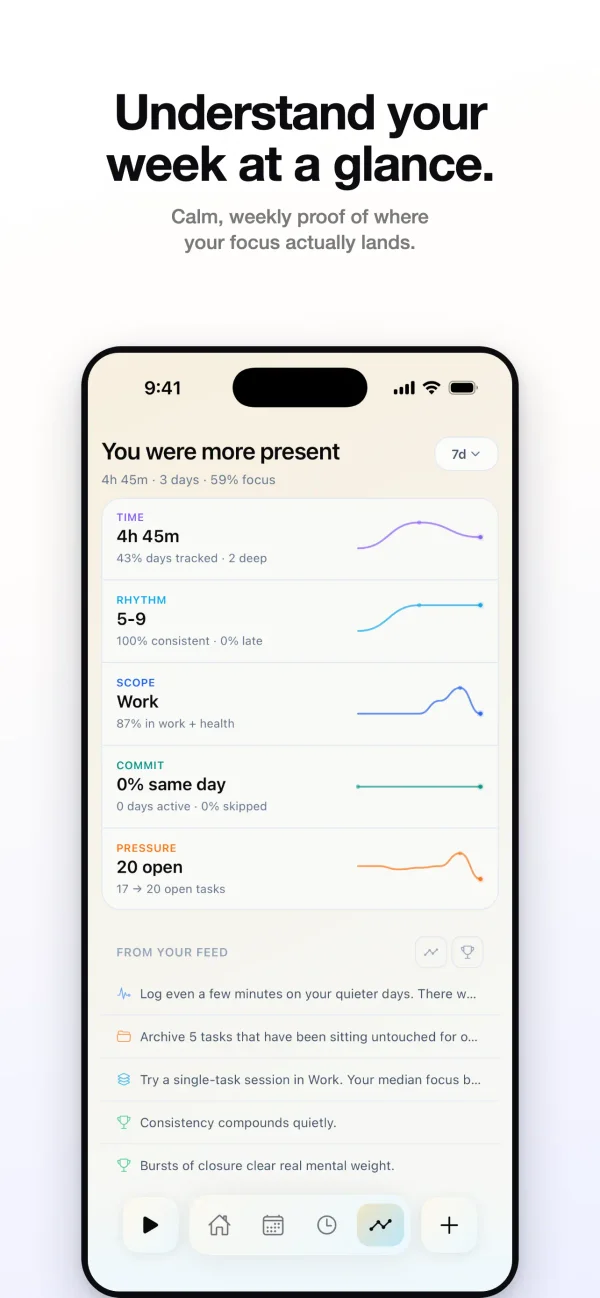
Five pattern modules that watch your work quietly: planning drift, focus fragmentation, backlog pressure, commitment reliability, session rhythm. Not dashboards. Nudges. Todd notices a trend. You decide what to do.
OVERVIEW & ATLAS (todd+)
Where your time lands, across areas and weeks. Session-level detail when you want it.
CALENDAR SYNC
Apple Calendar and Google Calendar. Your events alongside your tasks, so you plan around your real day.
SAVED PLANS
Days that repeat deserve templates. Load one and start in seconds.
HISTORY & DARK MODE
Browse any day. See what you did and how long it took. Full dark mode, automatic or manual.
FREE VS TODD+
Sessions, tasks, recurring tasks, calendar, history, and saved plans are free. todd+ adds Insights, Atlas, and reports.
OFFLINE FIRST
Works without internet. Syncs when you're back. Your data stays on your device.
What’s new
Version 1.8.0 · Jun 11, 2026
• Redesigned week review - your history is now a clean, at-a-glance layout of each day.
• Rebuilt Insights - simpler navigation that gets you to what matters, faster.
• New bottom bar - a liquid-glass tab bar with live session controls right where you need them.
• Calendar polish - collapsing headers on the week and day grids, and tidier session blocks in light and dark mode.
• Smoother all over - faster tab switching and refined screen transitions.
• Reliability fixes - sessions end dependably, Google Calendar sign-in is steadier, plus assorted polish.
App privacy
What Biomon Proprietary Limited declares on the App Store about how this app handles data.
-
Data linked to you
May be collected and linked to your identity.
- Contact info
- User content
- Identifiers
- Diagnostics
Privacy practices may vary, for example with the features you use or your age.
Information
- Seller
- Biomon Proprietary Limited
- Category
- Productivity
- Version
- 1.8.0
- Updated
- Jun 11, 2026
- Released
- Mar 20, 2026
- Size
- 41.8 MB
- Requires
- iOS 15.1 or later
- Age rating
- 4+
- In-app purchases
- Yes
- Languages
- English
- Copyright
- Copyright © 2025 todd
You might also like
-
 Family Organiser FamoraShared calendar, lists, chores
-
 Daily Task Planner - PlannduTo-do list, calendar & notes
-
 Today — Daily PlannerEvents, tasks & notes
-
 EarlyBird: ADHD Body DoublingStudy Buddy & Accountability
-
 Alune: AI Daily ADHD PlannerHabit Tracker & To-Do List
-
 Focus Interval Timer ChronoCatTo do List Calendar Planner
-
 Pomodoro Timer: Focus & WorkProductivity & Concentration
-
 Yoodoo: ADHD Daily PlannerTime Blocking & Focus Timer
-
 Cake Planner & OrdersDigital menu & cake pricing
-
 Bullet: Habit Tracker, JournalADHD Daily Planner, To Do List