
ToDo Calendar Pro
Reminders, To-Do List & Tasks
Designed for iPhone, iPad
Free · In-app purchases
- Age rating17+
- CategoryProductivity
- DeveloperNAOAKI SEKIGUCHI
- LanguagesEnglish+ 6 more
- Size33.3 MB
Links to the official App Store page
Download.org hosts no file of ToDo Calendar Pro. The button opens its official App Store page, published by NAOAKI SEKIGUCHI. Listing last checked on Nov 14, 2026.
Screenshots


About
Would you like to make your smartphone or tablet PC into a useful business tool?
ToDo Calendar Pro is an application to manage your tasks efficiently using a calendar.
The calendar shows you an overview of what tasks are due to be performed and when.
Tasks are synced to all your devices through iCloud, so you can manage your tasks anytime, anywhere.
You can also automatically register tasks to iOS Calendar, iOS Reminder and Google Calendar.
ToDo Calendar Pro functions
1. Registering tasks
First, let's register your tasks.
By setting a scheduled start date and scheduled end date, you will be able to complete your tasks on time.
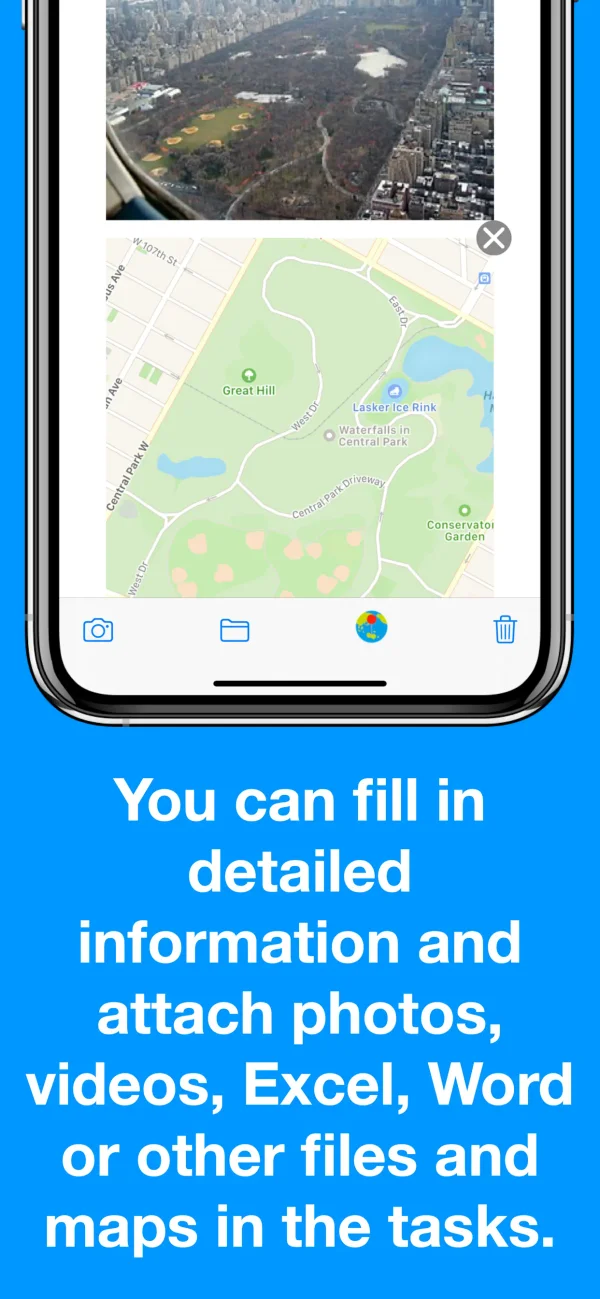
You can fill in detailed information and attach photos, videos, Excel, Word or other files and maps in the tasks.
Tasks can also be further divided into sub-tasks.
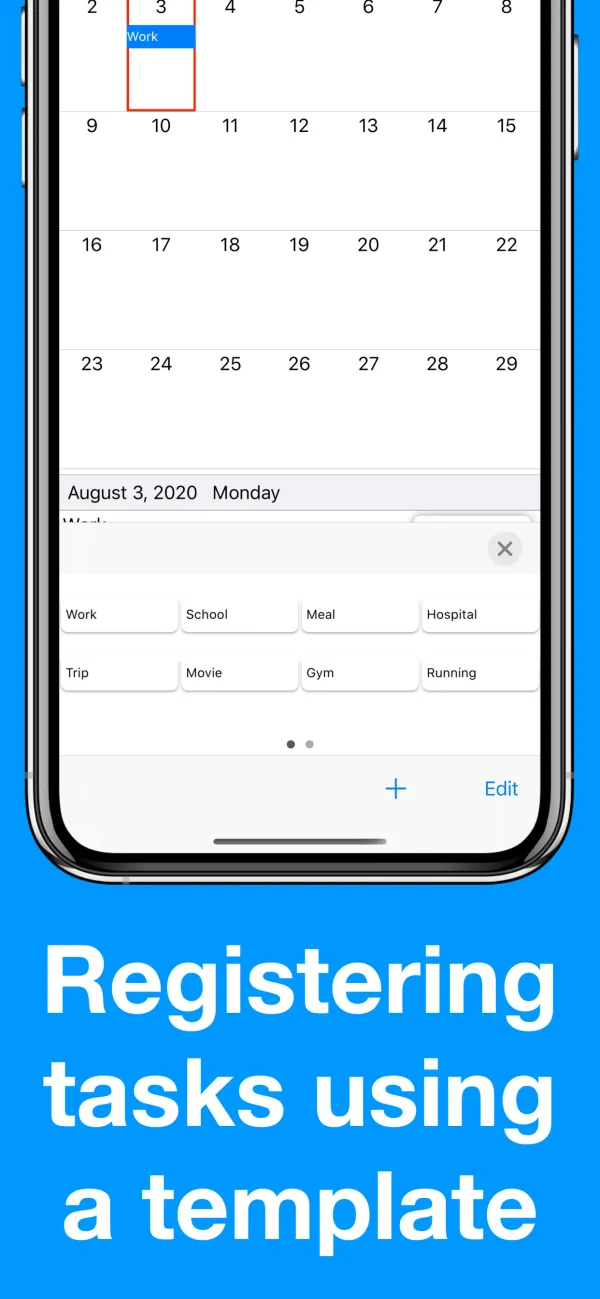
2. Registering tasks using a template
By using pre-registered templates, you can easily register tasks.
You can customize the template any way you like.
3. Managing tasks in a calendar
You can see your tasks in the calendar.
The calendar allows you to see which tasks will be performed when.
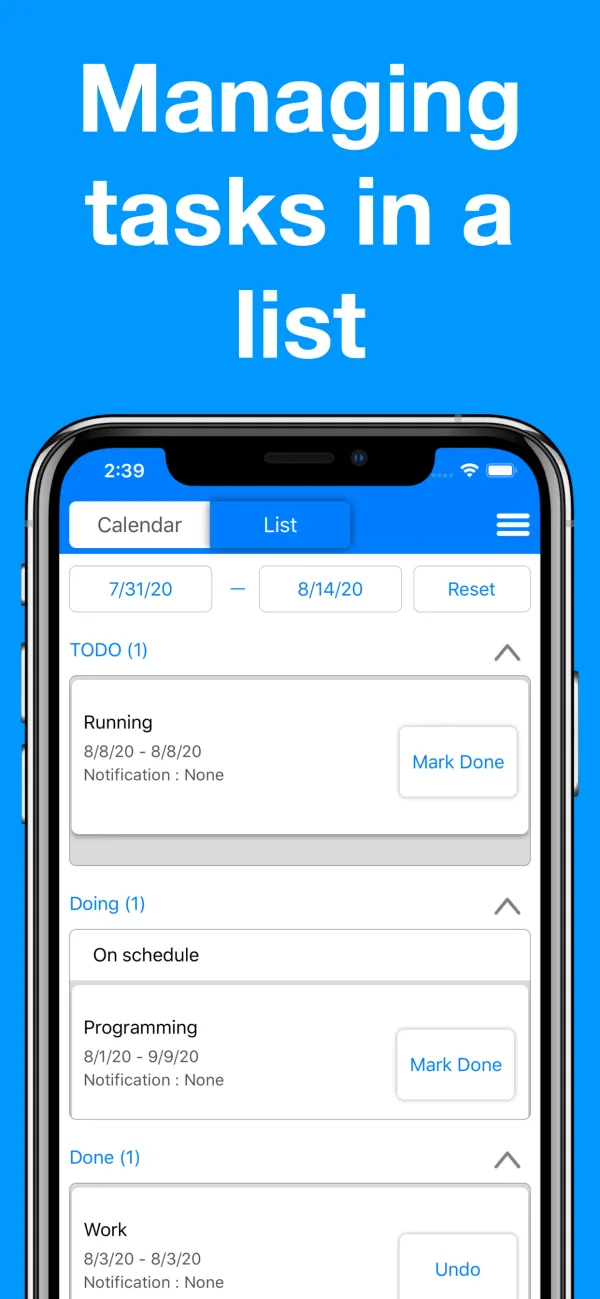
4. Managing tasks in a list
You can also see the tasks in a list.
You can see what tasks are currently being performed, what tasks have been completed, and what tasks will be performed in the future.
5. Organizing tasks in groups
If you set up groups for tasks, you can view tasks by group in a calendar or a list.
You can customize groups any way you like.
6. Task notifications
You can specify the tasks to be notified at the scheduled start date and time or at a specified date and time.
With notifications, you'll never forget an important task.
7. Linking iOS Calendar, iOS Reminder and Google Calendar
You can set up your tasks to work with iOS Calendar, iOS Reminder, and Google Calendar, so they can be registered to iOS Calendar, iOS Reminder, and Google Calendar.
8. Viewing today’s tasks on Apple Watch
You can see a list of tasks to be performed today on your Apple Watch.
You can also mark completed tasks as completed.
What’s new
Version 11.0 · Sep 30, 2026
This update contains stability and performance improvements.
App privacy
What NAOAKI SEKIGUCHI declares on the App Store about how this app handles data.
-
Data used to track you
May be used to track you across apps and websites owned by other companies.
- Location
- Usage data
-
Data not linked to you
May be collected but is not linked to your identity.
- Location
- User content
- Usage data
- Diagnostics
Privacy practices may vary, for example with the features you use or your age.
Information
- Seller
- NAOAKI SEKIGUCHI
- Category
- Productivity
- Version
- 11.0
- Updated
- Sep 30, 2026
- Released
- Aug 20, 2020
- Size
- 33.3 MB
- Requires
- iOS 17.0 or later
- Age rating
- 17+
- Price
- Free
- In-app purchases
- Yes
- Languages
- English, French, German, Japanese, Simplified Chinese, Spanish, Traditional Chinese
- Copyright
- © 2020 - 2026 Naoaki Sekiguchi
You might also like
-
 OnefuncPlan: VMT Task PlannerKnow Yourself Through Action
-
 OneTodo - Personal Task SystemOrganize Your All Things
-
 GanttVision:AI工程表:ガントチャートProductivity
-
 Daypages - Calm CalendarMinimal page-a-day planner
-
 TaskFocus: To-Do list, plannerTime tracking, focus, notes
-
 Vertical Calendar - PlannerCreate events! Multiple tabs!
-
 To‑Do List Daily Task PlannerQuick Tasks & Reminders
-
 To do list - schedule makerweek plan & goal tracker
-
 1List (Reminders)Fast & Simple Reminders
-
 SaqQuttoProject Management Tools