Task Manager: Focus one
Planner, Reminders & Checklist
Designed for iPhone, iPad, Mac
Free · In-app purchases
- Age rating4+
- CategoryProductivity
- Developeragross Software e.U.
- LanguagesEnglish+ 4 more
- Size22.1 MB
Links to the official App Store page
Download.org hosts no file of Task Manager: Focus one. The button opens its official App Store page, published by agross Software e.U. Listing last checked on Nov 23, 2026.
Screenshots


About
Focus one is an area-based task manager for iPhone, iPhone Duo, iPad and Mac. Manage tasks and projects in areas such as work, home, finances or building a house, so you only see what is truly relevant right now.
Start for free: unlimited tasks, projects and areas, all lists, reminders, repeating tasks and iCloud sync are free forever. Unlock additional features with Pro – try it free for 14 days.
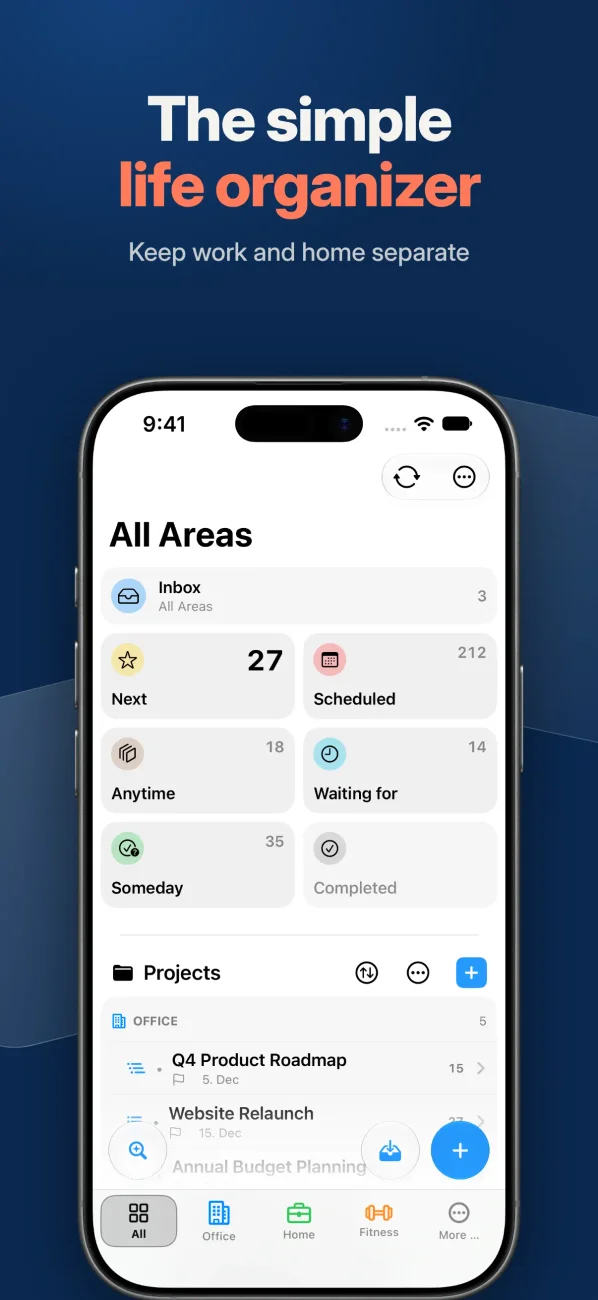
AREAS
Keep areas of life (work, home, family, travel), areas of work (e.g. IT or purchasing) and big undertakings with several projects (e.g. building a house or a move) neatly apart. Every area has its own symbol and color. Switch areas with a single tap in the area bar (iPhone: bottom, iPad and Mac: left), and the lists show only that area's tasks and projects. The Inbox applies to all areas. Focus one remembers where you last were in each area.
LISTS WITH A CLEAR PURPOSE
• Inbox: collects everything new
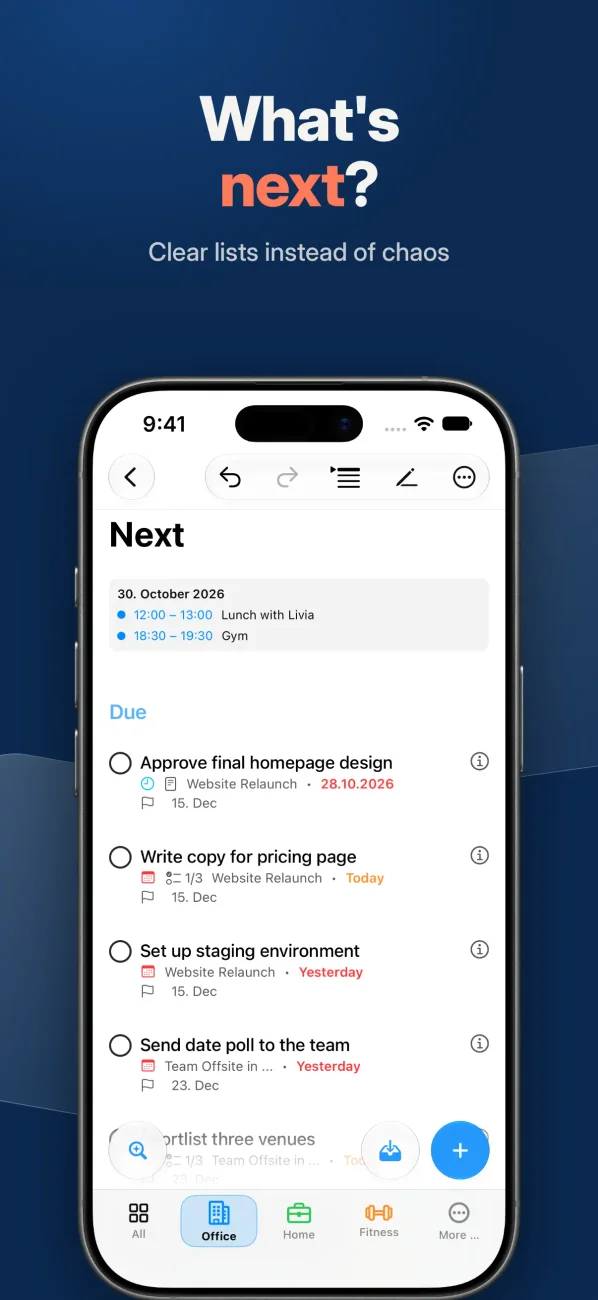
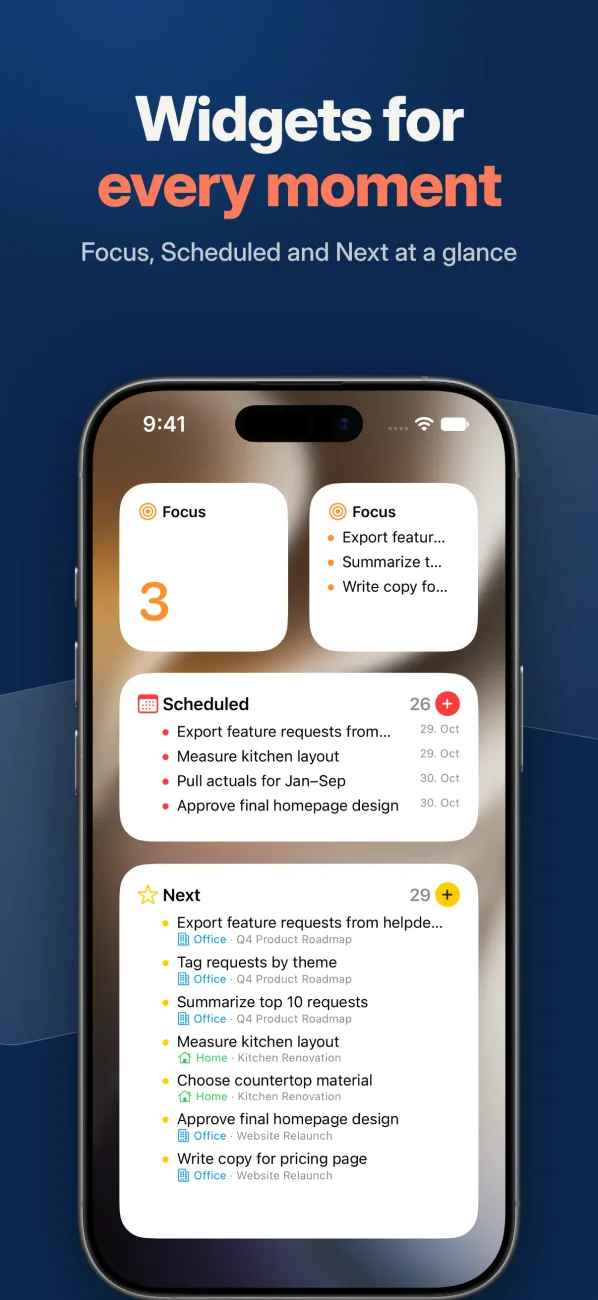
• Next: what you will tackle next
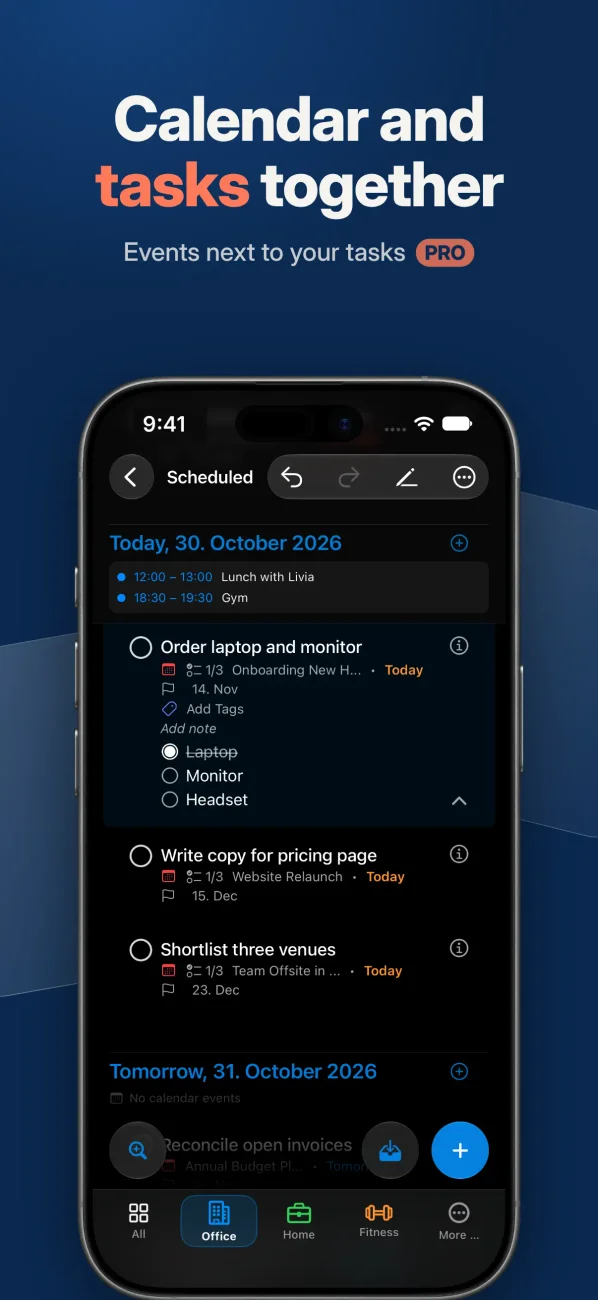
• Scheduled: tasks with a planned completion date
• Waiting for: tasks that depend on others
• Anytime and Someday: tasks without a date, and ideas for later
• Focus: pin the two or three tasks you really want to get done now
PROJECTS
• Parallel or serial (Pro): in serial projects only the next step appears in "Next"
• Headings structure projects and can be collapsed and moved
• Deadline per project, set projects temporarily inactive
• Project focus: concentrate on a single project
• Regular review (Pro): a subtle hint when a project is due for a look
TASKS
• Notes, checklists and tags
• Scheduled completion date, deadline and reminder. Tasks with a deadline show up in "Next" in good time
• Repeating tasks based on the planned date or on when you complete them
• Attachments (Pro): photos, scans, PDFs, text files and links, stored in iCloud
• Undo and redo
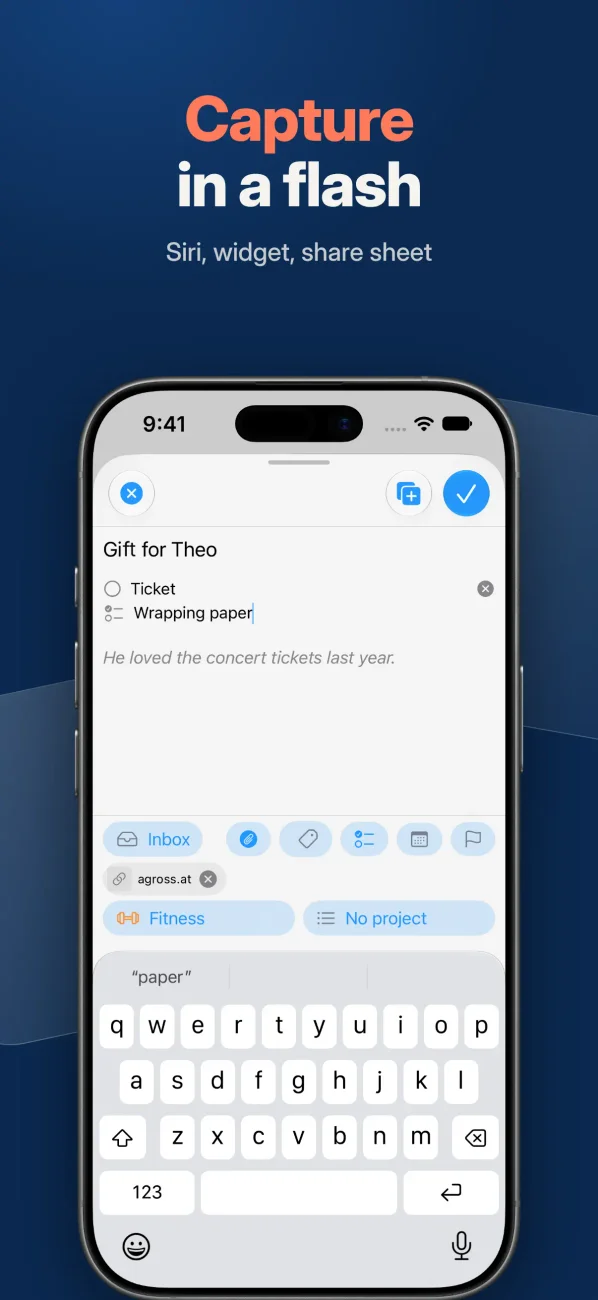
CAPTURE QUICKLY
• Siri: "New task in Focus one"
• Widget and share sheet, e.g. for links from Safari
• Mac: quick capture with a global keyboard shortcut (Pro)
• Mac: drag and drop emails into your Inbox (Pro)
• Apple Reminders: import a list manually (free) or automatically import several lists into projects (Pro)
FIND AND NAVIGATE
• Quick navigation (⌘K on Mac) and search across tasks, projects and tags
• Keyboard shortcuts on Mac, tile view or rows for your lists
AND MORE
• Calendar integration (Pro): events appear alongside your tasks in "Next" and "Scheduled"
• Bulk actions (Pro): complete, schedule or move many tasks at once
• Share projects as Markdown (free), import and export templates as YAML (Pro), tutorial projects to get started
• Monochrome mode (Pro)
• German, English, Spanish, Italian and French
YOUR DATA IS YOURS
Sync runs through your private iCloud – no third-party account, no tracking, and no server of our own for your tasks.
PRO
Pro is available as a monthly or yearly subscription (yearly: 14-day free trial) or as a one-time purchase. It covers iPhone, iPad and Mac, with no separate purchases per platform. Subscriptions renew automatically unless canceled at least 24 hours before the end of the period, and can be canceled anytime in your Apple ID settings. If Pro ends, all your data and attachments are kept; only creating new things with Pro features is locked.
Plan. Focus. Get it done.
Terms (EULA): https://agross.at/focusone/terms
Privacy Policy: https://agross.at/focusone/privacy
What’s new
Version 2026.11.2 · Nov 17, 2026
2026.11.2
- Date picker: You can now (optionally) pick the time right here as well.
- Tasks that were checked off in the alert window no longer reappear.
- Tapping a notification now opens the correct task.
2026.11.1
- Support for iPhone Duo
- New: Free and Pro have been reworked. Try all Pro features free for 14 days
- Deadlines for tasks and projects: due tasks appear in red and show up in Next ahead of time
- Checklists for tasks
- Attachments: photos, scans, PDFs and text files
- Undo and bulk editing
- Apple Reminders: support and automatic import
- Siri: “New task in Focus one”
- New languages: Spanish, Italian, French
- Mac: send emails straight to your Inbox with Mail Drop, new QuickCapture helper
- New tile view
- Monochrome mode with color slider
- Areas redesigned: new icons and colors, drag & drop, project grouping
- Improved Quick Navigator with keyboard controls and better search
- Projects: collapsible and movable headings, new sort options
- New settings and redesigned paywall
- Much faster lists and views
- Many bug fixes, including repeating tasks, sorting and filters
App privacy
What agross Software e.U. declares on the App Store about how this app handles data.
-
Data not linked to you
May be collected but is not linked to your identity.
- Purchases
Privacy practices may vary, for example with the features you use or your age.
Information
- Seller
- agross Software e.U.
- Category
- Productivity
- Version
- 2026.11.2
- Updated
- Nov 17, 2026
- Released
- Mar 25, 2026
- Size
- 22.1 MB
- Requires
- iOS 17.6 or later
- Age rating
- 4+
- Price
- Free
- In-app purchases
- Yes
- Languages
- English, French, German, Italian, Spanish
- Copyright
- © 2026 agross Software e.U.
You might also like
-
 Relay: Next Actions & ReviewsA complete GTD system
-
 Clareo: GTD Task ManagerSwipe to Clarify & Focus
-
 FlowShowThink with everything in view.
-
 GTDEasyStress Free Productivity
-
 ToDoLinksSave links. Find them fast.
-
 Sublime Task: Focus PlannerTasks & Projects, Made Clear
-
 Reminders CallNever miss a meeting again
-
 GTD Brain: Your GTD SystemInbox, Next Actions, Projects
-
 The Over Achiever - GTD To DoAchieve what matters to you!
-
 CheckDot: TasksMinimalist daily to do list