- Age rating4+
- CategoryPhoto & Video
- DeveloperMUHAMMED HAZNEVI
- LanguagesEnglish+ 12 more
- Size73.8 MB
Links to the official App Store page
Download.org hosts no file of ToFolder. The button opens its official App Store page, published by MUHAMMED HAZNEVI. Listing last checked on Nov 13, 2026.
Screenshots


About
Photograph your work and the pictures land where they belong.
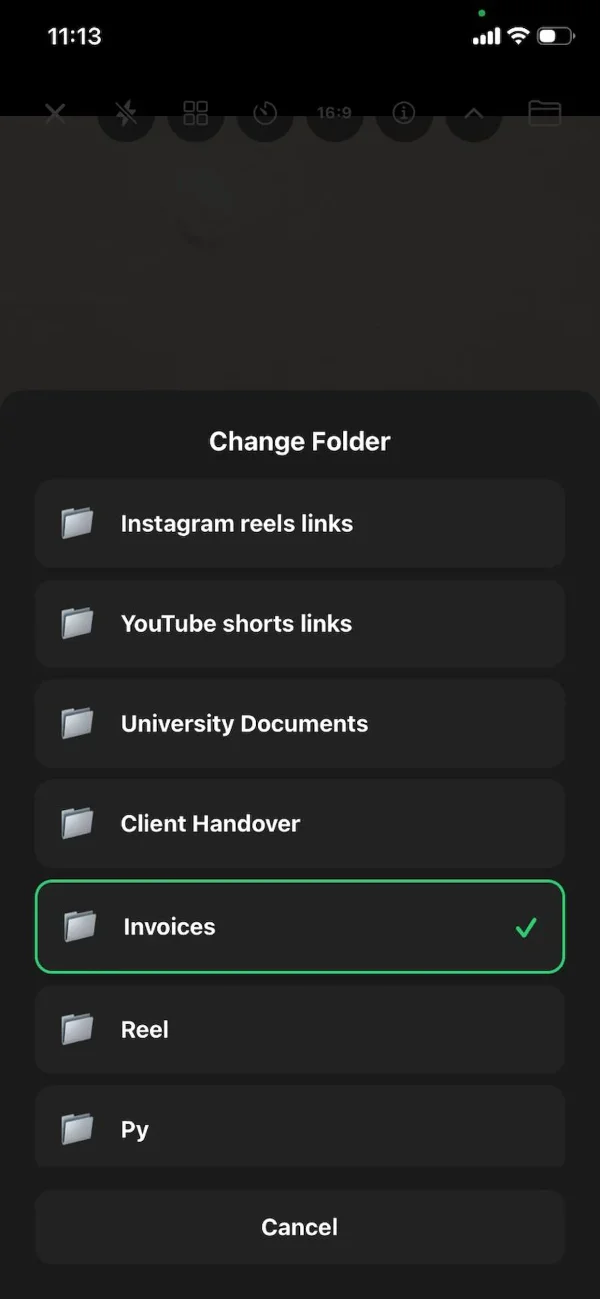
ToFolder is a camera that saves into folders you name. Create "Site A", "Damage Report", "Invoices" — pick one, and everything you shoot goes there, not into an endless camera roll mixed with everything personal.
WHY IT EXISTS
Photograph a site, damage, a delivery, a handover, and three things go wrong. The pictures get lost among your personal photos. Sending them means selecting dozens by hand. And messaging apps strip out the date and location, so what was proof stops being proof.
CAPTURE INTO A FOLDER
Choose a folder before you shoot. Photos stay inside the app unless you switch on saving to your camera roll.
A REAL CAMERA
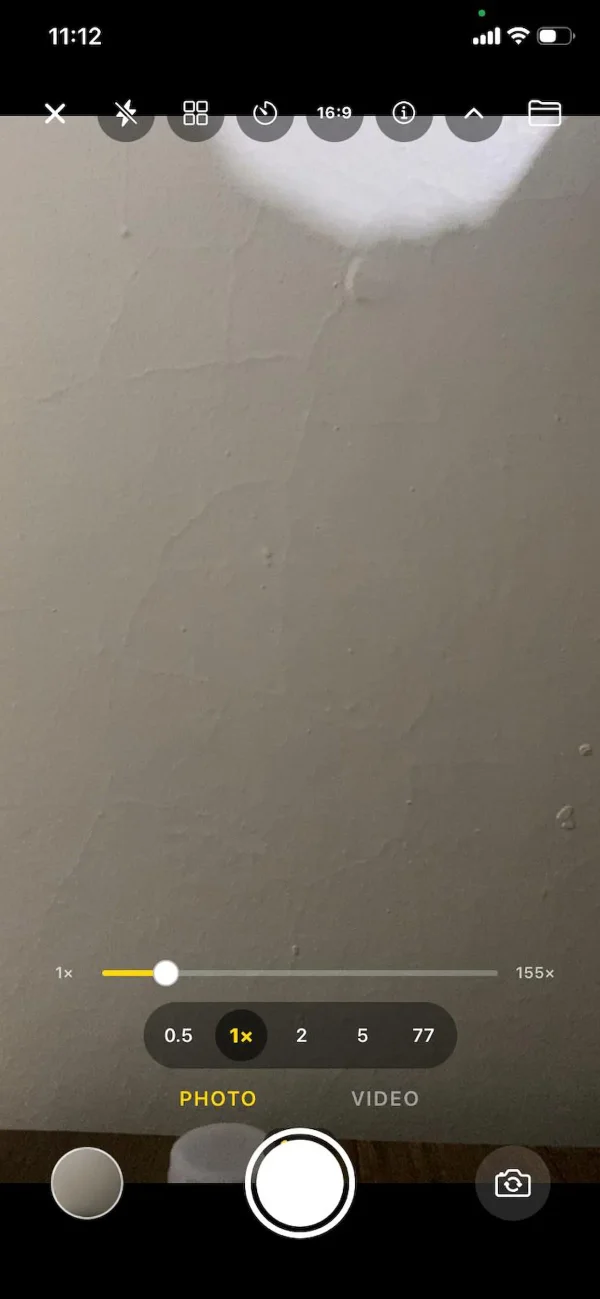
• Photo and video, front and rear
• Night mode for low light
• Flash, timer, exposure, filters, aspect ratio
• Zoom, including digital zoom that crops without re-compressing
• Photo quality: High, Medium or Low
DATE AND LOCATION, TWO WAYS
Save Location in Photo Info writes the GPS coordinates inside the file, in the standard metadata. The picture stays clean — tap the date in the viewer to see where it was taken. Works for videos too.
Burn Date & Location onto Photo paints them permanently into the image, for when the photo must travel through an app that deletes file metadata. The stamp survives because it is the picture.
A clean archive copy and a stamped proof copy are different jobs. Most apps offer one; ToFolder offers both.
FOLDERS YOU CAN MANAGE
• Create, rename and delete folders
• Move photos and videos between folders
• Select several folders at once to export or delete them together
• Search folders by name
MORE THAN PHOTOS
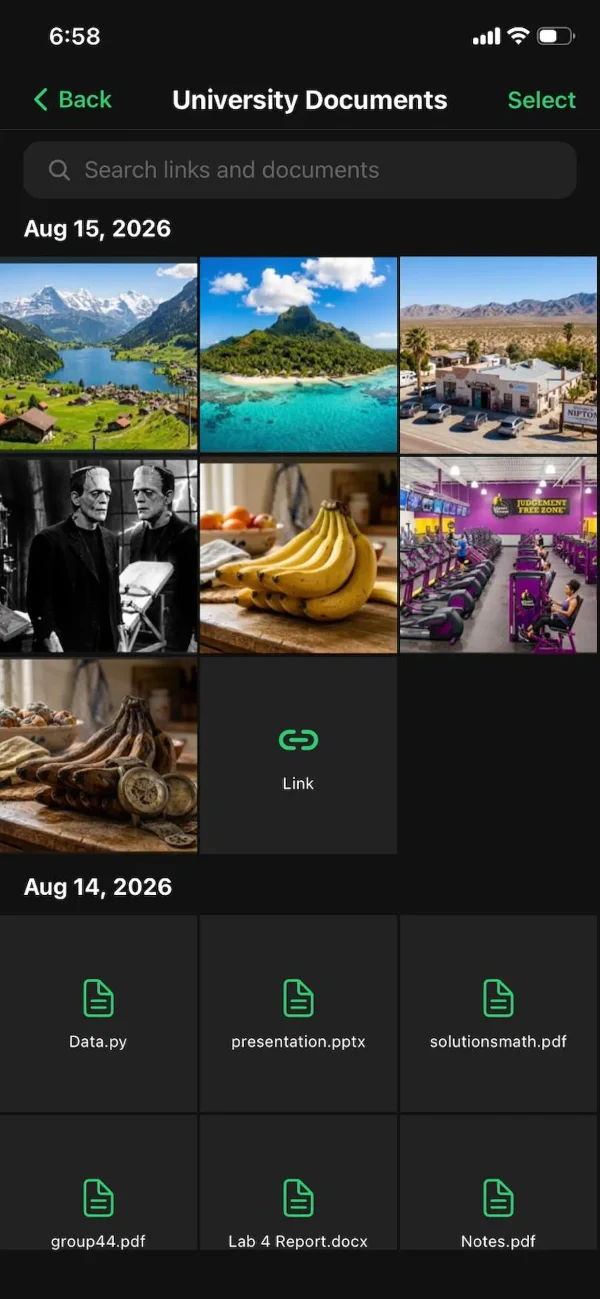
• Import documents — PDFs and other files — from another app
• Save links with a title you choose
• Rename any document or link later, from the gallery
FIND THINGS AGAIN
Search folders by name, and links and documents inside a folder. The search understands how people actually type — accents, diacritics and letter variants all match.
THE GALLERY
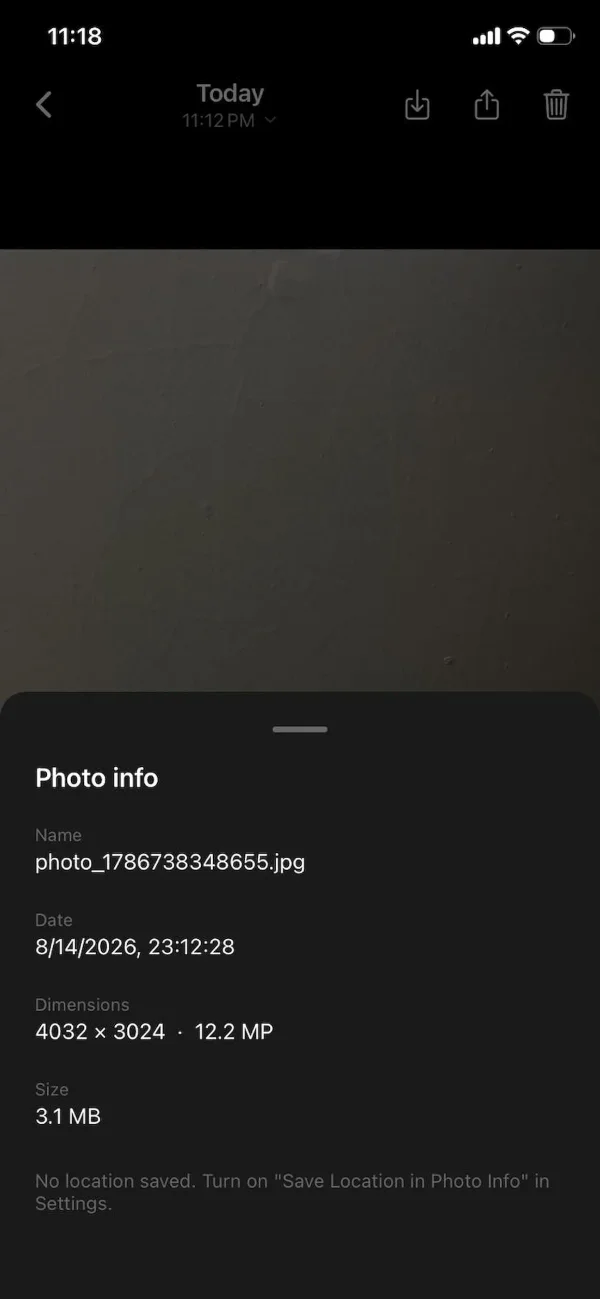
Photos grouped by date. Pinch to zoom, with edge-aware sharpening so deep zoom stays crisp. Photo info shows name, date, dimensions, size and location.
EXPORT A WHOLE FOLDER AS ONE FILE
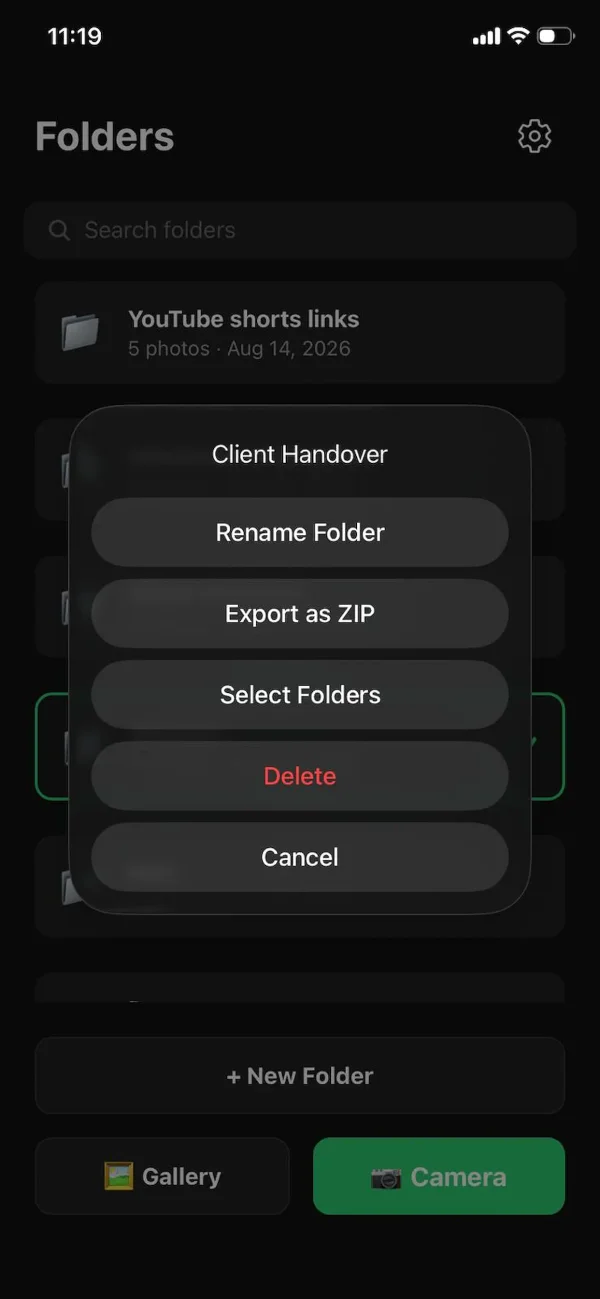
Long-press a folder and export it as a ZIP, then send it wherever you like. One file instead of ninety attachments, and the photos keep their original quality and metadata — a ZIP is a container, not a re-encoder.
Anyone with ToFolder can restore that archive and get the folders and photos back as they were, without overwriting anything. This is also your way out — your photos are never locked inside the app.
YOUR LANGUAGE
English, Arabic, Turkish, Spanish, French, German, Italian, Portuguese, Russian, Japanese, Korean, Chinese.
WHERE YOUR DATA LIVES
Everything stays on your device. No account, no sign-in, no server that receives your photos. Location is only read when you turn that option on, and it is written into your own files.
FREE AND PRO
ToFolder has a permanently free tier — not a trial, not a countdown.
Free includes the complete camera with every mode, up to 3 folders, 3 saved links and 3 ZIP exports, plus search, the gallery, rename, document import and location in photo info.
Pro is a one-time purchase — lifetime. It permanently unlocks every local feature: unlimited folders, links and documents, unlimited ZIP export, exporting several folders at once, moving photos between folders, and the date and GPS stamp. No subscription, nothing renews.
WHO IT IS FOR
Contractors documenting progress and defects. Delivery drivers recording handovers and damage. Claims assessors. Property managers. Field technicians. And anyone who has scrolled through six months of camera roll looking for one photo of one invoice.
App privacy
What MUHAMMED HAZNEVI declares on the App Store about how this app handles data.
-
Data not linked to you
May be collected but is not linked to your identity.
- Purchases
- Identifiers
- Diagnostics
Privacy practices may vary, for example with the features you use or your age.
Information
- Seller
- MUHAMMED HAZNEVI
- Category
- Photo & Video
- Version
- 1.0
- Updated
- Sep 3, 2026
- Released
- Sep 3, 2026
- Size
- 73.8 MB
- Requires
- iOS 16.4 or later
- Age rating
- 4+
- In-app purchases
- Yes
- Languages
- English, Arabic, French, German, Italian, Japanese, Korean, Portuguese, Russian, Simplified Chinese, Spanish, Traditional Chinese + 1 more
- Copyright
- © 2026 Muhammed Haznevi
You might also like
-
 Folders: Photo & VideoBrowse, preview and share
-
 PhotoCaseTurn photos into tidy archives
-
 PhotosOneSimple.Modern.Personal.
-
 Photolog Visual DiaryA camera for visual logs
-
 Photress: Photo & Video VaultEncrypted Library & Backups
-
 My Work CameraSeparate work & personal photo
-
 CamerolliSort your photos as you shoot
-
 Furiwake - Photo ManagerPhoto & Video
-
 Opla - Photo organizerManage your photo library
-
 MosaicPro - Batch BlurProfessional Auto Mosaic App