
Toki: Live Translator
Offline voice interpreter
Designed for iPhone, Mac
Free · In-app purchases
- Age rating4+
- CategoryProductivity
- DeveloperJason Lee
- LanguagesEnglish+ 19 more
- Size41.5 MB
Links to the official App Store page
Download.org hosts no file of Toki: Live Translator. The button opens its official App Store page, published by Jason Lee. Listing last checked on Nov 14, 2026.
Screenshots



About
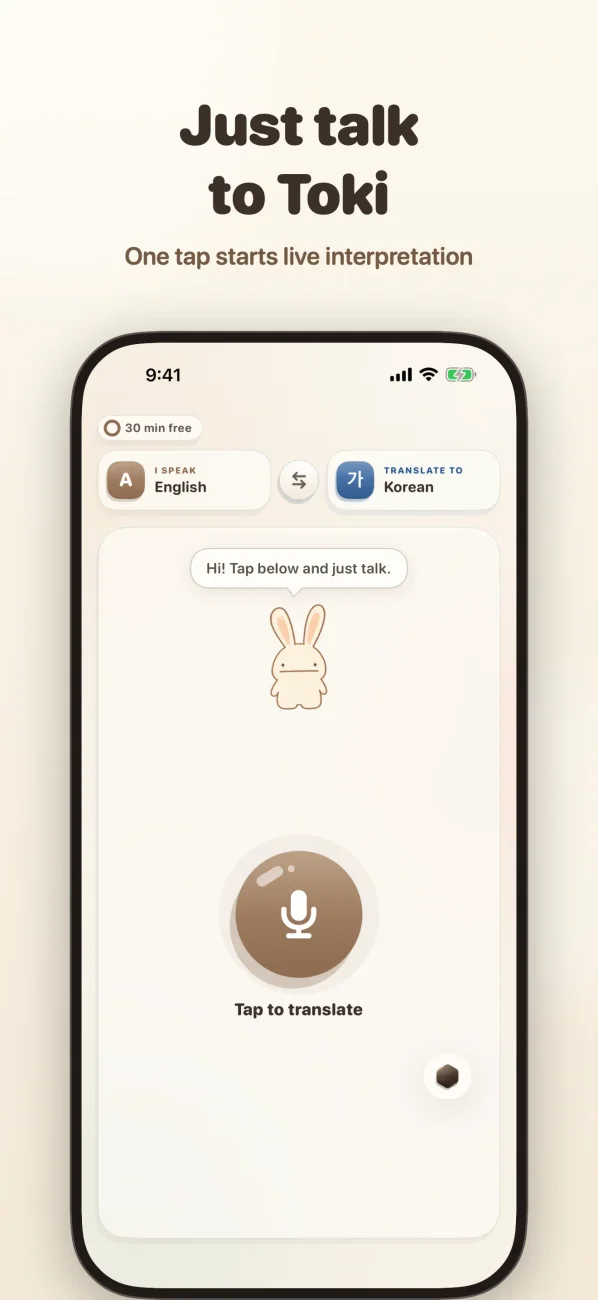
Toki is a live voice interpreter that works where the internet doesn't.
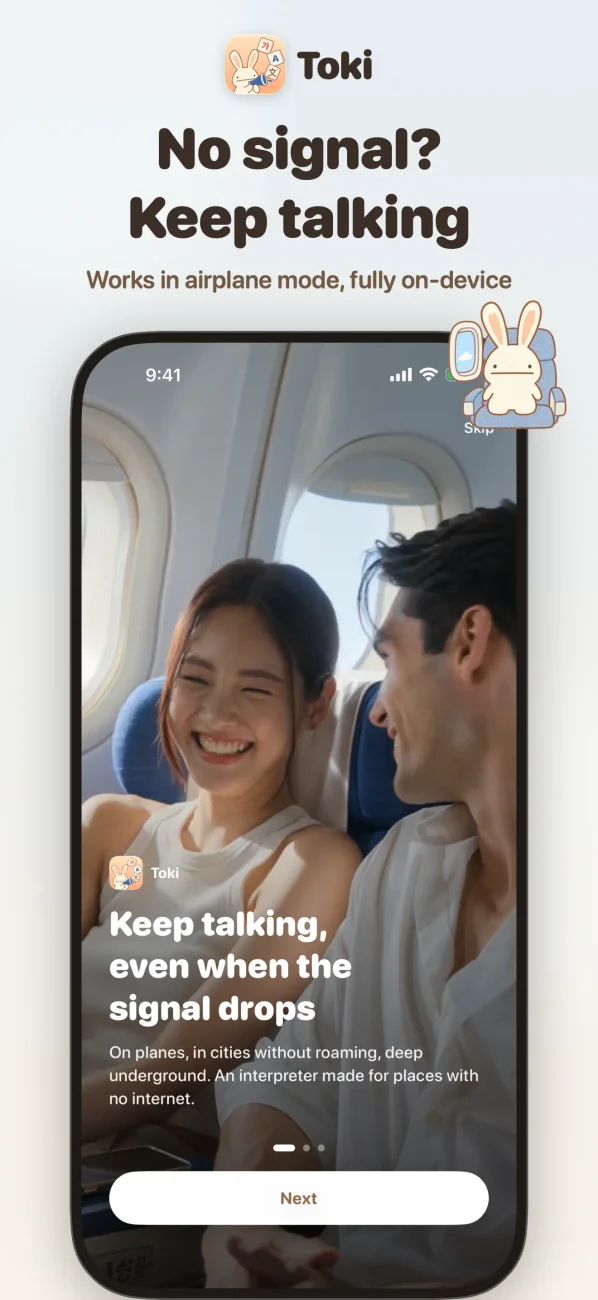
On planes, in cities without roaming, at field interviews and overseas meetings. Toki understands you as you speak and interprets on the spot. Speech recognition and translation both run on your iPhone, so you need neither Wi-Fi nor roaming.
LIVE, BEFORE YOU FINISH
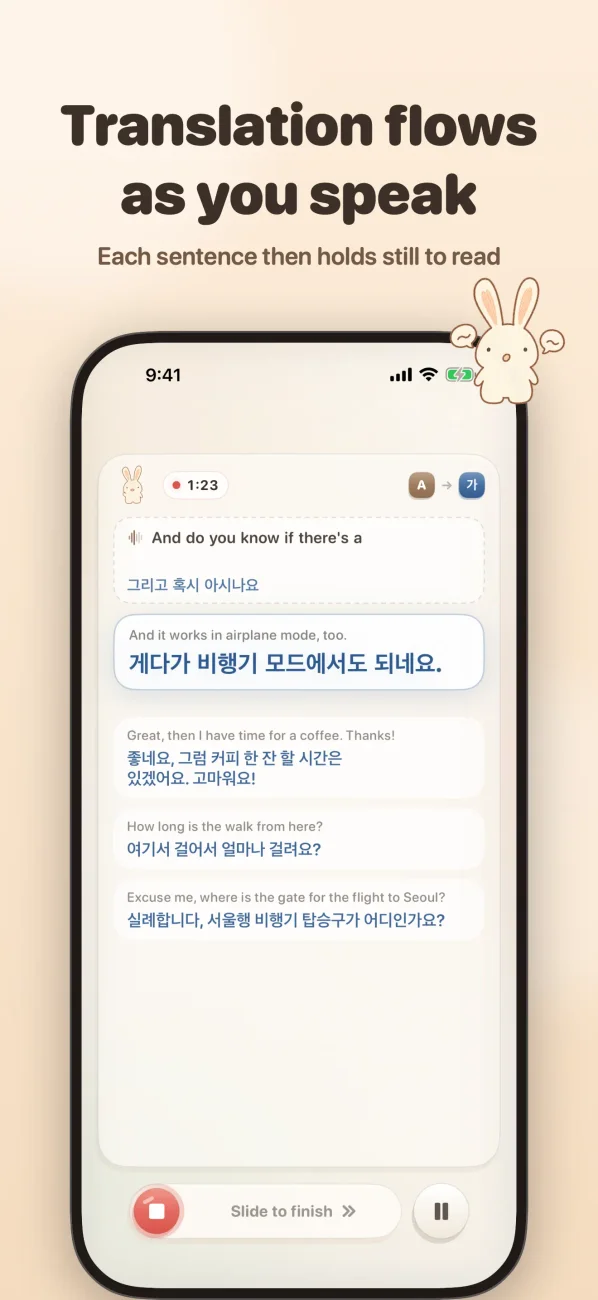
Words appear while you're still speaking, with the translation flowing right underneath. When a sentence ends, its translation moves up large and stays there long enough to read. However fast the talk gets, you read one sentence at a time.
FLOATING OVER OTHER APPS
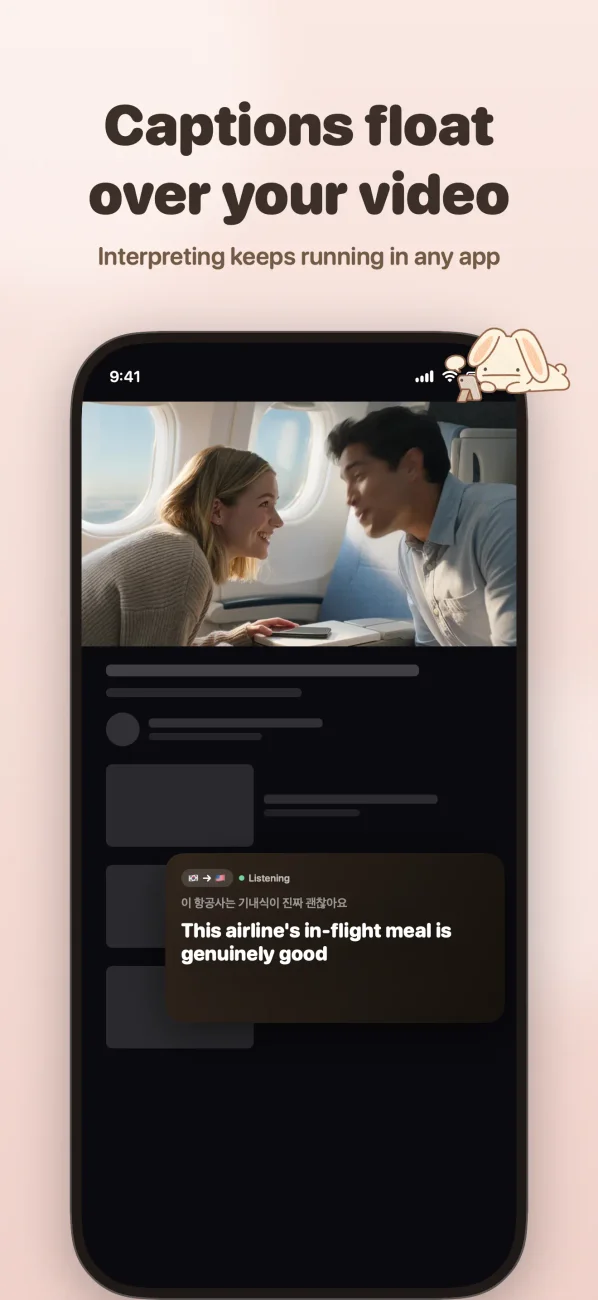
Send the translation to a small window and it stays on screen while you watch a video or check a map. Short vertical clips are no different, foreign speech reads as it plays. The window's play button pauses and resumes interpreting.
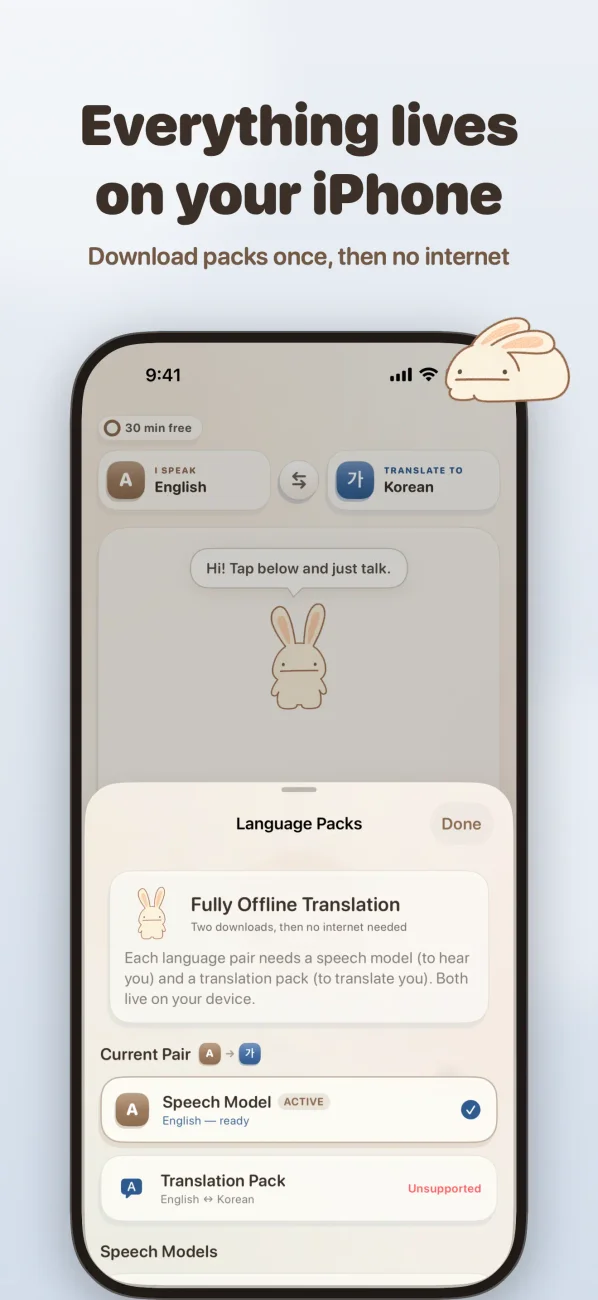
100% ON-DEVICE, NO INTERNET
Download the language packs once and Toki keeps working in airplane mode. Losing signal never stops the conversation.
9 LANGUAGES, ANY PAIRING
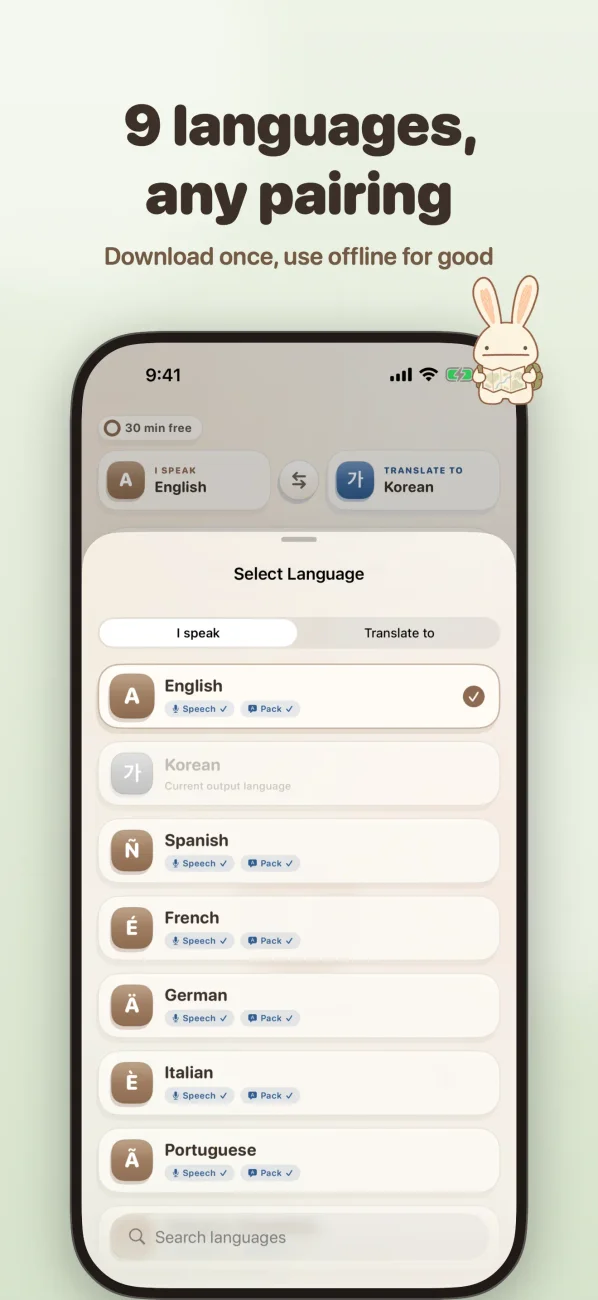
English, Korean, Japanese, Chinese (Simplified), Spanish, French, German, Italian and Portuguese, in any combination.
SEVERAL LANGUAGES IN ONE CONVERSATION
Turn on "Several languages": Toki listens for both languages of your main pair, and for up to three more of the nine. Speak any of them: Toki tells which one it hears and translates each sentence from that language. Sentences in the language you translate into stay as they were said. A change of language is picked up about 2 seconds in.
SAVED AUTOMATICALLY
Slide to finish and the whole conversation is saved to History. Expand, copy and share it anytime.
PRIVATE BY DESIGN
No servers, no accounts, no ads, no tracking. Audio is discarded right after recognition and never stored.
YOUR INTERPRETER BUDDY
Toki is a slightly spaced-out baby bunny. It listens closely with its long ears, interprets, and dozes off when you pause. Poke it and it hops for joy, with a soft boing on every bounce.
FIRST 30 MINUTES FREE
Every feature is fully open for your first 30 minutes. To keep going, subscribe to Toki Pro for unlimited translation time.
About Toki Pro
- Monthly and yearly auto-renewable subscriptions. Prices are as shown in the App Store for your country.
- Payment is charged to your Apple Account at confirmation of purchase.
- The subscription renews automatically at the same price for the same period unless cancelled at least 24 hours before the end of the current period.
- Manage or cancel anytime in Settings > Apple Account > Subscriptions.
- Saved conversations stay readable without a subscription.
Terms of Use: https://jsonpassion.github.io/offtalk-site/terms.html
Privacy Policy: https://jsonpassion.github.io/offtalk-site/privacy.html
Requires an iPhone with iOS 26 or later. Speech and translation language packs are provided by Apple and need a one-time download.
What’s new
Version 1.7.0 · Nov 9, 2026
NEW
Speak more than one language in the same conversation. Tap the language you speak and turn on "Several languages": Toki listens for both languages of your main pair, and for up to three more you pick. Toki tells which one it hears and translates each sentence from that language. Sentences said in the language you translate into stay as they were said. Everything happens on your device.
Tap the speaker next to a translation to hear it read aloud. Toki doesn't write down its own voice while it reads.
See the latest translation on the Lock Screen and in the Dynamic Island.
Start right away from Control Center, the Action button or Siri with "Start Interpreting".
Add the names and terms you use in Settings > "Names and Words" so Toki catches them.
In History, send a conversation with "Share as Text" or "Share as PDF".
If a phone call or Siri interrupts, Toki picks up listening again afterwards.
App privacy
What Jason Lee declares on the App Store about how this app handles data.
-
Data not collected
The developer does not collect any data from this app.
Privacy practices may vary, for example with the features you use or your age.
Information
- Seller
- Jason Lee
- Category
- Productivity
- Version
- 1.7.0
- Updated
- Nov 9, 2026
- Released
- Sep 19, 2026
- Size
- 41.5 MB
- Requires
- iOS 26.0 or later
- Age rating
- 4+
- Price
- Free
- In-app purchases
- Yes
- Languages
- English, Arabic, Dutch, French, German, Hindi, Indonesian, Italian, Japanese, Korean, Polish, Portuguese + 8 more
- Copyright
- © 2026 ForgeLab
You might also like
-
 Quartrix: Todo for BalanceSmall choices for balanced day
-
 FlowLogProductivity
-
 DisciplinioProductivity
-
 텔어스Productivity
-
 NameEditorProductivity
-
 Save Links for Later: RevistoBookmark Posts From Any App
-
 Epitome: AI Page SummarizerSummarize pages & videos
-
 FireForge InfernoIntelAIFire Investigation Tool
-
 PrayonProductivity
-
 PitchVibeSilent Haptic Timer