
toktistudio
AI portraits & photo editing
Designed for iPhone, iPod touch
Free · In-app purchases
- Age rating12+
- CategoryEntertainment
- DeveloperToktilab
- LanguagesEnglish+ 1 more
- Size110.3 MB
Links to the official App Store page
Download.org hosts no file of toktistudio. The button opens its official App Store page, published by Toktilab. Listing last checked on Nov 13, 2026.
Screenshots


About
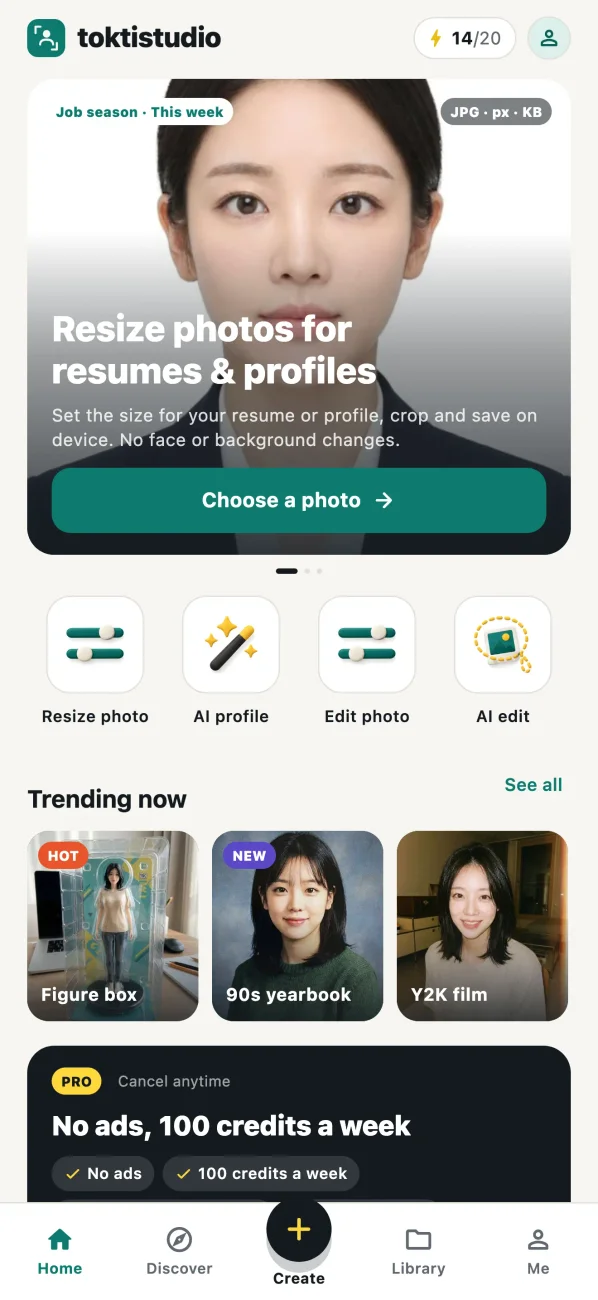
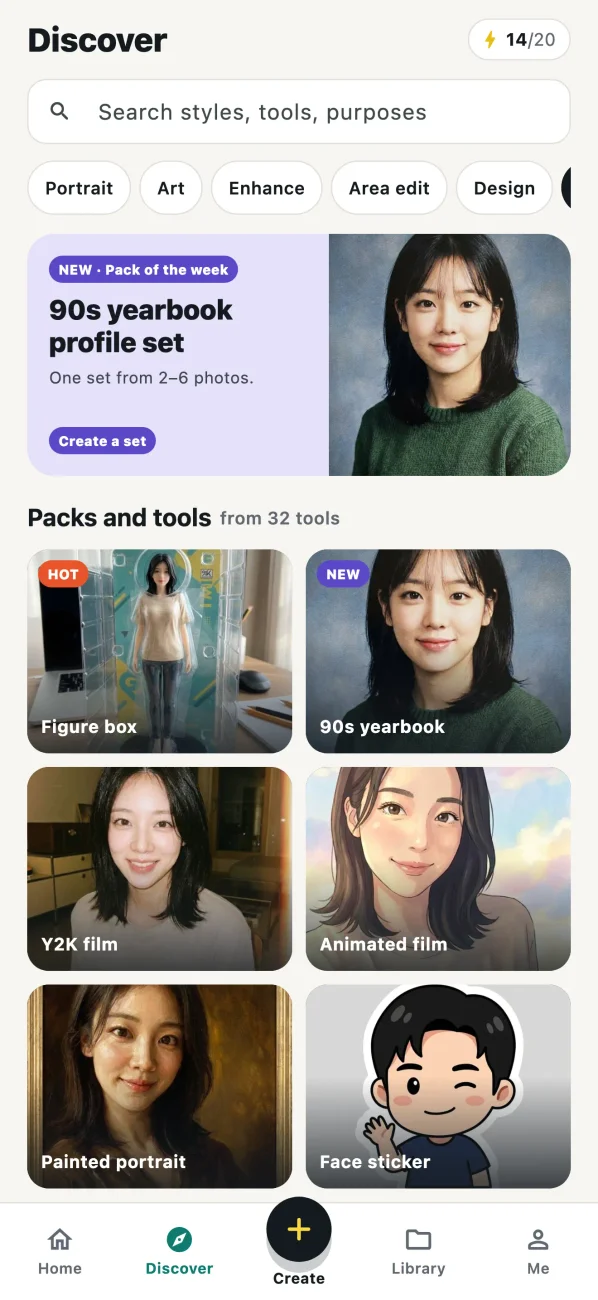
Create portraits for resumes and profiles, and edit your photos with toktistudio. Find tools in Home and Discover, start from Create, and return to your work in Library.
AI RESUME AND PROFILE PORTRAITS
Explore resume portraits, studio headshots and creative styles. AI-generated or AI-edited results must not be used for passport, visa or official ID submissions. Use a portrait in a resume only when the recipient accepts photos and AI images. Check the photo rules of the service or organization before using a profile image.
PHOTO EDITING
Adjust brightness and color, crop your photo, and add text and image layers. Reopen your saved editing draft on your device to continue working.
AI EDITING WITH WORDS AND REFERENCES
Describe what you want to change or choose reference images. Paint an area to remove an object or replace part of a photo, and expand beyond the original image.
AI STYLES AND IMAGE CREATION
Explore collectible figures, cartoons, painted portraits and more. Describe a scene or use a sketch as the starting point for a new image.
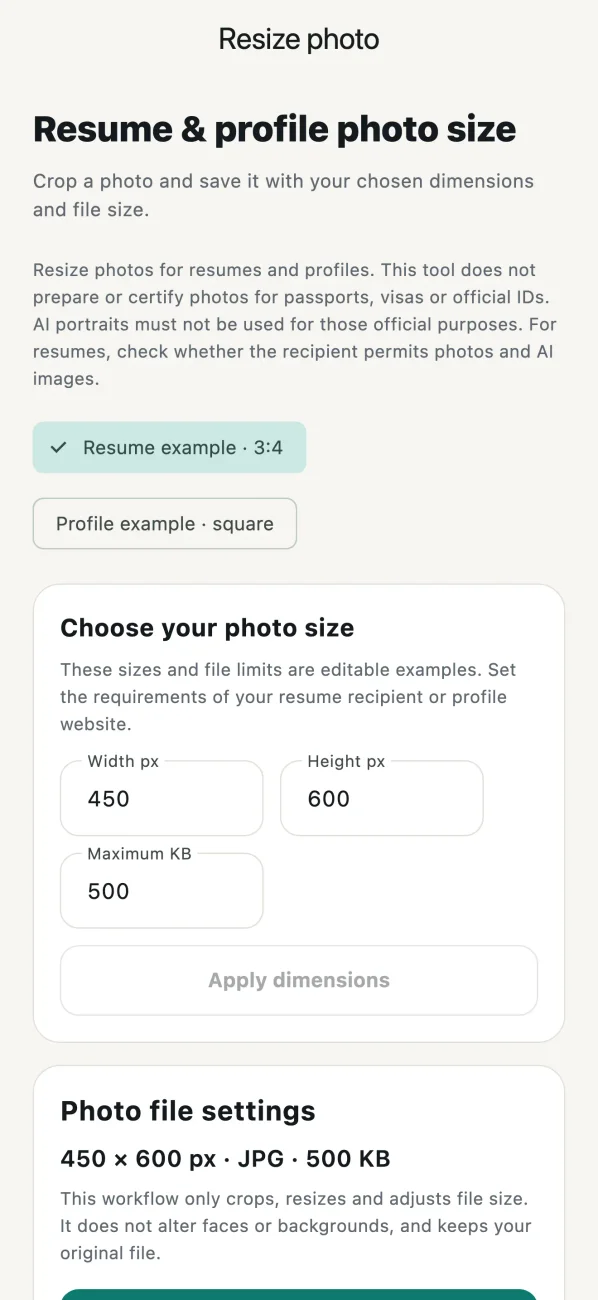
RESUME AND PROFILE PHOTO FILES
Crop a selected photo on your device, choose pixel dimensions and a maximum file size, and save a JPG. This tool does not generate or retouch faces or backgrounds. It provides no passport, visa or official ID presets or photo eligibility checks.
YOUR WORK IN LIBRARY
Keep track of AI jobs and results, browse your account albums, and reopen the editing draft stored on your device.
AI features require an account and an internet connection and use credits. Some features may also require watching an ad or a PRO membership. Check the app for available tools and usage conditions.
Terms of Use (EULA): https://www.apple.com/legal/internet-services/itunes/dev/stdeula/
Privacy Policy: https://tokti.ai/privacy_policy?app=toktistudio
What’s new
Version 1.2.1 · Oct 28, 2026
Portrait tools now focus on resumes and profiles.
- Updated portrait tool names and examples for resume and profile use.
- Clarified that AI results must not be used for passport, visa or official ID submissions.
- Removed country and passport presets; choose your own photo dimensions and file size.
- Continue using photo editing, AI styles and Library.
App privacy
What Toktilab declares on the App Store about how this app handles data.
-
Data used to track you
May be used to track you across apps and websites owned by other companies.
- Identifiers
-
Data not linked to you
May be collected but is not linked to your identity.
- Contact info
- User content
- Identifiers
- Usage data
- Diagnostics
Privacy practices may vary, for example with the features you use or your age.
Information
- Seller
- Toktilab Inc.
- Category
- Entertainment
- Version
- 1.2.1
- Updated
- Oct 28, 2026
- Released
- Mar 22, 2024
- Size
- 110.3 MB
- Requires
- iOS 15.0 or later
- Age rating
- 12+
- Price
- Free
- In-app purchases
- Yes
- Languages
- English, Korean
- Copyright
- © 2024 Toktilab Inc.
You might also like
-
 FUZ: Messages & Gifts for StarExchange gifts with star.
-
 Infiniteer Interactive FictionStories We Want to Be In
-
 Kody RemoteThe best remote for Kodi
-
 AI Headshot Generator : AvatarPortrait & Photo Creator App
-
 AI Odyssey: Chat Story MakerEndless Role-Playing Adventure
-
 AI Video Generator : AienvoyImage/ Text to Video generator
-
 ToonCam - AI Cartoon MakerPhoto to Cartoon & Anime Art
-
 ChatterApp.aiChatter - AI powered chats!
-
 Stickers from PhotosSmart Remove Image Backgrounds
-
 Rosebud AI: Story GamesInteractive Visual Novels