- Age rating17+
- CategoryUtilities
- DeveloperKyu-Hee Jang
- LanguagesEnglish
- Size92.7 MB
Links to the official App Store page
Download.org hosts no file of Tone Generator+ Freq. The button opens its official App Store page, published by Kyu-Hee Jang. Listing last checked on Nov 25, 2026.
Screenshots

About
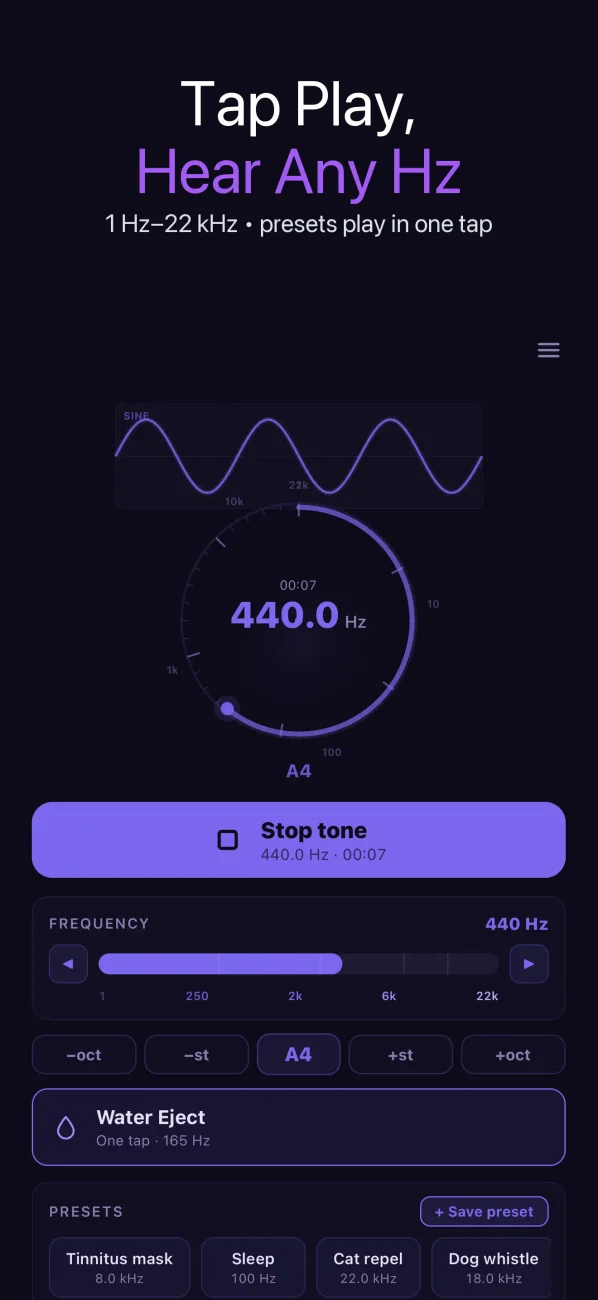
Tone Generator: Frequency Hz plays audio tones from 1 Hz to 22 kHz — pick a frequency or a preset, press the big Play button under the dial, and hear it. Sine, square, sawtooth and triangle waves, plus white, pink and brown noise.
The tone keeps playing when you switch to another app or lock the screen, so a tone or noise can run while you read, work or rest. A sleep timer (15, 30 or 60 minutes) stops it for you.
▶ SET THE FREQUENCY
• Step with the frequency arrows, jump by semitone or octave, or tap A4
• Watch the note name and cents readout as you go
• Type exact Hz values for the right ear, the mixer and the sweep
• The tone you hear matches the frequency shown on screen
▶ WAVEFORMS AND NOISE
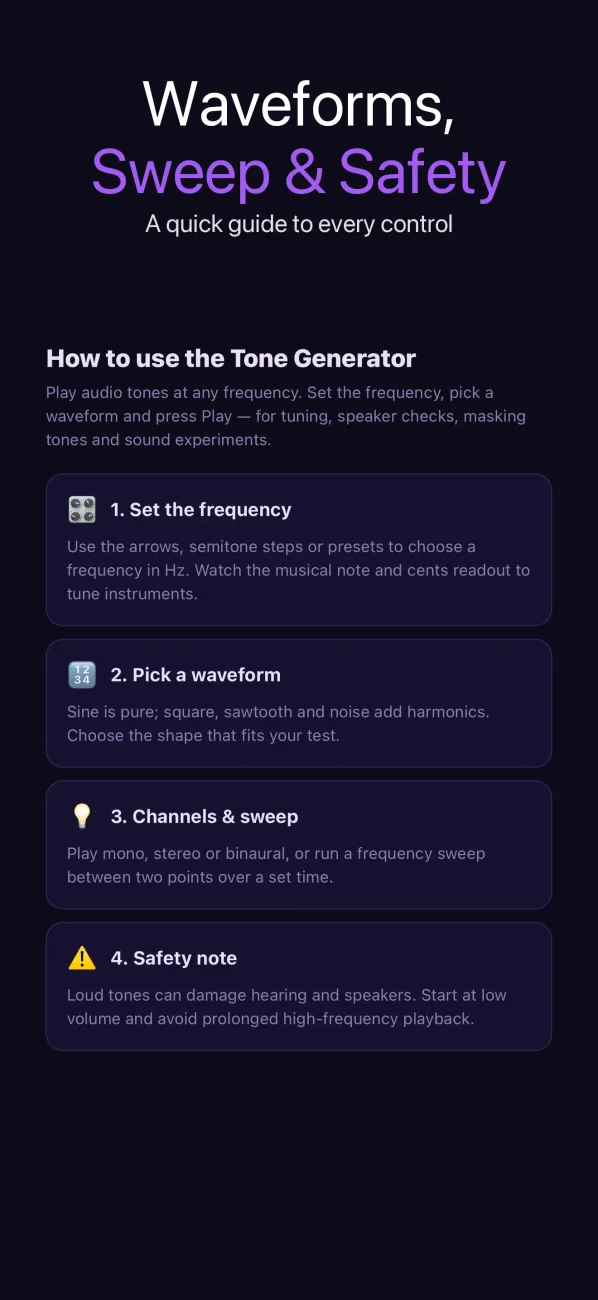
• Sine for a clean pure tone
• Square, sawtooth and triangle for harmonics
• White, pink and brown noise
▶ PRESETS — ONE TAP TO HEAR THEM
• Tinnitus masking tone, sleep, A4 440 Hz, subwoofer 60 Hz, bass strings E A D G, dog whistle, cat repel
• Brainwave beat pack (delta, theta, alpha, beta, gamma) and solfeggio tones
• Save your own presets, including mixer setups
• Tapping a preset starts the sound; if a tone is already playing, it switches to the new preset
▶ CHANNELS, BEATS AND SWEEP
• Mono, stereo with a separate right-ear frequency, binaural beats and isochronic tones
• Dual tone: two frequencies at once
• Mixer: layer up to four tones, each with its own waveform and level
• Frequency sweep between any two frequencies, once or looping, with the dial following the sweep
▶ MORE TOOLS
• Instrument tuner: play a note and see its pitch and cents (uses the microphone)
• Water Eject: a 165 Hz tone at full volume to help push water out of the speaker
• Speaker and subwoofer checks with steady tones and sweeps
▶ WHO IT IS FOR
• Musicians checking tuning against an exact Hz
• People testing speakers, headphones and subwoofers
• Students exploring sound, frequency and waveforms
• Anyone who wants a steady tone or noise in the background
▶ SAFETY
Start at a low volume. Loud tones, especially high frequencies, can harm hearing and speakers. Brainwave and solfeggio presets are traditionally used in relaxation and focus routines; they are not a medical or therapeutic treatment. The tinnitus preset is a masking tone, not a treatment.
Available in 30 languages.
What’s new
Version 1.0.41 · Nov 24, 2026
Tone Generator+: a tone you like can now be kept from the top of the screen. Tap “Save as preset” just below the play button, type a name, and the tone shows up in “Presets” lower on the screen, ready to play again with one tap. A brief notice shows where it went. The naming window rises above the keyboard so its buttons stay within reach on smaller iPhones too.
App privacy
What Kyu-Hee Jang declares on the App Store about how this app handles data.
-
Data used to track you
May be used to track you across apps and websites owned by other companies.
- Identifiers
- Usage data
-
Data not linked to you
May be collected but is not linked to your identity.
- Identifiers
- Usage data
- Diagnostics
Privacy practices may vary, for example with the features you use or your age.
Information
- Seller
- Kyu-Hee Jang
- Category
- Utilities
- Version
- 1.0.41
- Updated
- Nov 24, 2026
- Released
- Mar 26, 2026
- Size
- 92.7 MB
- Requires
- iOS 17.0 or later
- Age rating
- 17+
- Price
- Free
- Languages
- English
- Copyright
- © Copyright 2026 Simon Jang. All rights reserved.
You might also like
-
 Frequency Gen1-22 kHz Wave Generator
-
 Frequency Generator-Sound TestWater Remover
-
 Tone Generate ProAudio Tone Generator
-
 Freq'n Awesome Tone GeneratorSpeaker & Audio Test Tones
-
 Frequency Generator - WavesBinaural Beats, Sound Analyzer
-
 Frequency Generator: Hz Tones528 & 432 Hertz Healing Sounds
-
 Hurtz - Tone GeneratorAny frequency, 20 Hz to 20 kHz
-
 Frequency Generator - Hz SoundGenerate Sound Waves
-
 Show Me Where It HertzUtilities
-
 WAV Audio File GeneratorGenerate And Download Audio