TonePlayer
Play and save frequency tones
Designed for iPhone, iPad, iPod touch
Free
- Age rating4+
- CategoryHealth & Fitness
- DeveloperLimit Point Software
- LanguagesEnglish
- Size977.0 KB
Links to the official App Store page
Download.org hosts no file of TonePlayer. The button opens its official App Store page, published by Limit Point Software. Listing last checked on Nov 17, 2026.
Screenshots

About
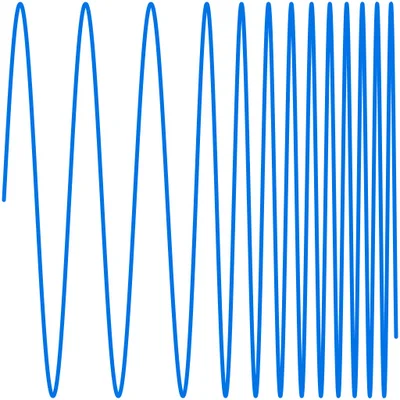
Play audio tones for various waveform types and frequencies.
Some believe that exposure to various sound frequencies can alleviate stress, promote spiritual development and turn negative emotions positive.
Possibly transforming grief into joy, restoring equilibrium, awaken intuition and bring spiritual balance.
Experience the vibrational power of the numbers 3, 6 and 9 in the frequencies 396 Hz, 639 Hz and 963 Hz.
Tones are the foundation of all music, mathematically expressed by the theory of Fourier Series.
Frequencies may be selected as follows:
• Smoothly and continuously from a slider
• Entered directly with keyboard into a text field
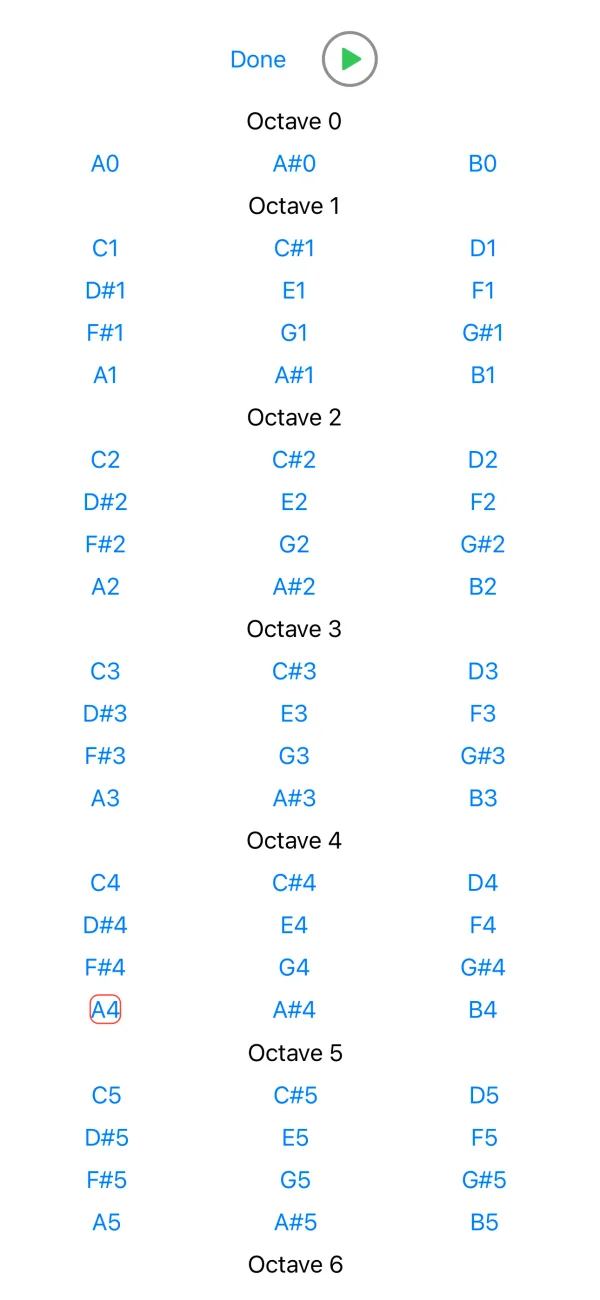
• Selected from a table of note buttons labelled A0 to B8, in the standard piano keyboard and grouped in octave 0 to octave 8
• Choose from the factory default list of recommended special frequencies, including 396 Hz, 639 Hz and 963 Hz
Features:
• Choose frequencies in the range 20 Hz to 22050 Hz
• Export the current frequency tone to a WAV file of various durations: 1, 2, 3, 4, 5, 10, 30, 60 and 300 seconds
• Specify the amplitude of the audio samples from 0 to 1.0. Note that this affects volume of the tone, but not through the device volume control - the actual audio samples are reduced to the chosen maximum value.
• Use a smooth playing continuous slider to choose frequency in the valid frequency range
• Select from waveform types:
Sine
Square
Square Fourier
Triangle
Triangle Fourier
Sawtooth
Sawtooth Fourier
The 'Fourier` alternatives are smooth Fourier series approximations to their counterparts with the same prefix, creating tones of a milder type.
• Increment frequencies with a stepper control increments of 1000.0, 100.0, 10.0, 1.0, 0.1, 0.01, 0.001, or use the `x ½` and `x 2` buttons to halve and double
• Directly type the frequency in the valid frequency range into the TextField
• Save your favorite frequencies in a list
• Add a set of built-in frequencies that are claimed to be particularly effective in stimulating inner healing, including Solfeggio Frequencies.
• The frequencies included in the 'Healing` menu are : 40 Hz, 174 Hz, 285 Hz, 396 Hz, 417 Hz, 432 Hz, 440 Hz, 528 Hz, 639 Hz and 963 Hz.
• AirPlay is supported.
What’s new
Version 1.0.8 · Jan 16, 2026
Maintenance update - fixes Octaves view appearance in dark mode
App privacy
What Limit Point Software declares on the App Store about how this app handles data.
-
Data not collected
The developer does not collect any data from this app.
Privacy practices may vary, for example with the features you use or your age.
Information
- Seller
- Limit Point Software
- Category
- Health & Fitness
- Version
- 1.0.8
- Updated
- Jan 16, 2026
- Released
- Feb 24, 2023
- Size
- 977.0 KB
- Requires
- iOS 15.0 or later
- Age rating
- 4+
- Price
- Free
- Languages
- English
- Copyright
- Copyright © 2023-2026 Limit Point LLC
You might also like
-
 SomaWave Sound TherapyHealth & Fitness
-
 PsychoHarmonicsHarmonic frequency healing
-
 NeuraformHarmonize Your Brainwaves
-
 WhaleSongWhale sounds with sleep timer
-
 Raise Your FrequencyPersonalized Sound Healing
-
 Eunoia: Frequency GeneratorHealing Frequencies, Solfeggio
-
 Rife TechnologyRife Technology Mobile App
-
 Isochronic Tone GeneratorBinaural beats & sleep sounds
-
 Chakras Meditation LiteHealing, Binaurals, Solfeggios
-
 GoodWaves – Binaural BeatsHealing Sounds & Meditation