TooTask·Checklist&Task Manager
Task Manager & To Do List
Designed for iPhone, iPad, Mac
Free · In-app purchases
- Age rating4+
- CategoryProductivity
- Developer晶 黄
- LanguagesEnglish+ 10 more
- Size34.4 MB
Links to the official App Store page
Download.org hosts no file of TooTask·Checklist&Task Manager. The button opens its official App Store page, published by 晶 黄. Listing last checked on Nov 17, 2026.
Screenshots

About
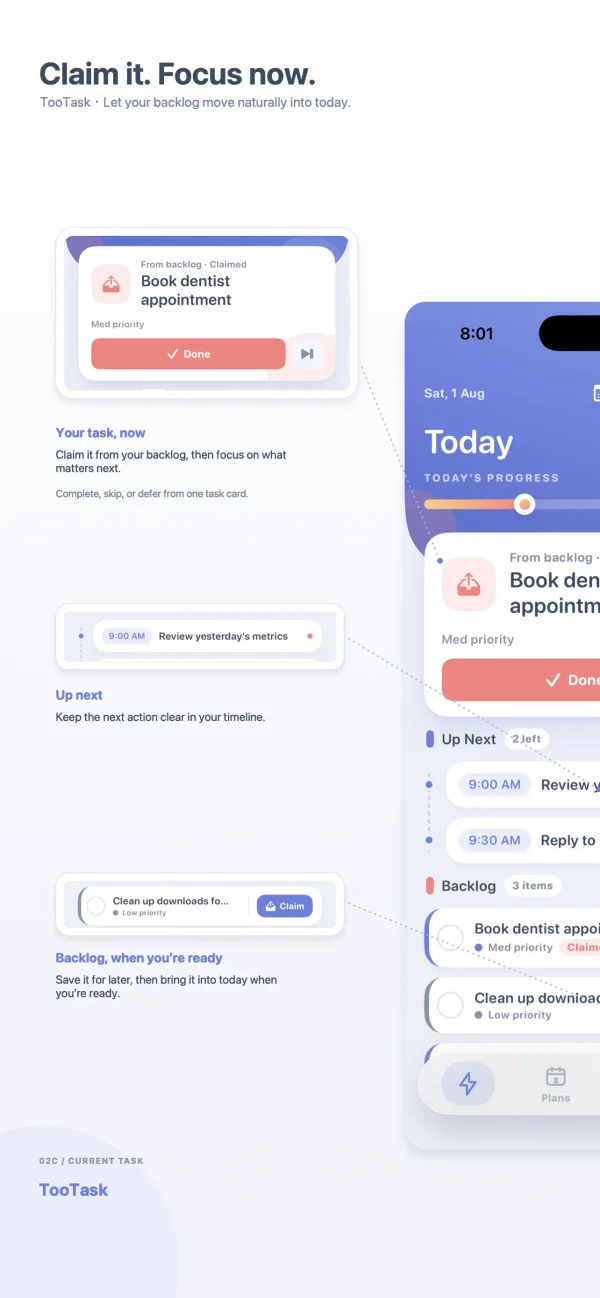
Tootask keeps one question answered all day: what am I supposed to be doing right now?
TWO TRACKS, NO PILE-UP
Timed tasks arrive on their own. When the clock hits, the task takes over your Lock Screen and
your notifications — done, snooze or skip right there, and the next one steps up on its own.
Everything without a time goes to the backlog and waits. Nothing nags you until you claim it.
ON THE LOCK SCREEN AND THE HOME SCREEN
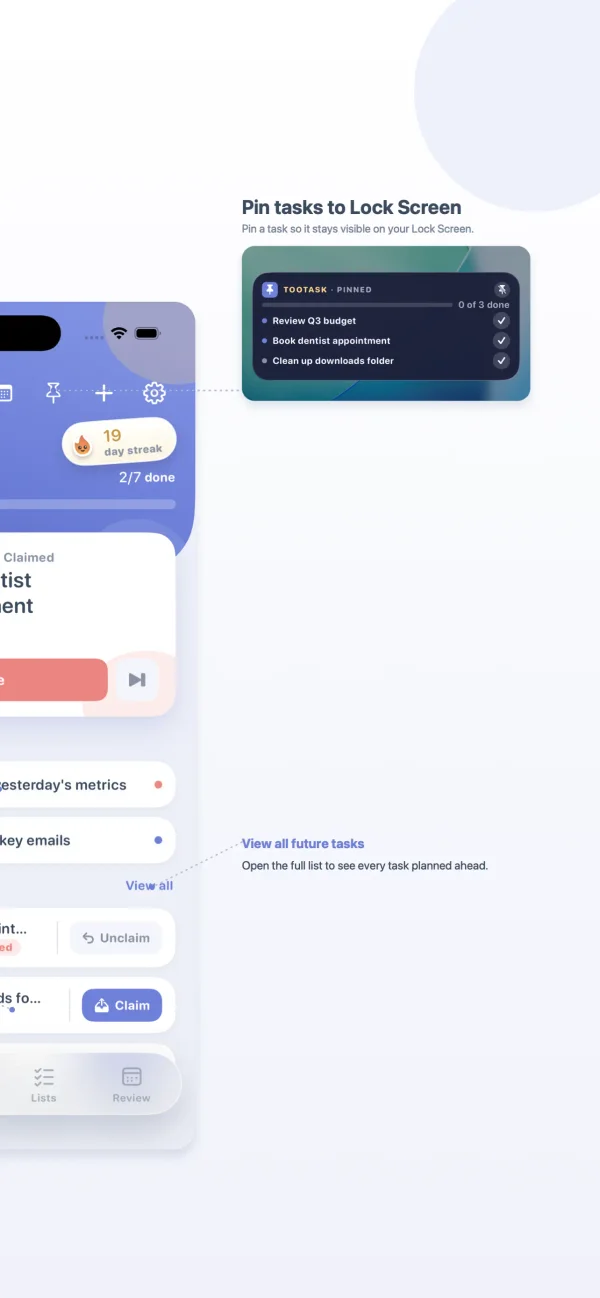
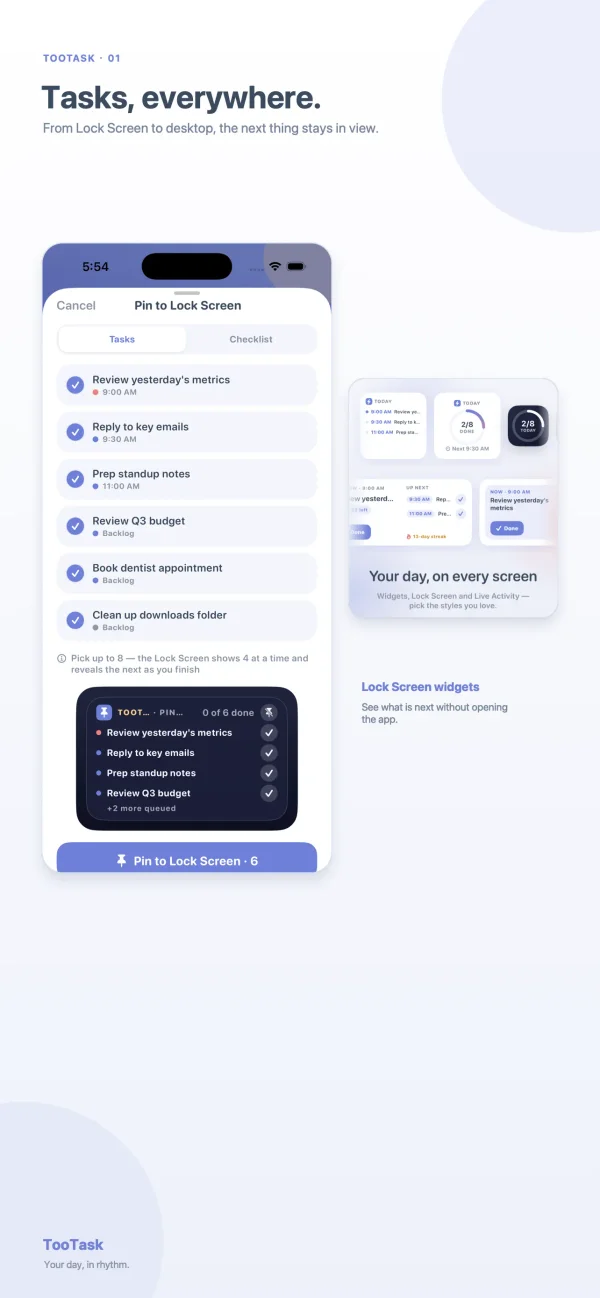
A Live Activity carries the current task with its countdown. Lock Screen and Home Screen widgets
show today's progress, what's next and your streak. You can also pin any task to the Lock Screen
by hand, and style the card — background, blur, transparency, text colour.
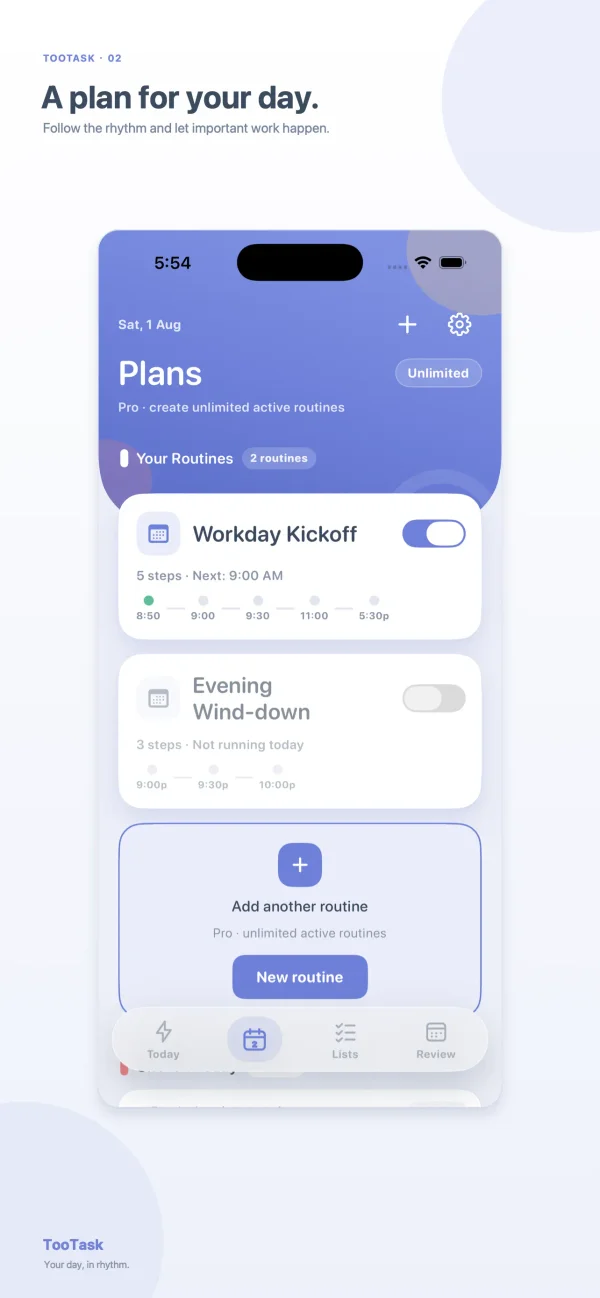
ROUTINES THAT REBUILD THEMSELVES
Build a routine once — morning, shift start, closing up — and it lays out every day it should
run. Three importance levels, time and importance sorting, five built-in templates to start from.
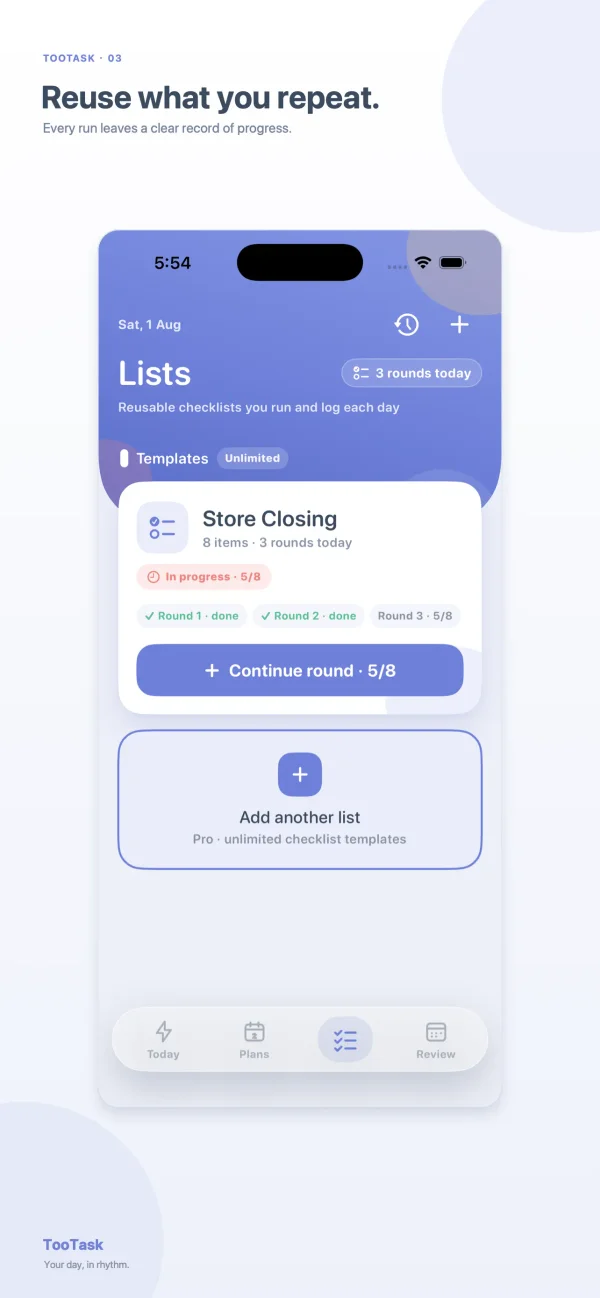
CHECKLISTS THAT LEAVE A RECORD
Run the same checklist several times a day. Every round stamps every item with its own time, and
the record cannot be edited after the fact. Export a round to CSV when someone needs proof.
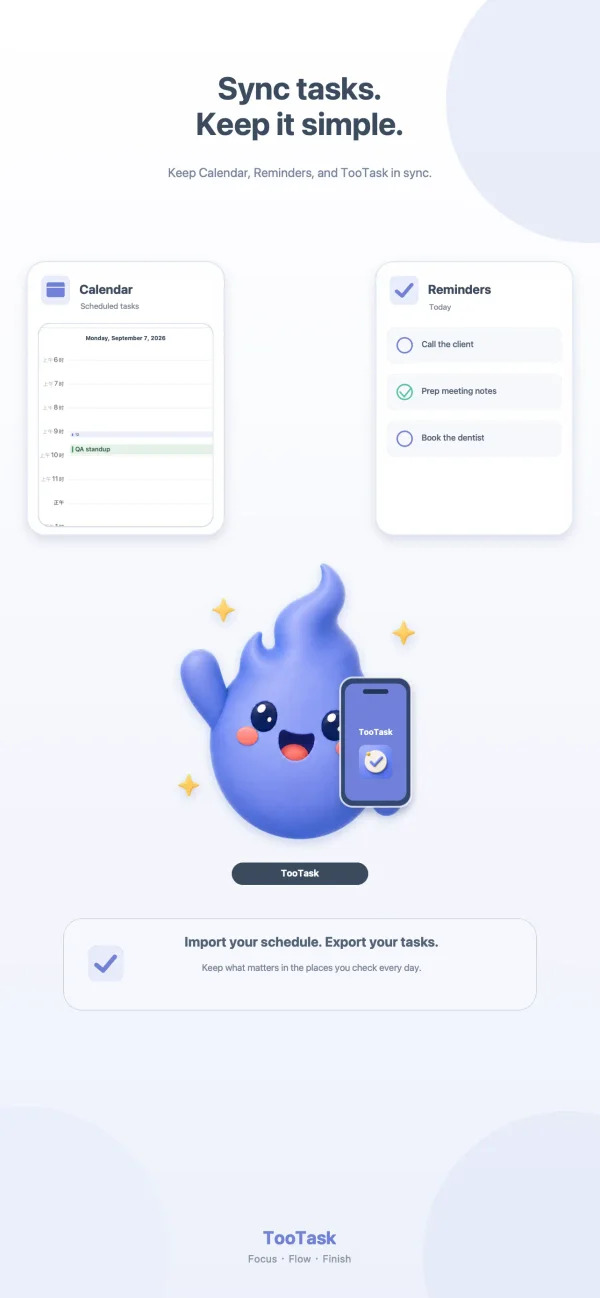
CALENDAR AND REMINDERS, BOTH WAYS
Send timed tasks and routines to the Calendar app, or pull your events into Today. Sync with
Apple Reminders in both directions, completion included — tick it off in Reminders and it is
done in Tootask too. Tootask only ever writes to a calendar and list of its own; your existing
events are never touched. Both are off until you turn them on.
STREAKS WITHOUT GUILT
Finish one task and the day counts. A day with nothing scheduled is a rest day: it neither
breaks the streak nor pads it. No penalties, no red marks, nothing to lose by taking a day off.
YOUR MAC, TOO
Tootask for Mac is included in the same purchase. A menu-bar bubble handles the current task
without leaving the app you're in, a pinned floating window keeps it on top of everything, and
the Dock badge counts what's due. iCloud keeps both ends on one list.
ALSO IN THE BOX
• iPad, in all four orientations
• Nearby share — hand a plan or checklist to someone next to you, no account, no server
• Daily review with a history calendar
• Dark mode, Dynamic Type, VoiceOver
• 11 languages
• No account. No sign-up. Your tasks stay on your devices and in your own iCloud.
FREE AND PRO
Free covers the whole loop: 1 routine, 1 checklist template, unlimited one-off tasks, the Lock
Screen, widgets, streaks, review and sync. Pro adds unlimited routines and steps, unlimited
checklist templates, persistent reminders, CSV export, every widget and card style, and the Mac
menu bar bubble and floating window.
SUBSCRIPTION DETAILS
Tootask Pro is available as a weekly, monthly or yearly auto-renewing subscription, or as a
one-time purchase. Payment is charged to your Apple Account at
confirmation. A subscription renews automatically unless auto-renew is turned off at least 24
hours before the end of the period; your account is charged for renewal within 24 hours of the
end of the period. Manage or cancel in Settings › your name › Subscriptions.
Privacy Policy: https://www.aivoxx.com/todo/privacy.html
Terms of Use: https://www.aivoxx.com/todo/terms.html
What’s new
Version 1.6 · Nov 12, 2026
1. Add task undo feature
2. Optimize user feedback
App privacy
What 晶 黄 declares on the App Store about how this app handles data.
-
Data not collected
The developer does not collect any data from this app.
Privacy practices may vary, for example with the features you use or your age.
Information
- Seller
- 晶 黄
- Category
- Productivity
- Version
- 1.6
- Updated
- Nov 12, 2026
- Released
- Sep 3, 2026
- Size
- 34.4 MB
- Requires
- iOS 17.0 or later
- Age rating
- 4+
- Price
- Free
- In-app purchases
- Yes
- Languages
- English, French, German, Greek, Italian, Japanese, Korean, Portuguese, Russian, Simplified Chinese, Spanish
- Copyright
- © TooTask
You might also like
-
 Focus Sheep - Pomodoro TimerBlock Apps, Build Daily Habits
-
 Sequence: Time Block PlannerVisual Day & Schedule Builder
-
 To Do List: Productivity GameGoal Tracker &Habit Tracker
-
 papry – Document OrganizerReceipts, Warranty & Reminders
-
 屋屋记Productivity
-
 NEN: Focus TimerPomodoro for study & deep work
-
 Podknow - Podcast & Offline AIPlayer, Transcripts & Learning
-
 NextNote: Notes & AI WritingCapture ideas. Write with AI.
-
 iSlip: Auto delete notesSave, Recall, Auto Delete
-
 CaseKeep: Legal Case OrganizerEvidence, Deadlines & Timeline