
TOrDO: ADHD Task Planner
Free Swipe To-Do List & Timer
Designed for iPhone, iPad
Free · In-app purchases
- Age rating4+
- CategoryProductivity
- DeveloperMark Martin
- LanguagesEnglish+ 2 more
- Size21.1 MB
Links to the official App Store page
Download.org hosts no file of TOrDO: ADHD Task Planner. The button opens its official App Store page, published by Mark Martin. Listing last checked on Nov 23, 2026.
Screenshots
About
TOrDO is the task app that works with your brain, not against it.
Seven cards. One swipe. One task.
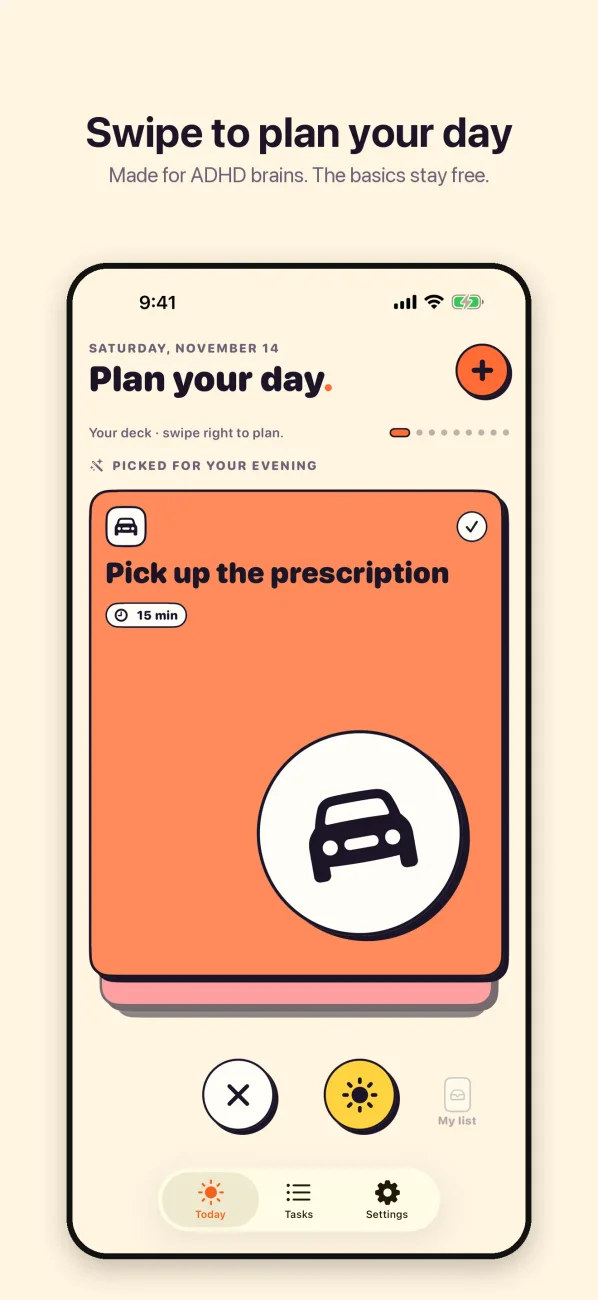
Built with ADHD in mind: the deck deals seven cards at a time, so planning your day is a handful of small decisions, not your whole backlog.
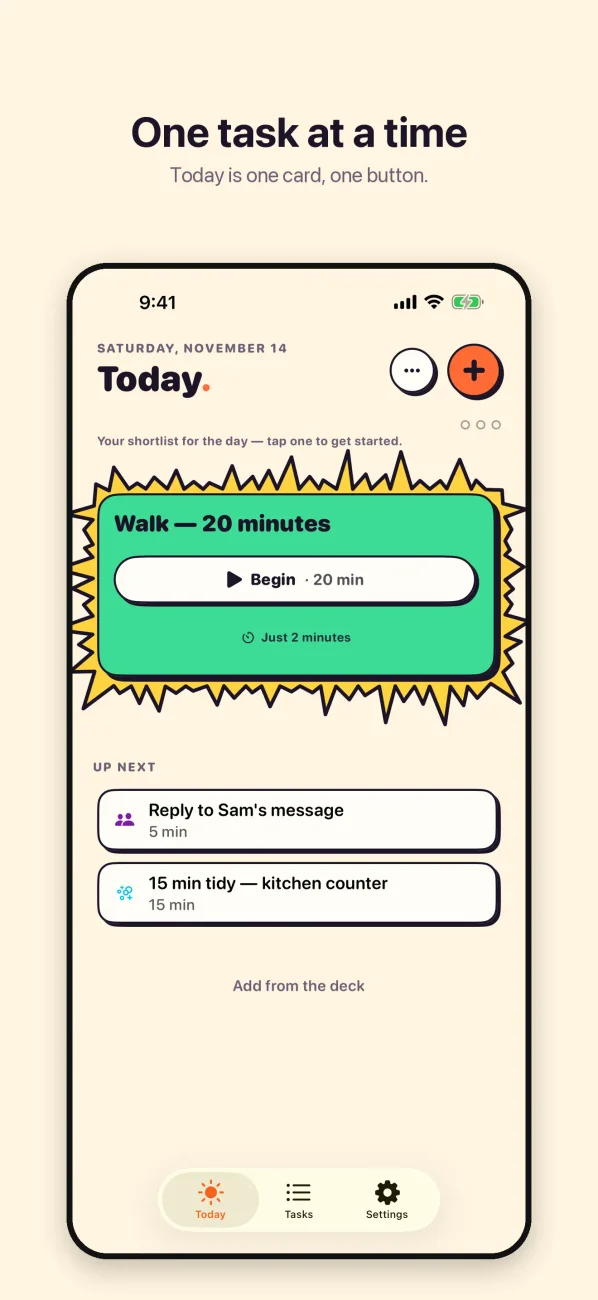
Instead of staring at an overwhelming list, you plan your day one swipe at a time. Swipe right to load a task onto Today, left to skip. Then work through your short Today list — one task, one gentle timer. No guilt, no pressure.
HOW IT WORKS
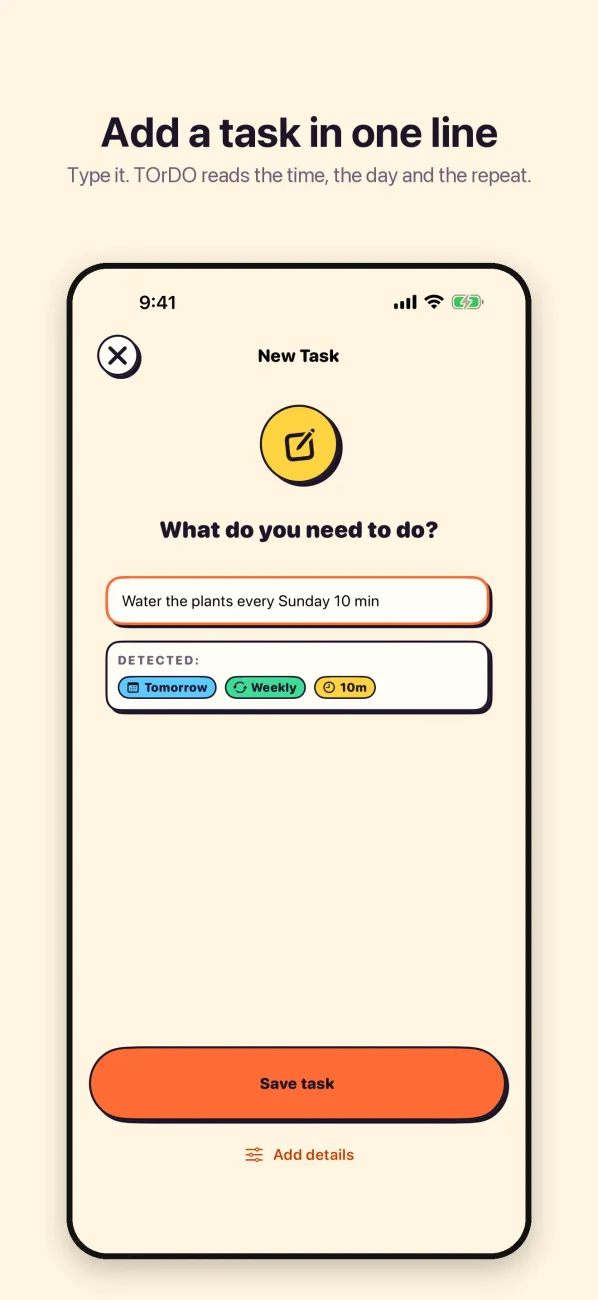
1. Add tasks naturally — type "Call mom tomorrow high priority" and TOrDO parses it
2. Swipe through your deck — right to load it onto Today, left to skip
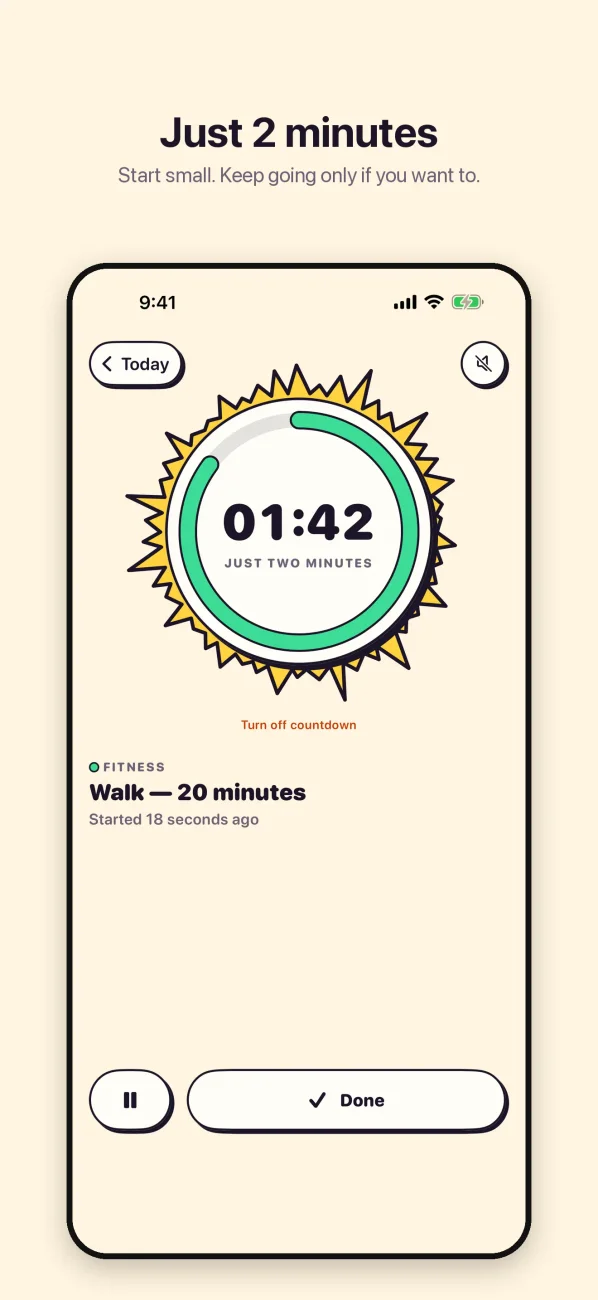
3. Open Today and begin your next task with a soft timer — or just two minutes of it
4. Done means done. Clear the day, and tomorrow works the same way
FEATURES
- Deck + Today — decide first, then do: a swipeable deck builds a calm daily shortlist
- Natural language input — just type, the app figures out the details, repeats included
- On-device AI step generation — a first step for every task, and the rest when you ask, with Apple Intelligence (iOS 26+)
- Just 2 minutes — start any task with a two-minute timer and see how it goes
- Soft, flexible timers — count down, count up, or turn the countdown off mid-task
- Forgiving by design — undo an accidental "done", reset your day back to the deck
- Smart rotation — stale tasks float back up so nothing gets forgotten
- Recurring tasks — daily, weekly, biweekly, or monthly
- Waiting state — pause tasks blocked on someone else
- Live Activity + home screen widgets
- iCloud Sync — your tasks on every device
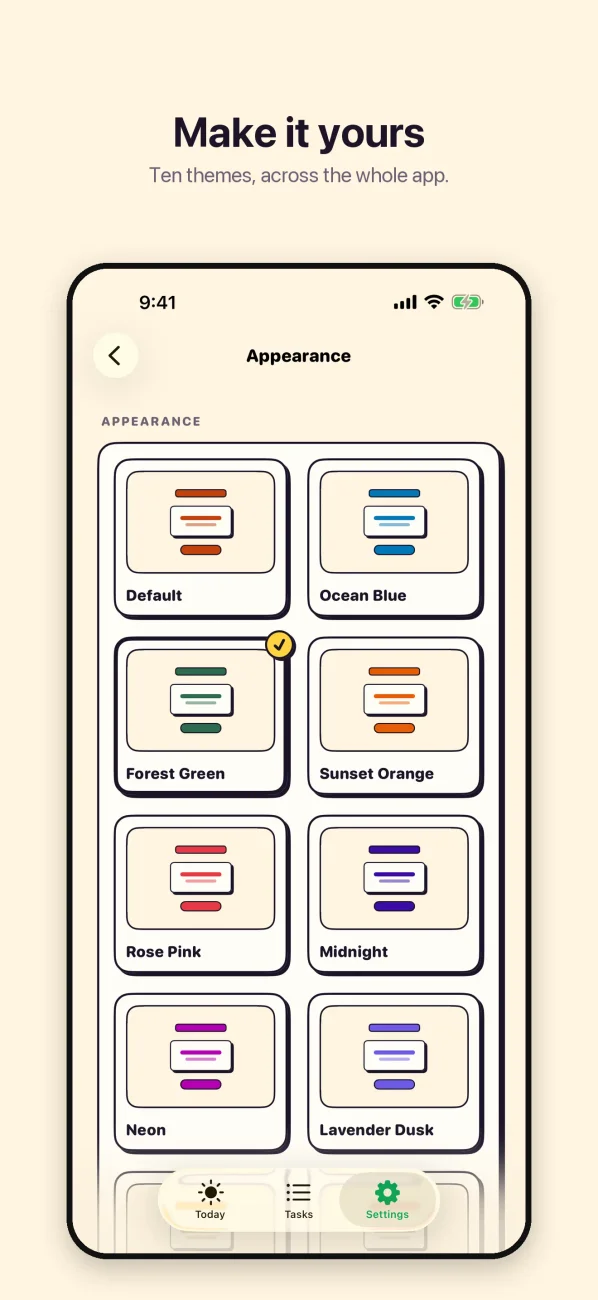
- 10 themes that reach the whole app
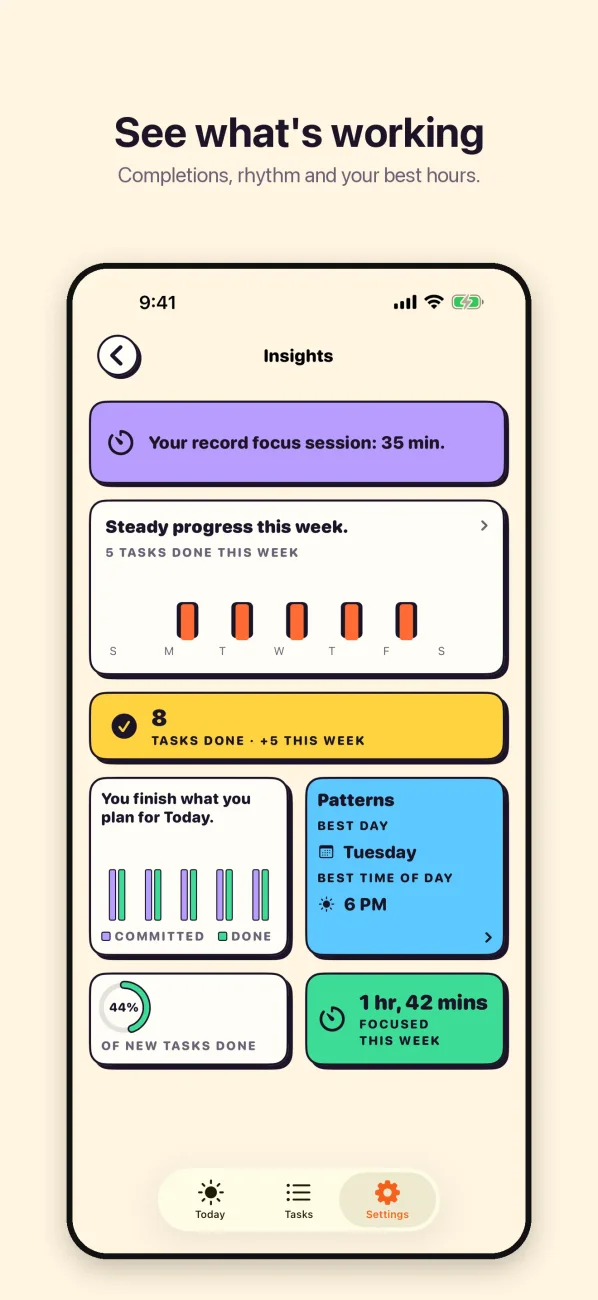
- Insights — completions, rhythm, and your best day and time
- Share a finished day — a picture of what you did, never your task titles
FREE FOR GOOD
The deck, Today and recurring tasks are free, now and after early access. The basics will never need a subscription.
EVERYTHING ELSE IS FREE DURING EARLY ACCESS
TOrDO is in early access, so every other feature is free too:
- Smart Swipe Deck — your deck learns when you're at your best and puts the right task on top at the right time
- Focus Sounds — brown, pink or white noise while your timer runs
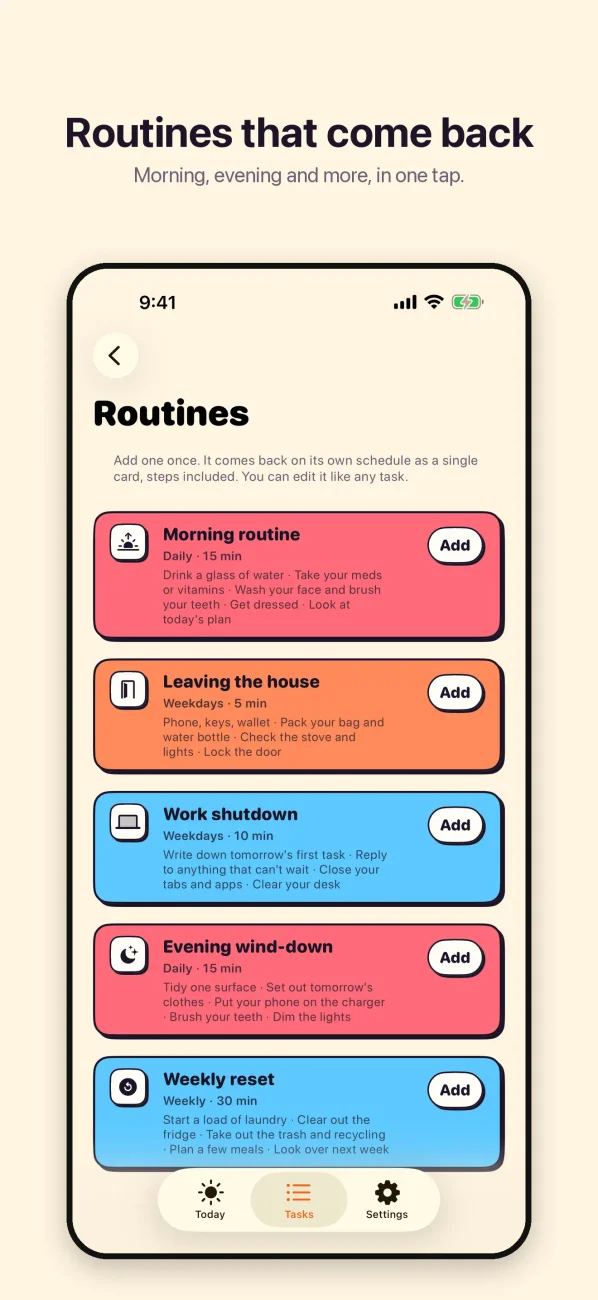
- Routines — morning, leaving the house, work shutdown and more, ready to add in one tap
- Task Notes — attach context, links and details to any task
- Estimate suggestions — a realistic time, from how long similar tasks really took you
- The crowned app icon
TOrDO is built for people who want to do things, not manage lists. Swipe, plan, get it done.
TOrDO is a productivity tool. It is not a medical device and does not diagnose or treat any condition.
LEGAL
Privacy Policy: https://tordo-legal.pages.dev/privacy
Terms of Use (EULA): https://tordo-legal.pages.dev/terms
What’s new
Version 2.4 · Nov 20, 2026
Steadier, and easier to read at large text sizes.
• Deleting a task could close TOrDO when you deleted it from its details page. Fixed.
• A task you delete now disappears straight away from Today and the deck, instead of lingering until the next refresh.
• Undoing "done" on a repeating task no longer leaves its next occurrence behind in Tasks.
• With the largest text sizes turned on, the deck's buttons stay in view above the tab bar.
App privacy
What Mark Martin declares on the App Store about how this app handles data.
-
Data not linked to you
May be collected but is not linked to your identity.
- Purchases
- Identifiers
- Usage data
- Diagnostics
Privacy practices may vary, for example with the features you use or your age.
Information
- Seller
- Mark Martin
- Category
- Productivity
- Version
- 2.4
- Updated
- Nov 20, 2026
- Released
- Aug 31, 2026
- Size
- 21.1 MB
- Requires
- iOS 18.1 or later
- Age rating
- 4+
- Price
- Free
- In-app purchases
- Yes
- Languages
- English, French, Spanish
- Copyright
- © 2026 ClockMath
You might also like
-
 NotesferatuDark Notes, Bright Ideas
-
 1 Big Task - The To-Do AppOne Task at a Time - One List
-
 ADHD+ Routine Planner & AlarmDaily checklists that ring
-
 Unfreeze - Screen Time BlockerBlock apps, end task paralysis
-
 ProjexSimplicity to your Projects
-
 FamiaAll-in-one family management
-
 Bunny - Note Takingfun notes & idea organizer
-
 Six Things, Priority TasksADHD Simple Simplify Todo List
-
 HummingTask: ADHD PlannerAI task breakdown & focus
-
 Topmost: Simplest To-Do ListOne thing at a time