
- Age rating4+
- CategoryBusiness
- DeveloperTorque360
- LanguagesEnglish
- Size71.2 MB
Links to the official App Store page
Download.org hosts no file of Torque360. The button opens its official App Store page, published by Torque360. Listing last checked on Nov 15, 2026.
Screenshots

About
Torque360 is a SaaS-based shop management solution for auto repair businesses across North America. Our mobile application, built with React Native, extends Torque360’s powerful repair shop management tools to technicians and employees on the go.
This app is designed specifically for shop owners, service advisors, and technicians who need to manage day-to-day operations quickly and efficiently.
Key Features in the Mobile App:
Secure Login – Shop Owners and Employees can log in to their accounts.
Forgot Password – Simple password recovery process.
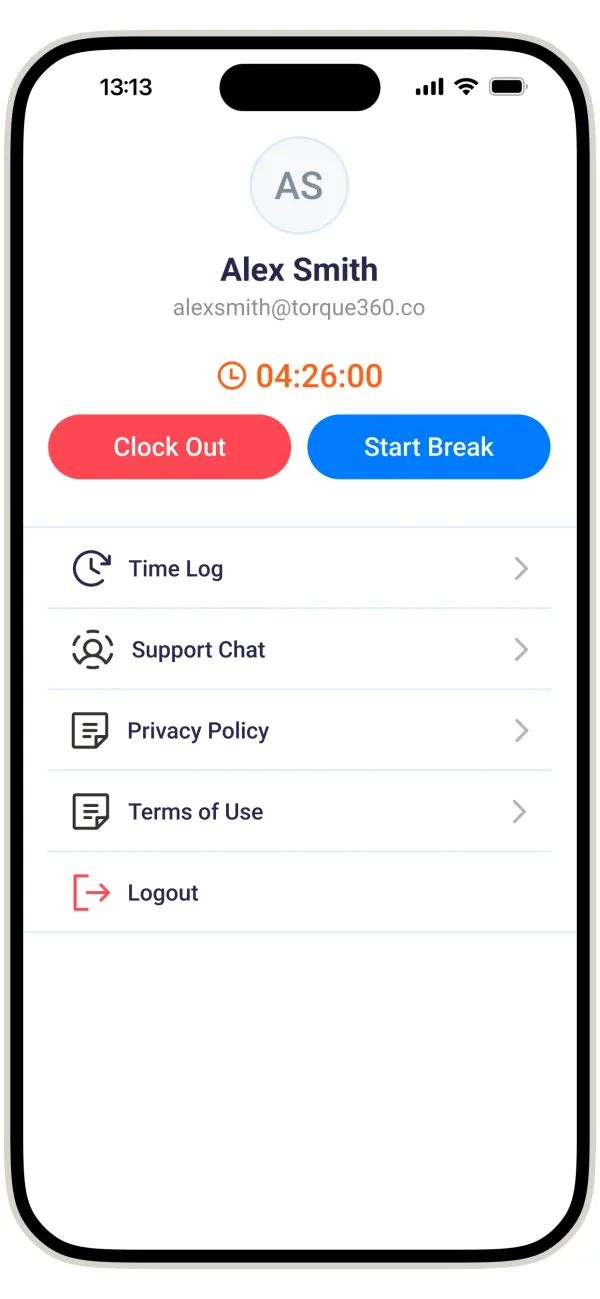
Clock In & Clock Out – Technicians can manage work shifts, breaks, and driving times (for mobile mechanics).
Job Board (Kanban View) – View all repair orders in an organized board, with each repair order shown under different status columns. Quickly search by customer name, vehicle, or other details.
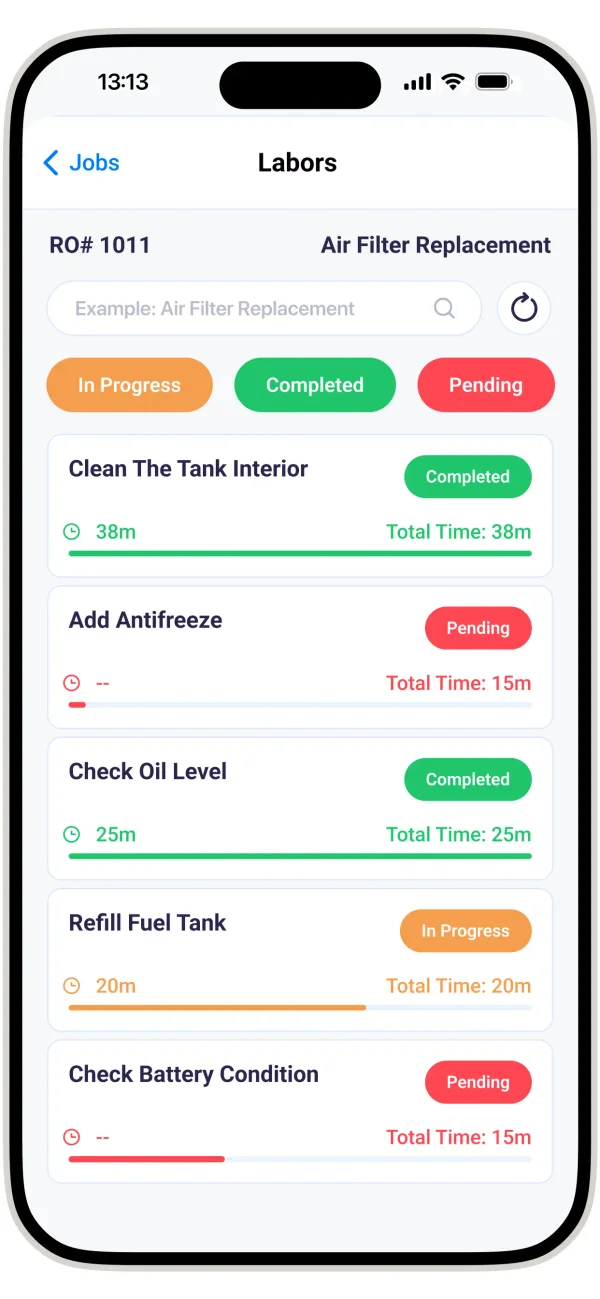
Labor Item Timers – Mechanics can start and stop timers on their assigned labor items within a job.
Digital Vehicle Inspections (DVI) – Technicians can perform comprehensive vehicle inspections directly from the mobile app using pre-configured inspection templates. Inspection templates consist of groups and tasks, allowing technicians to:
Record inspection results and task statuses.
Add findings and recommendations.
Capture and upload photos, videos, audio recordings, and documents.
Edit images directly within the app.
Track time spent on inspection tasks using built-in timers.
Complete inspections and synchronize results with the shop management system for service advisors and shop owners to review.
How Repair Orders Work:
A Repair Order consists of one or more Jobs.
A Job consists of multiple Labor Items.
Service Advisors or Owners assign mechanics to specific labor items, and technicians can track time spent on each labor item.
Inspections can be added directly to Repair Orders, allowing technicians to document vehicle conditions and communicate recommended repairs with supporting media.
How It Works:
Shop owners create employees/technicians inside the Torque360 web application.
Employees can then log in to the mobile app or technician portal to access their assigned jobs, labor tasks, and inspections.
Time tracking, job progress, and inspection results are synchronized with the shop’s main management system in real time.
Benefits:
Increase technician productivity by tracking exact time spent on tasks.
Simplify attendance with built-in clock-in/clock-out functionality.
Streamline vehicle inspections with digital workflows and multimedia documentation.
Improve communication between technicians, service advisors, and customers through detailed inspection findings and recommendations.
Reduce miscommunication with a clear, Kanban-style job board.
Ensure transparency in repair order and inspection progress for shop management.
Help shops identify additional repair opportunities through thorough vehicle inspections.
What’s new
Version 4.0 · Aug 11, 2026
• Create Customers & Vehicles from Mobile: You can now quickly create new customers and vehicles directly from the Torque360 mobile app, without needing to switch to the web application.
• Faster Vehicle Creation with VIN Scanning: Scan a vehicle’s VIN using your phone’s camera to quickly capture vehicle information and speed up the vehicle creation process.
• License Plate Scanning: Quickly scan a vehicle’s license plate from the mobile app to simplify vehicle identification and creation.
• Seamless Repair Order Workflow: Once a customer and vehicle are created, you can continue with the Repair Order workflow and manage the remaining RO process through Torque360 Web App.
• Faster Shop Check-In: Reduce manual data entry and get customers and vehicles into the system faster, helping your team keep the repair process moving.
• Performance & Stability Improvements: We’ve also made improvements to provide a smoother and more reliable mobile experience.
App privacy
What Torque360 declares on the App Store about how this app handles data.
-
Data used to track you
May be used to track you across apps and websites owned by other companies.
- Contact info
-
Data linked to you
May be collected and linked to your identity.
- Contact info
-
Data not linked to you
May be collected but is not linked to your identity.
- User content
Privacy practices may vary, for example with the features you use or your age.
Information
- Seller
- Torque360 Inc
- Category
- Business
- Version
- 4.0
- Updated
- Aug 11, 2026
- Released
- Mar 17, 2026
- Size
- 71.2 MB
- Requires
- iOS 16.0 or later
- Age rating
- 4+
- Price
- Free
- Languages
- English
- Copyright
- © 2026 Torque360
You might also like
-
 OrderryJobs & Work Order Management
-
 Auto Repair Shop (for Phone)Auto Repair Cloud Application
-
 ARI (Auto Repair Software)The Ultimate App for Mechanics
-
 Shopmonkey for Techs 2.0Powerful shop management tool
-
 Direct-Hit Mobile by IdentifixProfessional Repair on the Go
-
 Advance ProfessionalBusiness
-
 Tekmetric MobileDigital Inspections Made Easy
-
 Car Repair Estimator Repair+Body, paint & repair quotes
-
 ALLDATABusiness
-
 Invoo: AI Estimates & InvoicesInvoice Maker & Billing