
- Age rating4+
- CategoryUtilities
- DeveloperLucre Software LLP
- LanguagesEnglish
- Size19.2 MB
Links to the official App Store page
Download.org hosts no file of Total File. The button opens its official App Store page, published by Lucre Software LLP. Listing last checked on Nov 12, 2026.
Screenshots


About
Total File – Your Free All-in-One PDF & Image Toolbox
Manage, create, and secure your documents all in one app — fast, private, and mostly offline. No cloud uploads, no subscriptions, just powerful file management right on your device. Internet is only required to display ads.
Why You’ll Love Total File:
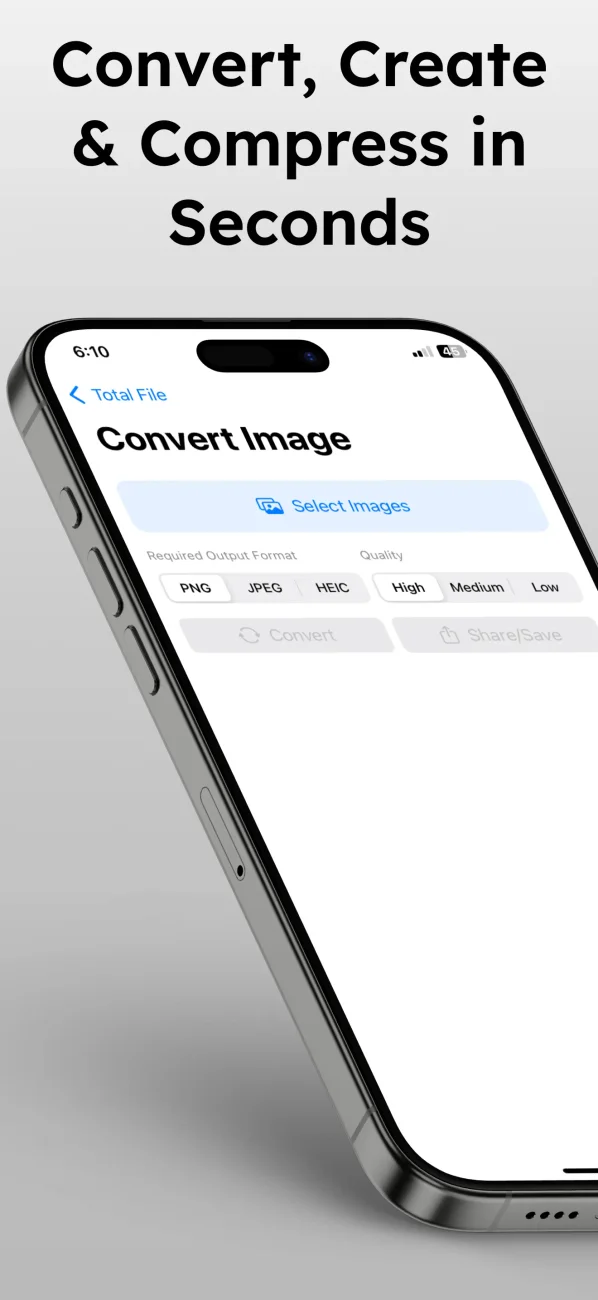
Convert Files Instantly: Turn images into PDFs, PDFs into images, or switch formats in seconds. Perfect for work, school, or personal use.
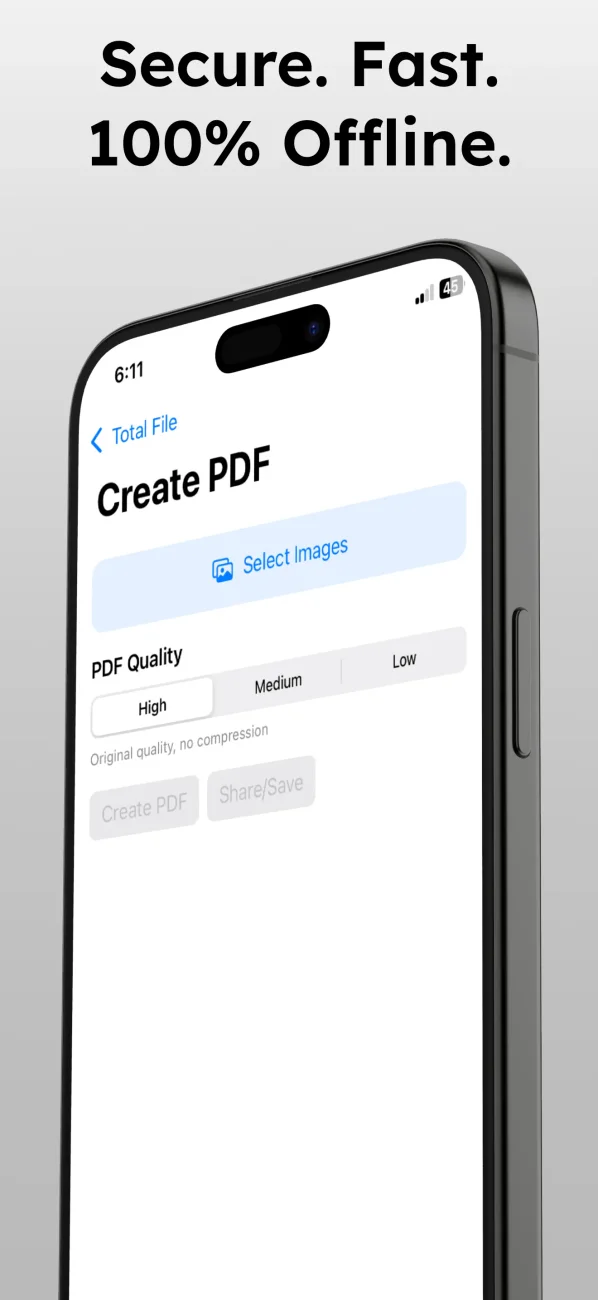
Create PDFs Effortlessly: Merge multiple images, scan documents, or generate PDFs from scratch — everything stays organized and professional.
Scan & Digitize Anything: Snap receipts, notes, whiteboards, or documents. Auto-crop, enhance, and save as high-quality PDFs instantly.
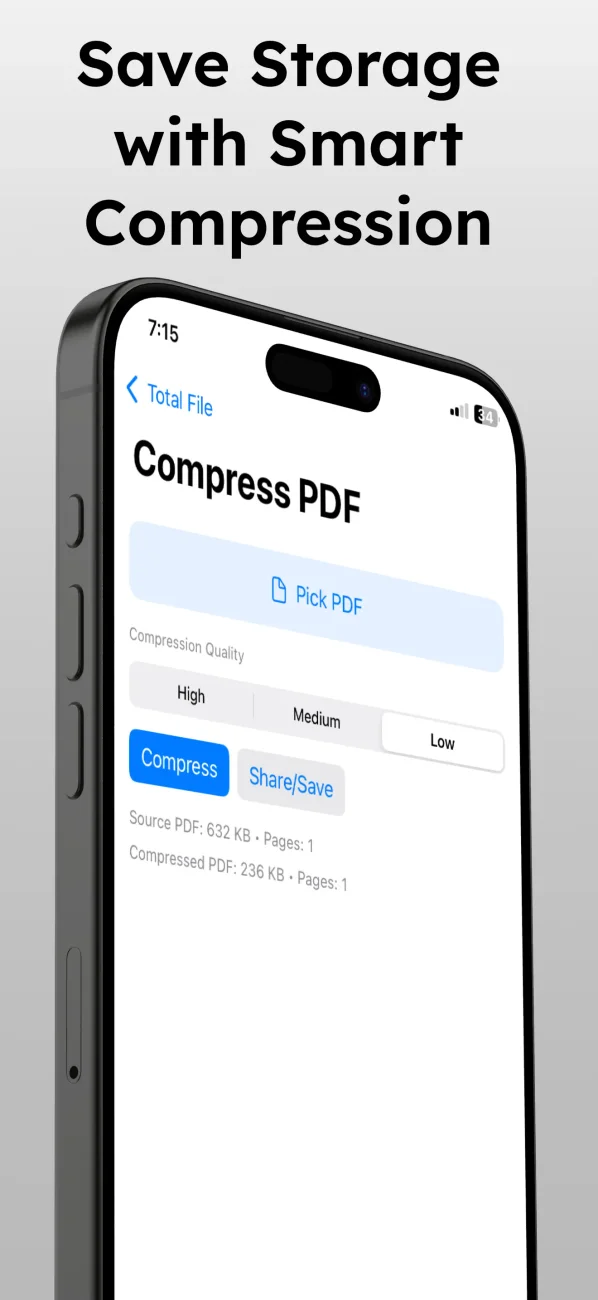
Compress & Save Space: Shrink large PDFs or images without losing clarity. Share files faster and free up device storage.
Lock & Unlock PDFs Securely: Protect sensitive files with passwords. Keep private documents safe on your device.
Fast & Simple: Intuitive interface designed to get tasks done in just a few taps. No confusing menus or extra steps.
Mostly Offline & Private: Core features work without internet. Your files never leave your device. Internet is only required to show ads.
Perfect for Everyone: Students, professionals, freelancers, or anyone who deals with documents and images. Total File puts all the tools you need in one place — scan, convert, compress, secure, and manage files effortlessly.
All-in-One PDF & Image Utility:
Why switch apps? Total File combines everything you need:
PDF & image conversion
Document scanning
File compression
PDF encryption and decryption
On-device organization
Free & Easy to Use:
No hidden fees, no subscriptions. Enjoy a fast, private, and secure PDF and image management app. Ads require internet but don’t interfere with your documents.
Download Total File today and discover the ultimate PDF and image management app that’s simple, fast, and secure — all in one place.
Keywords for discoverability: PDF app, PDF converter, image to PDF, PDF scanner, compress PDF, secure PDF, offline PDF app, file manager, document scanner, PDF toolkit, free PDF editor
What’s new
Version 1.2 · Sep 28, 2025
We’re committed to making Total File the most powerful file management app for your iPhone and iPad. In this update, you can now add watermarks to any image directly within Total File, giving you more control and protection over your content.
We’ve also enhanced the overall user experience to make navigation and file handling smoother, fixed bugs for better stability, and lowered the minimum deployment target from iOS 18 to iOS 16 to ensure more users can enjoy Total File.
Thank you for choosing Total File – we’ll continue improving the app with every update.
App privacy
What Lucre Software LLP declares on the App Store about how this app handles data.
-
Data used to track you
May be used to track you across apps and websites owned by other companies.
- Usage data
-
Data linked to you
May be collected and linked to your identity.
- Usage data
Privacy practices may vary, for example with the features you use or your age.
Information
- Seller
- Lucre Software LLP
- Category
- Utilities
- Version
- 1.2
- Updated
- Sep 28, 2025
- Released
- Sep 9, 2025
- Size
- 19.2 MB
- Requires
- iOS 16.0 or later
- Age rating
- 4+
- Price
- Free
- Languages
- English
- Copyright
- © @ 2025
You might also like
-
 Kapsula AppRun HTML as an app
-
 CalcPro - All In 1 CalculatorAll-in-One Calculator Suite
-
 FileCryptorEncrypt any of your files
-
 SnapClear: Photo CleanerSwipe to clean your gallery
-
 MovielogyUtilities
-
 Being - HTML as MediumLocal HTML Reader & Archive
-
 NearSightUtilities
-
 WordHint for SafariEnglish words explained inline
-
 Ambitious SearchAI answers. Private browsing.
-
 Plain Text Total EditorEdit plain text files