
ToteTracker: Home Inventory
Find anything in seconds.
Designed for iPhone, iPad, iPod touch
Free · In-app purchases
- Age rating4+
- CategoryProductivity
- DeveloperARTIFICERS ANVIL LLC
- LanguagesEnglish
- Size25.2 MB
Links to the official App Store page
Download.org hosts no file of ToteTracker: Home Inventory. The button opens its official App Store page, published by ARTIFICERS ANVIL LLC. Listing last checked on Nov 18, 2026.
Screenshots

About
Know where everything is.
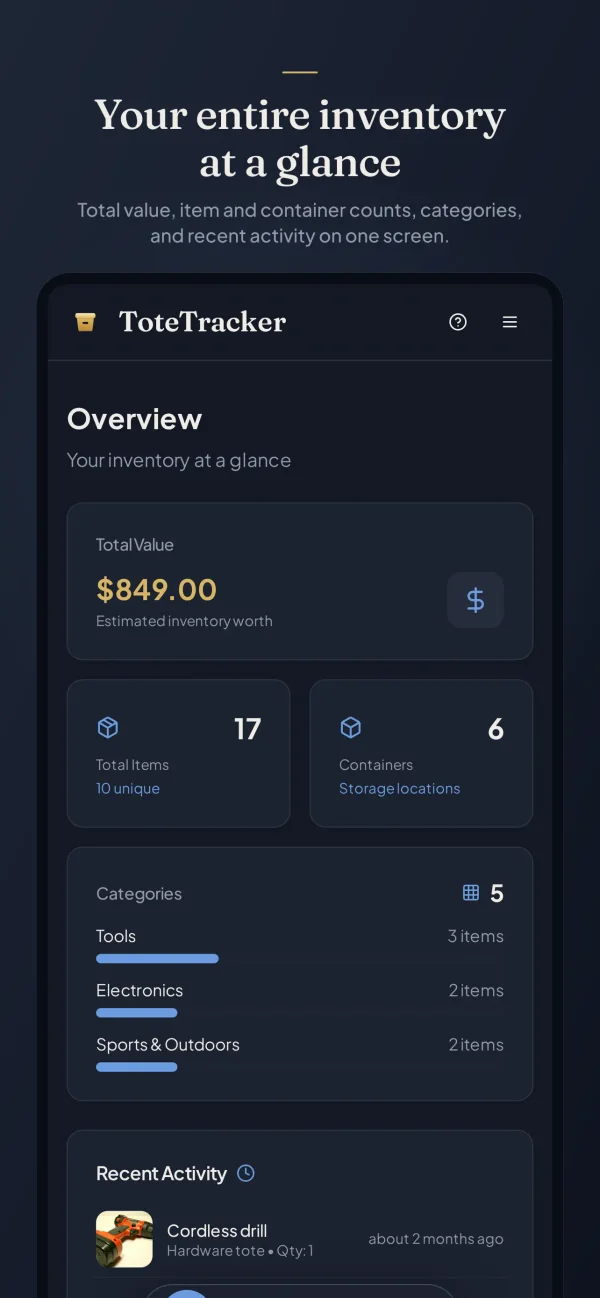
ToteTracker keeps a searchable inventory of your whole home — names, categories, values, and locations, all in one place. Catalog a room in minutes, and when you need something later it's a search, not an excavation.
Adding things
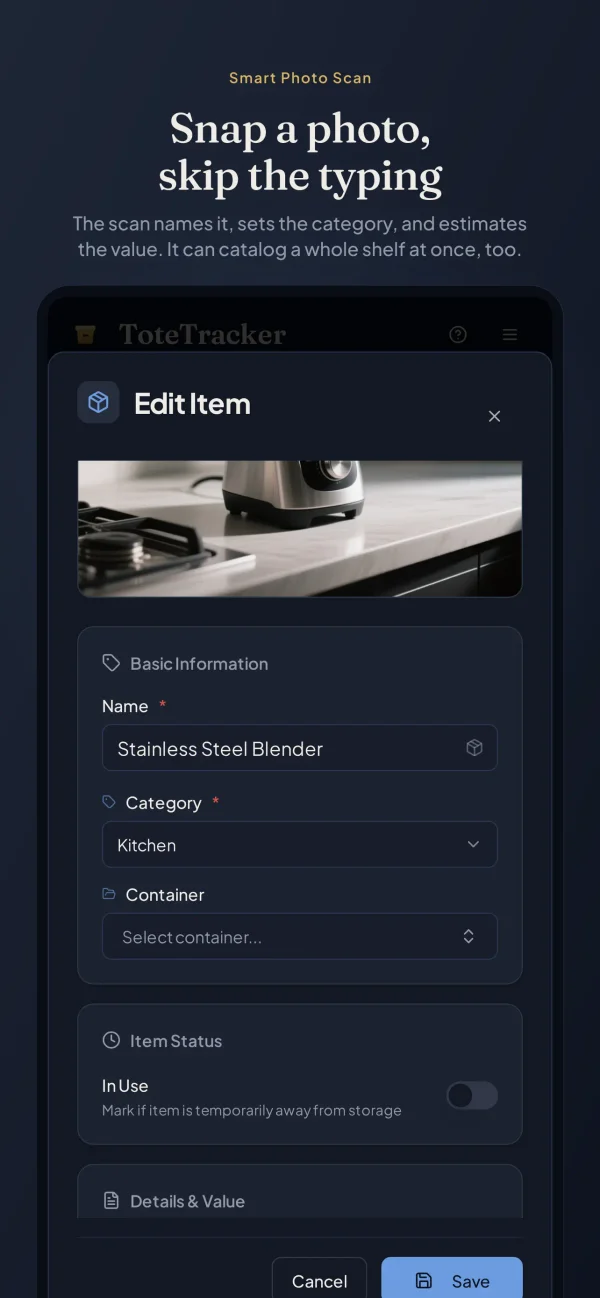
• Smart Photo Scan — photograph an item and review what the scan found: name, category, and an estimated value. Confirm it or correct it.
• Smart Multi-Item Scan — one photo of a full shelf, each item cataloged on its own.
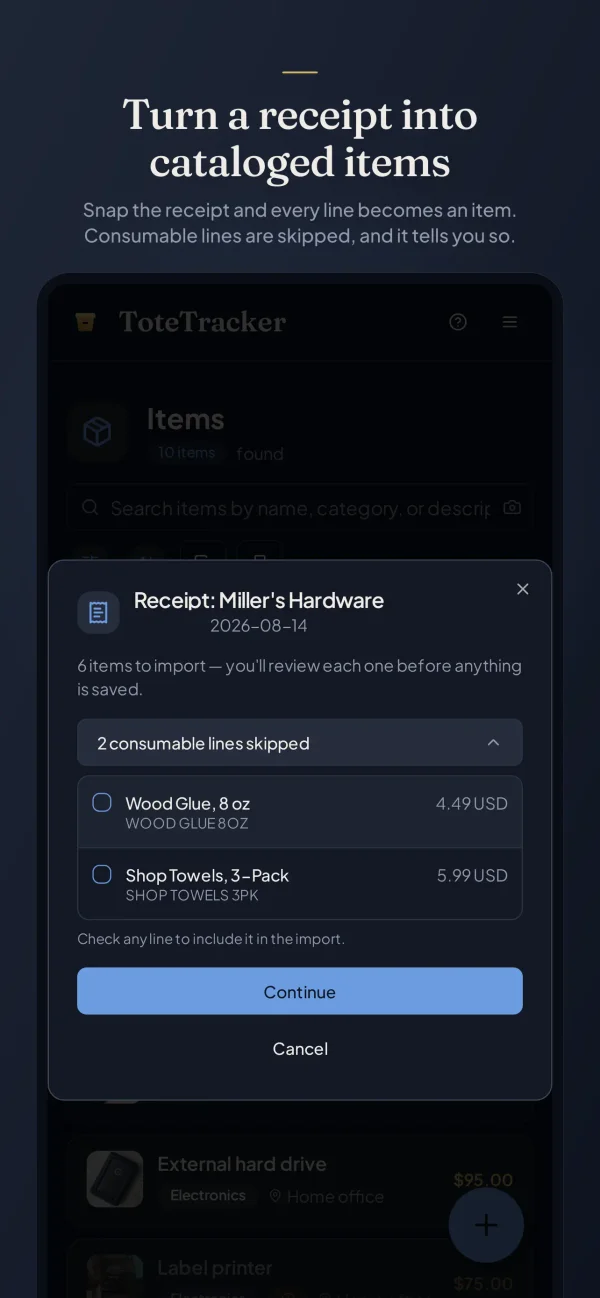
• Import Receipt — photograph a paper receipt, or pick a screenshot or PDF of an order confirmation, and each product line becomes a draft you review. Groceries and other consumables are skipped and listed, so you can still include one if you want it.
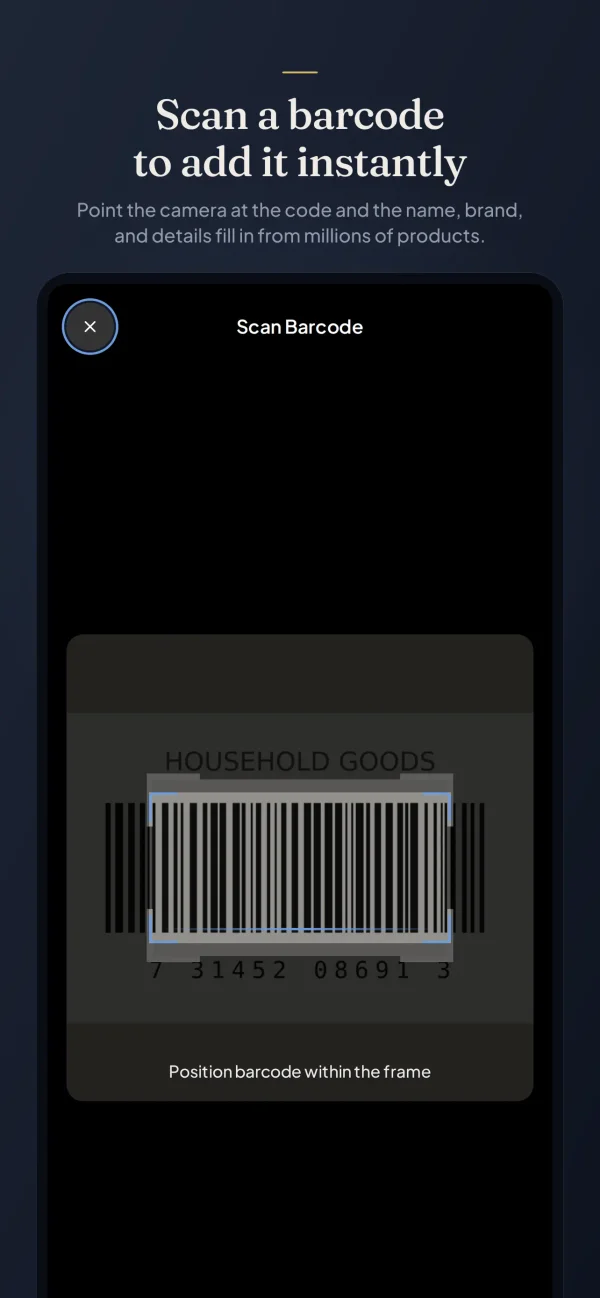
• Barcode lookup — point the camera at a product barcode and pull details from a database of millions of products.
• Product Lookup — scan any barcode for product details on the spot, without adding it to your inventory.
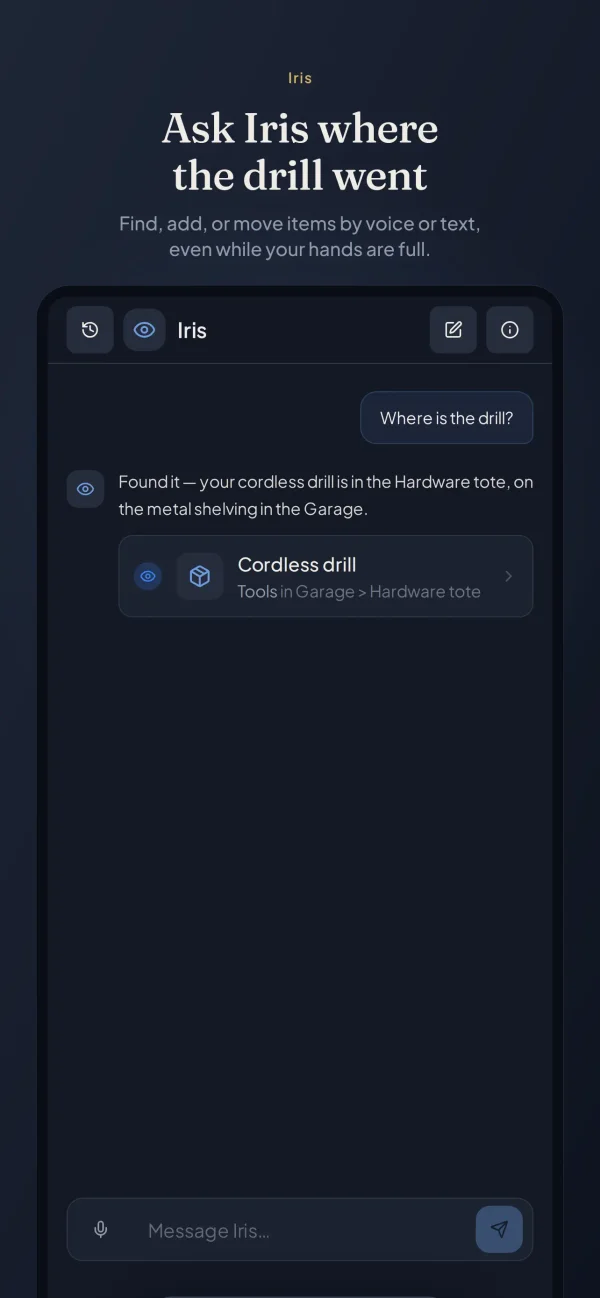
• Iris, the voice assistant — tell Iris what you're putting away and keep your hands free.
Finding things again
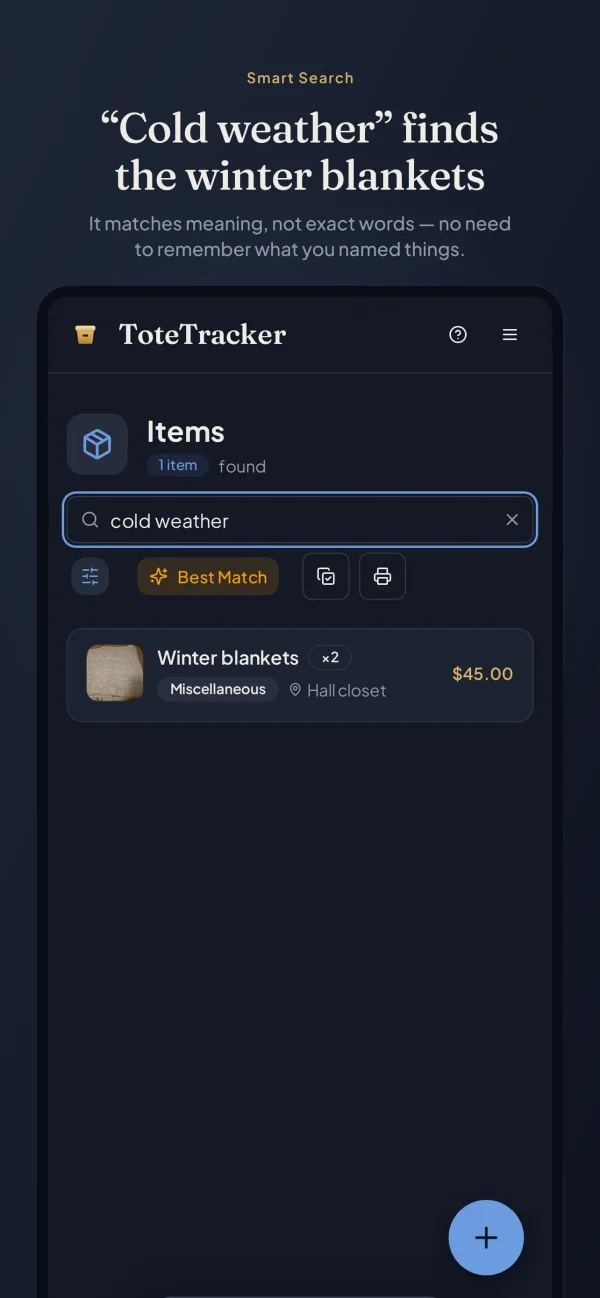
• Smart Search matches meaning, not exact words. Search "winter gear" and find the jacket and the gloves, even if you never typed those words.
• Search with the camera, too — snap a photo and Smart Search finds the items that look like it.
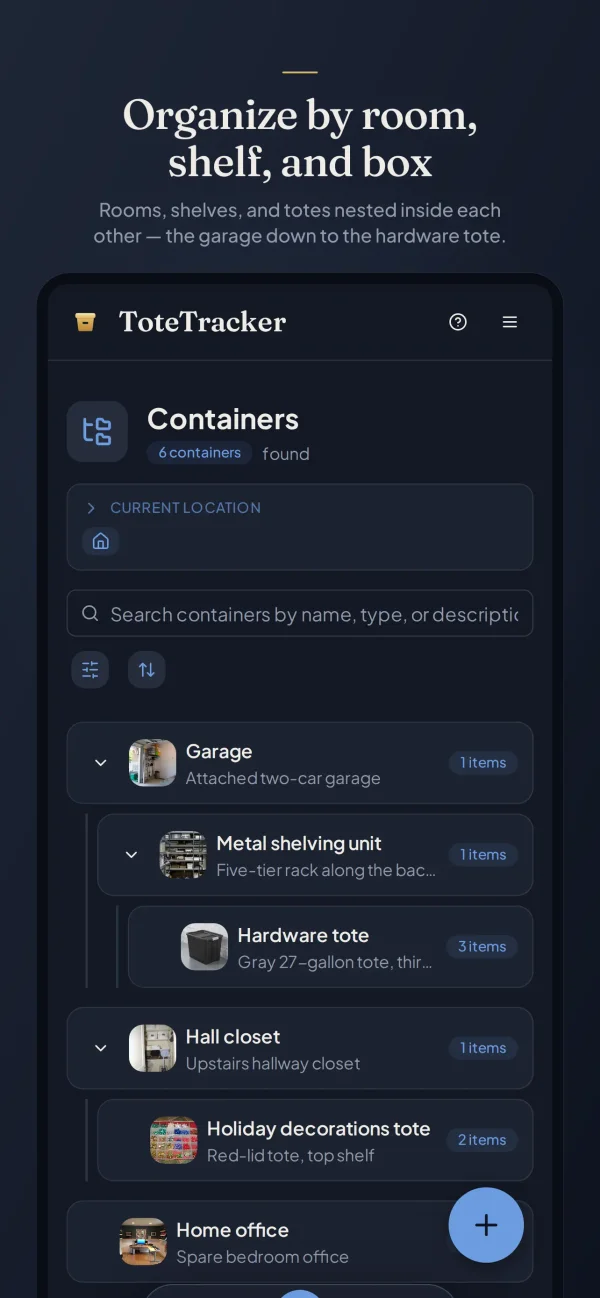
• Organize items into nested containers (rooms, shelves, totes, boxes) so every item has a place — and mark an item as in use when it leaves its spot.
• Container labels — print QR labels for your containers, or blank labels you claim as you pack, and stick them on. Scanning one with ToteTracker or any camera app opens that box's contents. Labels your boxes already carry can be linked and scanned the same way.
• Duplicate detection checks your inventory daily, flags items that look logged twice, and merges the ones you confirm. Scan a barcode you already logged and ToteTracker offers to open that item instead of adding it again.
Made for iPhone and iPad
• App lock — switch it on and ToteTracker asks for Face ID, Touch ID, or your passcode before it opens.
• Push notifications — an alert when you're invited to a shared inventory, when someone joins yours, or when your trial is about to end.
• Sign in with Apple — sign up or sign in with your Apple Account.
Share with your household
Invite your partner, family, or roommates by email and everyone sees and edits the same inventory. Sharing is part of Plus: the owner needs Plus, and the people they invite can be on any plan.
On every device, online or off
Your inventory syncs across your devices and stays readable offline, so you can look things up in a basement or a storage unit with no signal. Encrypted in transit and at rest. Row-level security means only you and the people you invite to a shared inventory can read it. Export your data anytime.
Getting started
Every new account starts with a 7-day free trial of Plus, no credit card required. After the trial your account moves to the Free plan with everything still there: up to 50 items and 10 containers in one inventory, and 10 Smart Actions a month for photo scans, receipt import, and Iris. Plus, billed monthly or annually, adds Smart Search, barcode lookup, sharing, duplicate detection, room for the whole house, and 100 Smart Actions a month that roll over. One-time Smart Action packs are available on either plan. A ToteTracker account is required.
Subscription details
ToteTracker Plus is an auto-renewable subscription, available as Plus Monthly (1 month) and Plus Annual (1 year). Payment is charged to your Apple Account at confirmation of purchase. The subscription renews automatically unless auto-renew is turned off at least 24 hours before the end of the current period. Manage or cancel your subscription in your App Store account settings after purchase.
Privacy policy: https://www.totetracker.app/privacy
Terms of Use (EULA): https://www.apple.com/legal/internet-services/itunes/dev/stdeula/
What’s new
Version 2026.11.16 · Nov 16, 2026
A fresh look, and it's quicker to get around.
• New design: a warmer, cleaner look in light mode and a deep navy dark mode.
• Search is now front and center on your Items and Containers lists.
• Open a container and it becomes the page header, so you always know where you are. Back takes you up a level at a time.
• Jump from any item straight to the container it lives in.
• Smart Scan now sits at the top of the add-item menu.
• Fixes for opening items from search results, and a prompt before you lose unsaved edits.
App privacy
What ARTIFICERS ANVIL LLC declares on the App Store about how this app handles data.
-
Data linked to you
May be collected and linked to your identity.
- Purchases
- Contact info
- User content
- Search history
- Identifiers
- Usage data
- Diagnostics
Privacy practices may vary, for example with the features you use or your age.
Information
- Seller
- ARTIFICERS ANVIL LLC
- Category
- Productivity
- Version
- 2026.11.16
- Updated
- Nov 16, 2026
- Released
- Sep 9, 2026
- Size
- 25.2 MB
- Requires
- iOS 15.0 or later
- Age rating
- 4+
- Price
- Free
- In-app purchases
- Yes
- Languages
- English
- Copyright
- © 2026 Artificers Anvil, LLC
You might also like
-
 ToteCubbyFind Anything in Seconds
-
 ADHD+ Routine Planner & AlarmDaily checklists that ring
-
 Home Inventory: KeepsakeInsurance Claims & Belongings
-
 Bindexr: Inventory TrackerOrganize your home & items
-
 Intellist: NFC Inventory ListTag Moving & Storage Boxes
-
 Nook: Home InventoryFind items. Get expiry alerts.
-
 My Nest : Daily Planner AppAesthetic Planner & Journal
-
 SmarTodo: Kanban Task PlannerGTD Project Tracker & Subtasks
-
 IdeaVault - Store Goals, IdeasNotes, Goal Tracking & Planner
-
 Stacks: Routine & HabitsStack Habits to Simplify Life