
TouchFish - Salary Clock
Live pay & overtime log
Designed for iPhone
Free · In-app purchases
- Age rating4+
- CategoryProductivity
- Developer新浩 陈
- LanguagesEnglish+ 7 more
- Size162.3 MB
Links to the official App Store page
Download.org hosts no file of TouchFish - Salary Clock. The button opens its official App Store page, published by 新浩 陈. Listing last checked on Nov 23, 2026.
Screenshots



About
Every second at work earns you money. TouchFish turns your pay into an hourly and per-second rate and shows today's earnings ticking up live. Breaks and overtime get converted into money too, so at the end of the month the calendar tells you whether work came out ahead, or you did.
LIVE EARNINGS
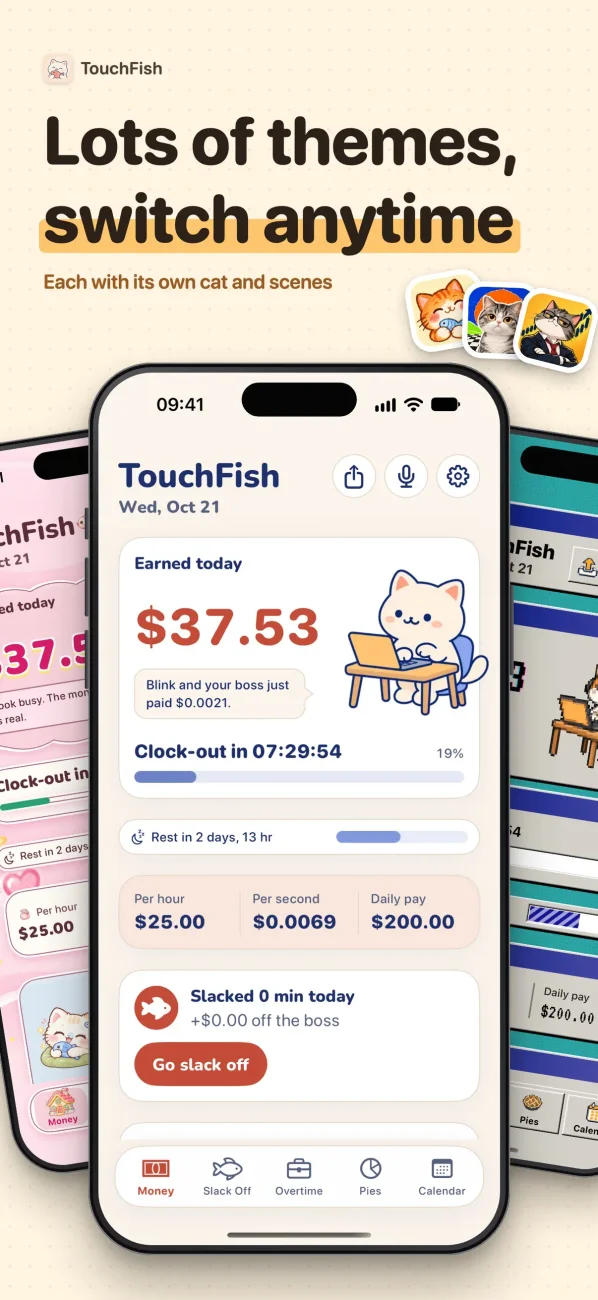
Enter your pay, hours and schedule, and the home screen counts up what you've earned today, with your hourly rate, per-second rate and a countdown to clock-out. Monthly, daily, yearly or hourly pay, many currencies, and built-in public holidays for 14 regions, or use a holiday calendar already on your iPhone.
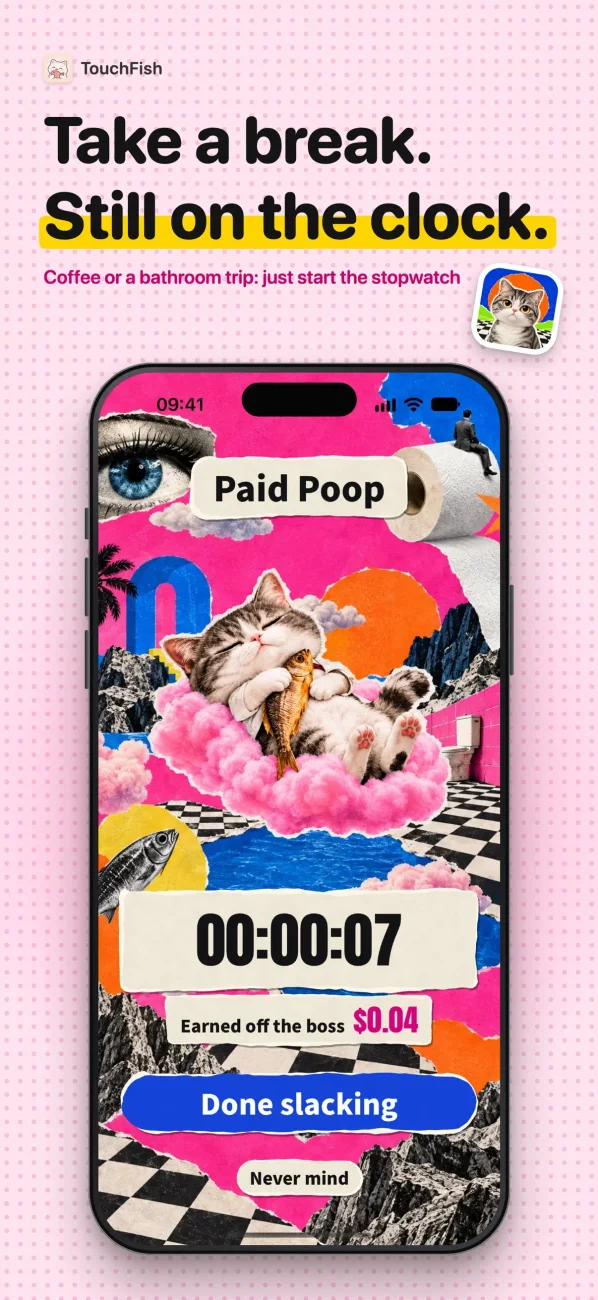
PAID BREAKS
Grab a coffee, stare out the window, start the stopwatch: your break is still on the clock. You can also log break time by hand. While the stopwatch runs, it stays on your Lock Screen and in the Dynamic Island.
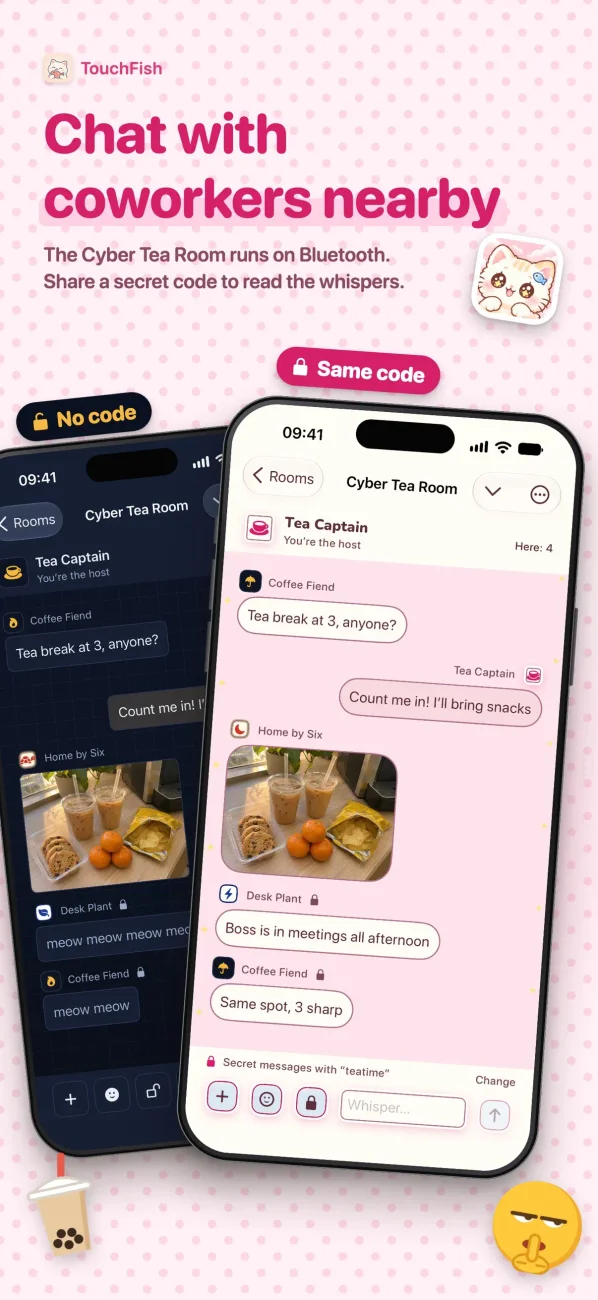
CYBER TEA ROOM
Chat with coworkers nearby over Bluetooth: no internet, no sign-up. Open a room or join one close by and send messages, stickers and photos. Agree on a secret code, and only people using it can read your whispers; everyone else sees “meow meow meow”. The room keeps going if its host leaves, the chat folds into a bar while you use the rest of the app, and with Stay connected in background on, messages reach you on the Lock Screen. Messages are encrypted end to end and cleared when you leave.
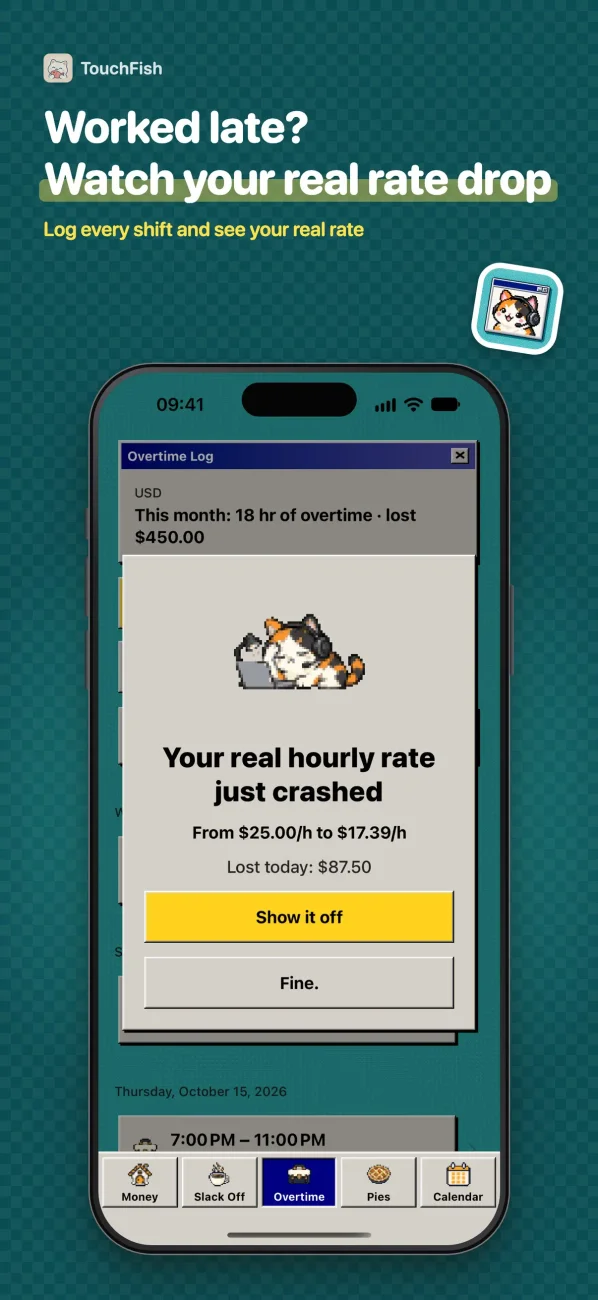
OVERTIME LOG
Log each stretch of overtime, even past midnight, and see how far your real hourly rate dropped. Attach photos and recordings, or take time-stamped photos with the watermark camera. Attachments go to your own iCloud Drive, ready in the Files app, along with an automatic overtime CSV.
QUICK RECORDING
Start recording from the home screen, by long-pressing the app icon, with Siri, the Action button or Shortcuts. Recording continues on the Lock Screen, and you can file each recording under an overtime shift or a promise later. You're reminded to follow local laws before you start.
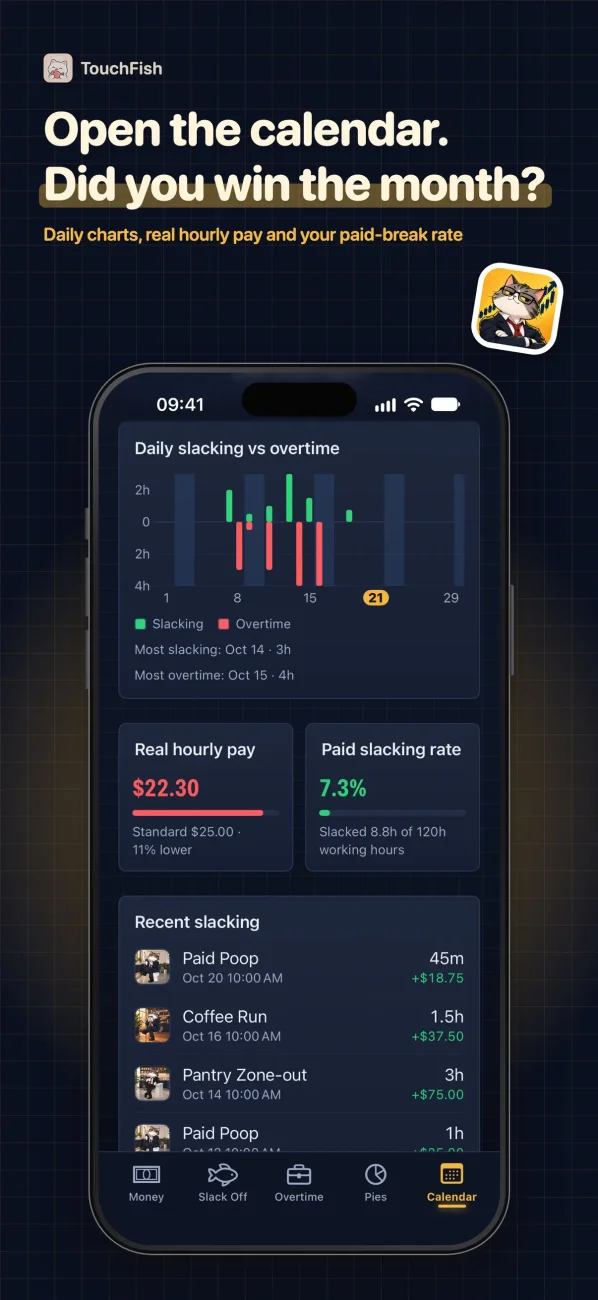
WIN/LOSS CALENDAR
See at a glance which days you came out ahead, with the month's totals on top. Tap a day to see details, fill in the gaps, or mark it as a day off or a workday.
WISHES
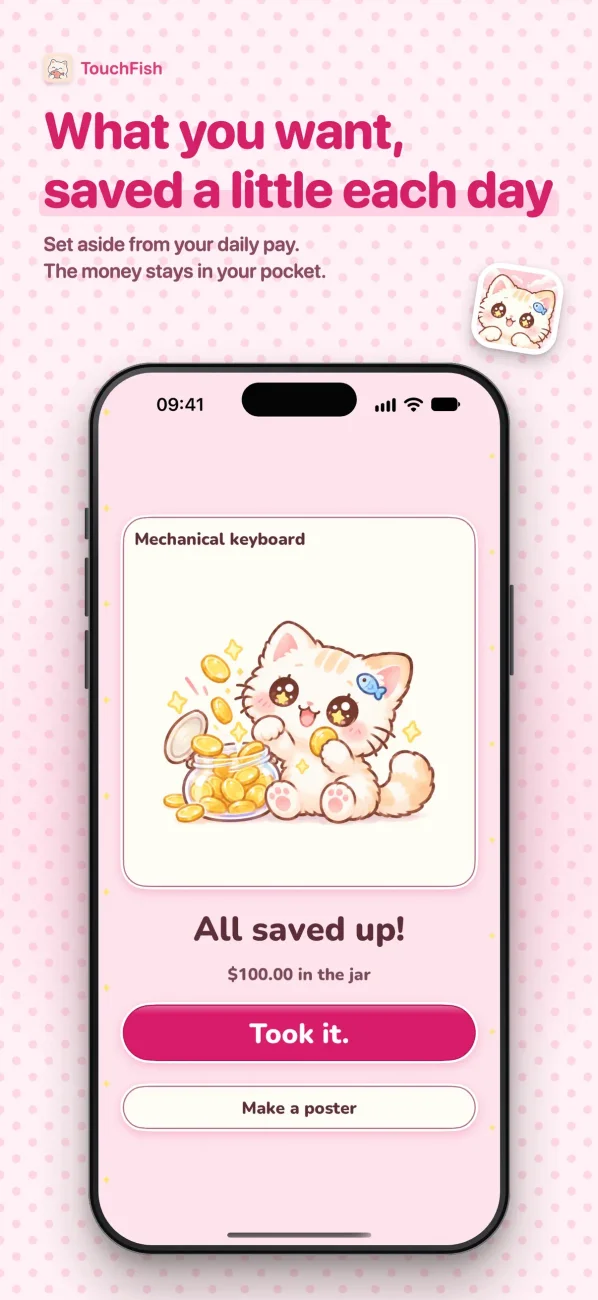
Set a goal for something you want and save a share of your daily pay or surplus automatically, or add to it by hand. When the jar fills up, there's a small celebration: All saved up! It's bookkeeping only; the money stays in your pocket.
PIE IN THE SKY
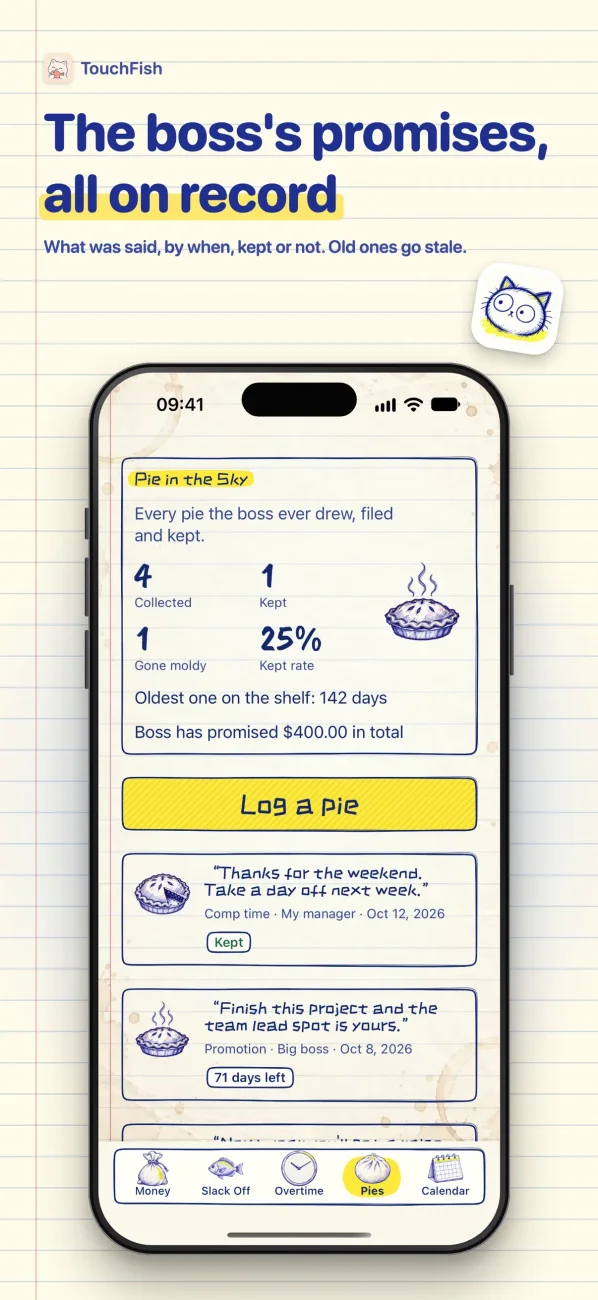
Keep a record of the promises your boss makes: the exact words, the deadline, and whether it ever happened, plus how many were ever kept. Promises past their deadline go moldy on their own.
THEMES
A doodle notebook, a cash-register receipt, a crayon storybook, cream stickers, a surreal collage, a retro desktop, a market terminal and more. Each theme brings its own cat, scenes, number font and poster style, and the cat works, has lunch, naps and clocks out with you. Change the app icon separately if you like.
SHAREABLE POSTERS
Make posters of your day, your overtime, your breaks or a finished wish in one tap, styled to match your theme. Hide every amount and keep just the hours and percentages if you like.
PRIVACY
No account, no data collection, no ads, no analytics. Your records stay on this device, and attachments stay in your own iCloud Drive. You can also hide amounts on the Lock Screen. Tea room messages travel only between nearby iPhones over Bluetooth, never through a server.
TouchFish is for personal records only and does not give legal, payroll or financial advice.
What’s new
Version 1.6 · Nov 21, 2026
THE NEW CYBER TEA ROOM
Chat with coworkers nearby, now with more to do: match secret codes, send stickers and photos, keep the chat going from a bar at the bottom, and keep the room alive when its host leaves. Bluetooth only, no internet or sign-up. Everyone in the room needs 1.6 for the tea room features below; rooms opened with 1.5 stay text only.
SECRET MESSAGES
Agree on a code with your colleagues and enter it in Settings › Cyber Tea Room › Secret Code. Turn on the lock by the message field, and only people using the same code can read your messages and stickers; everyone else sees “meow meow meow”. You can switch codes inside a room. Photos go out as usual.
STICKERS AND PHOTOS
Two new sticker sets, 32 stickers in all, send with a single tap. You can also send a photo from your library or take one on the spot: others see a preview first, then the full photo. Like messages, photos live only in your iPhone's memory and are cleared when you leave.
COLLAPSE AND SWITCH ROOMS
Collapse the chat into a bar at the bottom and keep talking while you use the rest of the app. The bar shows the room name, who's here and the latest message, and a banner appears at the top when something new arrives. The room list now starts with the room you're in, followed by other rooms nearby. Tap one to switch.
THE ROOM OUTLASTS ITS HOST
If the host quits the app or it closes unexpectedly, someone else in the room takes over within seconds and the chat carries on. With Stay connected in background off, a host who leaves the app for a while also hands the room over first, then rejoins as a member on return.
STAY CONNECTED IN BACKGROUND
Turn on Settings › Cyber Tea Room › Stay connected in background to keep your room going when you switch apps or lock your iPhone, with new messages arriving as notifications. Choose work hours, always or custom hours. It's off by default and uses more battery when on. You also choose whether notifications show the message itself.
YOUR OWN NICKNAME
Pick a name in Settings › Cyber Tea Room › Nickname, and everyone in the room sees it. By default you still get a random nickname in each room.
COLLAPSIBLE TIMERS
Timers have a new Collapse button at the top left. Collapsed, a bar at the bottom keeps counting time and earnings; tap it to open the timer again. With Hide amounts on, the bar hides the amount too.
ALSO NEW
• Tap Send on the keyboard to send a chat message.
• Switching tabs is smoother, and each tab opens faster the first time.
App privacy
What 新浩 陈 declares on the App Store about how this app handles data.
-
Data not collected
The developer does not collect any data from this app.
Privacy practices may vary, for example with the features you use or your age.
Information
- Seller
- 新浩 陈
- Category
- Productivity
- Version
- 1.6
- Updated
- Nov 21, 2026
- Released
- Nov 5, 2026
- Size
- 162.3 MB
- Requires
- iOS 17.0 or later
- Age rating
- 4+
- Price
- Free
- In-app purchases
- Yes
- Languages
- English, French, German, Japanese, Korean, Simplified Chinese, Spanish, Traditional Chinese
- Copyright
- © 2026 XX Studio
You might also like
-
 ZhunDianCountdowns for key moments
-
 DayRecallAI memory for your whole day
-
 Bio Architect: Bio WriterSource-Backed Biographies
-
 Pomodoro Task AssistantPomodoro Timer: Focus on Tasks
-
 DynamicTaskTodo progress, always in view
- timeBox: Calm & Focus TimerAesthetic Pomodoro, Desk Clock
-
 SoftomatoCute pomodoro timer
-
 Task HorizonFocus, Plan & Get Things Done
-
 冷媒診断ProProductivity
-
 Anomalor - Password ManagerGenerator, Vault & AutoFill