Tower Drill
ATC Radio & Readback Practice
Designed for iPhone, iPad
Free · In-app purchases
- Age rating4+
- CategoryEducation
- DeveloperTXN LLC
- LanguagesEnglish
- Size10.5 MB
Links to the official App Store page
Download.org hosts no file of Tower Drill. The button opens its official App Store page, published by TXN LLC. Listing last checked on Nov 13, 2026.
Screenshots




About
Tower Drill helps US student pilots practice ATC out loud before the next flight lesson.
BUILT FOR IPHONE DUO
Practice on the outer display, then unfold for a two-pane workspace. Keep the radio conversation beside your guidance and push-to-talk controls. Partially open layouts respect the hinge, including tabletop practice. Lesson briefings and your Logbook adapt too. Also available on iPhone and iPad.
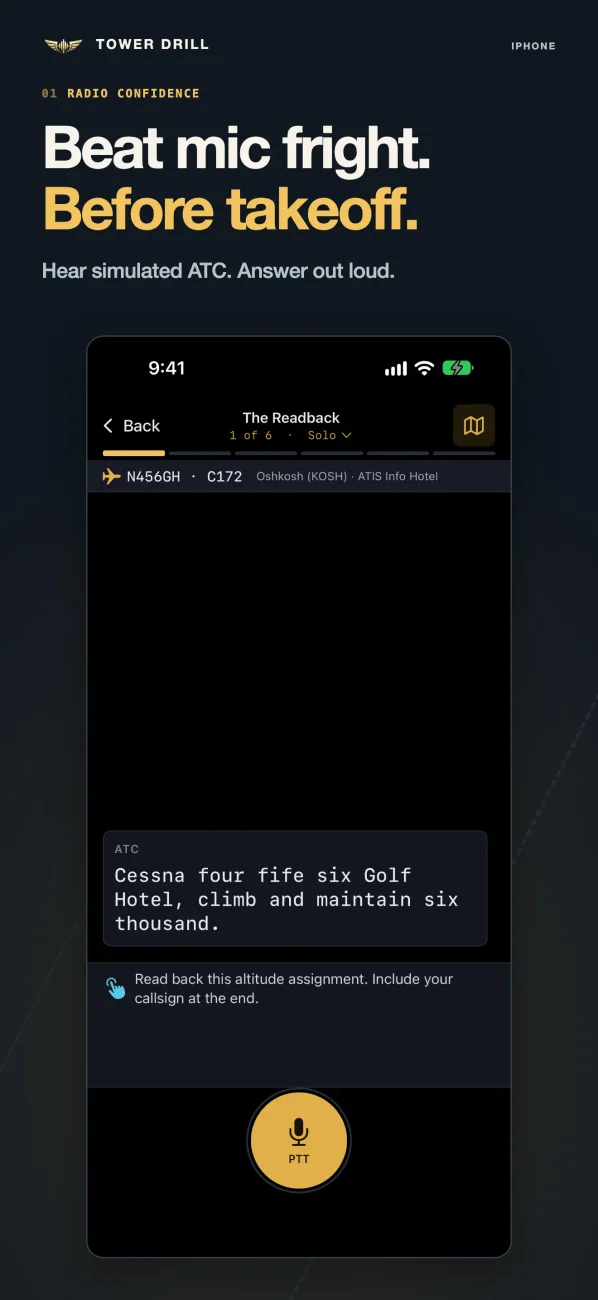
If radio calls make you tense, Tower Drill gives you a private place to rehearse. Listen to a simulated controller, respond with push-to-talk, and get focused feedback on the runway, frequency, altitude, squawk code, hold-short instructions, and other details that matter.
Tower Drill does not stream live ATC or issue operational clearances.
START WITH THE HELP YOU NEED
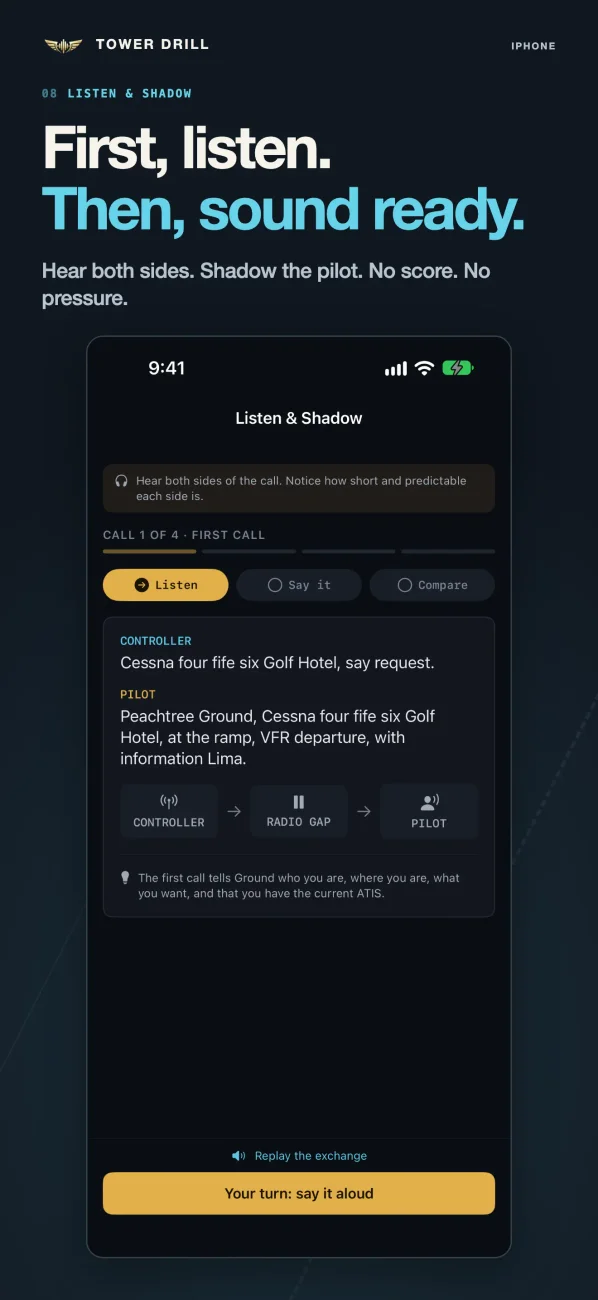
• Listen & Shadow lets you hear both sides and repeat without a score.
• Training explains the call and shows the expected response.
• Coached gives you key items when you need a prompt.
• Solo removes the hints when you are ready to test yourself.
PRACTICE AT YOUR HOME AIRPORT
Choose from 577 US towered practice airports based on FAA data. Scenarios use runway and frequency references for the field you select, along with your aircraft details. Airport data is for training only; always verify current official sources before flight.
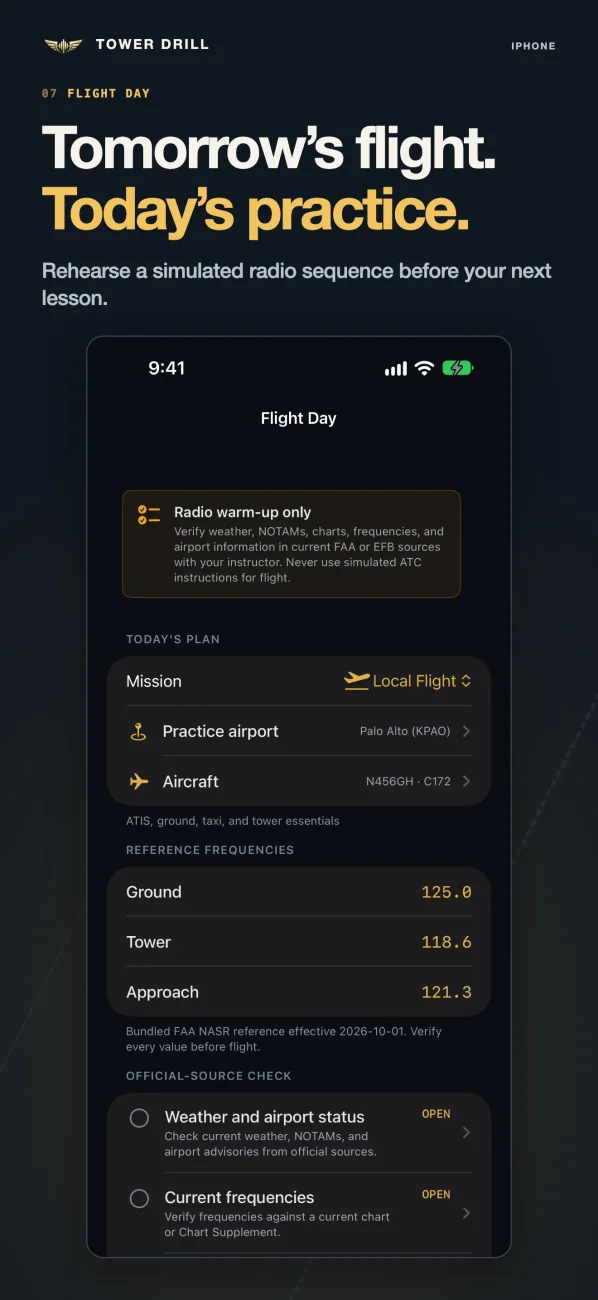
PREPARE FOR FLIGHT DAY
Check current weather and official airport sources, choose the operation you expect to fly, then rehearse its radio sequence as a clearly labeled simulation.
PRACTICE A LITTLE EVERY DAY
• Daily Drill gives you four calls in about two minutes, built from your recent misses, your weakest skill, and a quick review.
• An optional daily reminder skips days you've already practiced.
• Start a drill from Siri or Shortcuts.
LOG YOUR RADIO TIME
• Every clean call logs radio time, with more credit the less help you use.
• Earn ratings from Student Radio Pilot to Tower Ace. Meet the hours and milestones, then pass a short no-hints checkride.
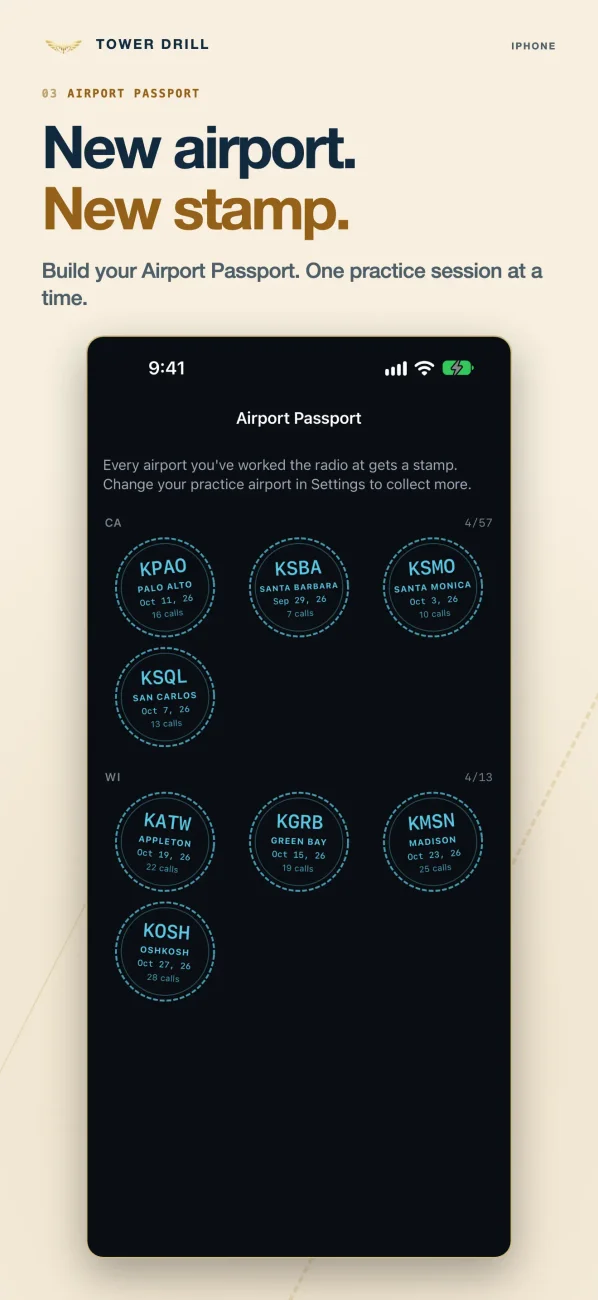
• Stay radio current with three clean calls in any seven days, and collect a passport stamp for every airport you work.
• Your first solo on the radio earns a shareable shirt tail.
FOR FLIGHT SCHOOLS AND INSTRUCTORS
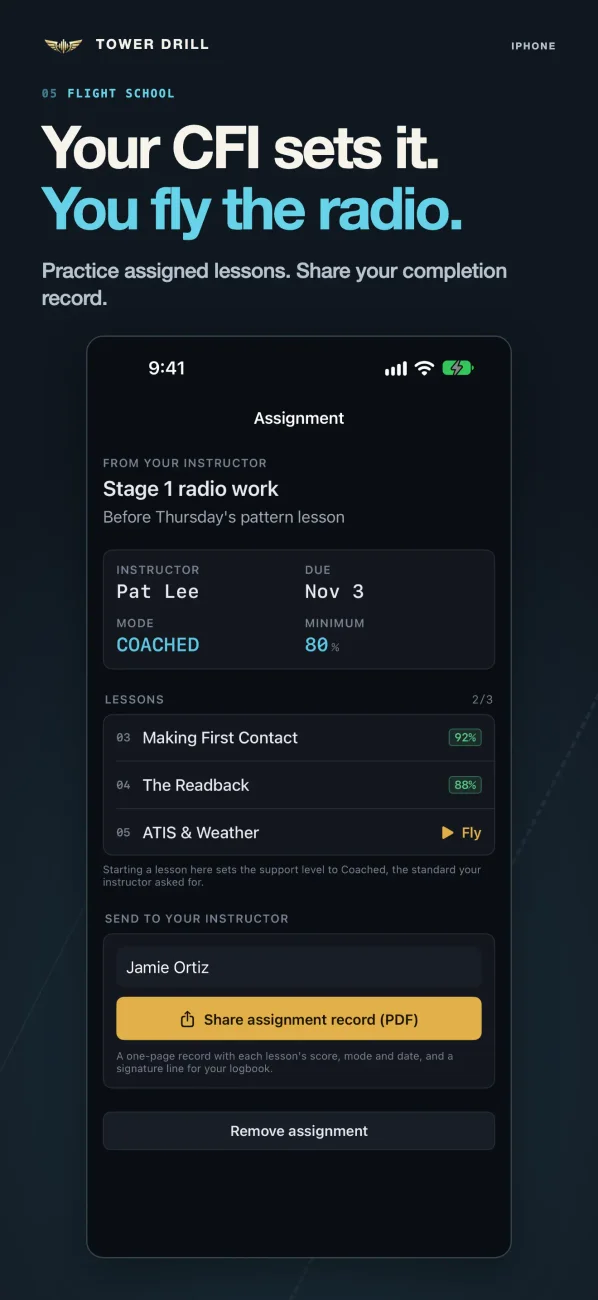
• Instructors pick lessons, a support level, a minimum score, and a due date, then share the assignment by link or QR code.
• Students see assigned lessons at the top of their syllabus, and a lesson counts only when flown to the standard.
• Students send back a one-page PDF record, or a progress code that adds them to the instructor's roster.
• No accounts or school server: everything travels inside the link.
REVIEW WHAT YOU ACTUALLY SAID
• Tape Review replays recent transmissions beside the expected readback.
• Practice My Misses builds a short session around weak details.
• Taxi Trainer reinforces route order, runway crossings, and hold-short restrictions.
• Radio Skills and ACS Readiness show the areas you have practiced.
• A CFI-ready PDF summarizes progress for your instructor.
19 LESSONS, 104 SPOKEN DRILLS
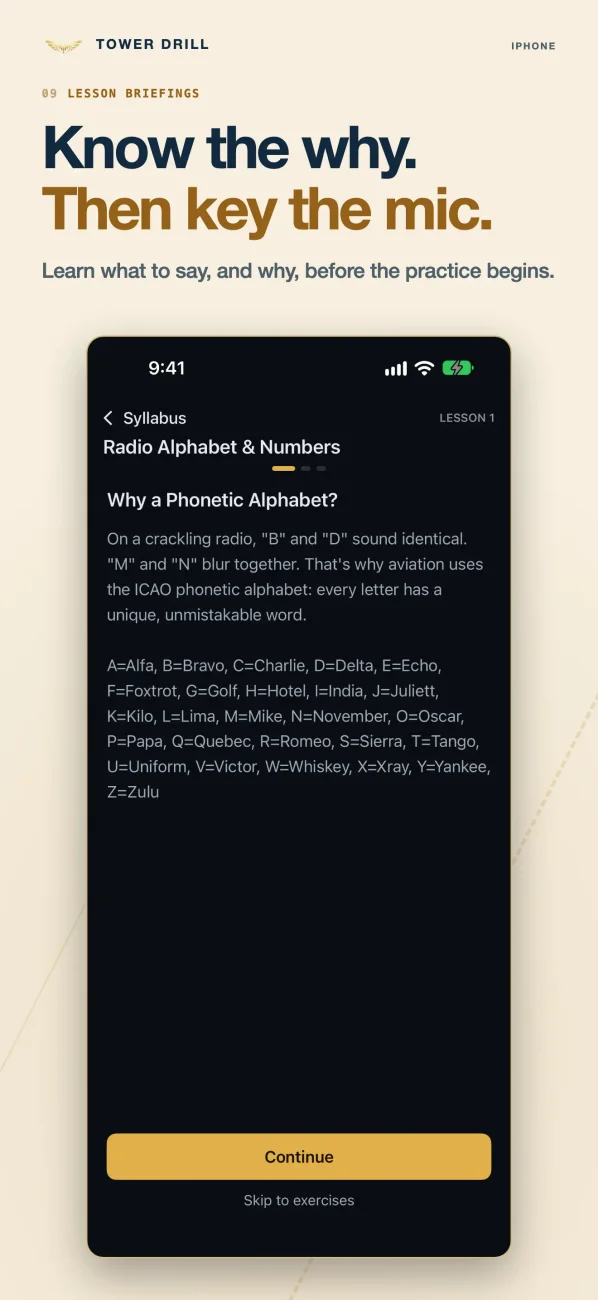
Build from phonetics and first contact to taxi, takeoff, flight following, IFR, CTAF, and abnormal situations. Changing calls teach structure instead of one memorized script.
FREE TO START
The first 5 lessons and 24 drills are free. Instructor assignments are free. A one-time $8.99 Pro purchase unlocks the complete course, all 577 practice airports, Flight Day mission rehearsal, Radio Checkride, Commute Mode, and the CFI report. No subscription.
PRIVATE BY DESIGN
No account, ads, analytics, or tracking. Speech evaluation happens on device. Practice recordings and transcripts stay on your device. Optional Apple Intelligence features use Apple's on-device system language model on supported devices; core guided lessons do not require it.
Tower Drill is an educational practice aid, not a substitute for a flight instructor, current charts and publications, regulations, or real ATC instructions.
What’s new
Version 3.0 · Nov 1, 2026
Tower Drill 3.0 is rebuilt for flight training and built for iPhone Duo.
NEW: IPHONE DUO
• Practice on the outer display or unfold into a two-pane radio workspace
• Keep the conversation beside your guidance and push-to-talk controls
• Partially open layouts keep content clear of the hinge, including tabletop practice
• Lesson briefings, Syllabus, and Logbook adapt to the inner display
MORE IN 3.0
• A new, cleaner design modeled on cockpit instruments, with avionics colors: cyan for what you say, green for pass, amber for caution
• Syllabus, Practice, and Logbook tabs
• Radio Logbook: clean calls log radio time toward ratings from Student Radio Pilot to Tower Ace, with endorsements along the way
• Lesson debrief shows the time you logged and anything you earned
• Rating checkrides: meet the hours and milestones, then fly a short no-hints check to earn each rating
• First solo shirt tail to share when you earn Solo Radio
• Radio currency: three clean calls in any seven days keeps you current
• Weather days: a 7-day Daily Drill streak banks one that covers a missed day
• Airport Passport: collect dated airport stamps, track calls at each field, and watch your collection grow across states
• Misheard? After a missed call, tap "That's not what I said" and try again without counting it
• The controller notices a sharp run now and then
• A squelch tail when you release PTT
• Flight school assignments: instructors set lessons, support level, minimum score, and due date, then share by link or QR code
• Students see assigned work at the top of the syllabus and send back a one-page completion record
• Instructor tab for CFIs (turn it on in Settings > Flight School), with a student roster built from progress codes your students share
• Spacious two-pane layouts on iPad
• Reliability fixes for speech playback and Listen & Shadow
Tower Drill remains private by design, with no account, ads, analytics, or subscription.
App privacy
What TXN LLC declares on the App Store about how this app handles data.
-
Data not collected
The developer does not collect any data from this app.
Privacy practices may vary, for example with the features you use or your age.
Information
- Seller
- TXN LLC
- Category
- Education
- Version
- 3.0
- Updated
- Nov 1, 2026
- Released
- Apr 9, 2026
- Size
- 10.5 MB
- Requires
- iOS 17.0 or later
- Age rating
- 4+
- Price
- Free
- In-app purchases
- Yes
- Languages
- English
- Copyright
- © (c) 2026 TXN LLC
You might also like
-
 Memory SportsMemory Training & Competition
-
 N-Back MathEducation
-
 WilcoAI — ATC Radio PracticeIFR and VFR readbacks, graded
-
 Takeoff CommsLearn pilot radio calls
-
 Wilco: ATC Radio TrainerPilot radio calls & readback
-
 Radio COMM Training for PilotsPhraseology & ATC Comm
-
 ATC Clearance AIEducation
-
 ATC-TrainerPilot Radio Training
-
 anglais.comEducation
-
 PilotSpeak: AI Pilot TrainingPractice ATC calls out loud