Trace: GPS Speedometer
Speed + auto trip tracker
Designed for iPhone, iPad, iPod touch
Free · In-app purchases
- Age rating4+
- CategoryNavigation
- DeveloperMinghao Fu
- LanguagesEnglish+ 43 more
- Size59.5 MB
Links to the official App Store page
Download.org hosts no file of Trace: GPS Speedometer. The button opens its official App Store page, published by Minghao Fu. Listing last checked on Nov 20, 2026.
Screenshots



About
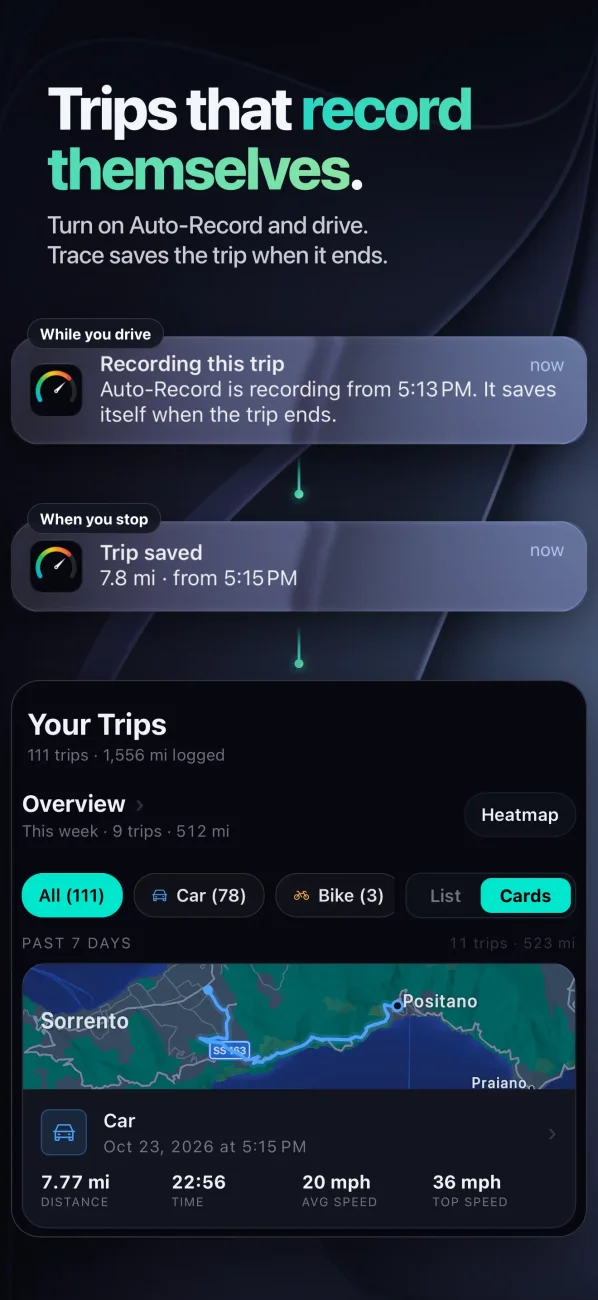
Trace is a big, clear GPS speedometer for iPhone that can also record your trips by itself. Turn on Auto-Record and Trace saves your drives and rides in the background with no tap — any trip faster than 9 mph (15 km/h). There is no monthly limit on Auto-Record trips.
No account needed — your speed, routes, and history stay on your device, syncing only to your own iCloud if you turn it on. It's your private location timeline: a map of everywhere you've been that lives on your phone, never on anyone's server.
SPEEDOMETER
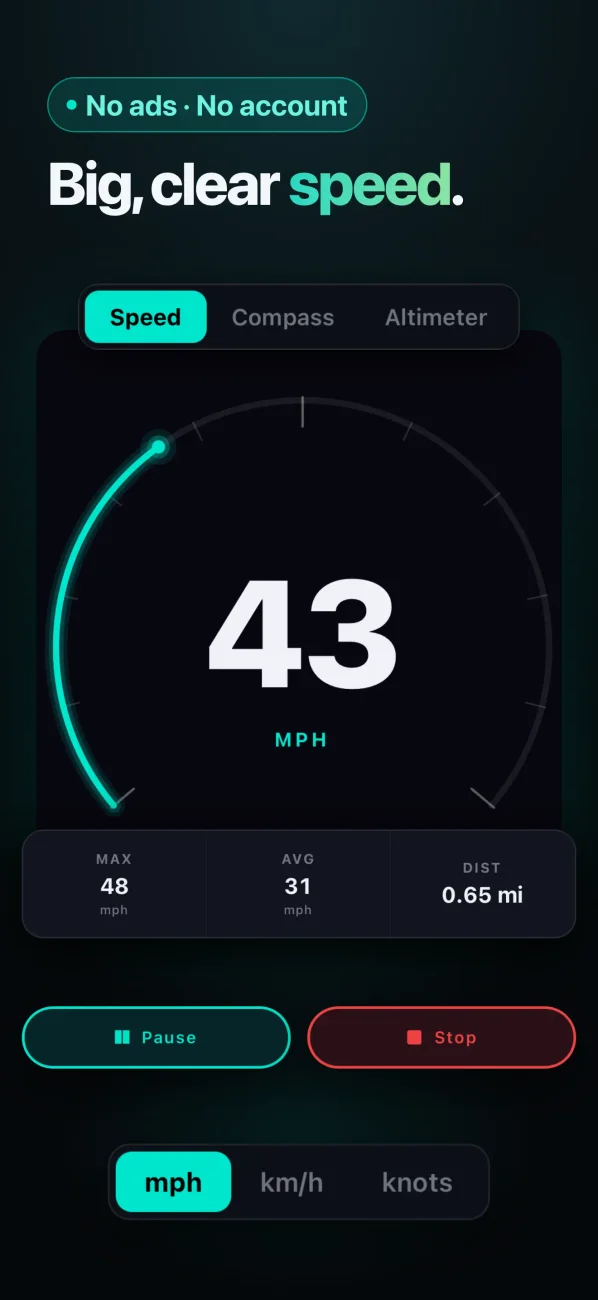
• Big, easy-to-read speed in mph, km/h or knots
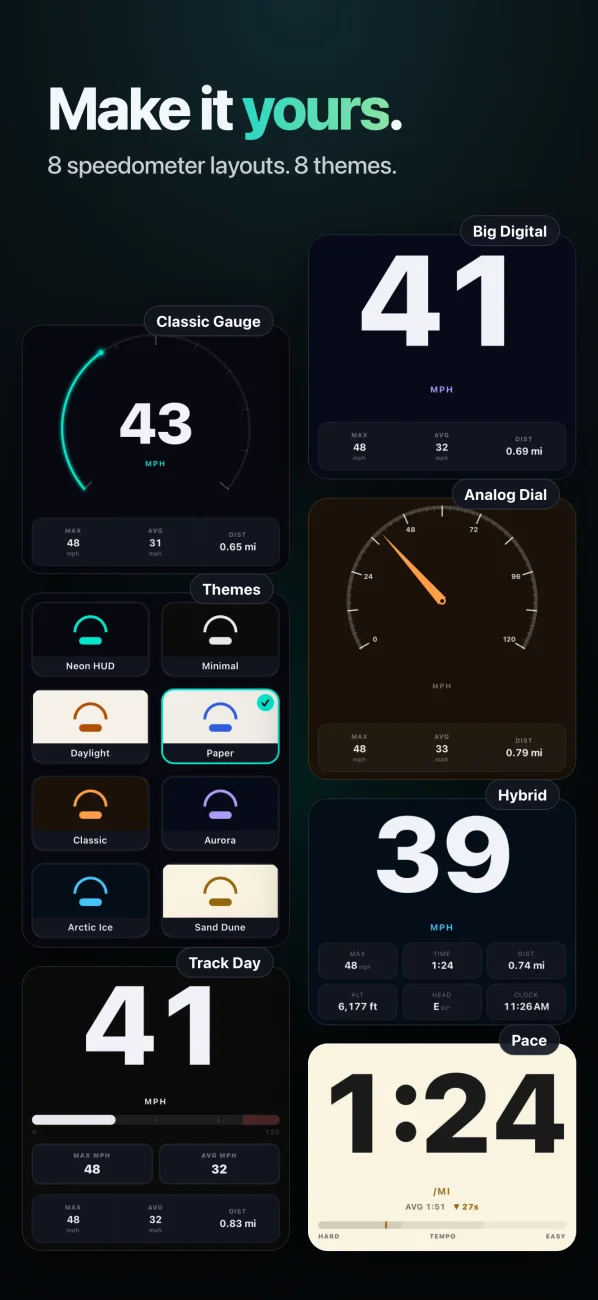
• Classic Gauge and Big Digital layouts
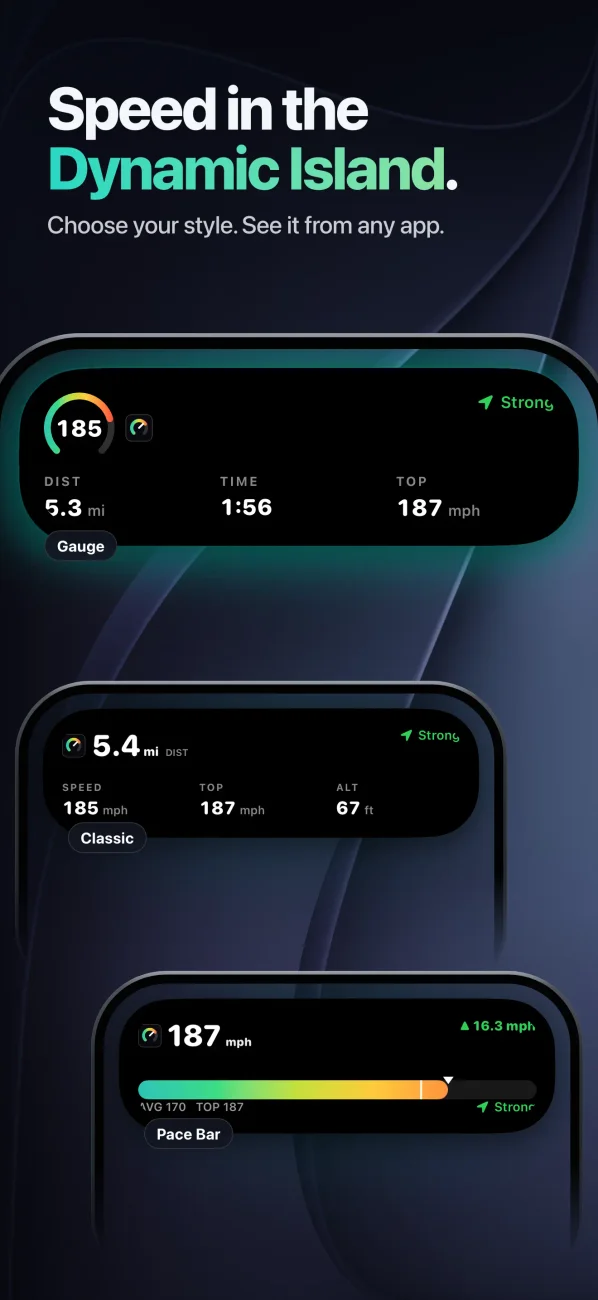
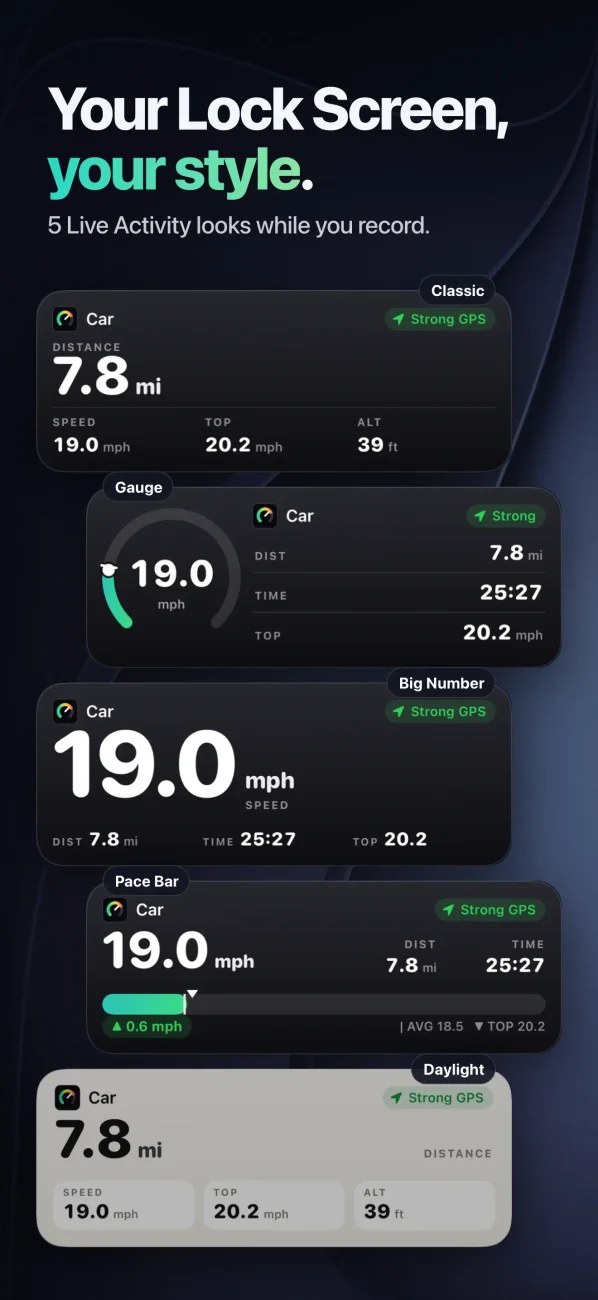
• Live Activity on the Lock Screen and in the Dynamic Island: see your speed without unlocking, and pick the stats it shows
• Home Screen and Lock Screen widgets, including your latest trip on a map
• Stat tiles for top speed, average speed, distance and trip odometer
• Set your own speed limit and get a warning when you go over it
• Four themes, light and dark
TRIPS
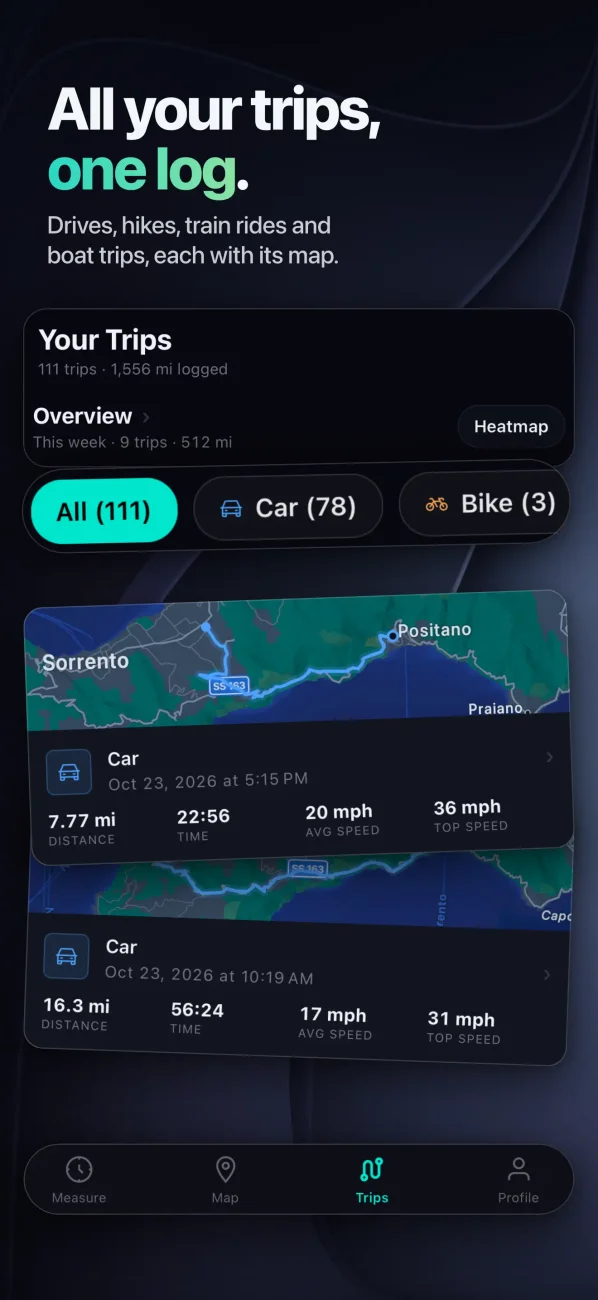
• Auto-Record for drives and rides, or tap Record for any walk, run, bike ride, drive, motorcycle ride, hike, train or boat trip
• Keeps recording with the screen off
• Trips are saved with their route on a map
• Full trip detail for the first 24 hours: speed chart, splits, speed zones and an interactive map. The stats stay for 30 days; the route, distance and total time stay for good.
• Share any trip as a picture, with your route on the real map: choose from five cards, then share it, copy it or save it to Photos.
• Import your workouts from Apple Health: runs, walks, hikes and rides, routes included. Connect once and the last 30 days import and stay in sync.
COMES WITH TRACE PRO
Trace Pro is an optional subscription. It comes with:
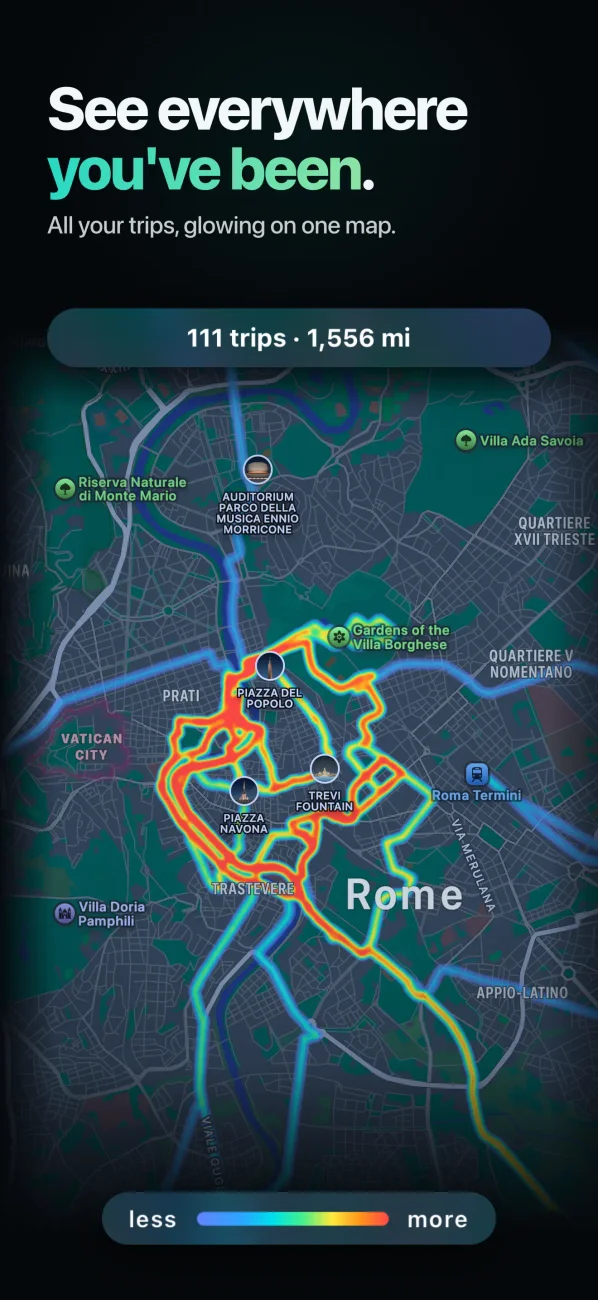
• A personal heatmap of every road, trail and place you've moved through
• GPX and CSV export
• iCloud sync of your trips and settings across your devices
• Full detail on all your trips, however old
• Trip lines colored by speed
• Six more speedometer layouts: HUD Mirror, Hybrid Pro, Analog Dial, Track Day, Pace and Navigator
• Focus Mode: a clean, full-screen view of your speed, distance and time
• More stat tiles, including pace, slope, altitude, heading, total ascent and moving average
• More Live Activity styles, themes, speed fonts, trip line colors and app icons
• Resume a trip that was interrupted
• Up to five years of workout history
YOUR DATA STAYS YOURS
• All trip data stays on your device (or your own iCloud)
• Settings sync via iCloud across your devices
• We never collect or sell your data — your trips stay on your device
• Your trips are always yours, exportable anytime as GPX or CSV
Whether you're commuting, training for a marathon, road-tripping, riding the train, or just curious how far you walked this week — Trace is the speedometer, trip log, and memory map that comes with you everywhere.
Free to start. No account needed. Your trips are always yours.
Terms of Use (EULA): https://www.apple.com/legal/internet-services/itunes/dev/stdeula/
Privacy Policy: https://www.dukefu.com/privacy-policy
What’s new
Version 1.4.0 · Nov 11, 2026
1.4.0
The new Atlas tab shows every trip you've ever taken on one map.
• See how many countries and cities you've been to.
• Share your Atlas as a picture.
• There's also an Atlas widget for your Home Screen.
• Auto-Record uses GPS a lot less when you're walking around or sitting still.
App privacy
What Minghao Fu declares on the App Store about how this app handles data.
-
Data not linked to you
May be collected but is not linked to your identity.
- Identifiers
- Diagnostics
Privacy practices may vary, for example with the features you use or your age.
Information
- Seller
- Minghao Fu
- Category
- Navigation
- Version
- 1.4.0
- Updated
- Nov 11, 2026
- Released
- Jun 24, 2026
- Size
- 59.5 MB
- Requires
- iOS 15.1 or later
- Age rating
- 4+
- Price
- Free
- In-app purchases
- Yes
- Languages
- English, Arabic, Bengali, Catalan, Croatian, Czech, Danish, Dutch, Finnish, French, German, Greek + 32 more
- Copyright
- © 2026 Duke Fu
You might also like
-
 Torq: GPS Speedometer TrackerSpeed HUD, Odometer & G-Force
-
 RoadTrace: Mileage TrackerBusiness trip log, GPS & speed
-
 GPS Trip Recorder - GPS.RECSpeed Tracker & Route Logger
-
 Roveri: Road Trip JournalTravel diary, ride log & map
-
 BikeSpeed – GPS SpeedometerRetro speedometer app
-
 Mylle: Travel JournalCollect stamps, save memories
-
 Mobinex rastreamento veicularNavigation
-
 GPS Altimeter: Elevation MeterReal-time elevation for hikers
-
 G-TraceNavigation
-
 GPS Speedometer: Route TrackerTrack Speed, Distance & Trips