
Tracely: Count & Track
Habits, counts & measures
Designed for iPhone, iPad
In-app purchases
- Age rating4+
- CategoryProductivity
- Developer鼎宸 张
- LanguagesEnglish+ 1 more
- Size19.9 MB
Links to the official App Store page
Download.org hosts no file of Tracely: Count & Track. The button opens its official App Store page, published by 鼎宸 张. Listing last checked on Nov 10, 2026.
Screenshots

About
Tracely is a minimalist personal tracker: anything you want to follow can become a record type you define yourself. Every feature is free — no ads, no limits.
[Three Ways to Record]
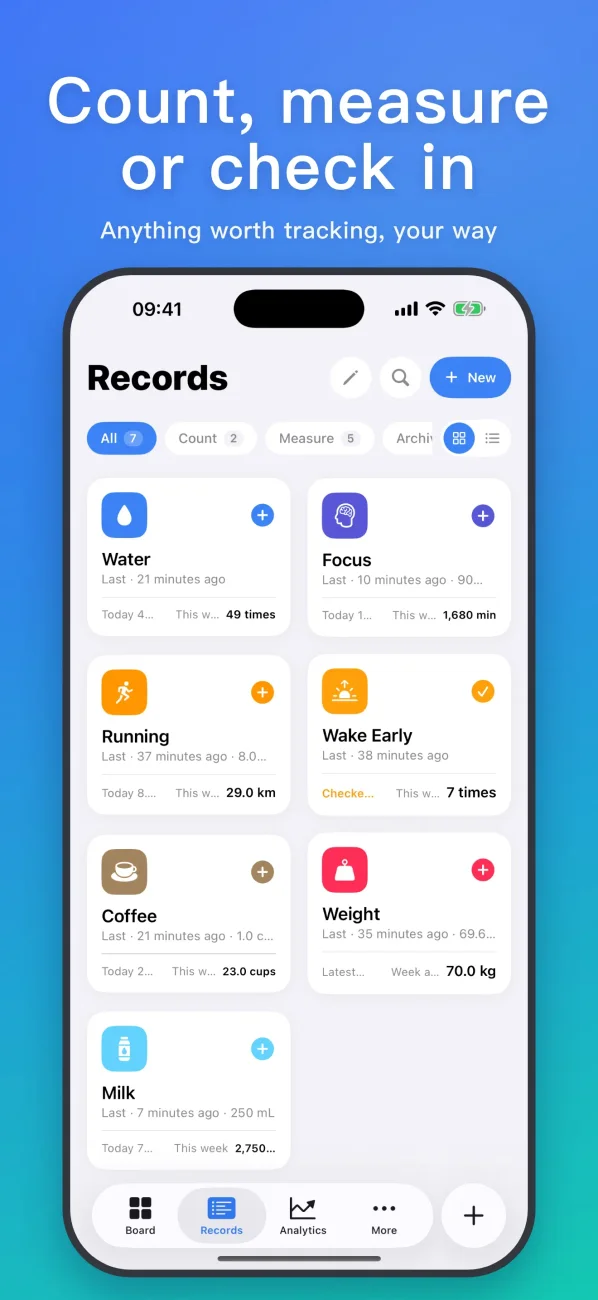
- Count — cups of coffee, sets of push-ups
- Measure — weight, focus time, running distance, with built-in time / mass / length / volume unit conversion, plus your own custom units; values like body weight can be summarized by average
- Check-in — early nights, reading, meditation: one tap a day
[Log It in Two Seconds]
- The "+" in the tab bar jumps straight to entry, with preset steps and a number pad
- Check-in and single-preset types log with a single tap on the Records page, with instant undo
- A short welcome guide with ready-made templates gets you started in a few taps
[Timers and Reminders]
- Start a timer for any duration type; the Dynamic Island and a Lock Screen Live Activity show the running time, and stopping it logs a record
- Scheduled, goal, and rhythm-based smart reminders, all handled on your device
[Boards: Your Data at a Glance]
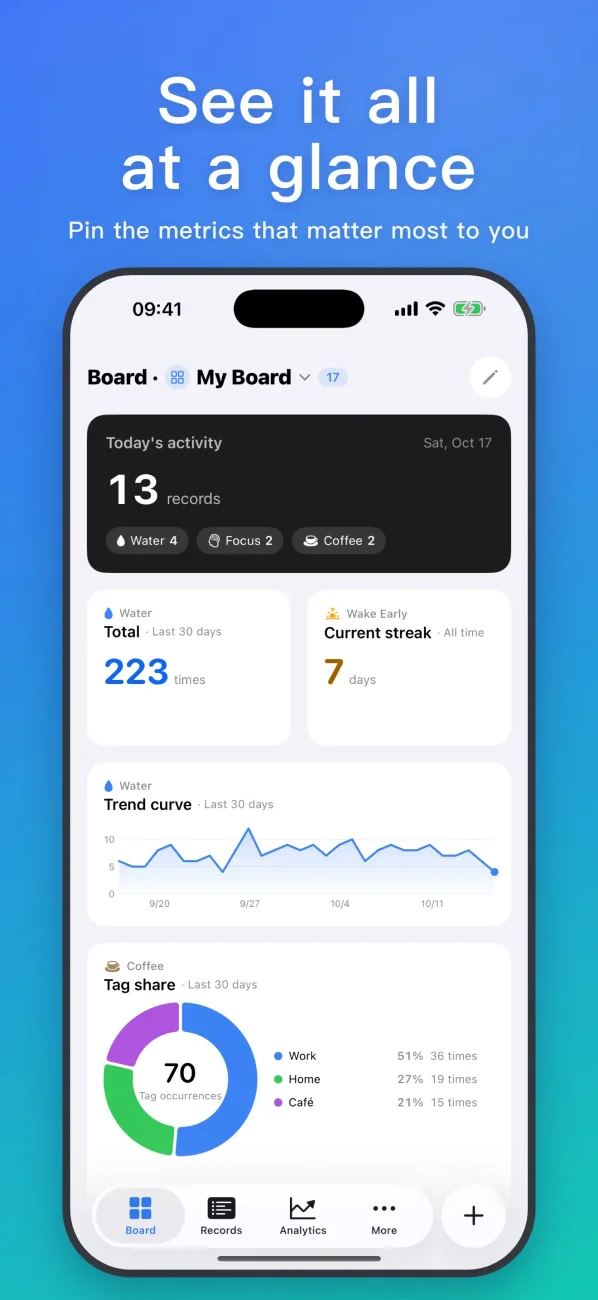
- Pin the metrics you care about as cards: today's count, goal ring, mini trend, current streak… Drag to reorder, switch sizes, and keep multiple boards
- Share any board card or chart as an image
[Analytics: See Your Patterns]
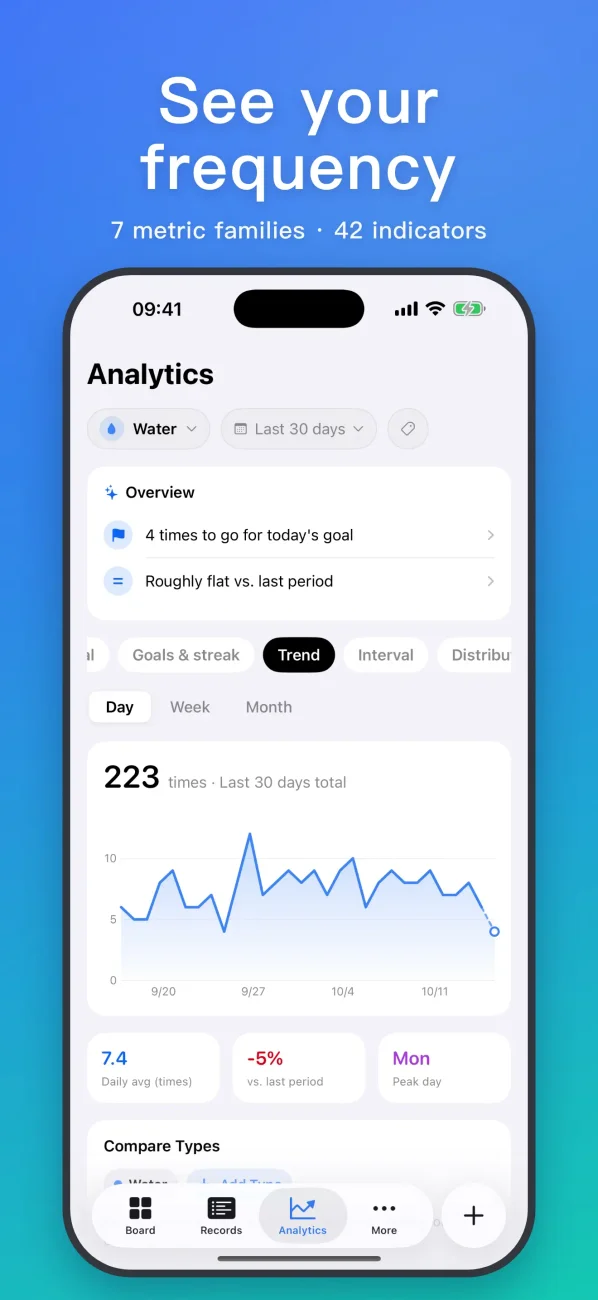
- 7 metric families, 42 indicators: totals and averages, trends, time-of-day distribution, interval patterns, streaks and longest records, goal completion, and a calendar heatmap — auto-fitted to each record type
- An overview at the top sums up changes versus the previous period, streaks, goal progress, and peak times
- Compare several types on one chart to see how they rise and fall together
- For types with a goal, streaks count consecutive days, weeks, or months in which you hit it
[Widgets, Siri, and Apple Watch]
- Home Screen and Lock Screen widgets, a Quick Log widget, and a Control Center timer toggle
- Siri and Shortcuts: log once, ask for today's or this week's stats, start or stop a timer
- Log from your wrist on Apple Watch, with watch-face complications and Smart Stack widgets
[Privacy and Data Safety]
- Stored on your device and synced through your private iCloud database; the developer can never access your data
- Privacy Lock with Face ID, Touch ID, or passcode; optionally hide details in widgets and Siri while locked
- Full backup export/import with optional AES encryption, plus CSV import and export for moving data in and out
- Automatic safety snapshots before clearing, replacing, or deleting a type — all undoable
- No ads, no third-party analytics SDKs
[iPad]
- Native iPad layout: sidebar navigation, a "Types | Details" two-column records area, and pages that flow into multiple columns as the screen widens; keyboard shortcuts and pointer hover supported
-------------------
Support the Developer (entirely optional):
- If Tracely helps you, you can buy the developer a coffee (one-time) or become a monthly supporter (auto-renewable subscription) under More → Support the Developer
- Tips and monthly support do not unlock any features — everyone gets the same complete Tracely
- Monthly support renews automatically and can be canceled anytime in your App Store account settings; payment is charged to your Apple Account at confirmation of purchase
-------------------
- Terms of Use: https://www.apple.com/legal/internet-services/itunes/dev/stdeula/
- Privacy Policy: https://app.lonelyman.site/tracely/privacy
What’s new
Version 1.2.0 · Oct 16, 2026
What's new:
- Everything is free: no more limits on record types, records, or boards — all charts, tag filters, multiple boards, backup and restore, and Apple Watch are open to everyone
- New Support the Developer page (More → Support the Developer): buy the developer a coffee or become a monthly supporter — entirely optional, and it unlocks no features
- If you subscribed to Pro, you no longer need it — cancel anytime in Settings → Apple Account → Subscriptions
- New local reminders: scheduled, goal, and rhythm-based smart reminders, set per device; they stay quiet once you've checked in or hit your goal
- New welcome guide with ready-made type templates to get you started in a few taps
- New Quick Log widget; check-in and single-preset types now log with one tap on the Records page, with undo
- New duration timer: the Dynamic Island and a Lock Screen Live Activity show the running time, and stopping it logs a record; add a timer toggle to Control Center
- Apple Watch now has watch-face complications and Smart Stack widgets that update as soon as you log on the watch
- New Privacy Lock: unlock with Face ID, Touch ID, or passcode, with an optional grace period; content is hidden in the app switcher. You can also hide details in widgets and Siri while locked, and keep record types out of system search
- New CSV import and export: preview column mapping, match or create types automatically, skip duplicates, and undo the import
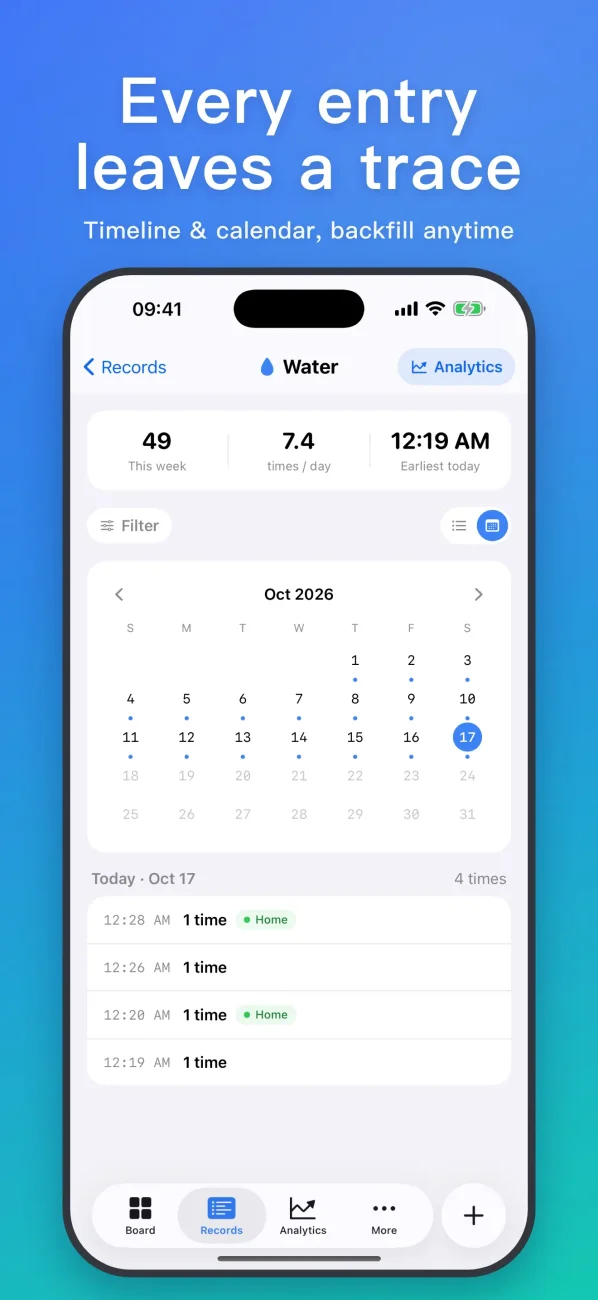
- Select multiple entries in the log to delete, retag, or move them to another type in one go, with undo
- New Analytics overview that sums up changes versus the previous period, streaks, time since last entry, goal progress, and peak times; plus a new cross-type comparison
- New Siri and Shortcuts actions: log once, open a type, ask for today's or this week's stats, and start or stop a timer
- Share board cards and charts as images
- Values like body weight can now be summarized by average instead of sum
- For types with a goal, streaks now count consecutive goal periods (day / week / month) met; completion rate starts from the period the goal was set
- New number pad for entry; press and hold ± to adjust continuously
- Automatic safety snapshots before clearing data, replacing on import, or deleting a type, all undoable; deleting a single entry can be undone too
- Widgets support tinted and clear Home Screen styles and open straight to Analytics; improved Dark Mode and color legibility
- iPad keyboard shortcuts (⌘N to log, ⌘1–⌘4 to switch tabs) and pointer hover
- Stronger encryption for backups; encrypted backups from this version need the updated app to open, so please update all your devices
Fixes:
- Fixed boards, widgets, and Apple Watch still showing the previous day's numbers after midnight
- "Last N days" now means N calendar days including today, so some numbers may differ slightly from before
- Trends and running totals for count types now consistently count entries; fixed average rates, goal progress, and unit conversions
- Fixed the sync status display, and duplicates created by sync are now merged automatically
- The app no longer crashes if its database can't be opened; it shows a notice and keeps your data
- Fixed rapid taps on Save creating duplicate entries, and failed saves being reported as successful
- Weekly stats in widgets and on Apple Watch now follow the in-app first-day-of-week setting
- Entry times can no longer be set in the future, and counts must be at least 1
App privacy
What 鼎宸 张 declares on the App Store about how this app handles data.
-
Data not collected
The developer does not collect any data from this app.
Privacy practices may vary, for example with the features you use or your age.
Information
- Seller
- 鼎宸 张
- Category
- Productivity
- Version
- 1.2.0
- Updated
- Oct 16, 2026
- Released
- Jun 13, 2026
- Size
- 19.9 MB
- Requires
- iOS 18.0 or later
- Age rating
- 4+
- In-app purchases
- Yes
- Languages
- English, Simplified Chinese
- Copyright
- ©️LM
You might also like
-
 Tally Rule - Habit TrackerTrack Habits Like a Budget
-
 HabitGrip: Habit TrackerCalm habit & task tracker
-
 Progress: Idea JournalJot It Down. Iterate. Do It.
-
 Mogoo TracksTrack anything, see trends
-
 WristHabit - Habit BuilderTime plan, discipline & remind
-
 Jidian Habit TrackerSimple Daily Check-ins
-
 FloCardsTurn ideas into progress
-
 MeetricsAnalyze your personal data.
-
 Orbit – Habit & Memory TrackerSee your life as an orbit
-
 Habit Tracker – HabitKeepApp Blocker, Habit Builder