
TrackedSnap
Line Up Every Progress Photo
Designed for iPhone, iPad
Free · In-app purchases
- Age rating4+
- CategoryPhoto & Video
- DeveloperWillis Worxs, LLC
- LanguagesEnglish
- Size19.4 MB
Links to the official App Store page
Download.org hosts no file of TrackedSnap. The button opens its official App Store page, published by Willis Worxs, LLC. Listing last checked on Nov 12, 2026.
Screenshots


About
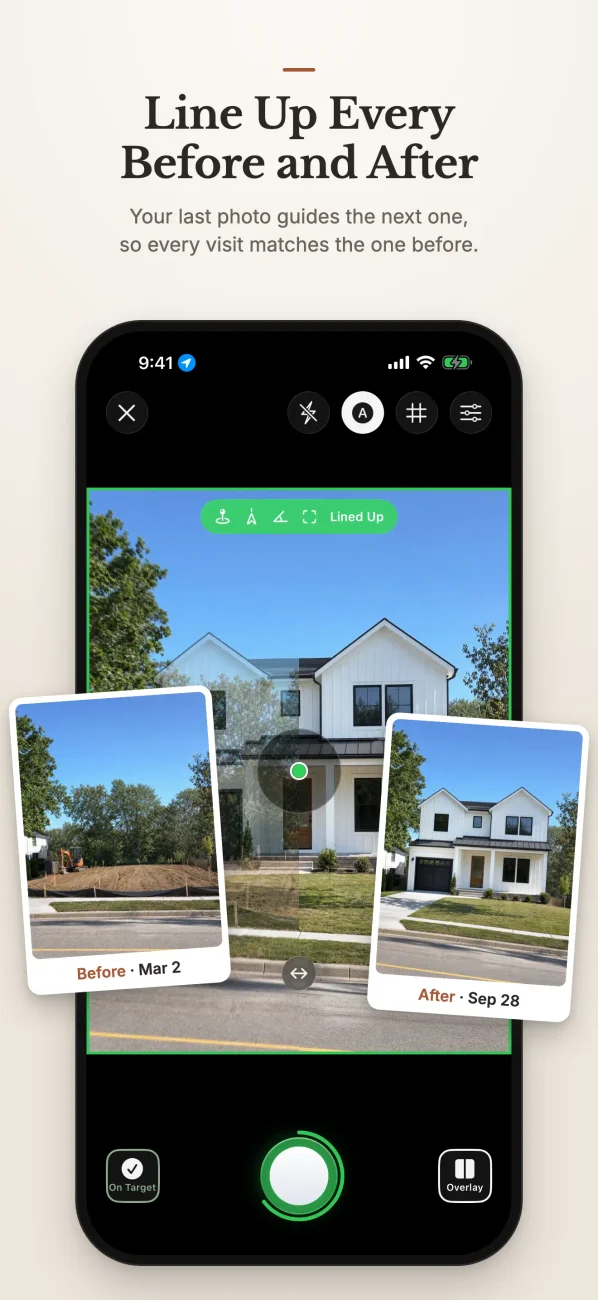
TrackedSnap helps you take the same photo again and again, from the same spot and the same angle, so your progress photos line up.
Document a build from the first stake to the final walk-through, show a renovation before and after, or keep standardized progress photos at every patient visit.
LINE UP THE SAME SHOT
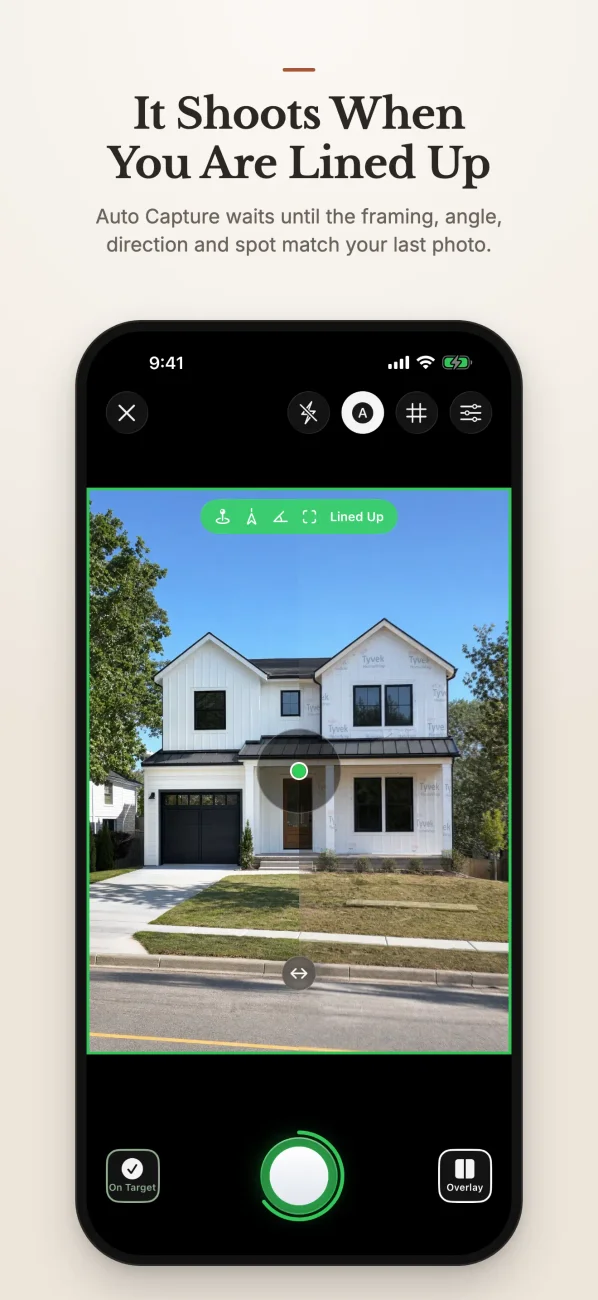
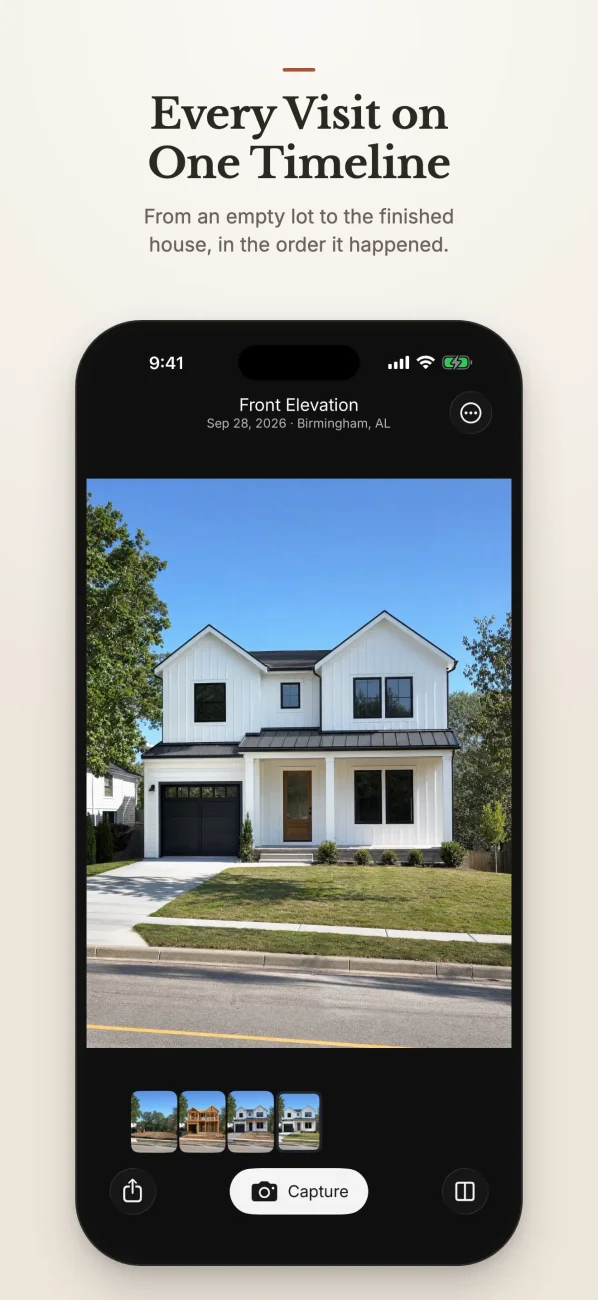
• Reference Overlay: half the viewfinder shows your last photo, so edges and corners line up by eye.
• Angle: a level shows how far your phone's tilt is from the last photo.
• Direction: the compass shows which way to turn.
• Position: GPS shows how far you are from where the last photo was taken, and a map shows where you stood.
• Match Reference Color keeps the parts of the scene that did not change looking the same.
• The camera sets its zoom to match the last photo's field of view.
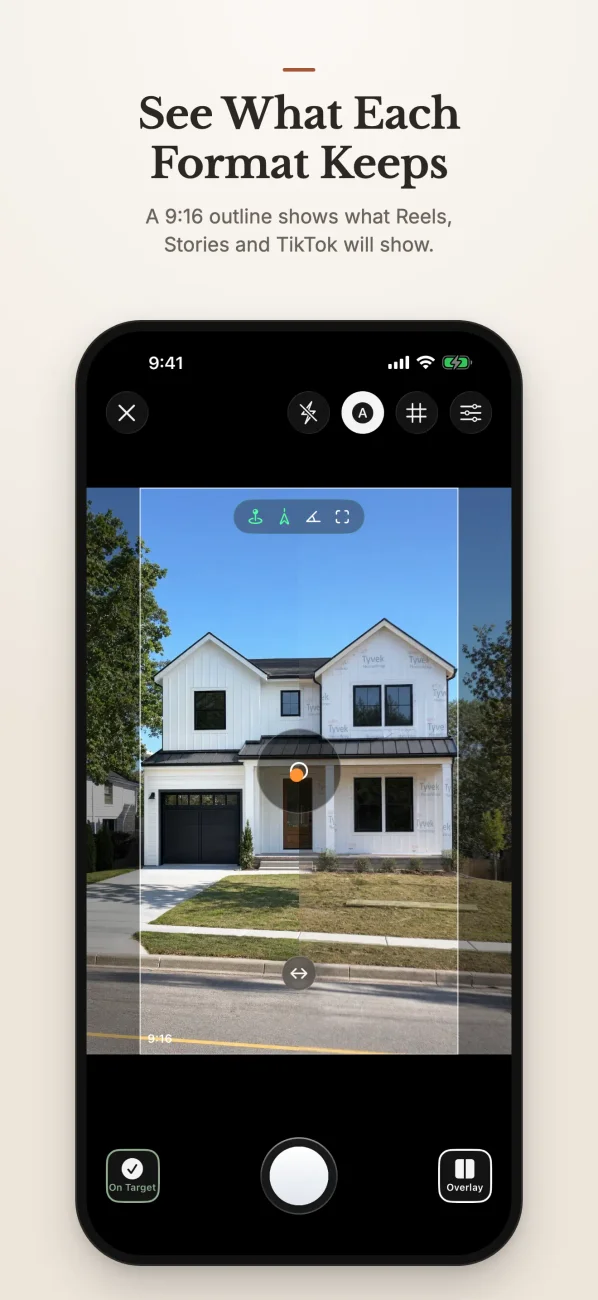
• A format guide outlines what a 9:16, 4:5, 1:1 or 16:9 video will keep, so you frame for where you will post.
AUTO CAPTURE
When the framing matches and the angle, direction and position agree, TrackedSnap takes the photo for you. Choose Low, Medium or High sensitivity.
BEFORE-AND-AFTER VIDEOS
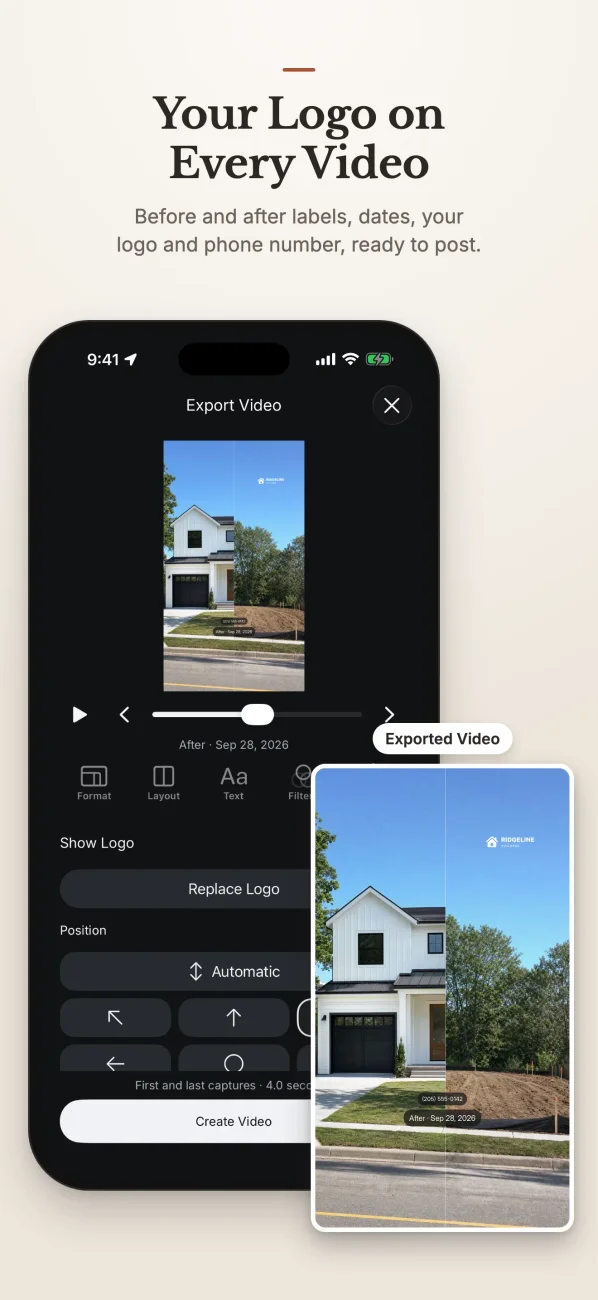
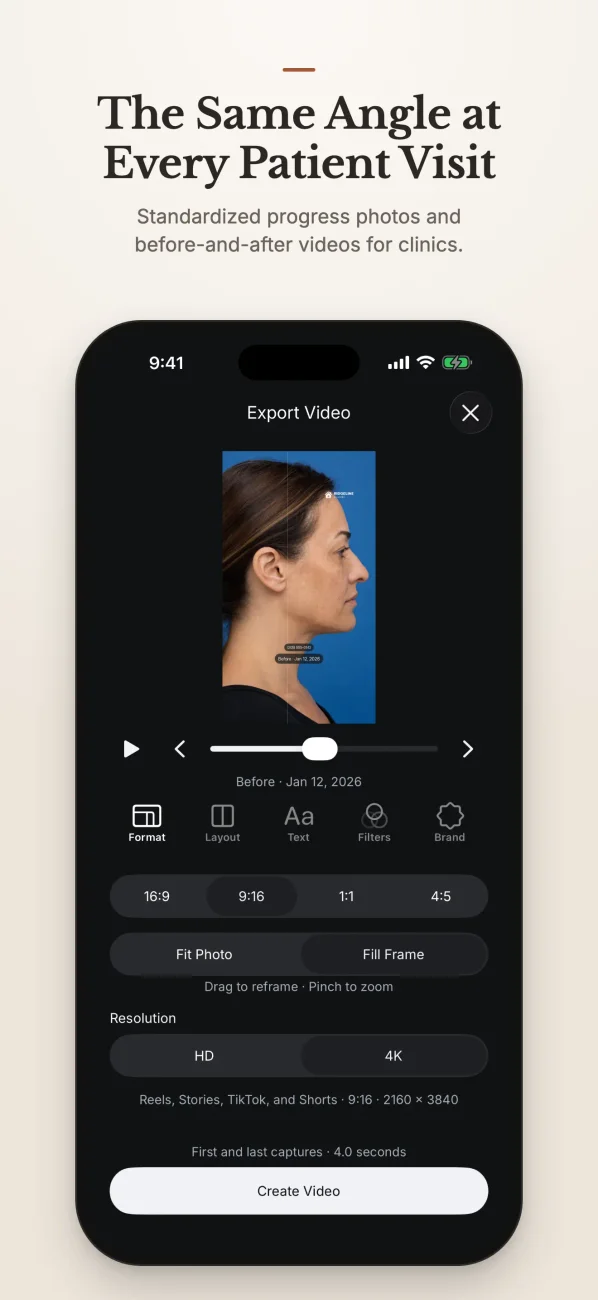
• Reveal or dissolve from your first photo to your last, or make a timelapse of every visit.
• 16:9, 9:16, 1:1 and 4:5, in HD or 4K.
• Dates or day counts, captions, filters, your logo and your contact details.
• Stabilize Photos lines each photo up with the latest one.
• Share side-by-side still comparisons.
STAY ORGANIZED
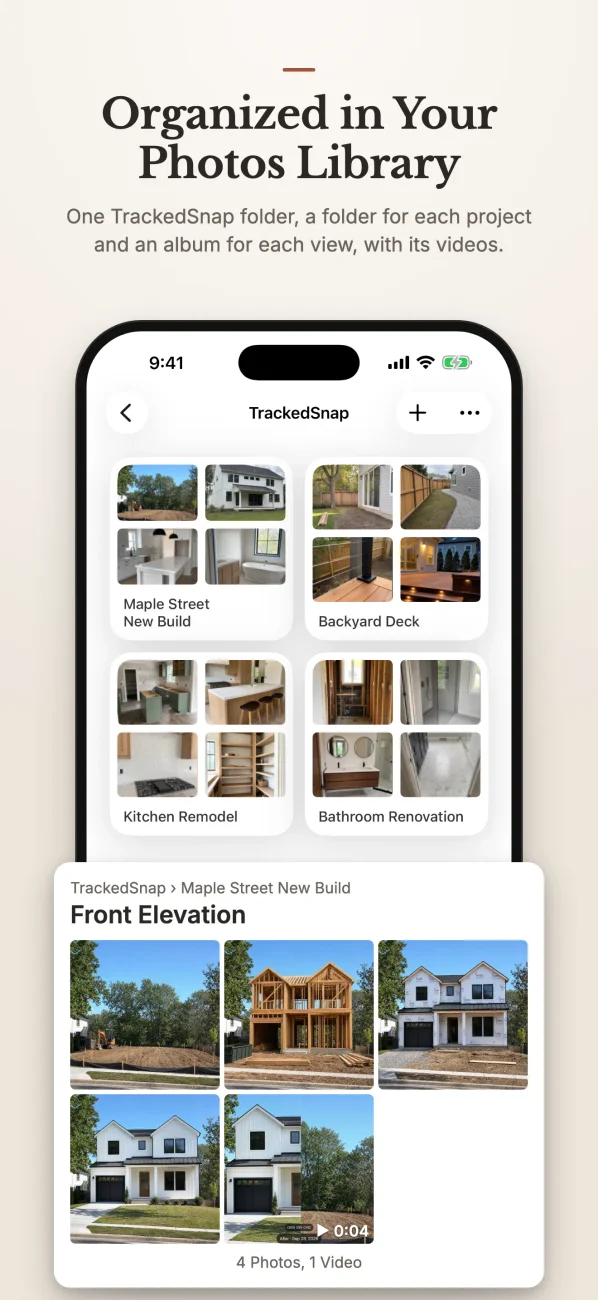
• Projects hold views, and each view keeps every visit in order.
• Reminders on a schedule you choose, or when you arrive at the site.
• A Next Photo Due widget for your Home Screen.
• Import earlier photos from your library, with their location.
• Photos and exported videos are filed in your Photos library: one TrackedSnap folder, a folder for each project and an album for each view.
• Explore a sample project before you start.
PRIVATE BY DESIGN
No account and no ads. Projects stay on your device. Photos can also be saved to your Photos library, and TrackedSnap Pro adds iCloud Backup to your own iCloud Drive.
PRICING
Capturing with every guide is free, with no photo limit. TrackedSnap Pro unlocks before-and-after reveals and videos, your logo and brand colors, organized Photos folders and iCloud Backup. Pro is an auto-renewing subscription, billed monthly or yearly. Payment is charged to your Apple Account when you confirm the purchase. The subscription renews automatically unless you cancel at least 24 hours before the end of the current period. Manage or cancel it in your Apple Account settings.
Terms of Use: https://trackedsnap.com/terms
Privacy Policy: https://trackedsnap.com/privacy
App privacy
What Willis Worxs, LLC declares on the App Store about how this app handles data.
-
Data linked to you
May be collected and linked to your identity.
- User content
- Identifiers
-
Data not linked to you
May be collected but is not linked to your identity.
- Purchases
Privacy practices may vary, for example with the features you use or your age.
Information
- Seller
- Willis Worxs, LLC
- Category
- Photo & Video
- Version
- 1.1
- Updated
- Nov 5, 2026
- Released
- Nov 5, 2026
- Size
- 19.4 MB
- Requires
- iOS 17.0 or later
- Age rating
- 4+
- Price
- Free
- In-app purchases
- Yes
- Languages
- English
- Copyright
- © 2026 Willis Worxs, LLC
You might also like
-
 LoopOramaLoop your photos in seconds
-
 ImageFlux: Multiple ExposureDouble Exposure & RAW Blending
-
 pico cam: Dynamic Island picsTiny camera, photo magic
-
 Cascable Studio: Camera TetherCapture, automate & backup
-
 Lampa — Digital & Film CameraAnalog Photo & Video • Digicam
-
 Afterlight: Cam & Photo EditorVintage Film Camera & Filters
-
 Panasonic LUMIX LabPhoto & Video
-
 Panasonic LUMIX SyncPhoto & Video
-
 DJI RoninFor DJI RS 2/RSC 2/Ronin-S etc