
TrackTimer: Acceleration Test
Car Acceleration & Drag Timer
Designed for iPhone, iPad
In-app purchases
- Age rating4+
- CategorySports
- DeveloperMOSTUNED LTD
- LanguagesGerman+ 2 more
- Size22.4 MB
Links to the official App Store page
Download.org hosts no file of TrackTimer: Acceleration Test. The button opens its official App Store page, published by MOSTUNED LTD. Listing last checked on Nov 12, 2026.
Screenshots
About
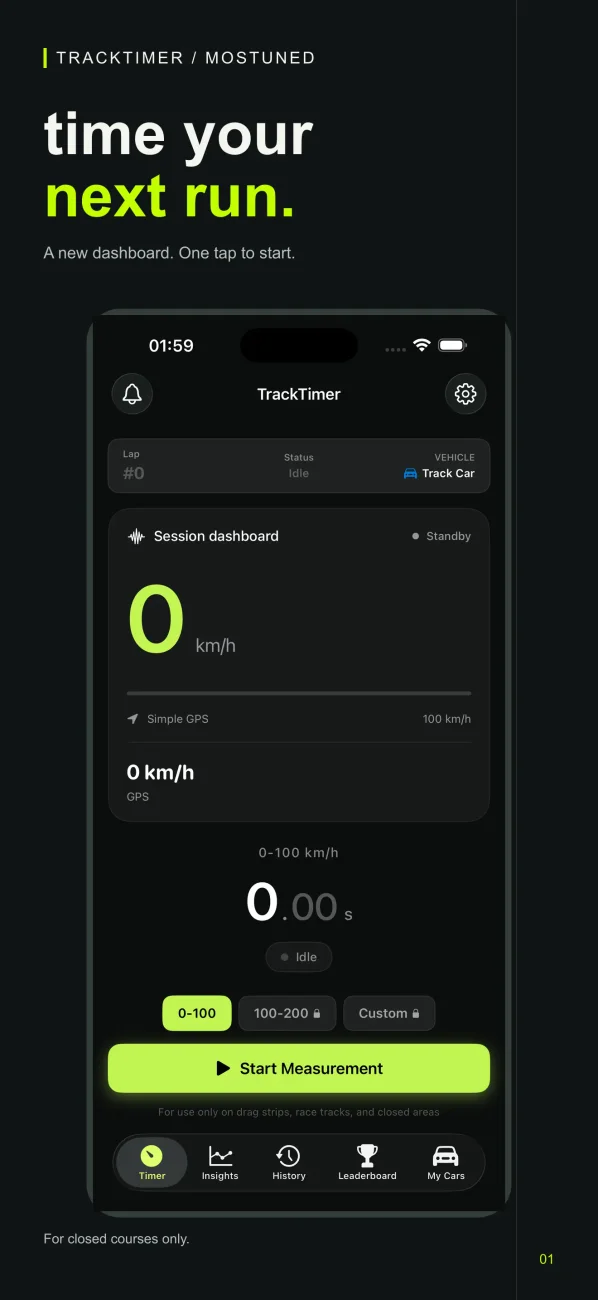
TrackTimer helps you measure acceleration between speed thresholds on closed courses using your iPhone's GPS and motion sensors.
YOUR RUN JOURNAL
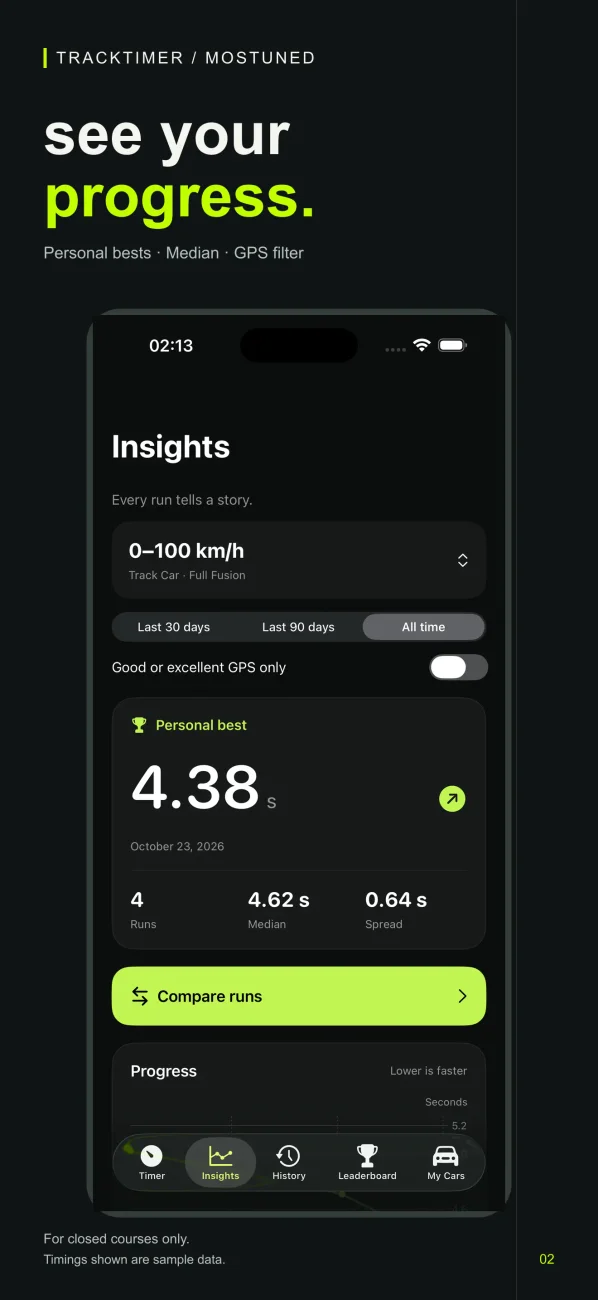
• Follow personal bests, median times and progress in Insights.
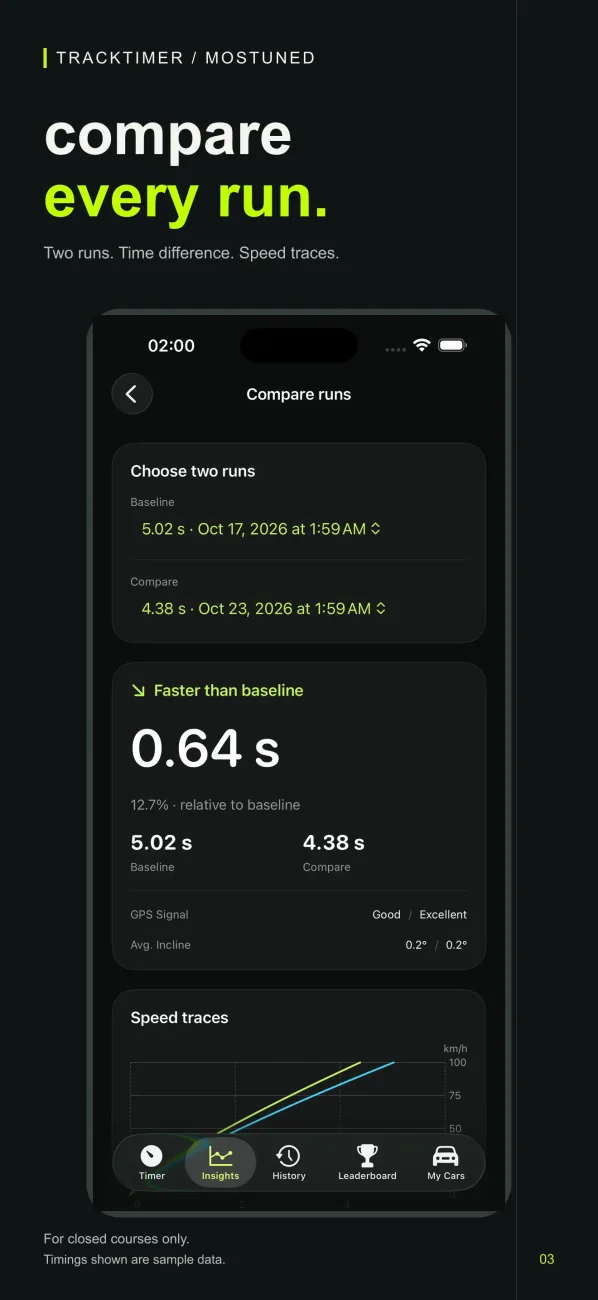
• Compare two runs using the same vehicle, speed range and sensor mode.
• Review time differences and available recorded GPS speed traces.
• Add notes and favorites; search and filter your saved runs.
• Export the current result selection as a CSV file. Exports omit location coordinates and vehicle plates.
MEASURE AND COMPARE
• Time 0–100 km/h runs.
• Compare GPS and sensor-fusion results side by side.
• See GPS signal quality and live speed readings.
• PRO unlocks 100–200 km/h and custom speed ranges.
KEEP YOUR RESULTS
Save measurement history, organize results by vehicle and review timing and available speed charts. Automatic saving and raw-speed recording can be managed in Settings. Charts require recorded speed data.
OPTIONAL SHARING
Sign in to share selected results on the public leaderboard. Review your vehicle photo and notes before sharing. Manage your account and account deletion in Settings.
PRO
Optional one-time in-app purchase. Current price and included features are shown before purchase. Restore purchases from the app using the Apple account used for purchase.
CLOSED COURSES ONLY
Set up and secure your phone before driving. Never interact with the device while driving. Use only on race tracks or private areas closed to traffic. Accuracy depends on device, GPS reception, mounting and measurement conditions. TrackTimer does not replace certified timing equipment.
Support: https://mostuned.com/tracktimer/support/
Privacy: https://mostuned.com/tracktimer/privacy/
What’s new
Version 1.4 · Oct 24, 2026
• Redesigned measurement dashboard with a clearer live-speed display.
• New Insights: personal bests, median times, progress charts and GPS-quality filters.
• Compare two runs for the same vehicle, speed range and sensor mode, with timing differences and recorded speed traces.
• Add notes and favorites to your run history. Search, filter and export results as CSV.
• Improved light and dark appearances and iPad layouts.
• TrackTimer is now provided by MOSTUNED LTD, with updated support and privacy pages.
You may need to sign in again after this update. Use Restore Purchases to restore an existing PRO purchase.
App privacy
What MOSTUNED LTD declares on the App Store about how this app handles data.
-
Data linked to you
May be collected and linked to your identity.
- Purchases
- Location
- Contact info
- User content
- Identifiers
- Usage data
- Other data
-
Data not linked to you
May be collected but is not linked to your identity.
- Location
- Diagnostics
Privacy practices may vary, for example with the features you use or your age.
Information
- Seller
- MOSTUNED LTD
- Category
- Sports
- Version
- 1.4
- Updated
- Oct 24, 2026
- Released
- Feb 25, 2026
- Size
- 22.4 MB
- Requires
- iOS 17.0 or later
- Age rating
- 4+
- In-app purchases
- Yes
- Languages
- German, English, Turkish
- Copyright
- © 2026 MOSTUNED LTD
You might also like
-
 Velora: GPS PerformanceSports
-
 R-EXAraç performans ölçümü
-
 Track4Facts PRO: 0-60 TimerGPS Drag Racing & Lap Times
-
 Chess WidgetLichess Rating & Habit Tracker
-
 Lane CSpeed-climbing run analysis
-
 Race Buddy: Lap & Drag Timer0-60, Quarter Mile, Track Day
-
 Jetting for TM Racing 2T Motofor MX, Enduro, Supermoto
-
 Revvo: 0-100 AccelerometerLap timer, G-force & OBD2
-
 HoopArea: Shot AnalyzerFix Your Shooting Form
-
 MacistanSports