
Traction: To-Do
ADHD task planner & reminders
Designed for iPhone, iPad
Free · In-app purchases
- Age rating4+
- CategoryProductivity
- DeveloperInteractive MM
- LanguagesEnglish+ 1 more
- Size140.8 MB
Links to the official App Store page
Download.org hosts no file of Traction: To-Do. The button opens its official App Store page, published by Interactive MM. Listing last checked on Nov 19, 2026.
Screenshots

About
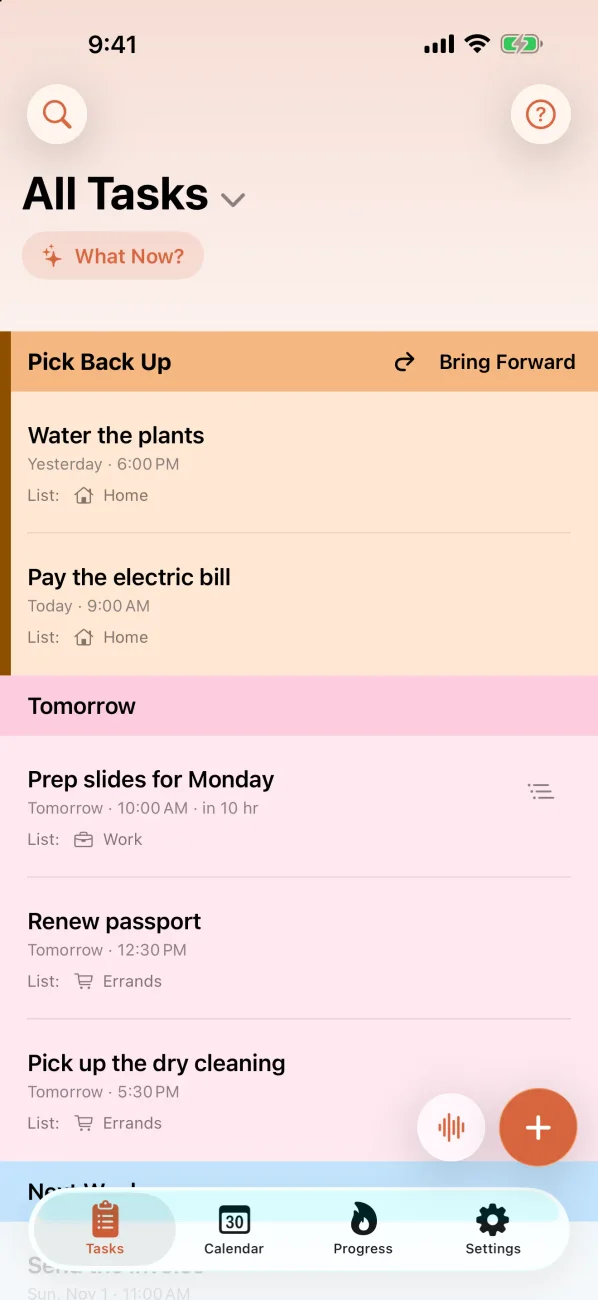
Traction is a gentle to-do app for brains that jump around. Get things out of your head in seconds, find one thing to start when starting is hard, and pick back up without guilt when a day gets away from you.
GET IT OUT OF YOUR HEAD
• Say a few things at once, and Traction turns them into tasks, dates and all.
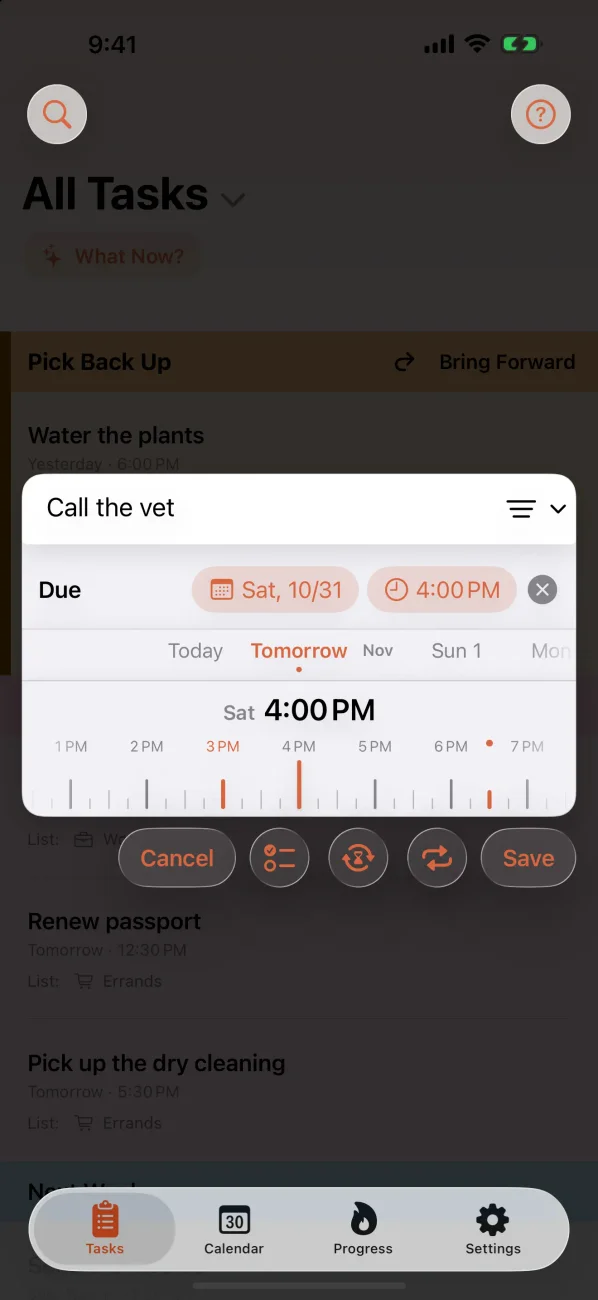
• Add a task from the + button, the widget, Siri, or Shortcuts.
• Set a time by sliding a ruler, with the days right above it.
WHEN STARTING FEELS HARD
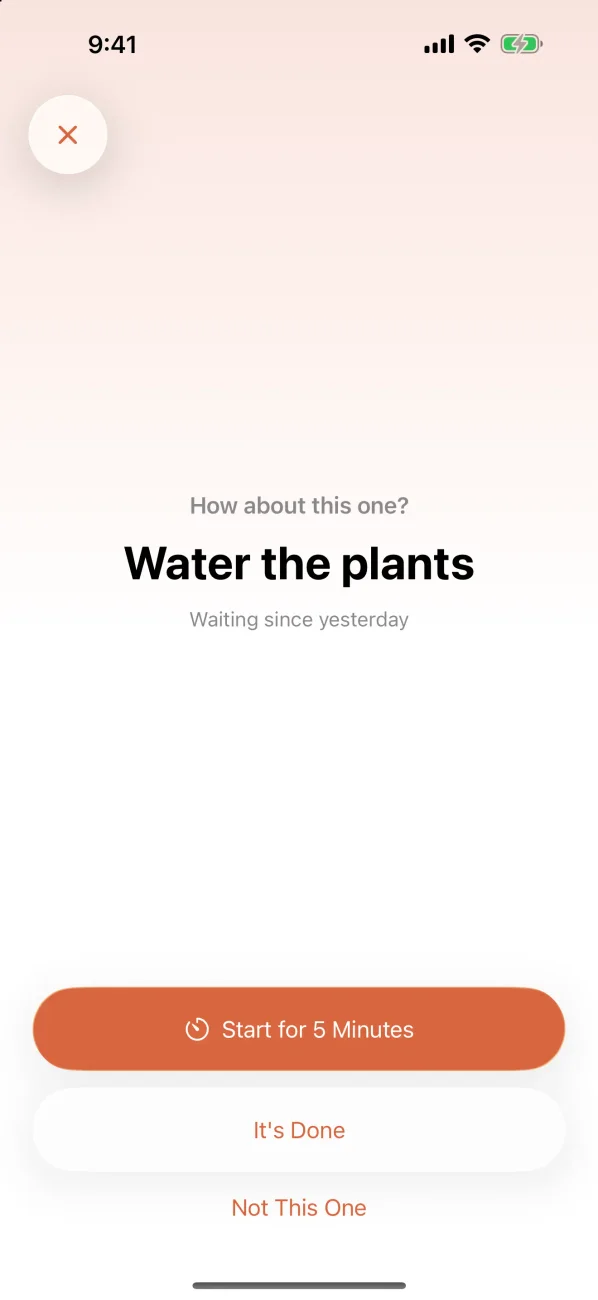
• What Now? asks how much time and energy you have, picks one task, and starts a five-minute timer on your Lock Screen.
NO GUILT
• Tasks you didn't get to wait for you in Pick Back Up, in a warm color, never red.
• Bring Forward moves them all to today in one tap.
CELEBRATE, OR KEEP IT CALM
• A daily streak, points for what you finish, levels, badges, and a monthly challenge.
• Spend your points on themes, app icons, and celebrations.
• Rather keep it quiet? Calm Mode hides all of it.
AND MORE
• Lists, subtasks, repeating tasks, and reminders you can move or finish right from the notification.
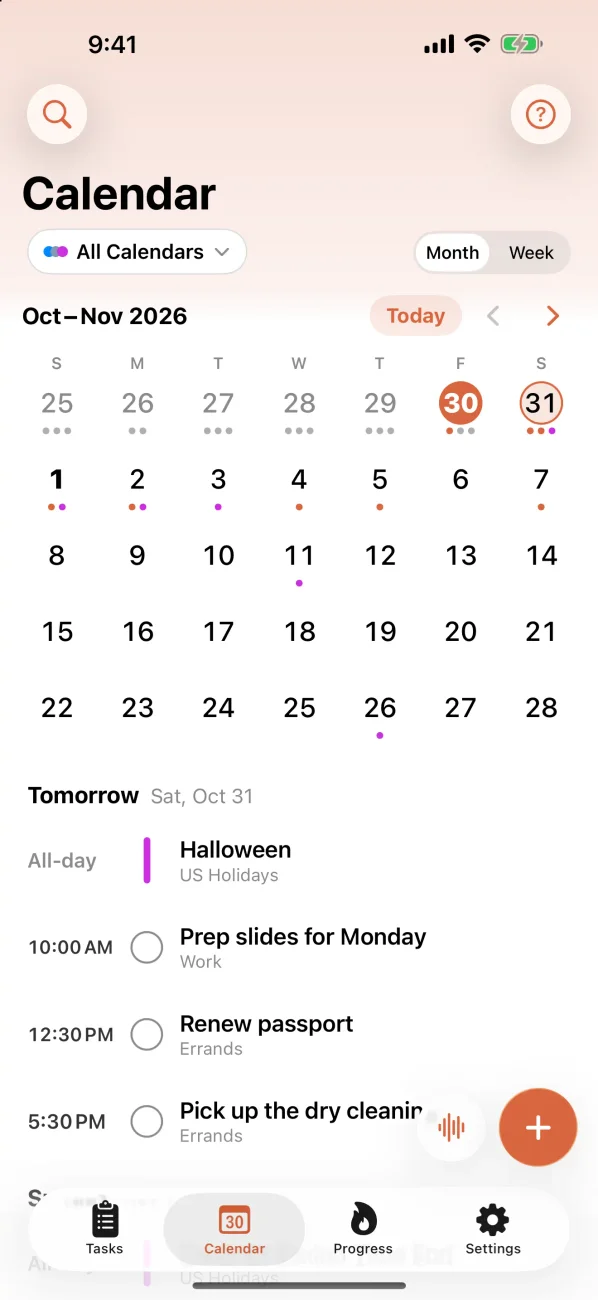
• A calendar of your tasks, day by day.
• Interactive widgets, iPhone and iPad, and iCloud sync between your devices.
• Bring your tasks in from a spreadsheet, a pasted list, or another to-do app.
• In English and Spanish.
TRACTION PRO
Pro adds streak rest days, Sticky Reminders that come back until the task is done, your calendar events beside your tasks, and subtask suggestions written by Apple Intelligence on supported devices.
Traction Pro is a monthly or yearly subscription, and new subscribers get a one-week free trial. Payment is charged to your Apple Account when you confirm the purchase. The subscription renews automatically unless you turn it off at least 24 hours before the end of the current period. Manage or cancel it any time in your App Store account settings.
Terms of Use: https://interactivemm.com/traction/terms/
Privacy Policy: https://interactivemm.com/traction/privacy/
What’s new
Version 1.1.1 · Nov 17, 2026
- Widgets are here! Today, Week, and Tasks & Events put what's next on your Home Screen, and Today fits on your Lock Screen too. Check things off right from the widget. It's like opening the app, minus opening the app.
- Pick a list for each widget, so work stays at work and home stays at home. With Pro, your calendar events join your tasks there too.
- Your Stats got a glow-up: your year in squares, the hours and days you shine, a total that only goes up, and the lists your wins came from. Tap around, everything's touchable.
- Monthly challenges now change from month to month and fit how you use Traction, with three new kinds: tasks, days, and evenings. At the start of each month, we'll ask which one you want. Calm Mode skips the asking.
- Traveling? In Settings › Due Date Defaults, choose whether a 9:00 reminder stays at 9:00 wherever you land, or goes off at the same moment everywhere. Jet lag sold separately.
- Can't pick a celebration? Turn on several, and each task you finish plays one at random. Fireworks on Monday, a paper plane on Tuesday. Who knows?
- Your best run can now earn badges for 2, 3, 4, and even 5 years in a row. No pressure.
- Progress puts what you're working toward first, starting with this month's challenge.
- Lists come in colors now. Pick one of eight soft shades when you edit a list, and it shows up on that list's tasks, in Calendar, in your Stats, and in the widgets. Color-coding, but make it calm.
- We fixed a few bugs, including the ⋯ menu on the iPhone Duo's inner screen that liked to play hard to get.
App privacy
What Interactive MM declares on the App Store about how this app handles data.
-
Data not linked to you
May be collected but is not linked to your identity.
- Usage data
- Diagnostics
Privacy practices may vary, for example with the features you use or your age.
Information
- Seller
- Interactive MM LLC
- Category
- Productivity
- Version
- 1.1.1
- Updated
- Nov 17, 2026
- Released
- Nov 5, 2026
- Size
- 140.8 MB
- Requires
- iOS 26.0 or later
- Age rating
- 4+
- Price
- Free
- In-app purchases
- Yes
- Languages
- English, Spanish
- Copyright
- © 2026 Interactive MM
You might also like
-
 Habit Tracker: DoingGoodBuild a better you, daily.
-
 BulletProof Real Estate AgentProductivity
-
 Returns ProA return visit ministry tool
-
 WitnessWorkFor Jehovah's Witnesses
-
 Ministry HelperYour app for the ministry
-
 ASES Vital AppProductivity
-
 Carrier Smart WiFiProductivity
-
 kvCOREProductivity
-
 Pioneer Planningministry field service report
-
 Daily Schedule Planner - MyDayTo Do List, Widget, Calendar