
Trader Time Organizer
Track Global Forex Sissions
Designed for iPhone, iPad, iPod touch
- Age rating4+
- CategoryProductivity
- DeveloperFeras Abazid
- LanguagesEnglish
- Size44.7 MB
Links to the official App Store page
Download.org hosts no file of Trader Time Organizer. The button opens its official App Store page, published by Feras Abazid. Listing last checked on Nov 12, 2026.
Screenshots

About
Trader Time Organizer
A trading time-management tool designed to help traders understand when global markets are active using a universal reference: UTC (Coordinated Universal Time).
Trader Time Organizer focuses on one essential element of trading:
Time.
Instead of predicting price direction, the app helps traders understand market timing, global trading sessions, and market activity periods.
The goal is simple:
Understand when markets move — not predict where they move.
This app does not provide trading signals or financial advice.
It is purely an educational and organizational tool.
---
Automatic UTC Time
The app automatically converts your device time into UTC in real time.
No manual configuration is required.
This means the app works correctly in any country and any timezone.
---
Global Trading Sessions
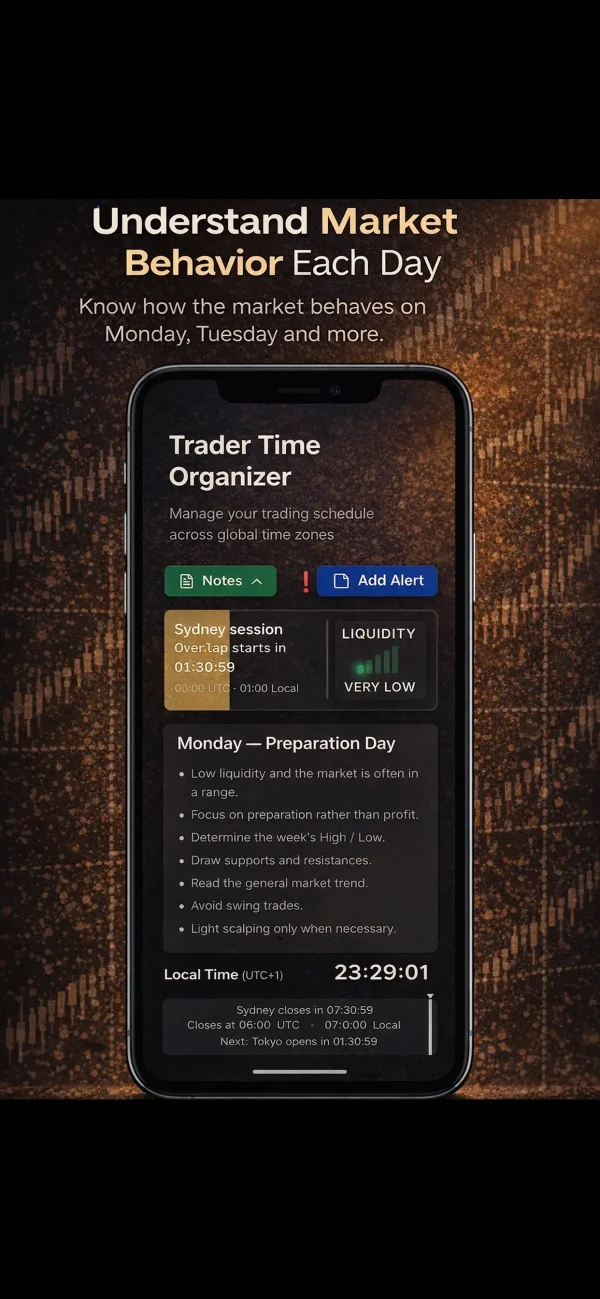
The app visualizes the five major global trading sessions on a clear timeline:
• Sydney
• Tokyo
• Frankfurt
• London
• New York
This allows traders to quickly understand when financial centers open and close.
---
Session Overlaps
Trader Time Organizer highlights session overlaps, when multiple financial centers are active simultaneously.
These periods often correspond with higher liquidity and increased market activity.
---
Weekly Market Structure
The app provides a simple educational overview of the typical rhythm of the trading week:
• Monday — Preparation phase
• Tuesday — Expansion
• Wednesday — Trend continuation
• Thursday — Retracement
• Friday — Liquidity and position closing
Weekends are clearly marked as market closed periods.
---
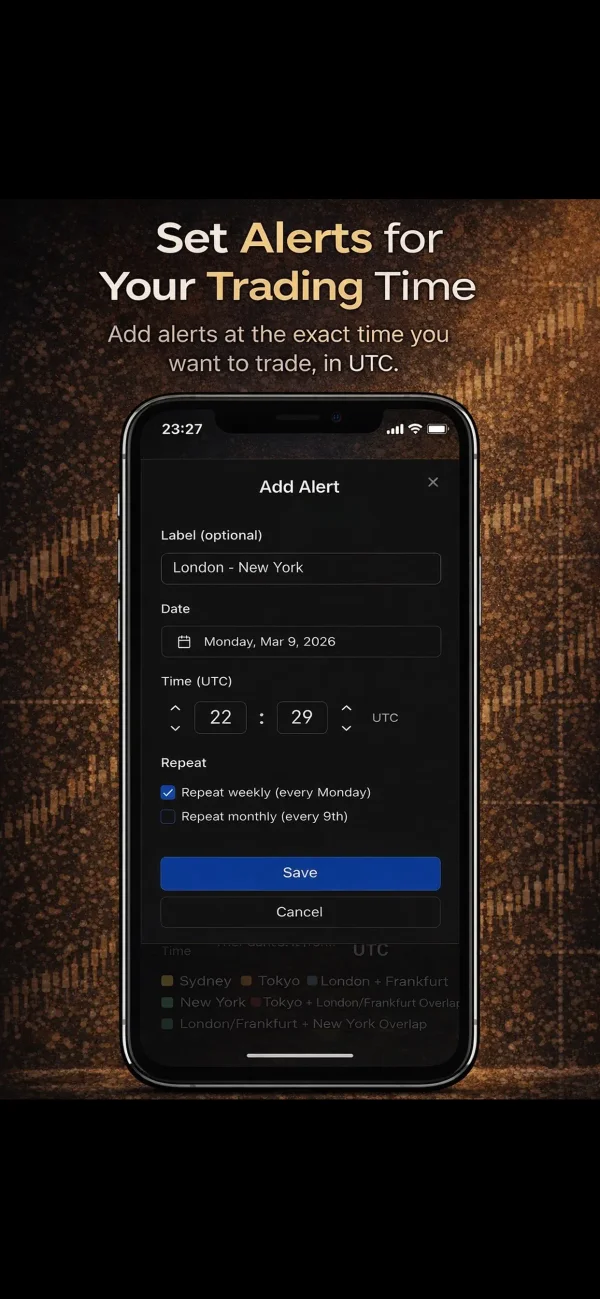
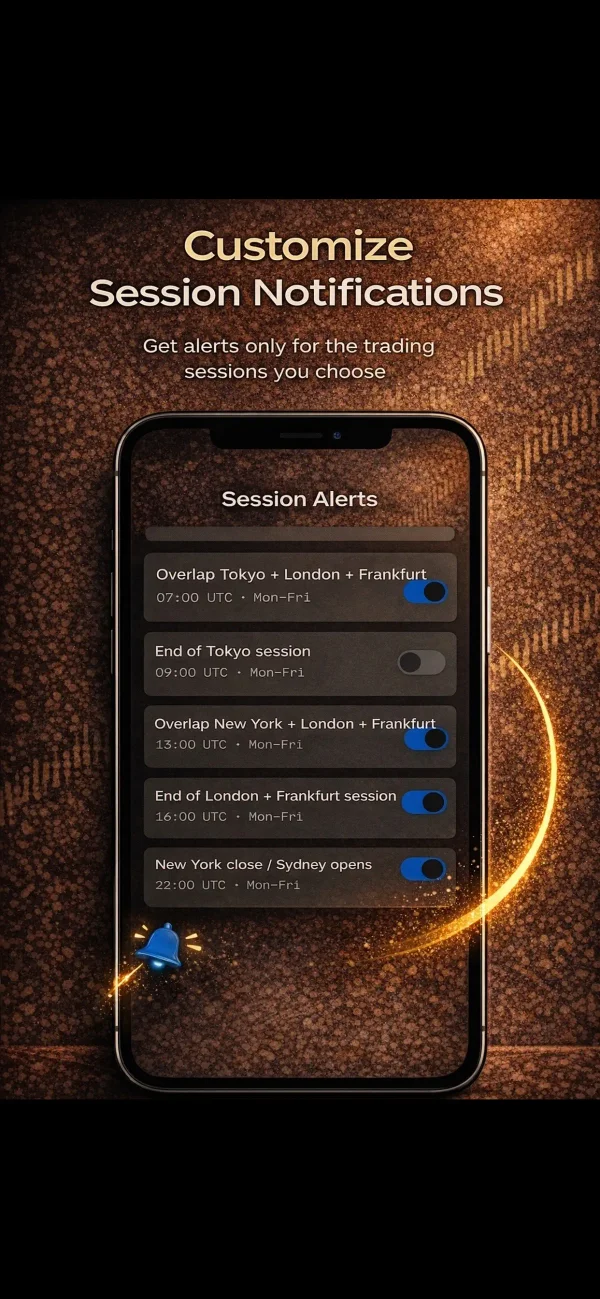
UTC-Based Alert System
The app includes alerts for important market session events.
You can enable or disable alerts for:
• Session openings
• Session closings
All alerts are based on UTC time, ensuring consistency regardless of your location.
Alerts are delivered as local notifications on your device.
---
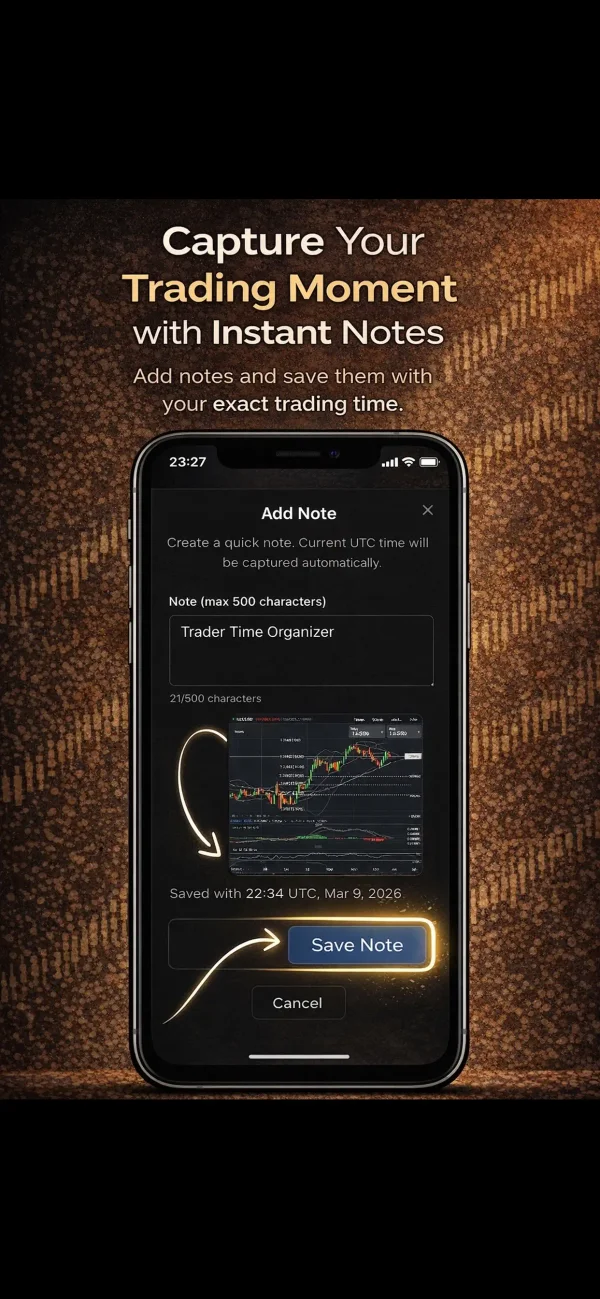
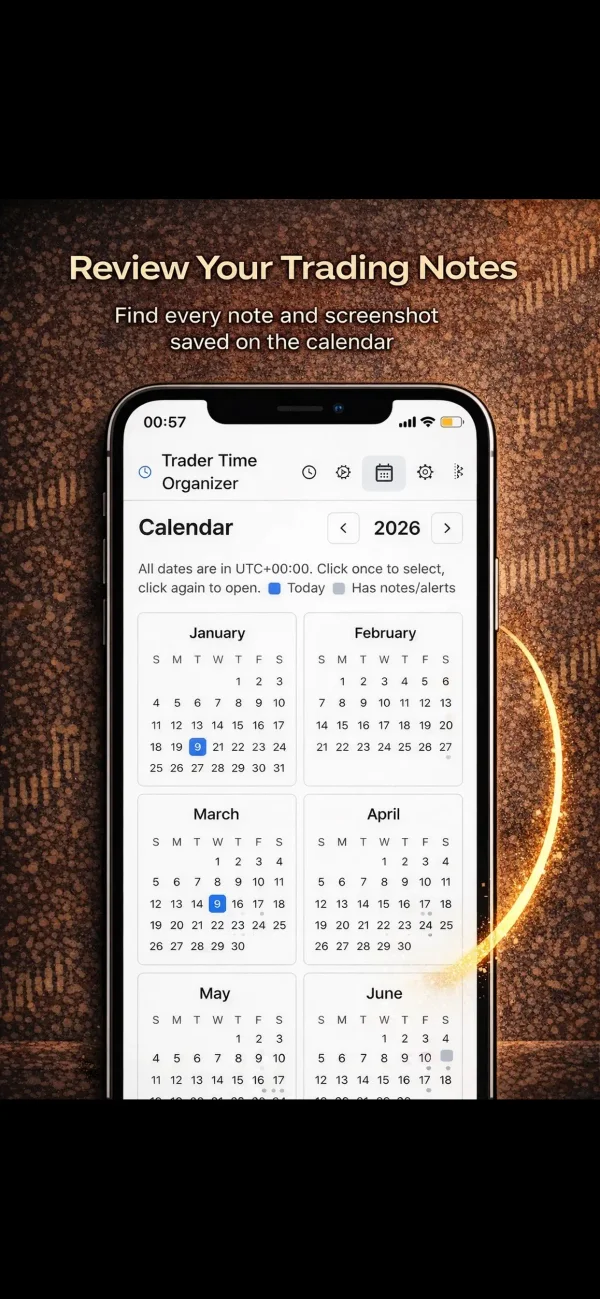
Trading Notes & Chart Screenshots
Record your trading observations at the exact moment they happen using UTC reference time.
You can also attach chart screenshots to your notes to capture market structure at the time of the trade.
Over time this creates a personal visual trading archive that helps you review and learn from past decisions.
---
Calendar Trading Journal
All notes are organized in a calendar overview, allowing you to easily review previous trading days and track your progress.
---
Local Time Comparison
Alongside UTC, the app also displays your local device time.
Both 12-hour and 24-hour formats are supported, making it easier to plan trading sessions around your daily routine.
---
Privacy First
Trader Time Organizer respects your privacy.
All notes, screenshots, and personal data are stored locally on your device.
No trading data is sent to external servers.
---
Important Notice
Trader Time Organizer does not provide trading signals, financial advice, or investment recommendations.
It is strictly an educational and organizational tool designed to help traders improve time awareness and trading discipline.
All trading decisions remain the responsibility of the user.
What’s new
Version 1.0.8 · Apr 15, 2026
Improved privacy and consent handling (Google Consent Mode v2 compliance)
Enhanced app stability and performance
Minor bug fixes and optimizations
App privacy
What Feras Abazid declares on the App Store about how this app handles data.
-
Data used to track you
May be used to track you across apps and websites owned by other companies.
- Identifiers
-
Data not linked to you
May be collected but is not linked to your identity.
- Identifiers
- Usage data
- Diagnostics
Privacy practices may vary, for example with the features you use or your age.
Information
- Seller
- Feras Abazid
- Category
- Productivity
- Version
- 1.0.8
- Updated
- Apr 15, 2026
- Released
- Mar 6, 2026
- Size
- 44.7 MB
- Requires
- iOS 15.0 or later
- Age rating
- 4+
- Languages
- English
- Copyright
- © 2026 FeroApps
You might also like
-
 PageMossPrivate AI-Powered Notes
-
 MaK - Masters KonnectConstruction & Freelance Needs
-
 KenRemind: Ethiopian ReminderEthiopian Calendar Reminders
-
 World Clock - Time CalculatorCompare time zones instantly
-
 PnL AppApp for Traders
-
 Financial ClockTrack Market Hours
-
 Stowe: Voice Daily PlannerSay it. Get a short to-do list
-
 Print Calendar PDF & PlannerPrintable Schedules & Agendas
-
 ScrollKiller: Be in ControlSmart time-wasting protection.
-
 Day Dial - Year Progress BarYear, Month, & Day Progress