TranscriptPad - Review Depos
Search & Annotate Depositions
Designed for iPhone, iPad, Mac
Free · In-app purchases
- Age rating4+
- CategoryBusiness
- DeveloperLIT SOFTWARE, LLC
- LanguagesEnglish
- Size48.9 MB
Links to the official App Store page
Download.org hosts no file of TranscriptPad - Review Depos. The button opens its official App Store page, published by LIT SOFTWARE, LLC. Listing last checked on Nov 14, 2026.
Screenshots



About
TranscriptPad is the easiest way to read, review, and summarize transcripts on iPad, iPhone, iPhone Duo, and Mac, all included with one LIT SUITE subscription. Whether you're preparing at your desk or reviewing depositions on the go, TranscriptPad gives you powerful, professional tools wherever you are.
TranscriptPad integrates with your Windows workflow, is powerful, easy to use, and a fraction of the cost of traditional or cloud-based programs, all while being secure, private, mobile, and efficient.
Since 2010, LIT SOFTWARE has set the bar for developing the best in litigation apps, garnering awards for innovation and ease of use. Our apps have been featured by Apple, and are loved by lawyers.
**** LIT SUITE REVIEWS ****
“The short review. Wow.”
“TranscriptPad will cut your post-deposition analysis time in half.”
“Just get it! This is ‘the’ app for working with transcripts.”
“I only need to go through the transcript once, highlighting as I go, and all the pertinent testimony is at my fingertips whenever I need it.”
“Simple, easy, seamless and accurate - love it!”
“The only way to review transcripts! Haven’t reviewed a paper transcript since I bought this app.”
“These are incredibly sophisticated and useful apps that are in many ways more powerful than PC software costing hundreds of dollars more.”
**** Core Features - iPad, iPhone, iPhone Duo, and Mac ****
• Carry all your transcripts in one app, no cloud connection needed
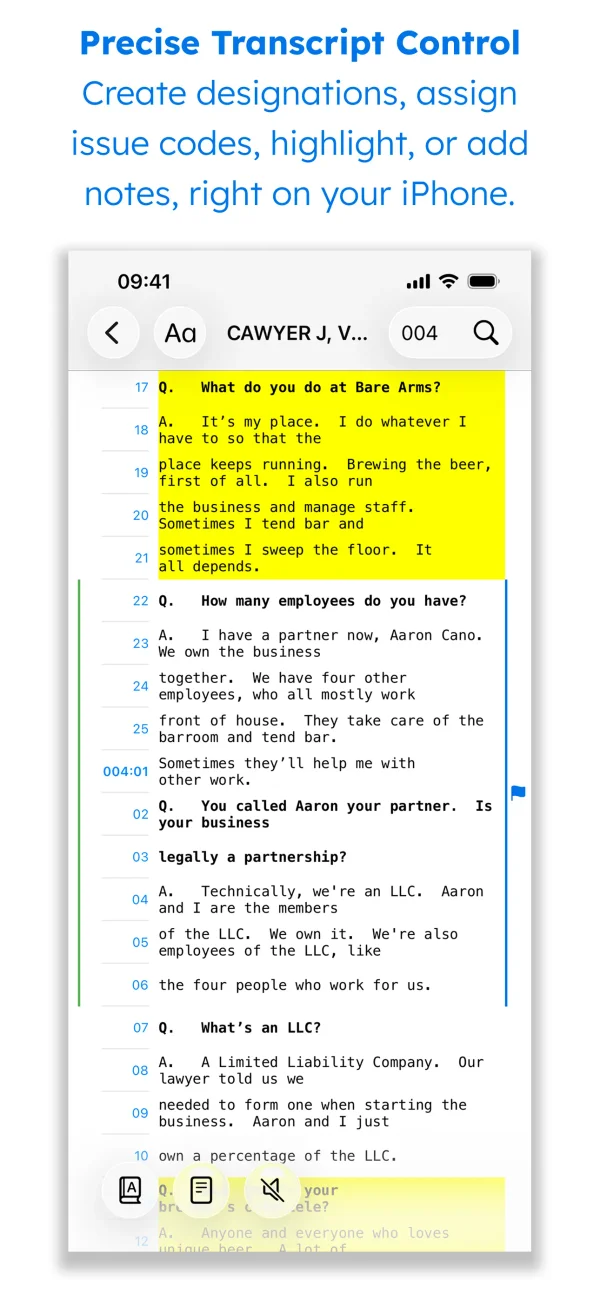
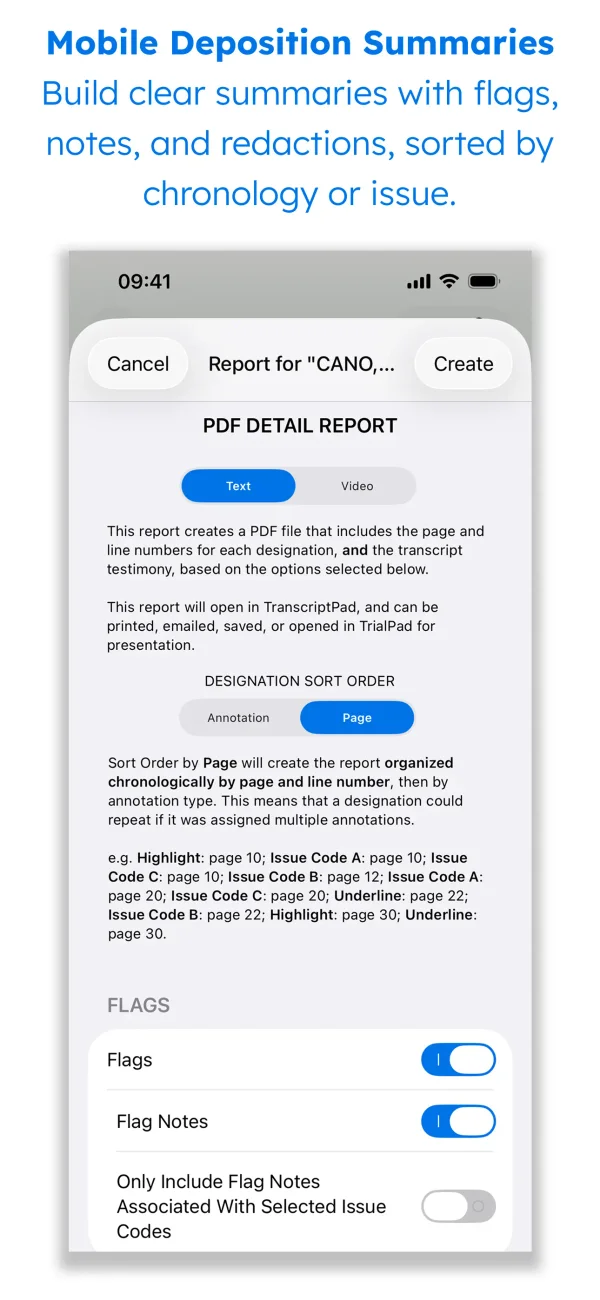
• Highlight, underline, or redact testimony, and flag important sections with detailed notes
• Create custom issue codes, or paste designations from Word or email and let smart parsing create Issue Codes
• Search for keywords across hundreds of transcripts instantly, or jump to any word with the transcript index
• Apply highlights, issue codes, and notes to entire Q&A blocks right from your search results
• Watch synced video depositions alongside the transcript
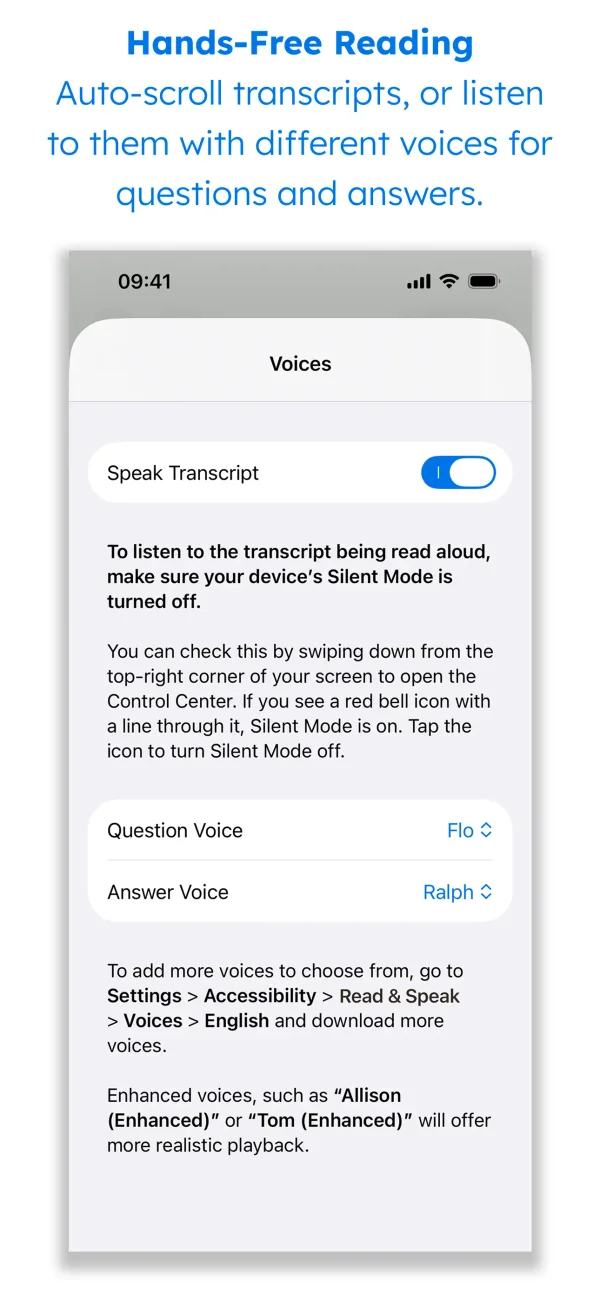
• Read hands-free with automatic scrolling, or listen with different voices for questions and answers
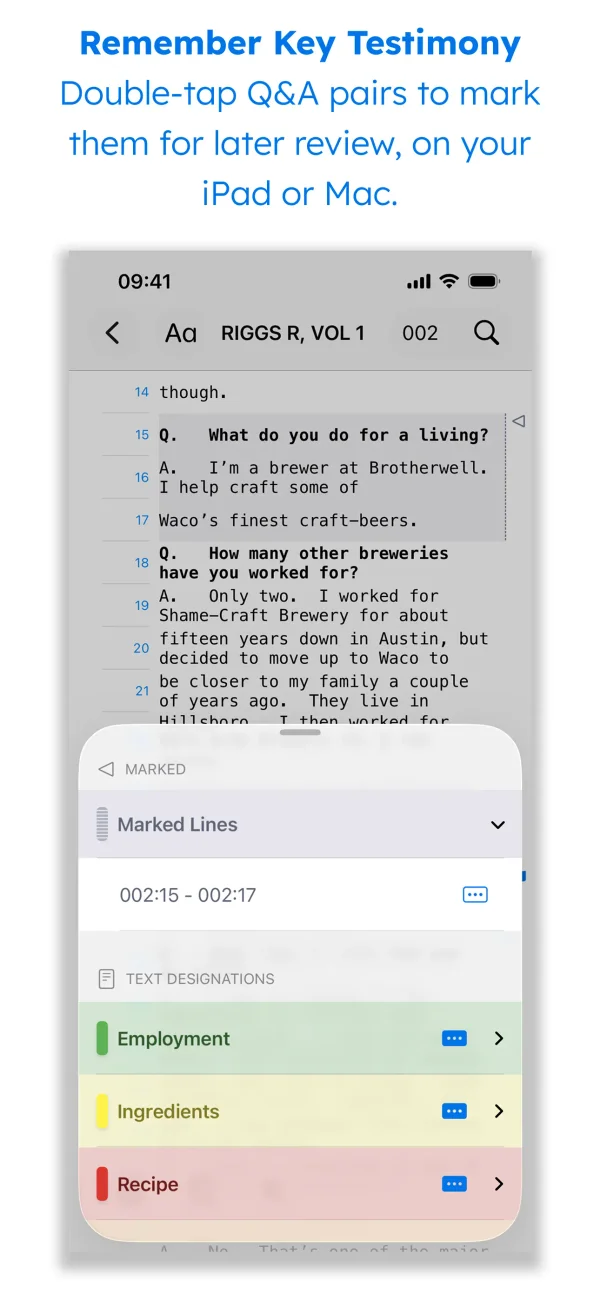
• Double-tap to mark key lines while listening, then review them later
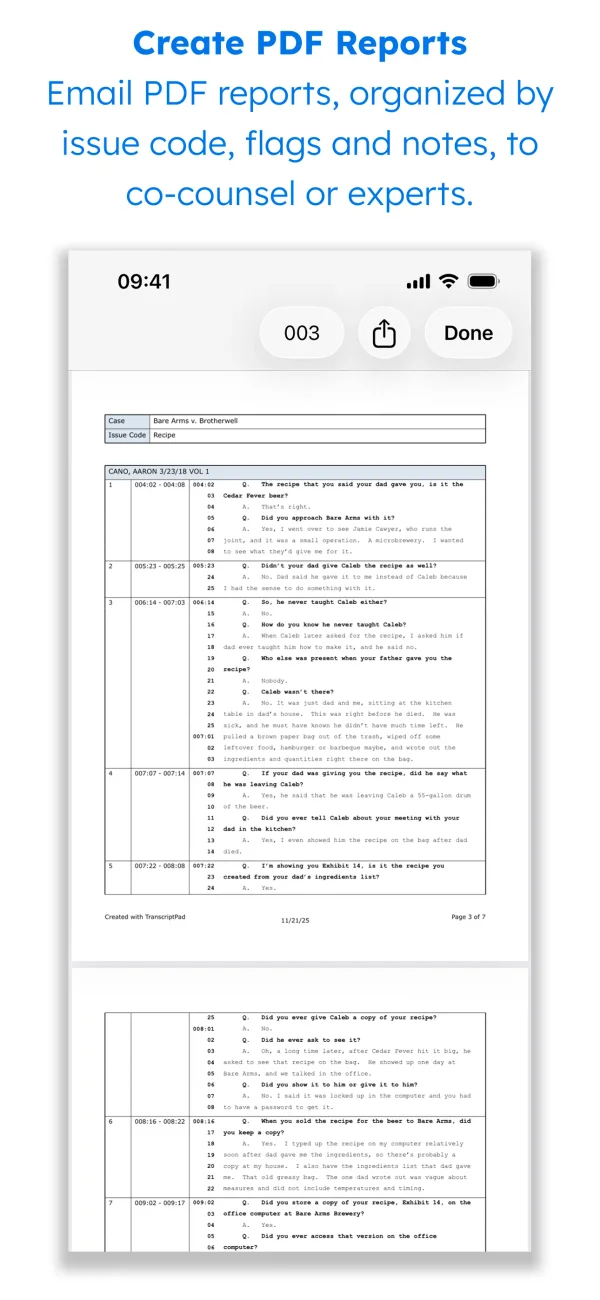
• Generate summaries, designation reports, impeachment reports, and spreadsheets in PDF, TXT, or Excel formats
• Create formatted impeachment slides for presentation in TrialPad
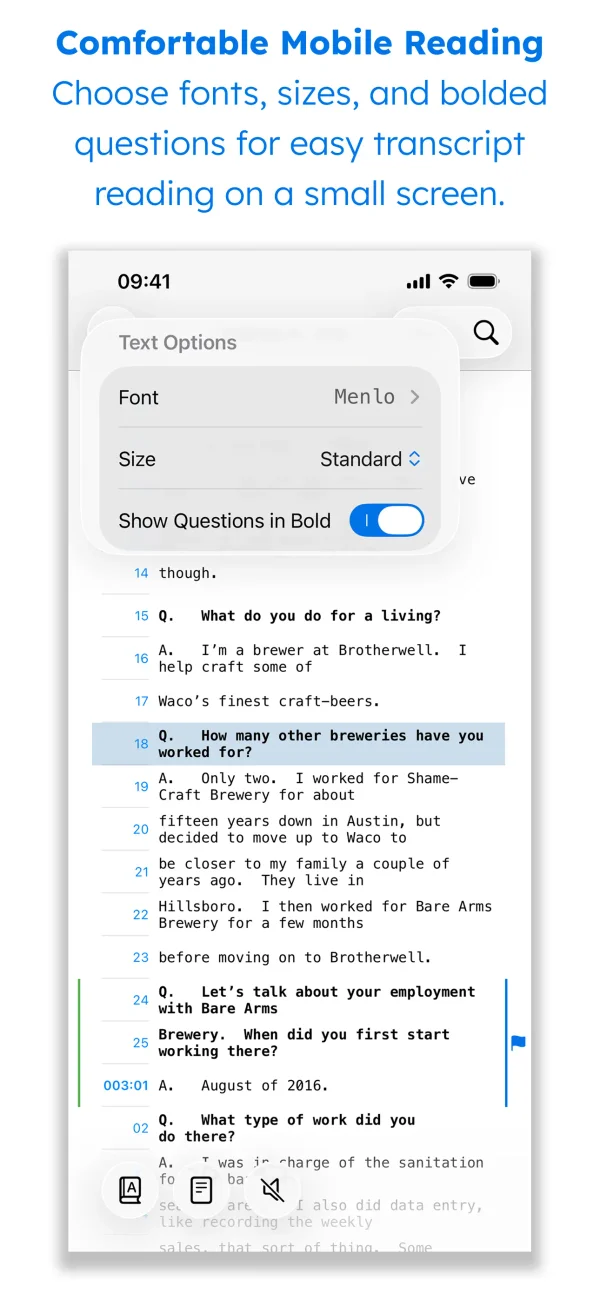
• Customize fonts, sizes, and bolded questions for comfortable reading
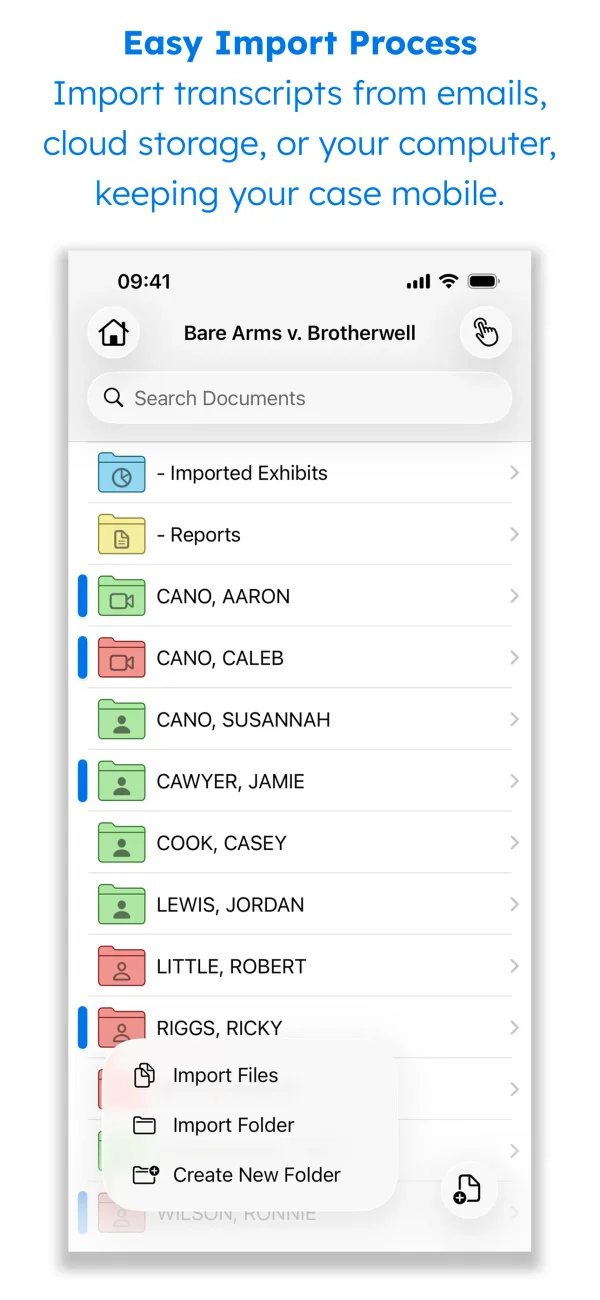
• Import transcripts from email, USB drive, or cloud storage providers including OneDrive, Box, Citrix Files, Dropbox, Google Drive, and more
• Automatically organize transcripts by deponent, date, or issue
• Share transcripts and case files with co-counsel or experts via email, cloud storage, or USB drive
• File formats supported: TXT, PDF, video, and audio
**** Optimized for iPhone and iPhone Duo - Review Depositions On the Go ****
• Review depositions while traveling, at court, or between meetings
• Connect to CarPlay and listen to your transcripts while you drive
• Rotate to landscape to watch synced video beside the transcript
• Unfold iPhone Duo to use the full inner display, with the transcript and video kept clear of the fold
• Keep all your transcripts in your pocket
**** Optimized for iPad and Mac - Advanced Video Deposition Features ****
• Sync transcripts with corresponding video, all on-device
• Import Synchron sync files with video timecodes already in place
• Edit video deposition clips, then export clips with or without closed captions (subtitles)
• Create clip reports for efficient video deposition editing
• Watch video picture-in-picture over the transcript, or in split screen
LIT SUITE SUBSCRIPTION
One subscription gives you access to all LIT SUITE apps on iPhone, iPhone Duo, iPad, and Mac. After your 7-day free trial, your App Store account will be charged and your subscription will renew automatically unless canceled in advance. Manage your subscription in your App Store account settings.
What’s new
Version 26.11.2 · Oct 31, 2026
• NEW / IMPROVED
– Improved the Move interface with folder selection, unavailable-folder indicators, and the option to create new folders.
– Improved bulk designation handling to explain when an annotation or Issue Code must be selected before applying designations.
– Updated bookmark creation to prompt users to enter a name.
– Ongoing performance and usability improvements.
• FIXED
– Improved sync conflict handling to provide a more consistent experience when the same Case File is edited across multiple devices.
– Fixed issues with renaming folders on iPad, including the keyboard not appearing and color and icon selections not being applied.
– Fixed overlapping buttons in the File Inbox and improved button visibility based on file selection.
– Additional bug fixes and stability improvements.
Please let us know if you encounter an issue or have other feedback. We value your feedback as it helps us address issues, refine features, and update documentation.
– Visit our Help Center: https://support.litsoftware.com
– Email Support: support@litsoftware.com
– Learn Online with LIT SUITE Academy: https://learn.litsoftware.com
App privacy
What LIT SOFTWARE, LLC declares on the App Store about how this app handles data.
-
Data linked to you
May be collected and linked to your identity.
- Contact info
- Identifiers
-
Data not linked to you
May be collected but is not linked to your identity.
- Usage data
- Diagnostics
Privacy practices may vary, for example with the features you use or your age.
Information
- Seller
- LIT SOFTWARE, LLC
- Category
- Business
- Version
- 26.11.2
- Updated
- Oct 31, 2026
- Released
- Jan 30, 2021
- Size
- 48.9 MB
- Requires
- iOS 26.0 or later
- Age rating
- 4+
- Price
- Free
- In-app purchases
- Yes
- Languages
- English
- Copyright
- © 2010-2026 LIT SOFTWARE, LLC
You might also like
-
 Case Notebook E-TranscriptBusiness
-
 Jurybox - Jury SelectionVoir Dire Simplified
-
 JuryBoardDitch sticky notes in court
-
 Case Crafter - Trial PresenterLegal timeline presentation
-
 Honey JurorHoney Juror - Jury Selection
-
 Timeline PresenterCreate & share complex data
-
 AI Lawyer: legal documentsPlain-English Contract Review
-
 ExhibitSuiteCompanion App
-
 CAALA VEGASBusiness
-
 NTL EventsBusiness