
Translate & Search: Safari
Query Translation for Research
Designed for iPhone, iPad, Mac, iPod touch
Free
- Age rating4+
- CategoryUtilities
- Developer培克 罗
- LanguagesEnglish+ 11 more
- Size3.7 MB
Links to the official App Store page
Download.org hosts no file of Translate & Search: Safari. The button opens its official App Store page, published by 培克 罗. Listing last checked on Nov 23, 2026.
Screenshots
About
Look up an error message in another language without losing its exact wording. In Safari, Translate & Search lets you edit the translated query before you open the results.
Put a term such as "C++" in double quotes to keep it intact. Preview the translation, adjust the wording and check the final query before searching. On Google, you can also limit the search to one domain, such as docs.python.org.
For five minutes after a translated search, the results bar lets you pick another language. It translates your original query again and opens a new tab so you can compare sources. Your Google domain filter carries over.
Search with Google, Bing, Baidu, Sogou, DuckDuckGo, Naver, Brave Search or Yandex.
Find more of what matters to you
• Research a topic and look for sources in other languages.
• Find technical tutorials, troubleshooting discussions and community experience.
• Explore a destination through searches in the local language.
• Follow an interest beyond the content available in your native language.
Stay in control
Translate manually when you need it, or enable automatic translation on supported search pages. Choose where results open, keep access to the original search, and set individual sites to manual mode. Skip automatic translation for queries that already match your target language or languages you choose to ignore.
Privacy with a clear choice
No account is required. The extension does not build or sync a search-history database or add usage tracking. Online translation requires your explicit permission: search terms go to Microsoft Bing, with Google as a fallback; the translated query goes to your search engine. You can turn off future online translations at any time.
Translate & Search translates search queries. To read the pages you find in another language, use your browser's page translation or another reading tool.
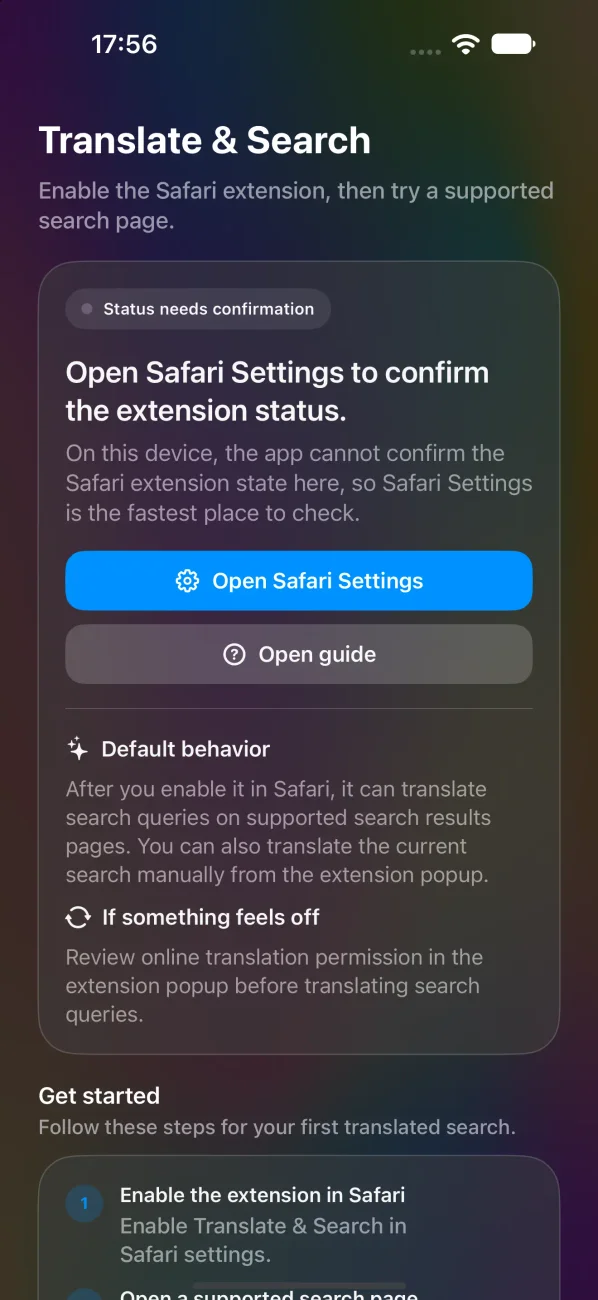
In Safari, open the page menu, choose Manage Extensions, and enable Translate & Search. You can also enable it in Settings > Apps > Safari > Extensions. Allow access only to the supported search websites, then review online translation permission in the extension popup.
What’s new
Version 1.1.1 · Nov 21, 2026
• Preview and edit a translated search, preserve quoted terms and choose a domain on Google.
• Search again from the original in a second language. Added DuckDuckGo, Naver, Brave Search and Yandex.
App privacy
What 培克 罗 declares on the App Store about how this app handles data.
-
Data not linked to you
May be collected but is not linked to your identity.
- Search history
Privacy practices may vary, for example with the features you use or your age.
Information
- Seller
- 培克 罗
- Category
- Utilities
- Version
- 1.1.1
- Updated
- Nov 21, 2026
- Released
- Oct 20, 2026
- Size
- 3.7 MB
- Requires
- iOS 15.4 or later
- Age rating
- 4+
- Price
- Free
- Languages
- English, Arabic, French, German, Hindi, Japanese, Korean, Portuguese, Russian, Simplified Chinese, Spanish, Traditional Chinese
- Copyright
- © 2025 LUO PEIKE
You might also like
-
 Mizan: Unit Converter1,100+ Units in 130 Categories
-
 اضغطها — ضغط الصور والملفاتUtilities
-
 FTA - File Transfer AnythingPhotos, files and text via LAN
-
 NixVisualsHide photos & videos
-
 AIO ReverserFlip sound & video for trends
-
 Clear Browse: Ad BlockerPrivate, quieter browsing
-
 Screen Recorder + FacecamGame Capture & Reaction Video
-
 TV Remote for All Smart TVUniversal Control over Wi-Fi
-
 Kilpi: Ad & Tracker BlockerStops scam sites in your apps
-
 Control: Universal TV RemoteNo Ads, Purchases, or Tracking