
TranslateLoom - Translator
Voice, Photo, PDF & Offline
Designed for iPhone
Free · In-app purchases
- Age rating17+
- CategoryUtilities
- DeveloperGUANGYUE TECHNOLOGY CO., LIMITED
- LanguagesEnglish+ 20 more
- Size53.7 MB
Links to the official App Store page
Download.org hosts no file of TranslateLoom - Translator. The button opens its official App Store page, published by GUANGYUE TECHNOLOGY CO., LIMITED. Listing last checked on Nov 23, 2026.
Screenshots


About
TranslateLoom. Make every conversation easier.
Read menus and signs on a trip, talk face to face, and understand foreign-language study or work materials. TranslateLoom brings text, conversations, photos, documents, and web pages together for everyday translation.
TEXT TRANSLATION
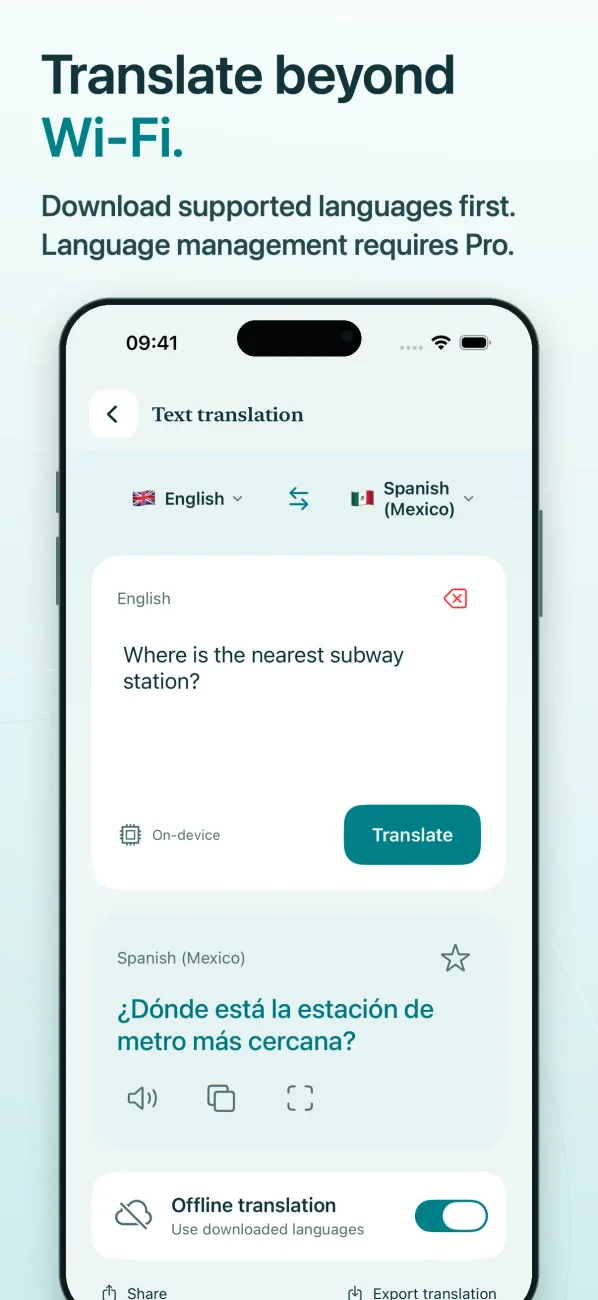
Type or paste text, choose your languages, and translate. Detect the source language automatically, swap directions, and listen to results. Copy, share, save favorites, or export translations.
PHOTO TRANSLATION
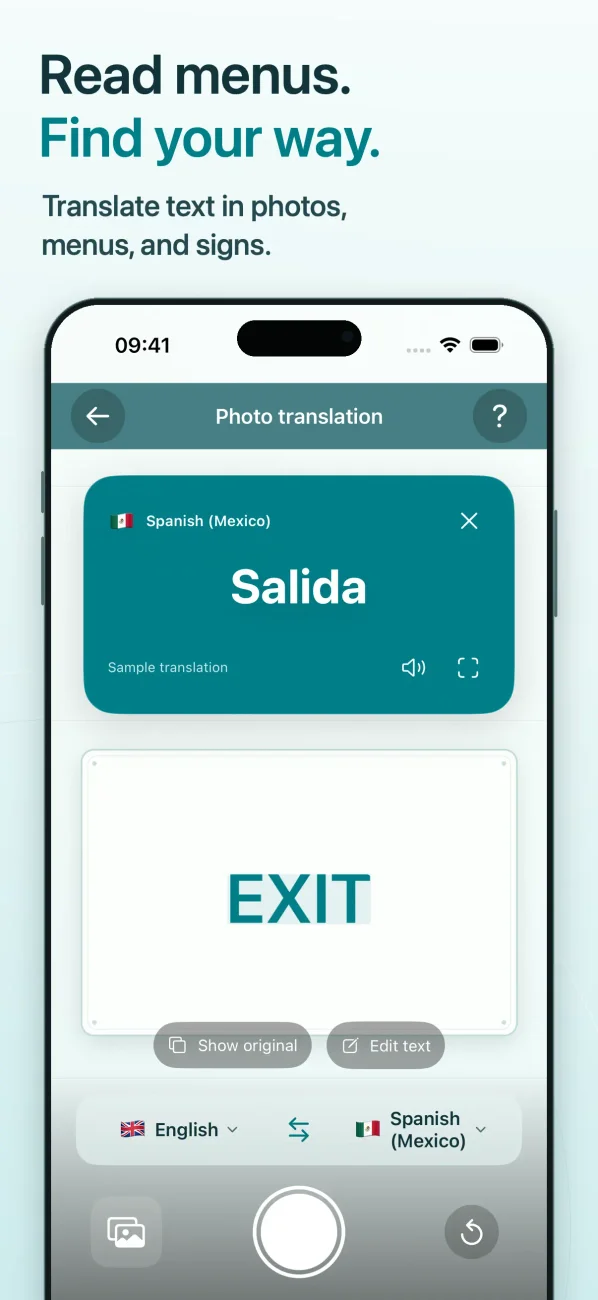
Take a photo or choose an image to read menus, signs, and instructions. Review and edit recognized text before translating. View translations on the image and switch to the original for comparison.
FACE-TO-FACE CONVERSATIONS
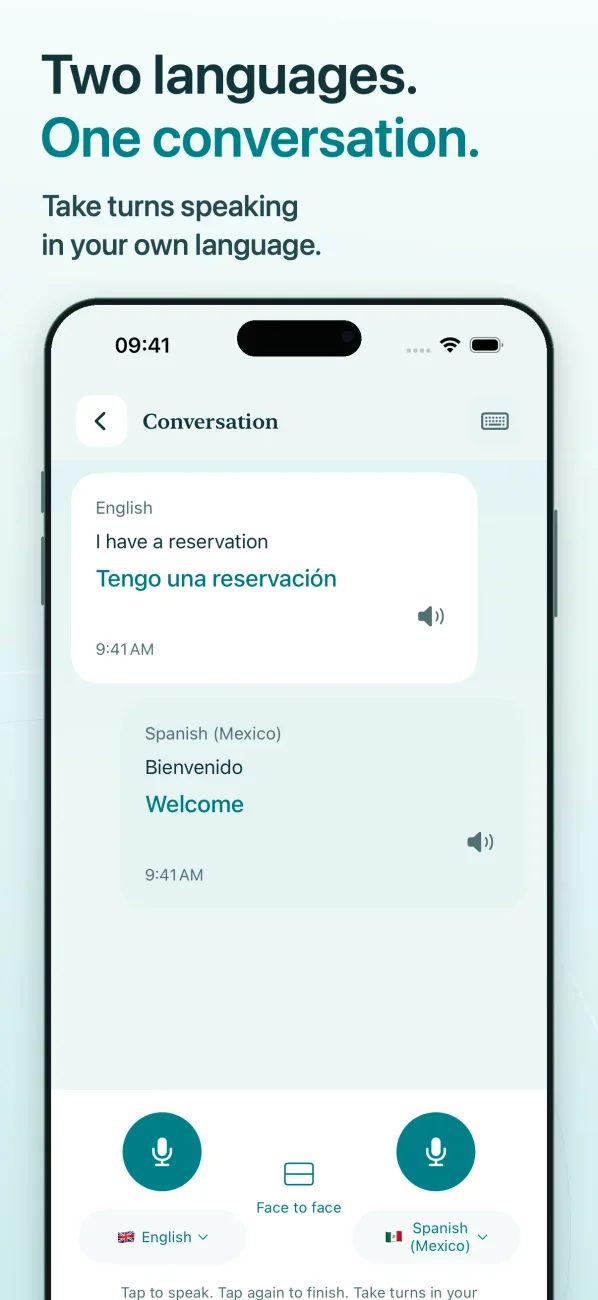
Take turns tapping the microphone and speaking in your own language. Face-to-face mode lets each person read from their side of the screen. You can also type—handy for directions, dining, shopping, and everyday chats.
DOCUMENT TRANSLATION
Import PDF, DOCX, PPTX, XLSX, TXT, RTF, HTML, XML, or supported images. Extract and edit text before translating, including text from scanned PDFs. Document translation extracts text; it does not preserve layout, formulas, comments, or embedded objects.
WEB PAGE TRANSLATION
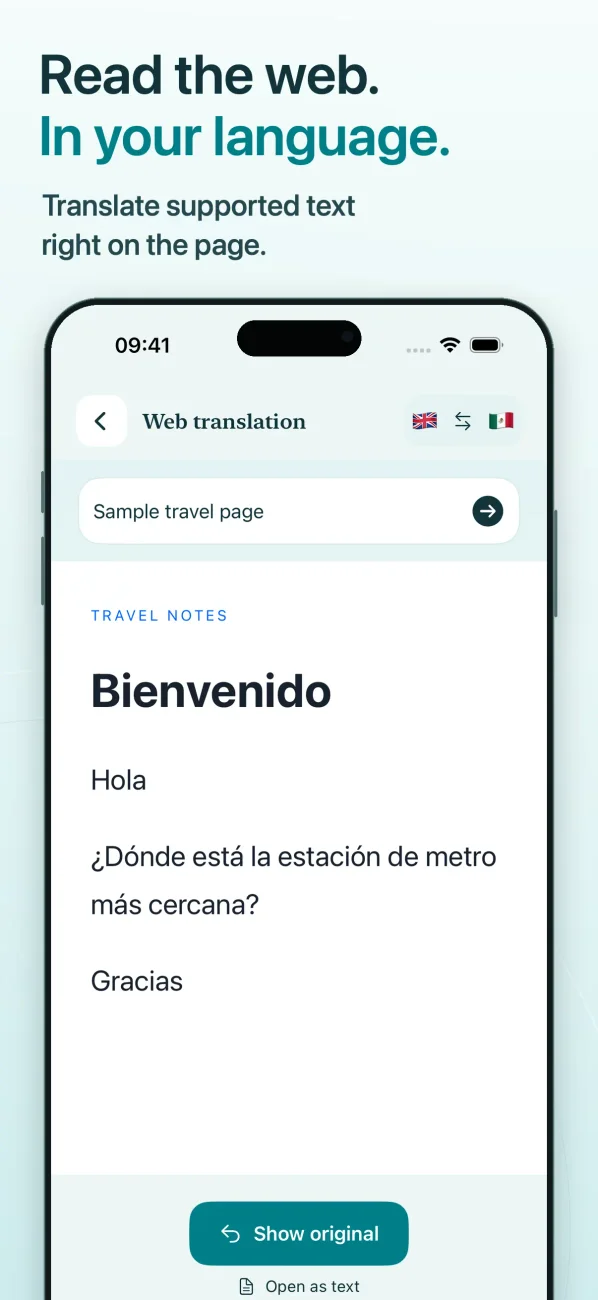
Enter a web address to translate supported text while keeping the page structure and links. Switch back to the original or open the page's text in the translator.
PREPARE FOR OFFLINE USE
Download supported language models before you leave. Translate text between downloaded language pairs without a connection. Offline language management shows availability and download status.
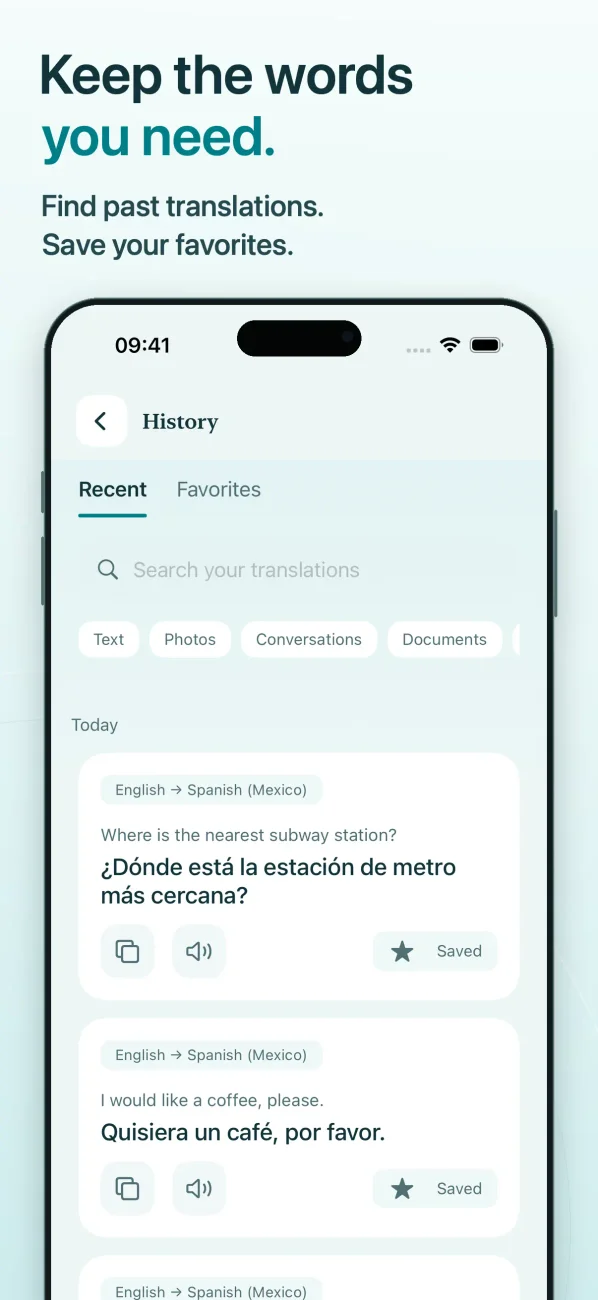
HISTORY & FAVORITES
Search and filter past translations, and save useful phrases as favorites. History, favorites, and preferences are stored on your device.
YOUR TOOLS, YOUR WAY
Choose and arrange up to four home-screen tools. Enable the translation keyboard or use other apps' share menus to work with text. The interface supports 21 languages, including English, Simplified Chinese, Traditional Chinese, and Japanese. No account required.
For a trip, a conversation, or something you want to read, let TranslateLoom help bridge the language gap.
FREE FEATURES & PRO
Basic text, conversation, and photo translation require no subscription. TranslateLoom Pro adds document translation and offline language management.
Plans, prices, and eligible offers are shown in the app. Payment is charged to your Apple Account upon purchase confirmation. Subscriptions renew automatically unless canceled at least 24 hours before the current period ends. Renewal is charged within the final 24 hours of the period. Manage or cancel in your Apple Account subscription settings. Trial eligibility, offer duration, and subsequent charges, if offered, are shown on the purchase screen.
USAGE NOTES
Up to 10,000 characters per text translation. Documents: 20 MB maximum, the first 20 PDF pages, and up to 10,000 extracted characters. Web pages: up to 200 passages and 10,000 characters per operation. Convert legacy DOC, PPT, and XLS files first. Images, forms, and some dynamic or restricted web content cannot be translated. Translations may contain errors; verify important information against the original.
CONTACT US
Questions or suggestions? help.cleanupmaster@outlook.com
Privacy Policy: https://docs.google.com/document/d/e/2PACX-1vTNp6e-9pUcEm6tA0KZTidfQTk6t1q3gqwOzzGH3iquRfTgTHk-scGVlhTV9cHEhlcHjp_JmCPPbkNO/pub
Terms of Use: https://docs.google.com/document/d/e/2PACX-1vSCZhXTSZ-6xUAheu75MxS3K8_gwLv4pkfmQiPoyqA5S0M97GJpAJgBIlo2a0IRjAw2gcZkW0ZENCzt/pub
What’s new
Version 1.1.2 · Nov 21, 2026
Fixed known issues and improved app stability for a smoother experience.
App privacy
What GUANGYUE TECHNOLOGY CO., LIMITED declares on the App Store about how this app handles data.
-
Data used to track you
May be used to track you across apps and websites owned by other companies.
- Identifiers
-
Data linked to you
May be collected and linked to your identity.
- Identifiers
-
Data not linked to you
May be collected but is not linked to your identity.
- Purchases
- Usage data
- Diagnostics
Privacy practices may vary, for example with the features you use or your age.
Information
- Seller
- GUANGYUE TECHNOLOGY CO., LIMITED
- Category
- Utilities
- Version
- 1.1.2
- Updated
- Nov 21, 2026
- Released
- Nov 10, 2026
- Size
- 53.7 MB
- Requires
- iOS 16.0 or later
- Age rating
- 17+
- Price
- Free
- In-app purchases
- Yes
- Languages
- English, Danish, Dutch, Finnish, French, German, Greek, Indonesian, Italian, Japanese, Korean, Norwegian Bokmål + 9 more
- Copyright
- © 2026 GUANGYUE TECHNOLOGY CO., LIMITED
You might also like
-
 DataLock ManagedUtilities
-
 Magic Calculator: Magic TricksMind Reading Prank & Mentalism
-
 Cleaner AI - Free Up StorageAI-Powered Storage Cleaner
-
 Sortica Clean: Storage CleanerCleanup, Review before Delete
-
 Clean Ninja: Storage CleanerDelete Photo & Video Cleanup
-
 Cleanup:Privacy ProtectionSmart Clean&Safety Protection
-
 Outstanding CleanFree Up Your Storage
-
 Phone Cleaner: Swipe & CleanOne-Tap Cleanup, Free Up Space
-
 ScreenVibe: Wallpapers & IconsThemes, Widgets & Aesthetic UI