Translation-Scan translator
Scan Translation Assistant
Designed for iPhone, iPod touch
Free · In-app purchases
- Age rating4+
- CategoryProductivity
- DeveloperHongyun
- LanguagesEnglish+ 2 more
- Size20.5 MB
Links to the official App Store page
Download.org hosts no file of Translation-Scan translator. The button opens its official App Store page, published by Hongyun. Listing last checked on Nov 23, 2026.
Screenshots


About
We are an application platform that integrates translation and scanning functions. We break away from the conventional single function and gather translation and scanning functions. Adhering to the characteristics of multiple fields involving users' work and life, and comprehensive functions, we truly bring infinite convenience to users.
--Function Introduction--
Intelligent Translation
1. Text translation:
Centralized online text translation in multiple languages worldwide, including English, American, French, Japanese, Korean, and German, making it easy to input or copy the content to be translated quickly and instantly.
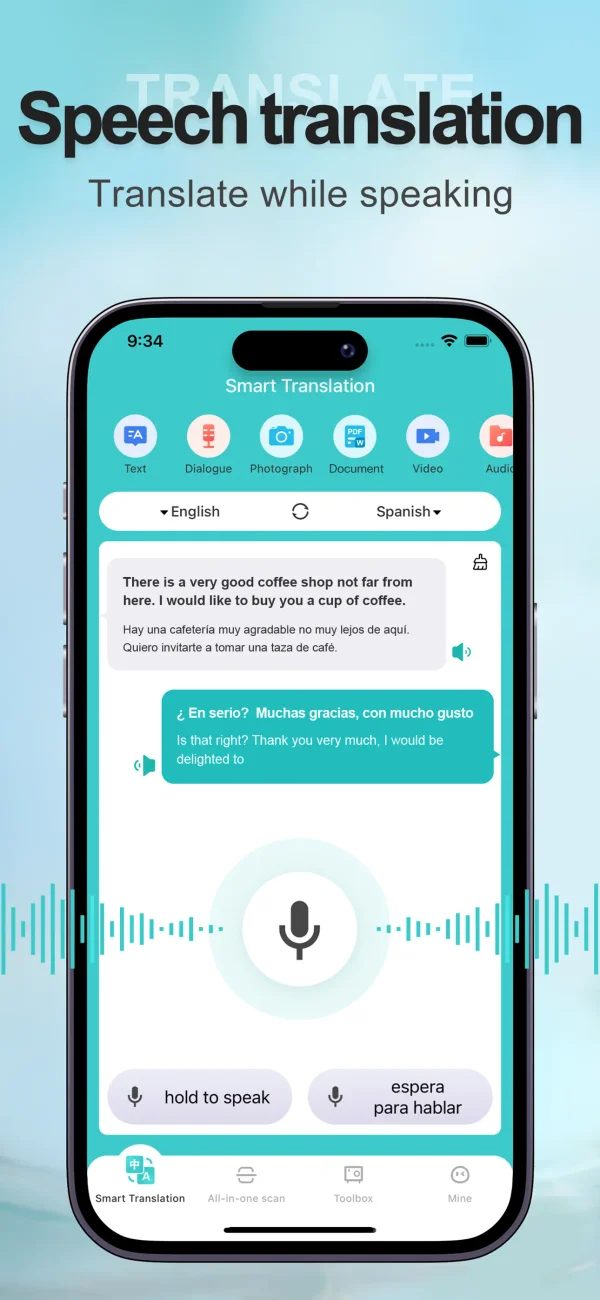
2. Dialogue translation:
Real time speech intelligent capture and recognition of translated speech, easy face-to-face communication with foreign friends.
3. Photo translation:
Take pictures of images and text, and accurately recognize and translate them into any language you want. You can also import them directly into your photo album for image and text translation.
4. Recording translation:
Can be used for recording and translating audio for meetings, speeches, important speeches, etc.
5. Audio translation:
By importing audio files, accurately extract audio and convert it into text, and then convert it into the corresponding language according to your needs.
6. Video translation:
Accurately and quickly capture the language in the video, extract it, and then translate it according to one's own language needs.
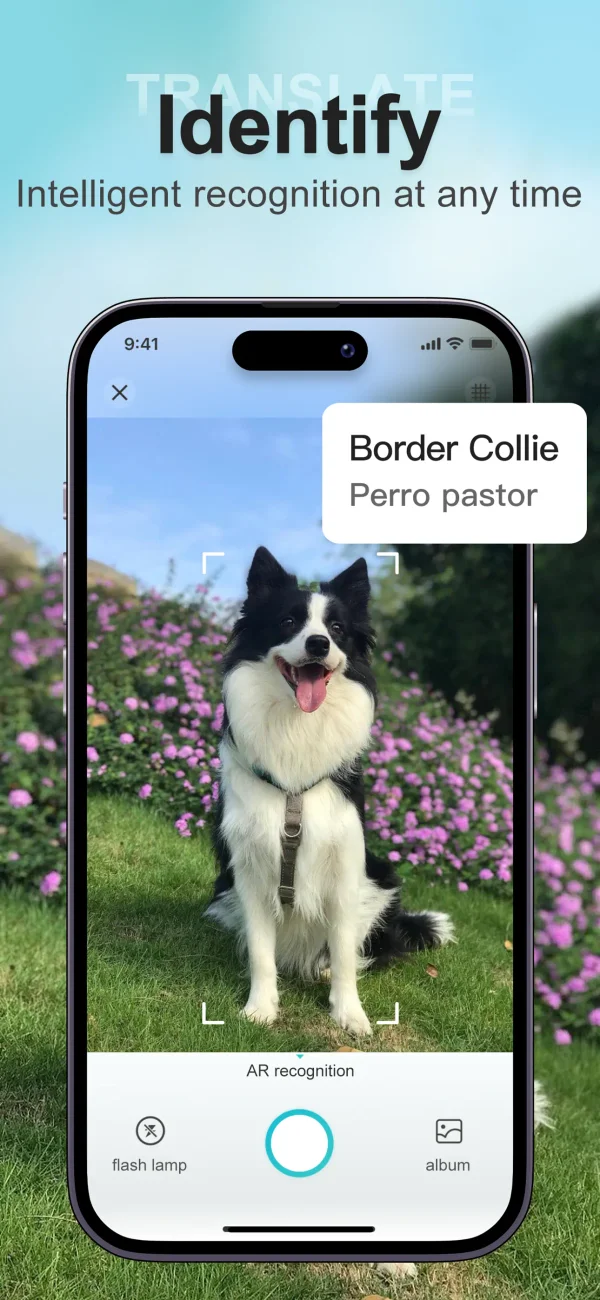
7. Object recognition translation:
Take photos to recognize and translate objects around you.
The all powerful scanning king
1. Text extraction:
Scan and extract text, and perform editing, copying, and other operations, bringing many conveniences to life and work.
2. Convert to PDF:
Scan to generate PDF, one click save to export PDF file or print.
3. Add watermark:
Edit and add content, quickly add watermarks with just one click, allowing you to have your own unique files.
4. Electronic signature:
Say goodbye to tedious paper signatures and complete contracts, confirmation letters, and other signatures online, greatly improving work efficiency.
5. QR code scanning:
Quickly scan and identify QR code information.
6. Document scanning:
Scan ID cards, driver's licenses, student IDs, and other documents, which can be directly converted to PDF format and printed.
7. Scan and identify objects:
For unknown items, we can easily intelligently identify them and obtain their information content.
Regarding subscriptions:
1. Regarding payment: Subscription fees are charged on a weekly, monthly, quarterly, annual, and perpetual basis. Once the purchase is confirmed, the subscription amount will be deducted from your iTunes account.
2. Regarding renewal: The system will automatically renew and deduct corresponding fees based on the subscription type 24 hours before the subscription service expires.
To close the subscription service, please do so at least 24 hours in advance in the "Account Settings". Please manually open the "Settings" on your iPhone ->enter "iTunes Store and
App Store "->Click on" Apple ID ", select" View Apple ID ", go to the" Account Settings "page, click on" Subscribe ", select VIP membership to unsubscribe.
If the subscription is not closed at least 24 hours before the end of the subscription period, the subscription will be automatically renewed.
3. User Agreement: https://docs.qq.com/doc/DZElYcUFpYnh0SG9W
4. Privacy Policy: https://docs.qq.com/doc/DZExldGZld3FCbkdt
What’s new
Version 1.8 · Jan 13, 2025
1. Optimize the APP
2. Fix some bugs discovered
App privacy
What Hongyun declares on the App Store about how this app handles data.
-
Data not collected
The developer does not collect any data from this app.
Privacy practices may vary, for example with the features you use or your age.
Information
- Seller
- Baoding Hongyun Network Technology Co., Ltd.
- Category
- Productivity
- Version
- 1.8
- Updated
- Jan 13, 2025
- Released
- Aug 17, 2023
- Size
- 20.5 MB
- Requires
- iOS 13.0 or later
- Age rating
- 4+
- Price
- Free
- In-app purchases
- Yes
- Languages
- English, Simplified Chinese, Traditional Chinese
- Copyright
- © Hongyun Network Technology Co., Ltd.
You might also like
-
 iTranslator-Translate VoiceTranslate Voice,Text,Photos
-
 translation-Global translationTranslate photo, text, voice
-
 同声传译王Productivity
-
 译准翻译官--实时同声翻译助手Productivity
-
 无忧翻译官-同声传译 实时AI翻译出国旅行必备Productivity
-
 Translator-Talk and TranslateTalk , Photo, Pcan translation
-
 Translator Max - AI TranslatePhoto, Voice&Text Translation
-
 InterpreterX: VoiceTranslationReal-time Voice Transcription
-
 我们的翻译官-实时语音翻译字幕在线会议工具Productivity
-
 Speak Freely Pro - TranslateCross-app voice translation