
Transly - Live Translator
The Best Real-time Translate
Designed for iPhone, iPad
Free · In-app purchases
- Age rating4+
- CategoryProductivity
- DeveloperVector Lightyear
- LanguagesEnglish+ 35 more
- Size369.0 MB
Links to the official App Store page
Download.org hosts no file of Transly - Live Translator. The button opens its official App Store page, published by Vector Lightyear. Listing last checked on Nov 24, 2026.
Screenshots


About
Transly: live voice translation, video subtitles and a translation keyboard.
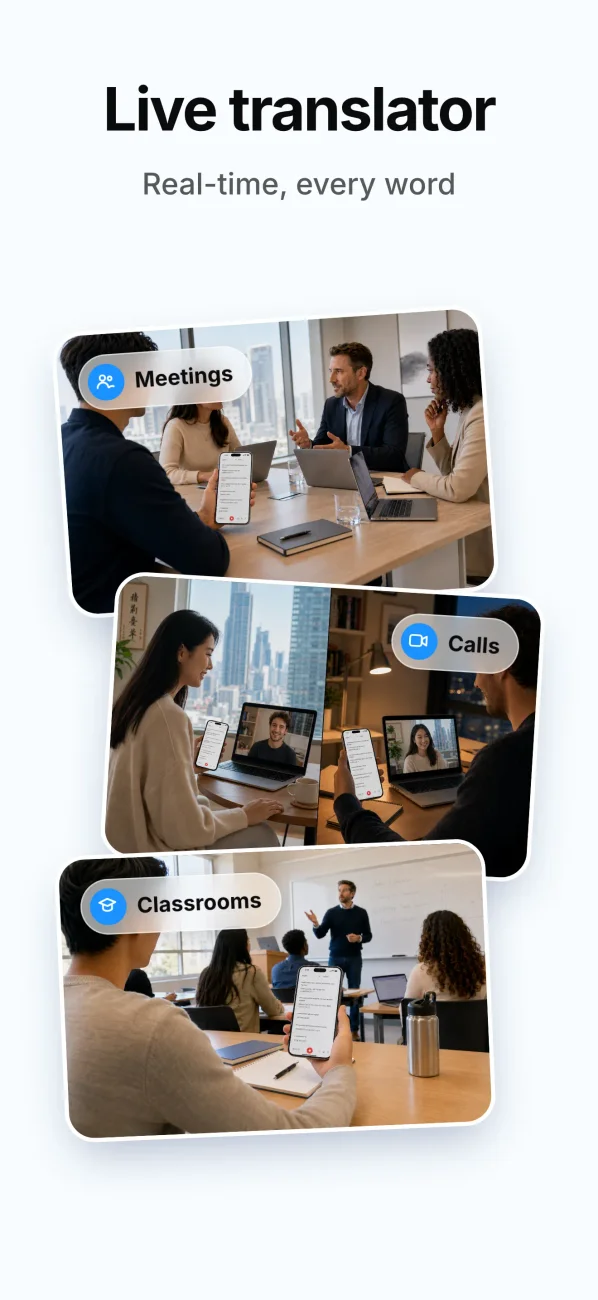
Understand what you hear and say what you mean. Transly brings five translation modes together for classes, face-to-face conversations, foreign-language videos, messages and emails.
LIVE SPEECH TRANSLATION
Choose the spoken language and your translation language, then start the microphone. Read the original text alongside the translation as you listen to a lecture, presentation or guided tour. Adjust the subtitle display to suit you, and listen to translated speech where the selected output mode supports it. Clear audio and a stable connection help you follow along.
TWO-WAY CONVERSATIONS
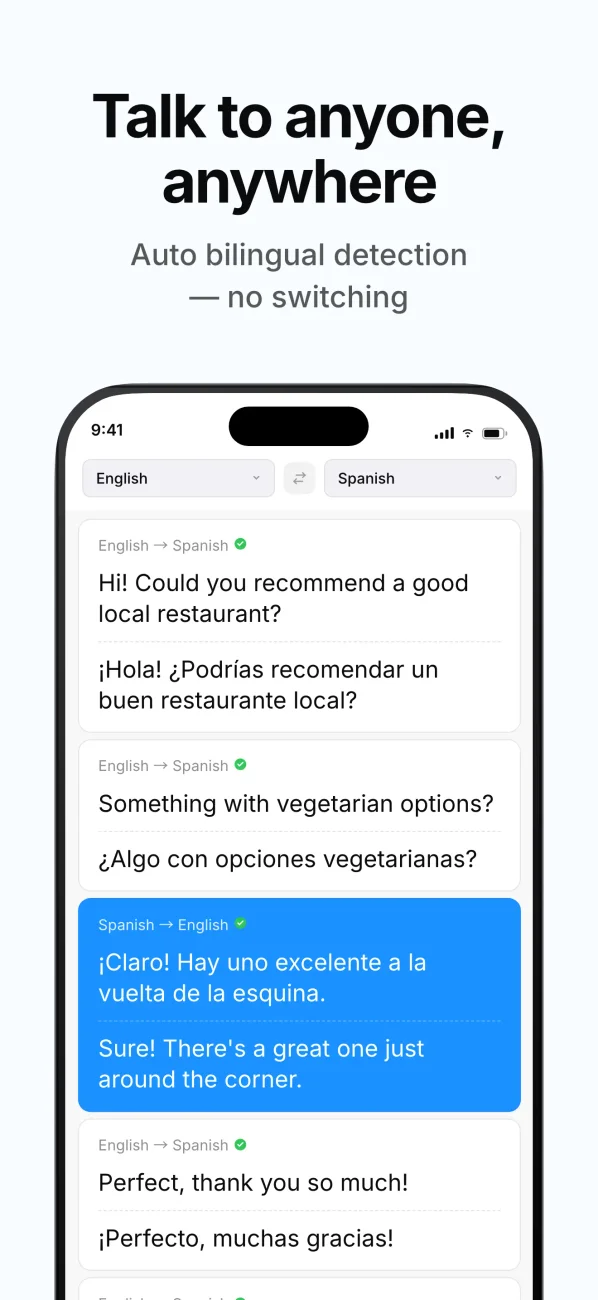
Set a language for each person and take turns speaking using one phone. View the conversation and its translation when asking for directions, checking into a hotel or explaining what you need. Check names, addresses and numbers together before relying on them.
LOCAL VIDEO TRANSLATION
Select a video from Photos or Files, choose its language and watch with translated subtitles. Follow a saved course, interview or training video while comparing the original and translated text. “Local video” means a video you select from your files; translation still requires an internet connection.
TRANSLATE FROM YOUR KEYBOARD
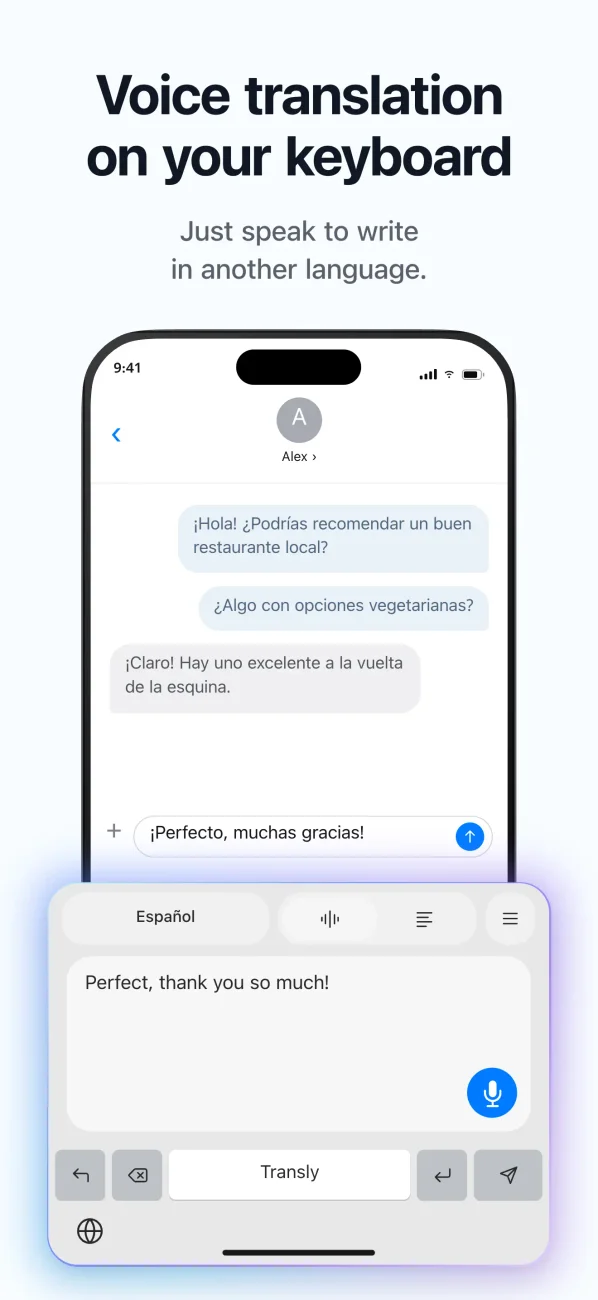
In apps that allow custom keyboards, switch to Transly, choose a target language and tap the microphone. Speak, confirm, and insert the translation into the current text field. Review or edit it before sending. Choose a natural, formal or casual style for a work email or a message to a friend.
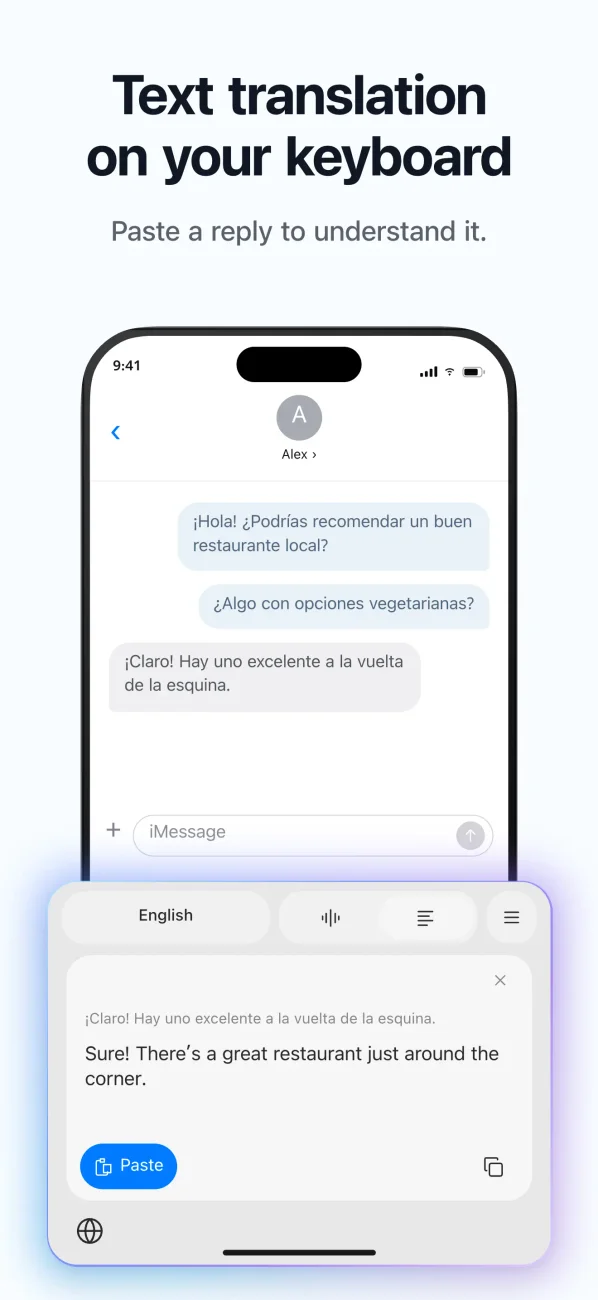
To understand a reply, copy the message and paste it into the keyboard’s reading mode. Read the translation, then switch back to speaking to write your answer. Follow the in-app setup instructions first. Password fields and some apps do not allow custom keyboards.
TRANSLATE AUDIO ACROSS APPS
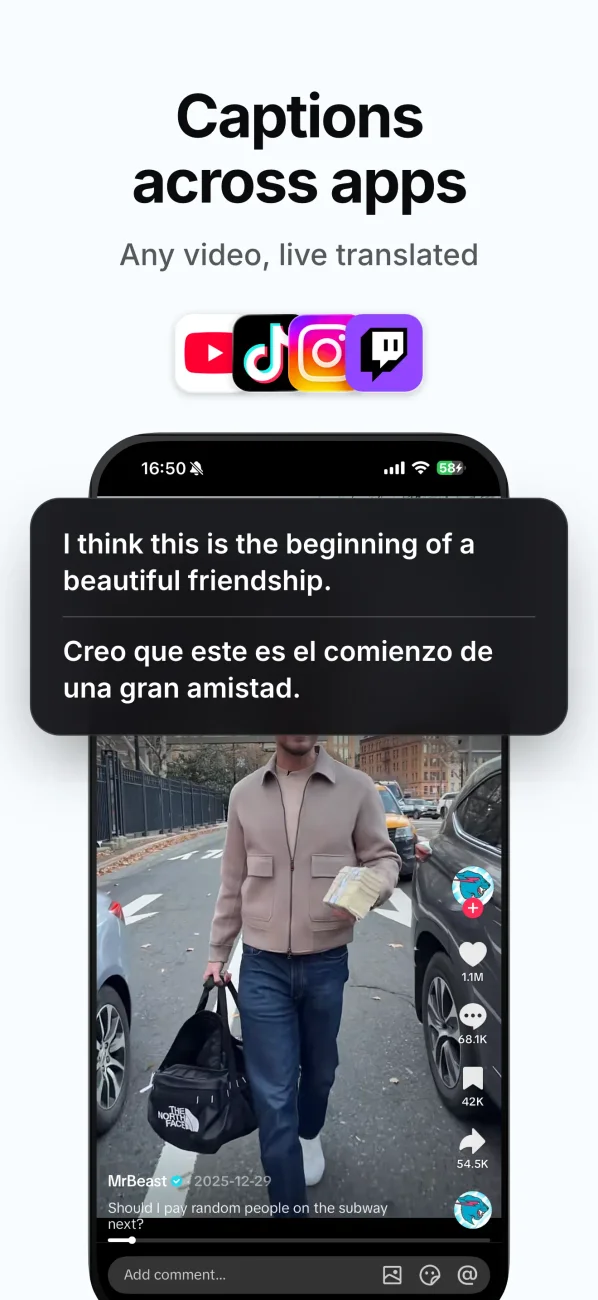
Start the system broadcast from Transly, return to the app playing your video or audio, and follow the translation in a picture-in-picture subtitle window. This translates audio the system can capture, rather than every word on your screen. Protected media, calls and some apps may block audio capture.
SAVE AND REVISIT
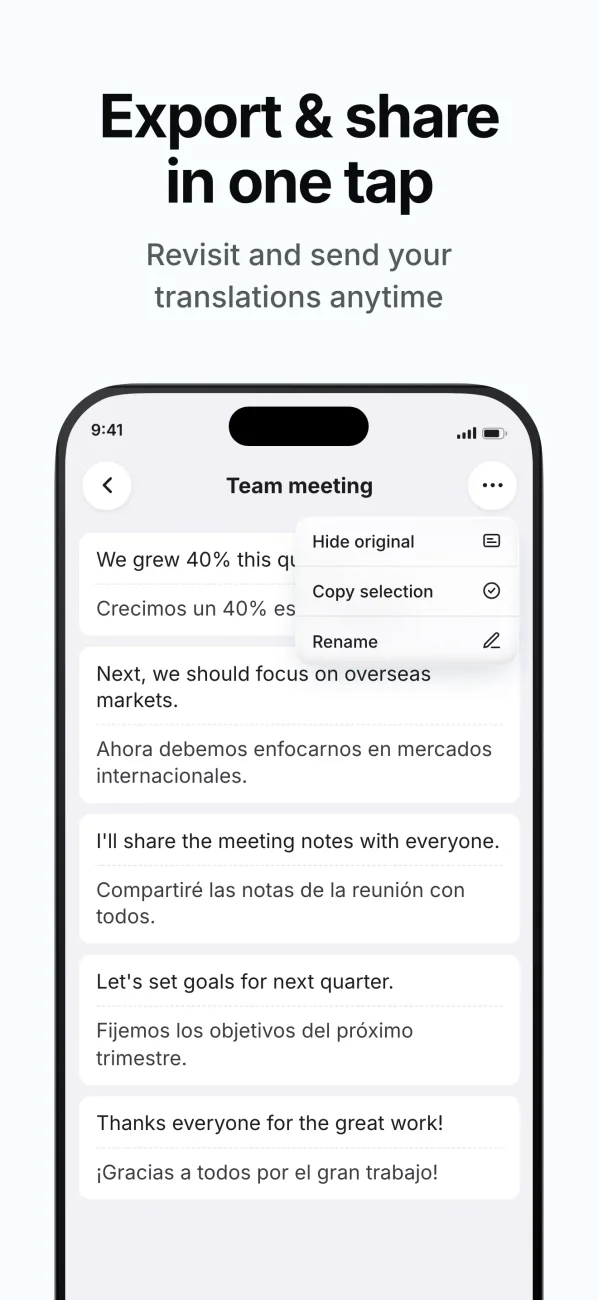
Review supported translation records, share text or export SRT subtitles. Choose original, translated or bilingual content where available, then use it for study notes or in tools that support SRT files.
TRY IT FIRST
Keyboard voice input and translation include a free allowance of 2,000 characters. Check Transly plans in the app for current prices, available allowances and the features included. This is not unlimited free access to every feature.
Translation requires an internet connection and the relevant microphone, keyboard or broadcast permissions. Results depend on audio quality, accent, speaking speed and context. Review important details before using or sending a translation.
LANGUAGES AND REGIONAL OPTIONS
English, Chinese (Simplified), Chinese (Traditional), Japanese, Korean, Vietnamese, German, French, Russian, Italian, Spanish, English (United Kingdom), English (Australia), English (India), French (Canada), Spanish (Latin America), Spanish (United States), Portuguese, Portuguese (Brazil), Portuguese (Portugal), Arabic, Bulgarian, Bangla, Czech, Danish, Greek, Estonian, Finnish, Hindi, Croatian, Hungarian, Indonesian, Hebrew, Lithuanian, Latvian, Dutch, Norwegian, Polish, Romanian, Slovak, Slovenian, Serbian, Swedish, Swahili, Thai, Turkish, Ukrainian
Language choices vary by feature, input/output direction and spoken output. Check the options in the feature you want to use.
Privacy Policy: https://www.transly.app/privacy-policy
Terms of Use (EULA): https://www.apple.com/legal/internet-services/itunes/dev/stdeula/
Transly Terms of Service: https://www.transly.app/terms-of-use
What’s new
Version 1.4.1 · Nov 24, 2026
• Pin the languages you use most to the top of the list for quick access.
• Live translations stay steadier on screen as they update, so they’re easier to read.
• Fixed an issue with loading history and made exports more reliable.
App privacy
What Vector Lightyear declares on the App Store about how this app handles data.
-
Data not collected
The developer does not collect any data from this app.
Privacy practices may vary, for example with the features you use or your age.
Information
- Seller
- Qingdao Vector Lightyear Co., Ltd
- Category
- Productivity
- Version
- 1.4.1
- Updated
- Nov 24, 2026
- Released
- Apr 14, 2025
- Size
- 369.0 MB
- Requires
- iOS 16.0 or later
- Age rating
- 4+
- Price
- Free
- In-app purchases
- Yes
- Languages
- English, Arabic, Bulgarian, Catalan, Croatian, Czech, Danish, Dutch, Finnish, French, German, Greek + 24 more
- Copyright
- © 2025 Qingdao Vector Lightyear Co., Ltd
You might also like
-
 Transync AI - TranslatorReal-time translation
-
 PiP Screen TranslateTranslate Any App
-
 Live Translator: AI SubtitlesReal-Time Captions & Translate
-
 Screen Translator AI TranslateText, Photo & Voice Translator
-
 YPlayer: Live Translate PlayerLive caption, transcribe
-
 Screen Translator - Offline AZAI Translate Photo Video Game
-
 Mewah Translator-译妙蛙翻译官Translate video, voice, game
-
 Live Voice Translator WhisperrSpeech Translator and Captions
-
 Live Translator: ektoTranslate Speech in Real-time
-
 Instant Voice TranslatorSpeak & Translate Live