TransPeek
Real-Time Screen Translate
Designed for iPhone, iPad
Free · In-app purchases
- Age rating4+
- CategoryUtilities
- Developer上海百隅信息科技有限公司
- LanguagesEnglish+ 14 more
- Size30.0 MB
Links to the official App Store page
Download.org hosts no file of TransPeek. The button opens its official App Store page, published by 上海百隅信息科技有限公司. Listing last checked on Nov 17, 2026.
Screenshots


About
Read any screen in your own language — games, videos, comics, chats and websites, without leaving the app you're in.
TransPeek floats a small window over whatever you're doing, reads the text on screen and shows the translation right there. Text recognition and translation both run on your device.
FLOATING WINDOW
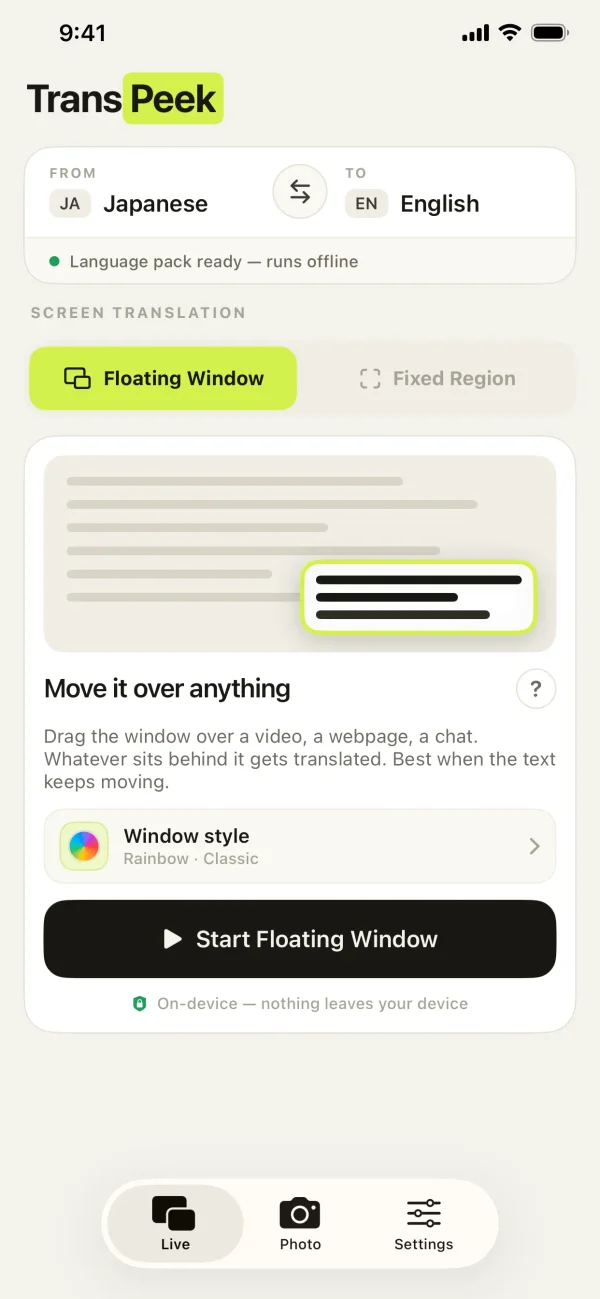
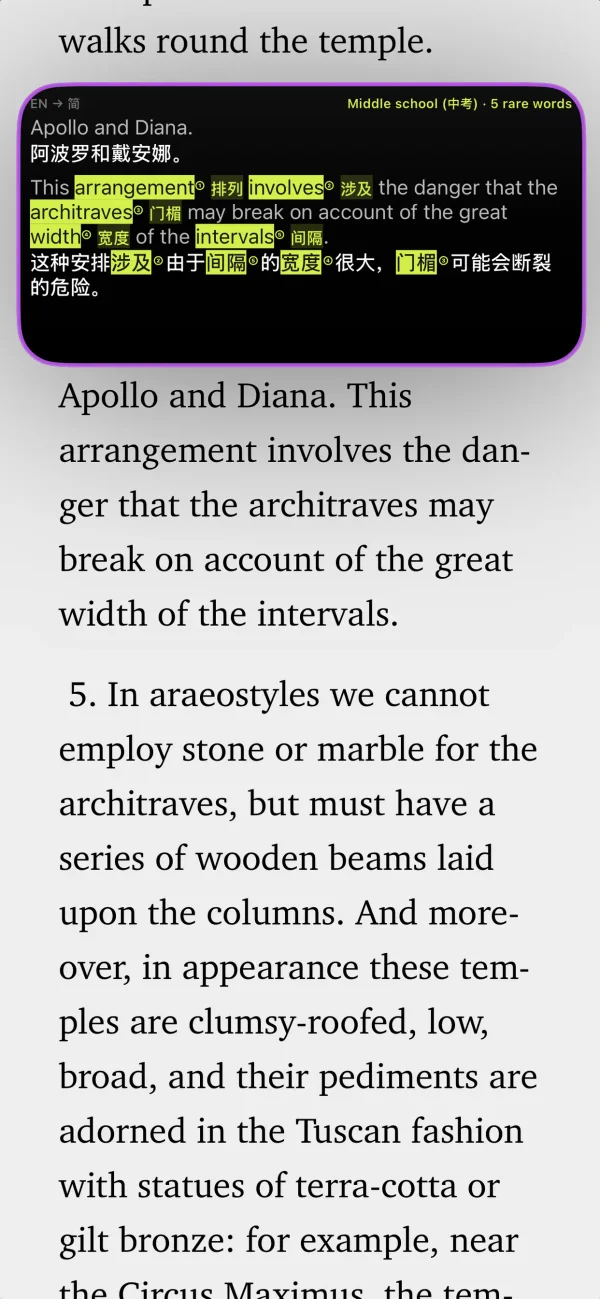
Drag the window over the text you want to read. It translates what sits just below it, sentence by sentence, with the original line above each translation, so you can read both at once. Move it and it follows along.
RARE WORDS, MARKED FOR YOU
Learning a language? TransPeek marks the less common words in each sentence and highlights the matching words in the translation, numbered so you can pair them up. Set your reader level for each language and it only marks what you're likely not to know yet.
FIXED REGION
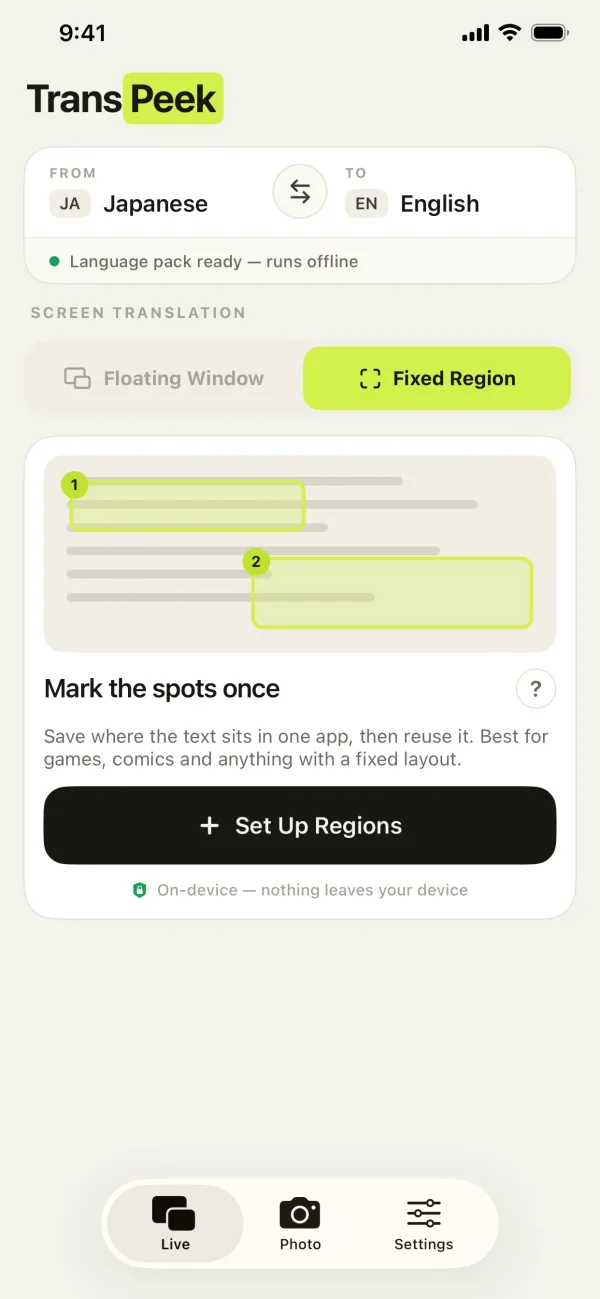
For subtitles, game dialogue or speech bubbles that always appear in the same place: mark those areas once and TransPeek keeps translating them. The window takes the shape of what you marked — wide and short for a subtitle strip, tall for a column of bubbles.
PHOTO TRANSLATION
Take a photo or pick one from your library — menus, signs, letters, product labels — and translate the text in it. Photos never leave your device.
SHORTCUTS, SIRI AND CONTROL CENTER
Start the floating window or a fixed region from Control Center, Siri, Spotlight or the Shortcuts app. Pair "Take Screenshot" with "Translate Screenshot" to translate whatever is on screen with one tap; on iOS 26, with the language already downloaded, the result appears without leaving the app you're in.
20 LANGUAGES, ANY PAIR
English, Simplified Chinese, Traditional Chinese, Japanese, Korean, French, German, Spanish, Portuguese (Brazil), Russian, Italian, Thai, Vietnamese, Arabic, Dutch, Hindi, Indonesian, Polish, Turkish and Ukrainian — translate between any two. Translation is powered by Apple's on-device engine; once a language is downloaded, it works offline.
PRIVATE BY DESIGN
No account, no cloud and no tracking. Your screen is processed on your iPhone or iPad and is never uploaded.
MAKE IT YOURS
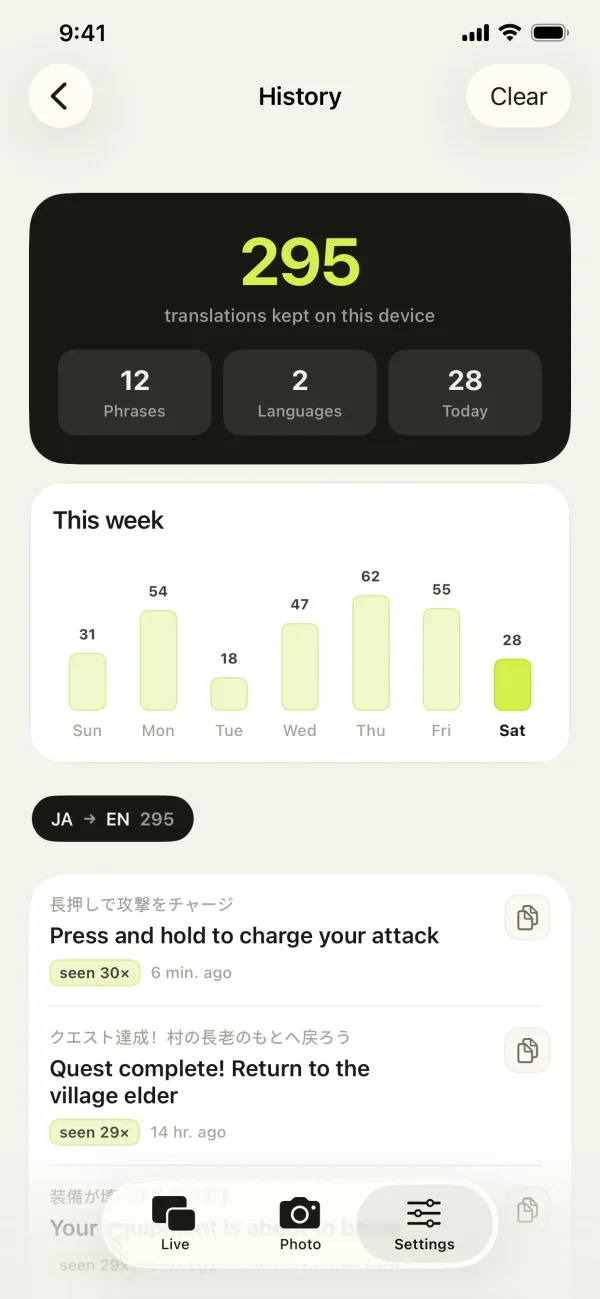
Choose the window's shape, border colour and text theme. Every translation is kept in your history on this device, with stats for the week.
PRICING
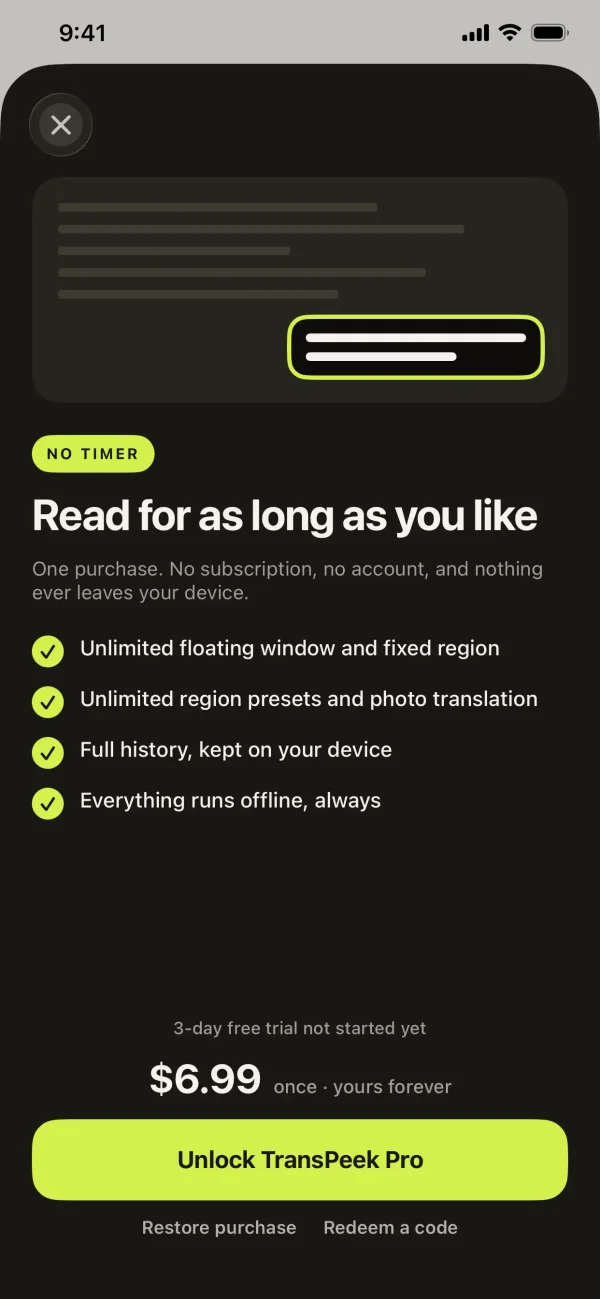
Try everything free for 3 days. The trial starts with your first screen translation, not when you install. After that, a one-time purchase unlocks TransPeek Pro for good — no subscription. Pro owners can gift a friend a code to unlock Pro at a gift price.
How to start: pick your languages, tap Start Floating Window, then choose TransPeek in the system's screen broadcast sheet. Switch to any app and the window comes with you.
What’s new
Version 1.6.1 · Nov 1, 2026
- The floating window stays on what you're reading — it no longer flips to a new page every few seconds. It shows what fits, starting from the top of the area it reads, and makes the text bigger when there's room. Scroll the page or move the window to see the rest. Every sentence now keeps both the original and the translation.
- No more junk text — icons, avatars and half-cut lines are no longer read and "translated", in both the floating window and fixed regions. The floating window also stops reading its own translation while you drag it.
- Fixed stability issues in certain situations.
- Fixed translations sometimes showing garbled characters in place of a rare word, and sentences being cut in half when one line on screen was taller than the rest. The rare-word slider now says which words it marks: "Rarest" to "Common too".
App privacy
What 上海百隅信息科技有限公司 declares on the App Store about how this app handles data.
-
Data not collected
The developer does not collect any data from this app.
Privacy practices may vary, for example with the features you use or your age.
Information
- Seller
- Shanghai Baiyu Information Technology Company Limited
- Category
- Utilities
- Version
- 1.6.1
- Updated
- Nov 1, 2026
- Released
- Mar 17, 2026
- Size
- 30.0 MB
- Requires
- iOS 18.0 or later
- Age rating
- 4+
- Price
- Free
- In-app purchases
- Yes
- Languages
- English, French, German, Indonesian, Italian, Japanese, Korean, Portuguese, Russian, Simplified Chinese, Spanish, Thai + 3 more
- Copyright
- © 2026 ByuTech
You might also like
-
 Capti: Transcribe Screen AudioTranscribe & Translate Screen
-
 Loupe: Live Screen TranslatorGame, manga & video subtitles
-
 Subtitle It: Floating CaptionsLive Translation Across Apps
-
 Veya: Screen TranslatorOn-device text translation
-
 Miruyaku: Screen TranslatorLive Voice, Camera & Subtitles
-
 Fanshu TranslatorOver any app · on-device AI
-
 Live Translate Keyboard ScreenLive Conversation Translator
-
 Screen Translator-TapTranslateTranslate Screen with a Tap
-
 OverLensTranslate Any App, On-Device
-
 GG-TranslatorManga-Subtitle-GameTranslation