
TransWindow: Screen Translator
Translate photos, text & web
Designed for iPhone, iPad, Mac
Free · In-app purchases
- Age rating17+
- CategoryUtilities
- DeveloperYunsaeng Kim
- LanguagesEnglish+ 7 more
- Size6.5 MB
Links to the official App Store page
Download.org hosts no file of TransWindow: Screen Translator. The button opens its official App Store page, published by Yunsaeng Kim. Listing last checked on Nov 23, 2026.
Screenshots

About
On a trip, the worst moment is usually when you can’t read something. A restaurant menu, a sign at the train station, the back of a medicine box.
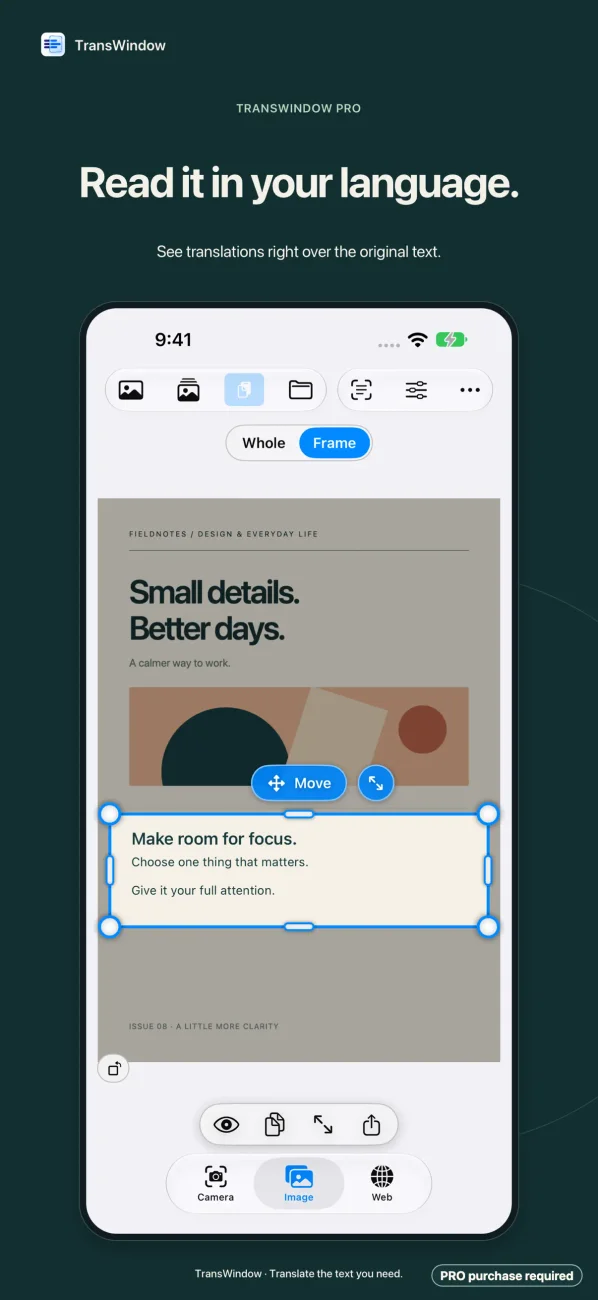
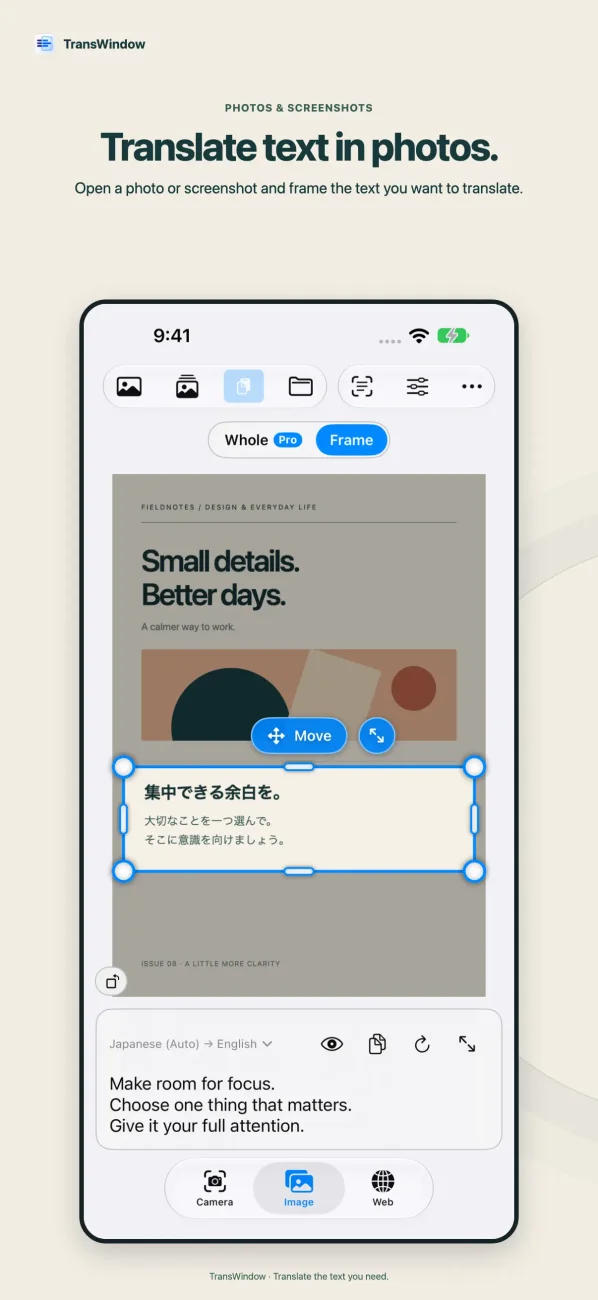
TransWindow puts a frame over the camera view or a photo and translates only the text inside it. You don’t have to retype or copy anything first, so you can use it right on the street. It works the same way on a screenshot a friend sent or a web page you got stuck on.
Camera, photos and web
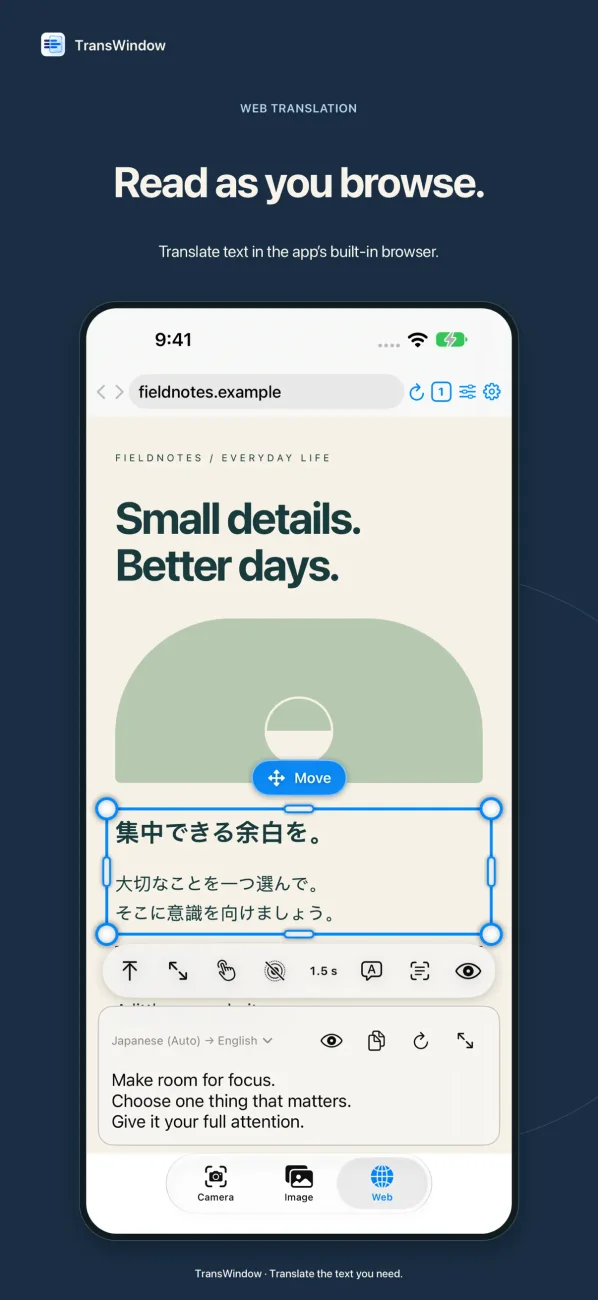
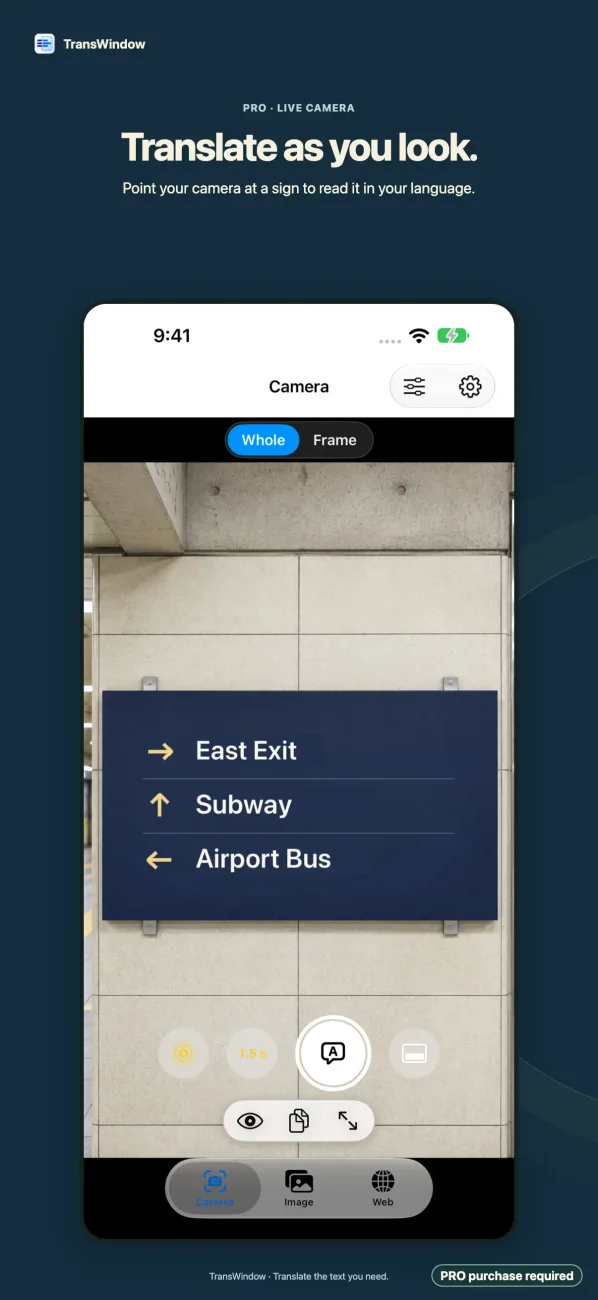
Point the camera at text, open a photo or a screenshot, or browse in the built-in browser. Move and resize the frame so it covers just the part you want, and the translation shows up in a panel below. You can copy the result.
On web pages you can also tap a paragraph. Turn on Tap a Paragraph, tap the text you want to read, and the app picks up that paragraph’s text and translates it. Full Screen hides the address bar and tab bar, so a long page like a hotel booking or a review of a local place gets the whole screen.
Useful when you travel
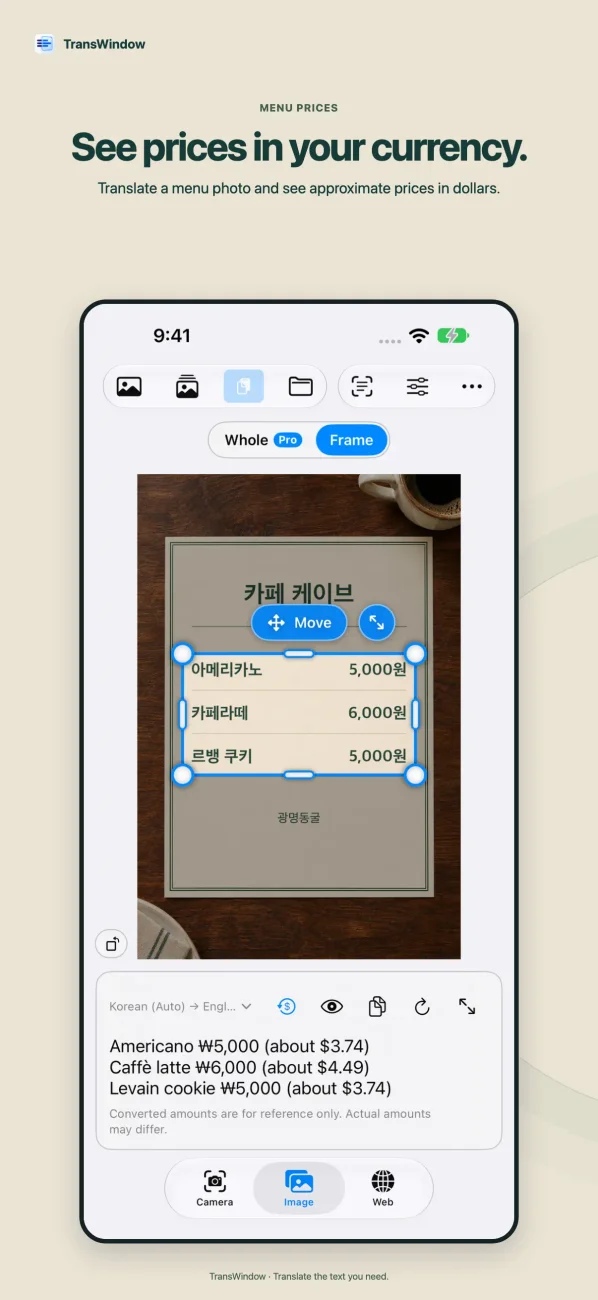
- Prices in the translation get an approximate amount in your own currency next to them. It shows in the result panel and Expand view. Get exchange rates automatically once a day, or enter them yourself
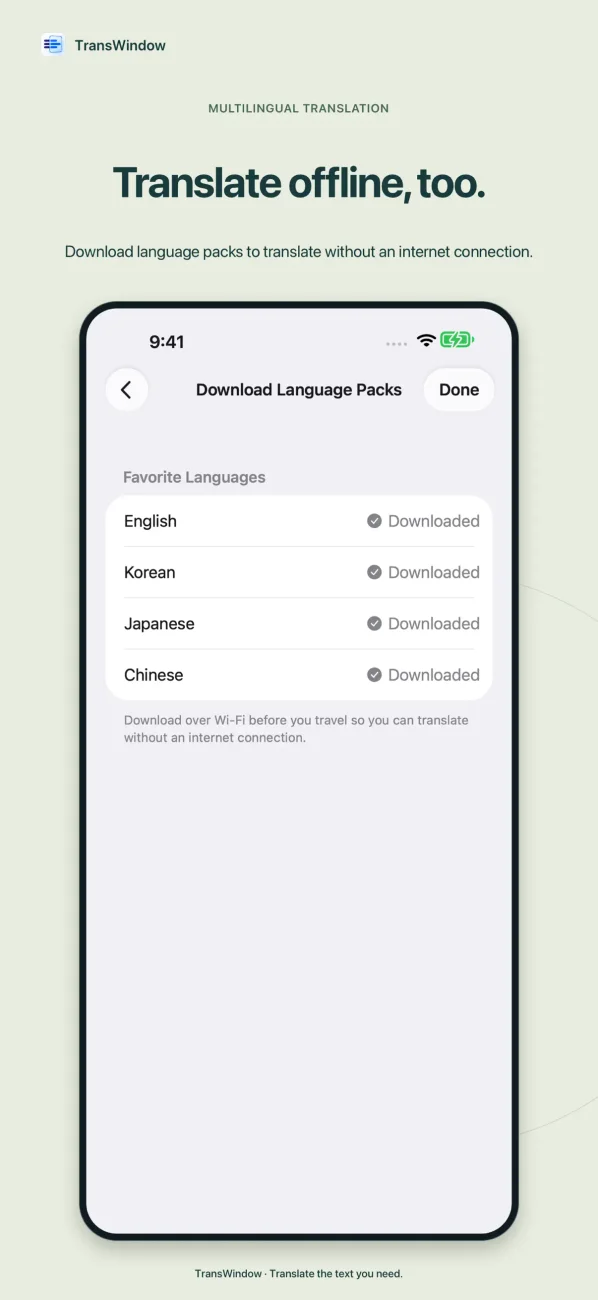
- Download language packs ahead of time and you can translate even where there’s no data connection
- Take several photos and translate them one by one later, back at your hotel
- Listen to the original read aloud and have the translation read to you. Handy when you want to know how a dish name sounds
And more
- Open a PDF or scan a document and translate it
- Translate text you type
- Look up earlier results in Recent Translations
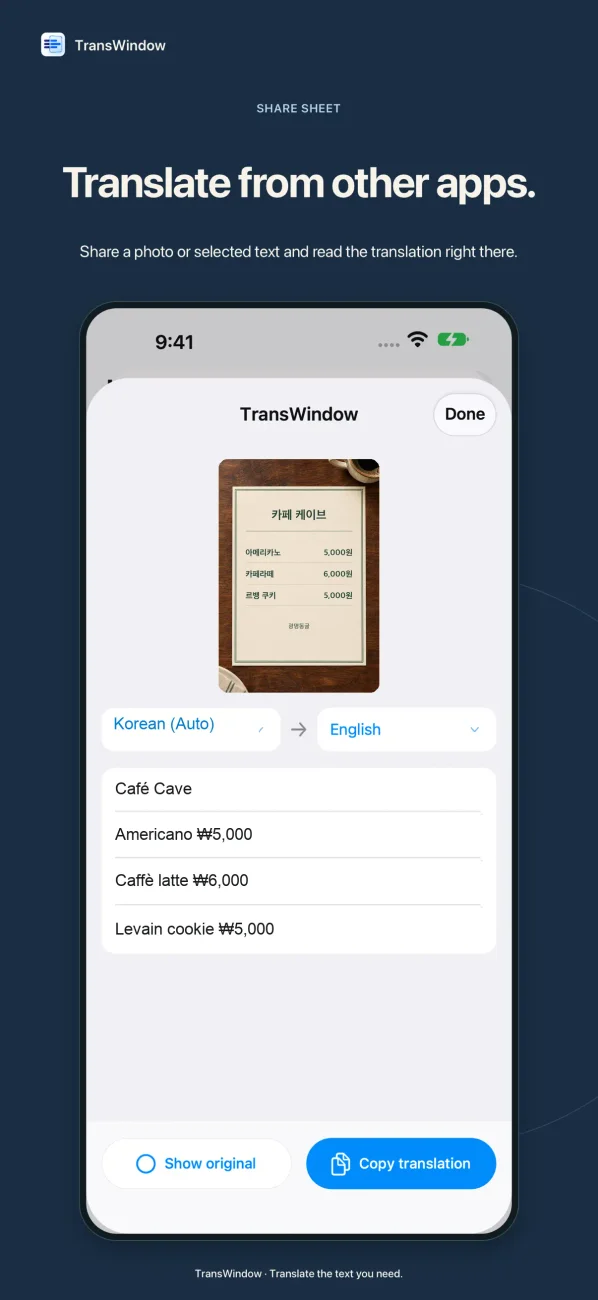
- Share an image or some selected text from another app and choose Translate with TransWindow (free)
- Jump straight to camera, image or web translation from Shortcuts
Safari extension
Use it on the page you’re already reading in Safari. Translate Selection translates the text you pick. Translate This Page adds the translation below each paragraph. Both are free.
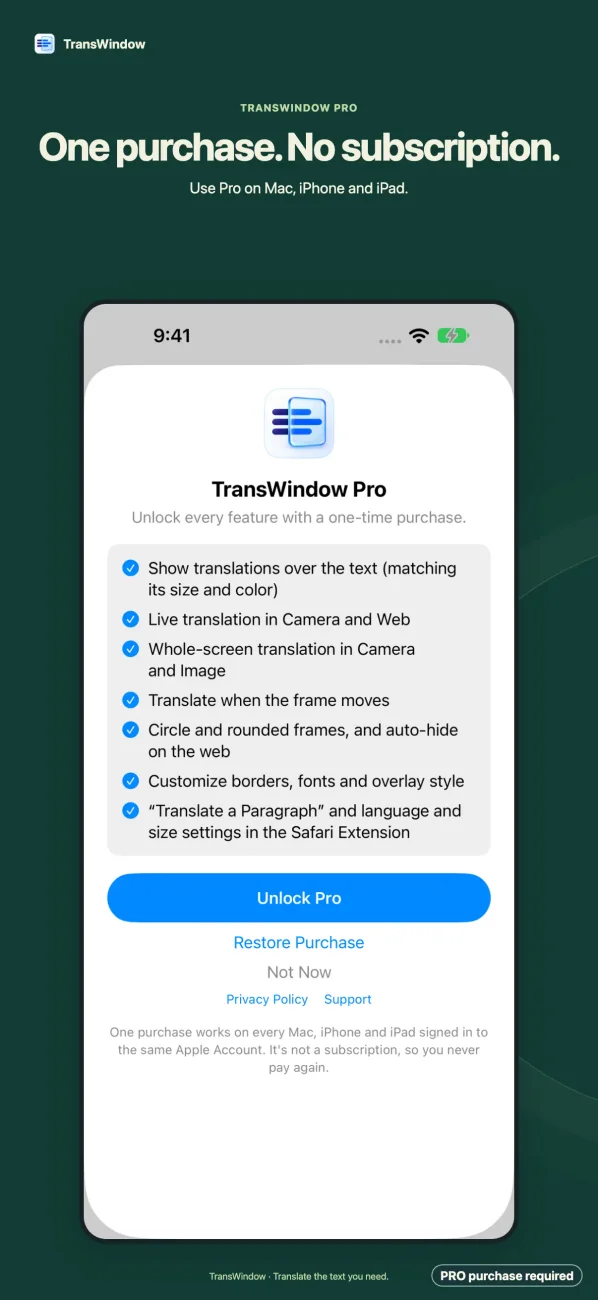
TransWindow Pro (one-time purchase)
- Live translation in the camera and on web pages: it keeps translating while you point the camera, so you don’t have to tap again
- Show the translation right over the original text, with converted amounts too, so a menu looks like it was printed in your language
- Translate the whole camera view or image at once: switch the translation area between Whole and Frame (the camera starts on Whole)
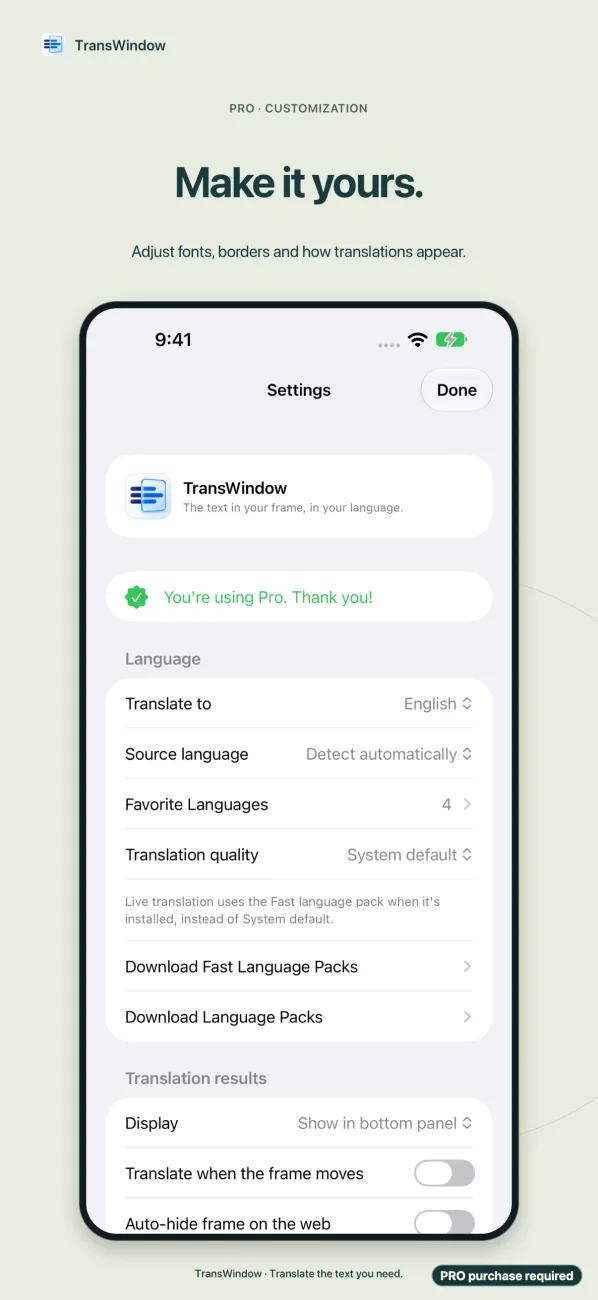
- Translate automatically after you move the frame
- Round and rounded-rectangle frames, auto-hide for the web frame
- Fonts, borders and overlay appearance
- Safari extension: Translate a Paragraph (including Translate Paragraphs Right Away), settings for languages, text size and result window size, and changing languages or resizing in the result window
Everything runs on your device
Text recognition and translation both happen on your device. There’s no account, no ads and no analytics. Download language packs ahead of time and you can translate offline, so you don’t need roaming or a local SIM abroad. Browsing the web and downloading language packs need an internet connection. Converted amounts need one only if you choose Get Automatically: the app then downloads a table of exchange rates once a day and never sends your text or the amounts. Enter Manually uses no connection. The languages you can use are the ones Apple’s translation supports on your device.
Pricing
Translating by hand with a rectangular frame and reading the result in the panel is free. So are Write and Translate, Recent Translations, converted amounts, and the Safari extension’s Translate Selection and Translate This Page. Pro is a single in-app purchase, not a subscription. It works on your Mac, iPhone and iPad with the same Apple Account.
What’s new
Version 1.2 · Nov 18, 2026
This update adds converted amounts, whole-screen translation for the camera and images, and a share sheet action.
New
- Camera and Image: switch the translation area between Whole and Frame (Pro). The camera starts on Whole
- Translate with TransWindow in the share sheet: translate an image or selected text from another app without opening TransWindow
- Converted amounts: next to prices in the translation, the app shows an approximate amount in your currency, in the result panel and Expand view. Download exchange rates automatically or enter them yourself, and optionally convert prices written as bare numbers. Showing them on overlays is Pro
Changed
- Safari extension: “Translate a Paragraph” (including “Translate Paragraphs Right Away”), settings for languages, text size and result window size, and changing languages or resizing in the result window now need Pro. Without Pro, the extension detects the original language, translates into your system language and uses the default text and result window size. Settings you saved earlier aren’t deleted and apply again once you buy Pro
- Safari extension: “Translate This Page” is now free (it used to need Pro). “Translate Selection” stays free
Improved
- An icon’s name bubble appears after a 1-second press instead of 2
App privacy
What Yunsaeng Kim declares on the App Store about how this app handles data.
-
Data not collected
The developer does not collect any data from this app.
Privacy practices may vary, for example with the features you use or your age.
Information
- Seller
- Yunsaeng Kim
- Category
- Utilities
- Version
- 1.2
- Updated
- Nov 18, 2026
- Released
- Nov 11, 2026
- Size
- 6.5 MB
- Requires
- iOS 26.4 or later
- Age rating
- 17+
- Price
- Free
- In-app purchases
- Yes
- Languages
- English, French, German, Japanese, Korean, Simplified Chinese, Spanish, Traditional Chinese
- Copyright
- Copyright © 2026 SUPRACORE. All rights reserved.
You might also like
-
 말하는시계-음성모닝콜Utilities
-
 Sodam - Photo Vault & NotesEncrypted files on your device
-
 오리집추적은 막고 광고는 지워요
-
 Airothy - Remote for MacTrackpad & keyboard for Mac
-
 Lockin Focus - Timed App LockBehavior change, not blocking
-
 EchoRecorder - Voice RecorderVoice Memos,Audio,Playback
-
 EZRecorder: Clear VoicePresets, Transcript & AI Recap
-
 스르륵 - 제스처 키보드Utilities
-
 MaterialCostPocket - 자재 원가 계산Utilities
-
 알림센터 - 투폰 서브폰 문자 카톡 알림 전달Utilities