
Treadwell: Treadmill Tracker
Real treadmill pace & distance
Designed for iPhone
Free · In-app purchases
- Age rating4+
- CategoryHealth & Fitness
- DeveloperBryan Peralta
- LanguagesEnglish
- Size18.0 MB
Links to the official App Store page
Download.org hosts no file of Treadwell: Treadmill Tracker. The button opens its official App Store page, published by Bryan Peralta. Listing last checked on Nov 25, 2026.
Screenshots

About
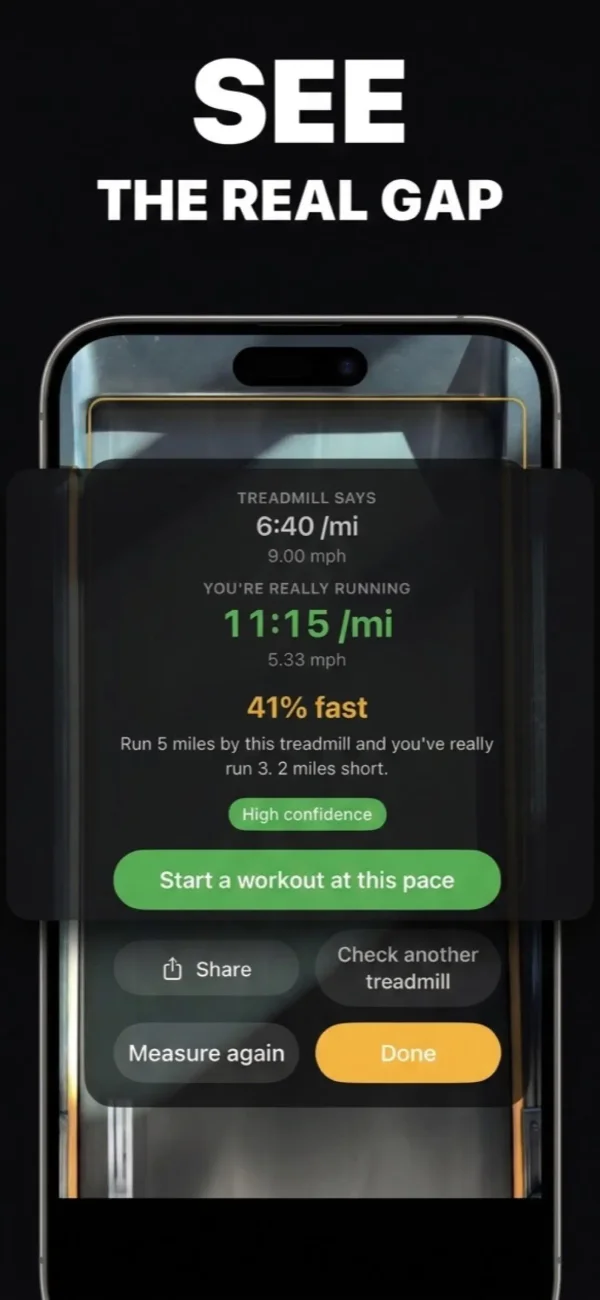
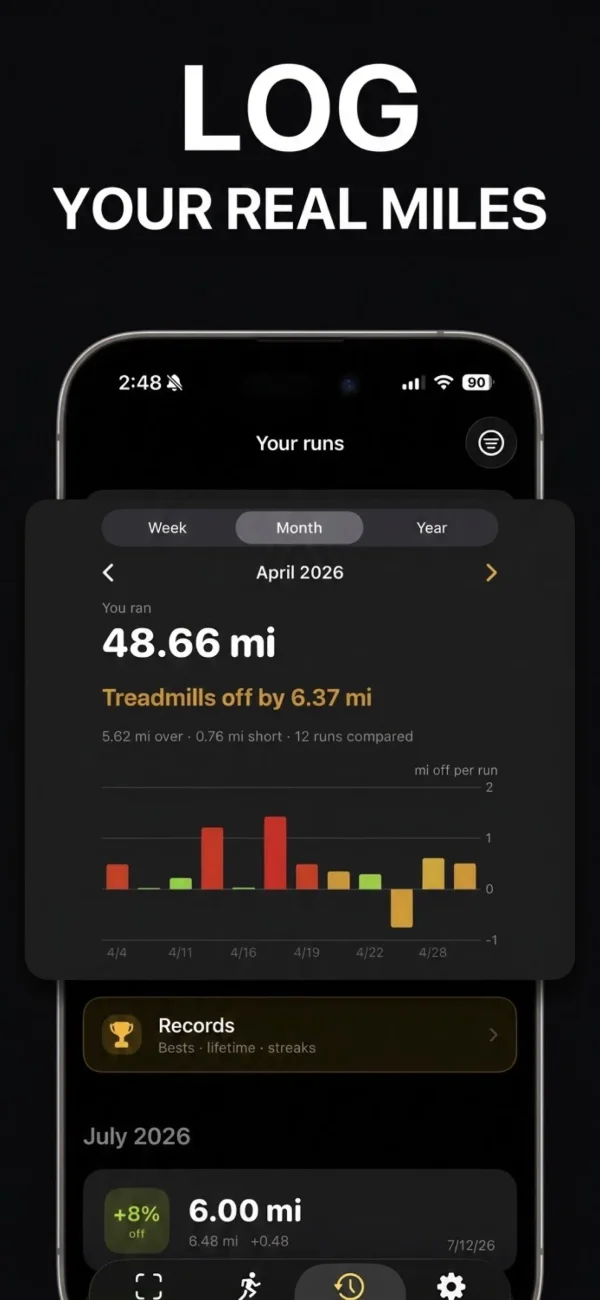
Your treadmill said 5 miles. You actually ran 4 miles, and your watch said something else entirely. You'd never have known.
A treadmill doesn't measure your speed. The display shows the number it was told to hit, from motor RPM and an assumed belt size. Belt slip, wear, and drift push your real speed off that number, and the belt slows a touch every time your foot lands. So the "6.0" you're staring at is really a guess, and your watch just copies it.
Treadwell measures the belt itself.
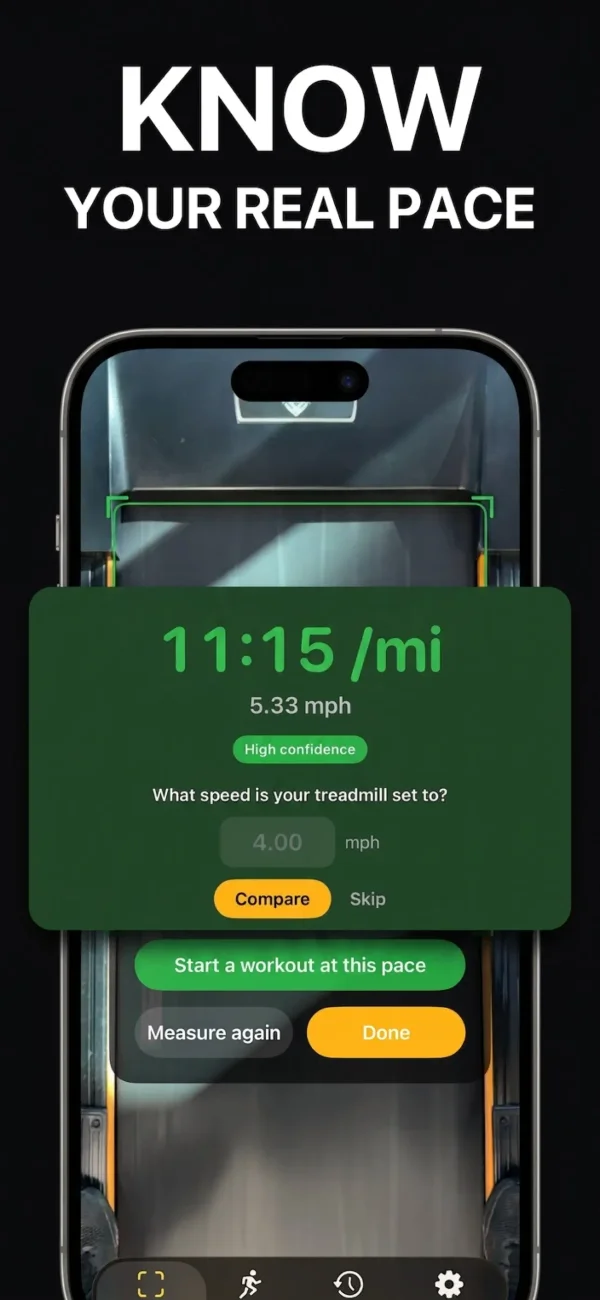
Hold your phone steady over the running belt for a few seconds. Using the camera and the LiDAR sensor on your iPhone Pro, the app watches the belt surface move and works out how fast it's actually traveling, then shows you your true pace and distance.
WHAT YOU GET
• Quick Measure: point, hold for a few seconds, get your real speed and pace. Tell it what your treadmill is set to and it shows you exactly how far off that number is.
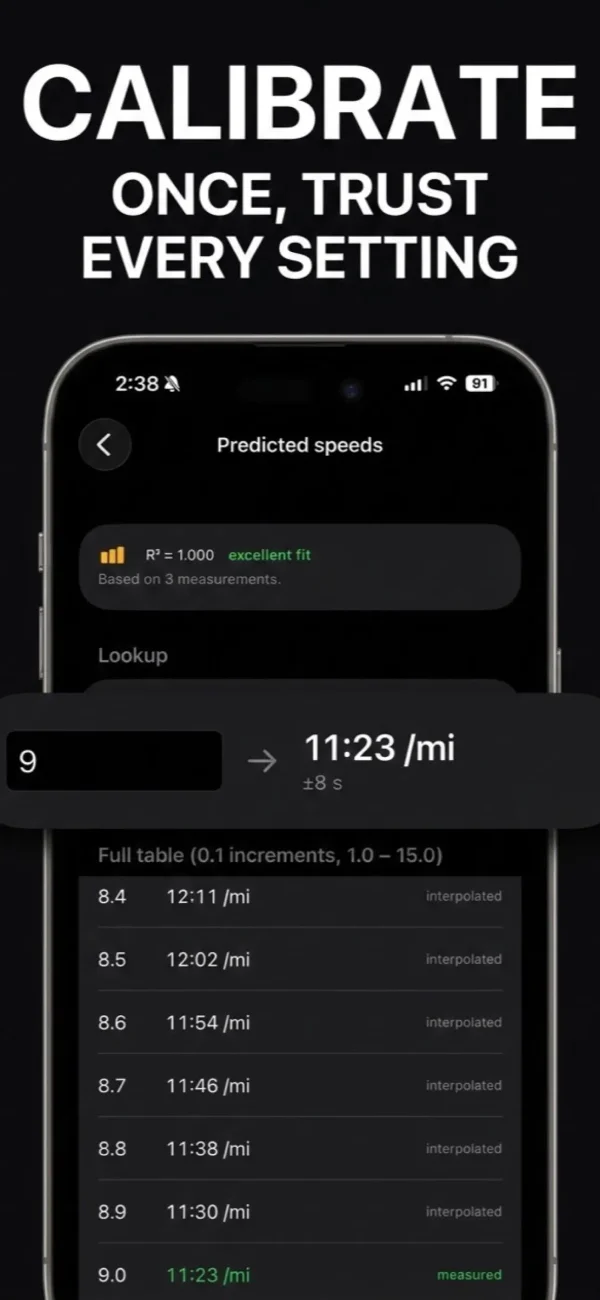
• Calibrate a treadmill: measure a few points once, and the app learns that specific machine. After that it tells you the true speed for any setting on the display, or which setting to dial in to hit a target pace.
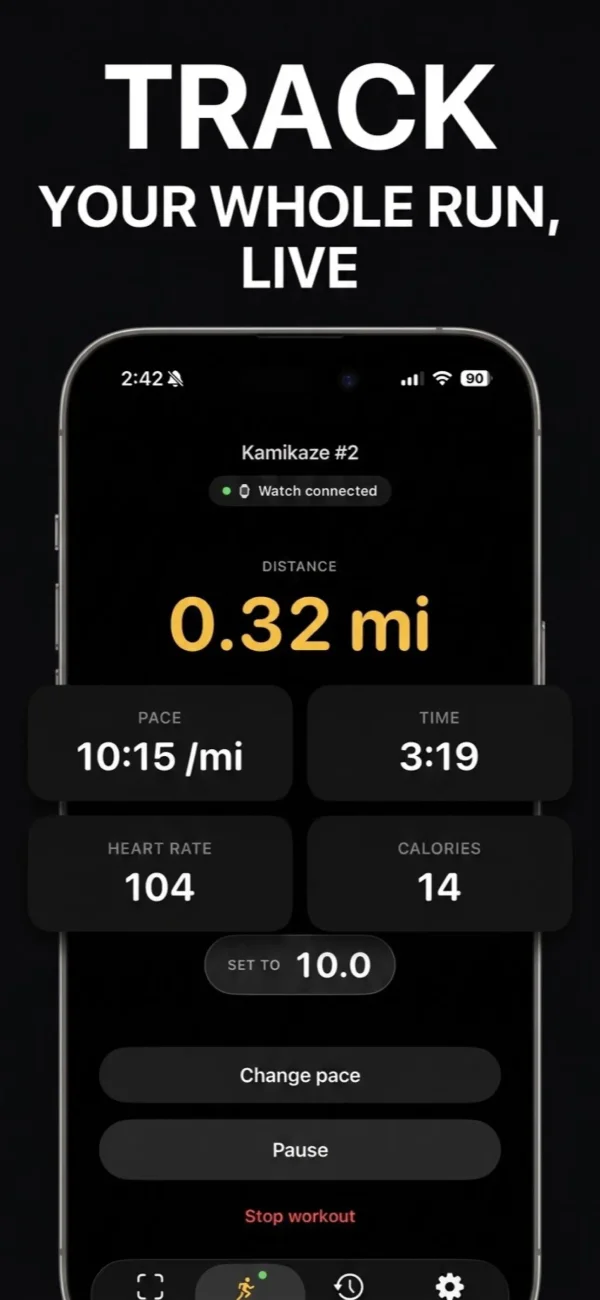
• Workout mode: lock in your measured speed and let the app track your time, distance, and pace for the run, with pause, resume, and change-pace on the fly.
BUILT HONEST
This app would rather tell you nothing than tell you a wrong number. If it can't get a clean read (bad angle, belt out of frame, phone not steady) it says so and asks you to try again. It never invents a number to fill the gap. So when it gives you a pace, you can trust it.
WHO IT'S FOR
Runners who train on a treadmill and want to know what they actually ran. If you've ever finished a "tempo run" wondering whether you really hit the pace, or watched the treadmill pile up more miles than your legs felt, this is for you.
REQUIREMENTS
Treadwell needs the LiDAR sensor, so it requires an iPhone Pro or Pro Max (iPhone 12 Pro or later). Best results on recent Pro models. iPhone only.
The camera reads your treadmill belt's logo or markings as they pass, so it needs a belt with something visible on it. Nearly every gym treadmill has one; some plain home belts don't. Measuring works best at your usual running speed.
One safety note: step to the side of the belt to measure. Never stand on a moving belt to hold your phone.
What’s new
Version 1.6 · Nov 24, 2026
• Improved belt reading. Treadwell now gets a reading on more treadmill belts, including belts with faint markings in dim rooms.
• Simpler full app screen. See the three things you get: fix your treadmill at every speed, run with your Apple Watch, and save every run to Apple Health.
• Progress bar fix. The bar now fills while Treadwell works out your speed.
App privacy
What Bryan Peralta declares on the App Store about how this app handles data.
-
Data linked to you
May be collected and linked to your identity.
- Health and fitness
- Purchases
- Contact info
- User content
- Identifiers
- Usage data
- Diagnostics
Privacy practices may vary, for example with the features you use or your age.
Information
- Seller
- Bryan Peralta
- Category
- Health & Fitness
- Version
- 1.6
- Updated
- Nov 24, 2026
- Released
- Jul 26, 2026
- Size
- 18.0 MB
- Requires
- iOS 26.4 or later
- Age rating
- 4+
- Price
- Free
- In-app purchases
- Yes
- Languages
- English
- Copyright
- © 2026 Bryan Peralta
You might also like
-
 AccuTread: Treadmill TrackerExact Indoor Run & Walk Miles
-
 Kailo: Running + DataTrain & Connect
-
 Klemy: Treadmill WorkoutsVirtual treadmill, walking pad
-
 Treadmill Workout: RunningWalk and Run on the Treadmill
-
 Kotcha - Running & Trail5K, 10K, Half, Marathon, Trail
-
 FivePointFive: BreathworkAthlete Breathing Exercises
-
 Run With HalCoach-Led Run Plans
-
 Kinomap: Bike, Run, RowInteractive Indoor Fitness
-
 FitShow: Treadmill WorkoutTreadmill Run Tracker, Cycling
-
 Zwift: Indoor Cycling FitnessWorkout, Ride and Race at Home