
- Age rating4+
- CategoryBusiness
- DeveloperRapid Response Monitoring, Inc.
- LanguagesEnglish
- Size71.7 MB
Links to the official App Store page
Download.org hosts no file of Triangulum AI. The button opens its official App Store page, published by Rapid Response Monitoring, Inc. Listing last checked on Nov 16, 2026.
Screenshots

About
==Modern Interface==
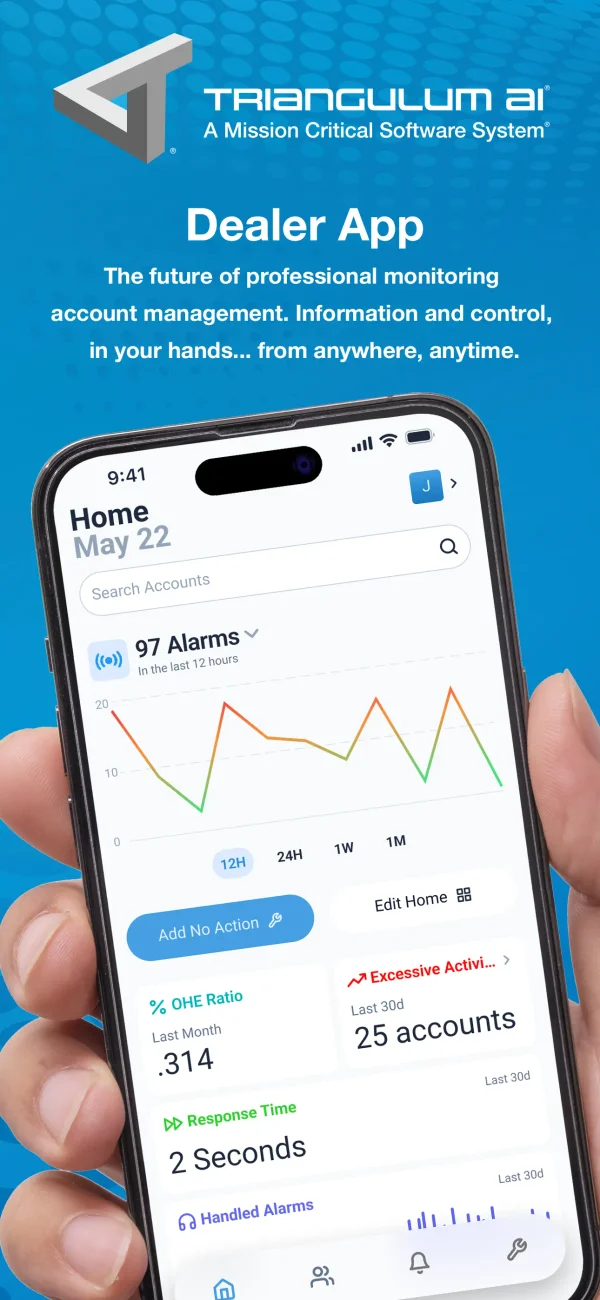
We're propelling Triangulum AI into the future with a modern user interface. Access all the features you know and love, now in a faster, more intuitive flow. With enhanced responsiveness, navigating and managing your account base has never been easier. A new dark mode has also been introduced so you can customize the app's feel to your liking.
==New Metrics Dashboard==
View account base statistics that give you the ability to view the health of your accounts, address issues faster, and support a great customer experience. Customize the home page to your liking by toggling on and off the features you want to see.
==Easier Account Test Management==
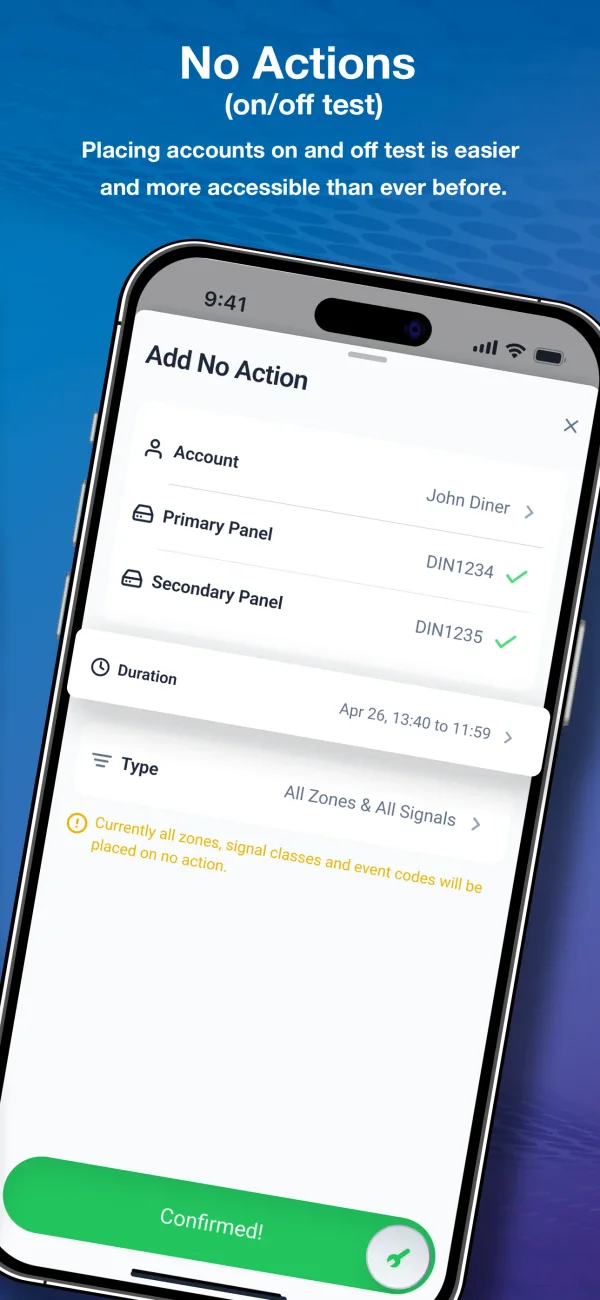
Use our improved no action flow to place accounts on and off test. You can view and interact with active no actions for your account base right from the home page or place a no action right from the new account overview page.
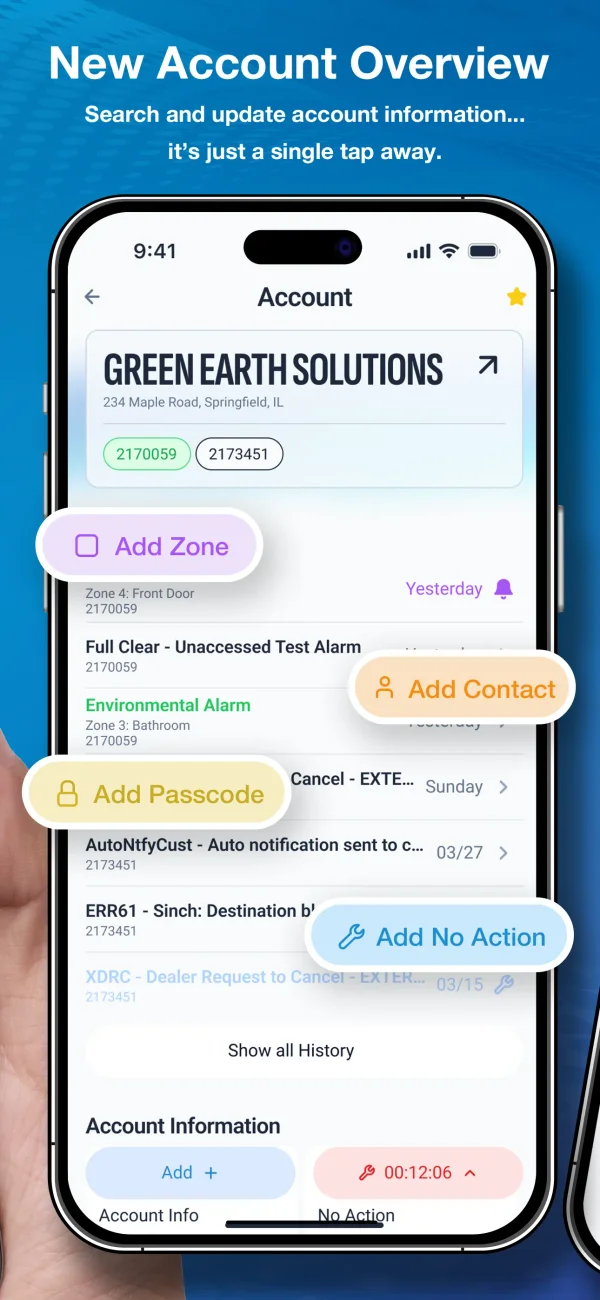
Active no actions now have a live countdown timer that is visible from the account overview page, with the ability to quickly extend the time or remove it if you no longer need it.
Once the no action has expired, grab the zone test report for quick documentation of all the signals that came in while the account was on no action.
==Nearby Accounts==
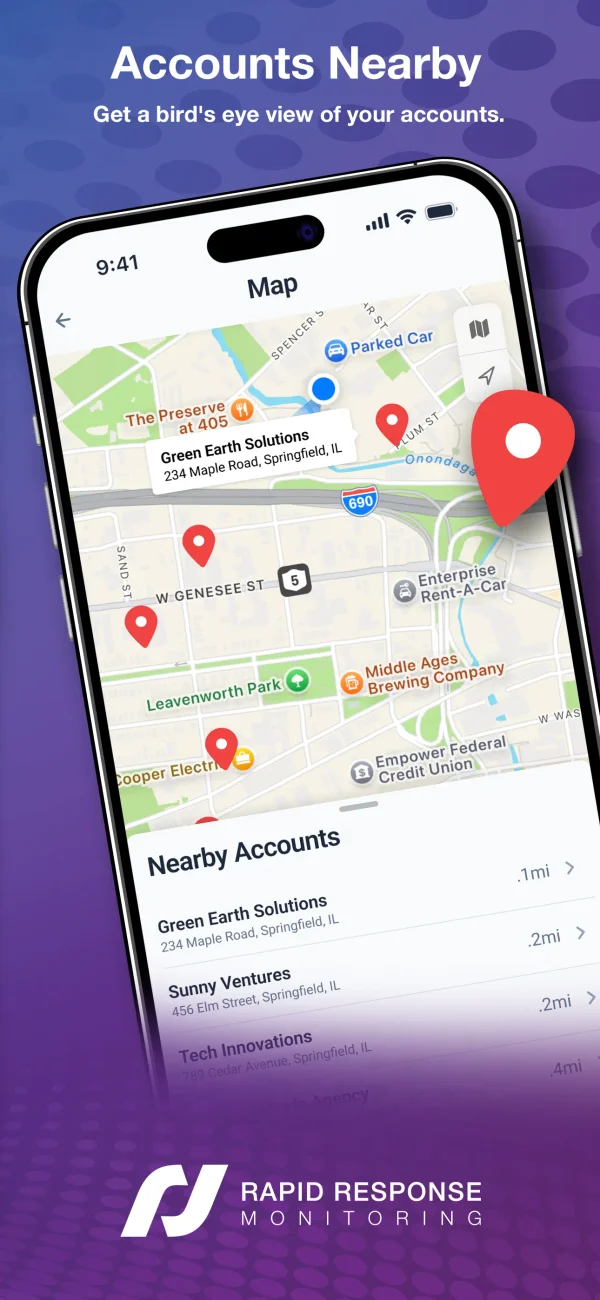
Enhanced location services now give you the ability to view all of your accounts on the new dashboard maps page. You can also navigate to them easily from the individual account page!
==Enhanced Account Overview==
Account information and updates are now just a tap away with our new Account Overview page. Everything you need to know about an account is all in one place. Edit zones, update contacts, manage panel information, and view account history in an easy-to-use flow.
==Security is Standard==
Enable biometrics right from the settings to make your sign-in experience seamless across the Triangulum AI suite. Multi-factor authentication is standard, so you can rest easy knowing your data is secure.
What’s new
Version 2.12.0 · Oct 23, 2026
Version 2.12 brings a big update to No Actions, DMP panel user management, faster account search, and a fresh look at your activity data.
No Actions
- Exclude option: place a No Action on all zones and signals except the ones you choose
- Select multiple panels at once, or use Select All on multi-site accounts
- The Entire Account toggle now covers every panel on Primary/Secondary accounts
- No Actions on multiple panels extend and end together
- Nodes support for Honeywell Fire Panels
- No Action Details now show who removed a No Action, with comments in their own section
- Signals received during a No Action keep their alarm color in Signal History
Account Search
- New category filters let you search by account number, account name, address, phone, last name, zip code, passcode or city
DMP Panel Users
- DMP dealers can now add, edit, link and delete panel users on XT and XR panels right from the app
- Account pages are combined into a single Account Information page
Home and Activity
- The home graph is now a stacked bar chart that includes dispatches
- New Dispatches tab under Activity, filterable by dispatch reason
- Map view groups nearby accounts into clusters for easier browsing
Accessibility and Ease of Use
- Larger text sizes now apply throughout the app
- New button to dismiss the keyboard while typing comments
Fixes
- Alarm cancellation requests work again
- Fixed an error when removing a No Action from the Zone Test screen
- The No Action countdown clears after deleting a future No Action
- All-day No Actions with the same start and end date can be saved
Other stability and design improvements
App privacy
What Rapid Response Monitoring, Inc. declares on the App Store about how this app handles data.
-
Data not collected
The developer does not collect any data from this app.
Privacy practices may vary, for example with the features you use or your age.
Information
- Seller
- Rapid Response Monitoring
- Category
- Business
- Version
- 2.12.0
- Updated
- Oct 23, 2026
- Released
- Mar 30, 2025
- Size
- 71.7 MB
- Requires
- iOS 16.4 or later
- Age rating
- 4+
- Price
- Free
- Languages
- English
- Copyright
- © Rapid Response Monitoring Services, Inc