
Trigo Freelancer Tracker
Check-ins, hours & invoices
Designed for iPhone, iPad, iPod touch
In-app purchases
- Age rating4+
- CategoryProductivity
- DeveloperSellera GmbH
- LanguagesEnglish
- Size42.5 MB
Links to the official App Store page
Download.org hosts no file of Trigo Freelancer Tracker. The button opens its official App Store page, published by Sellera GmbH. Listing last checked on Nov 12, 2026.
Screenshots
About
Trigo is the simple way to work with freelancers. One app for the project manager who hires them, and for the freelancers who do the work.
ONE APP, TWO SIDES
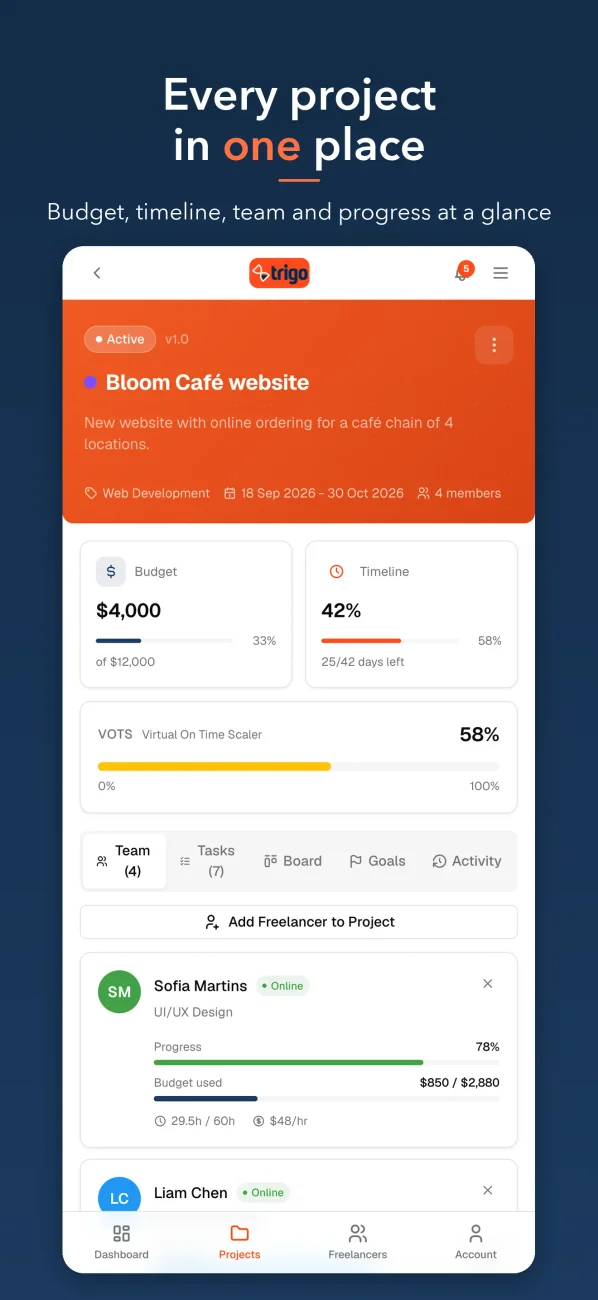
• For you: every project with its budget, timeline and team, every freelancer with their rate, live check-ins, invoices and reports.
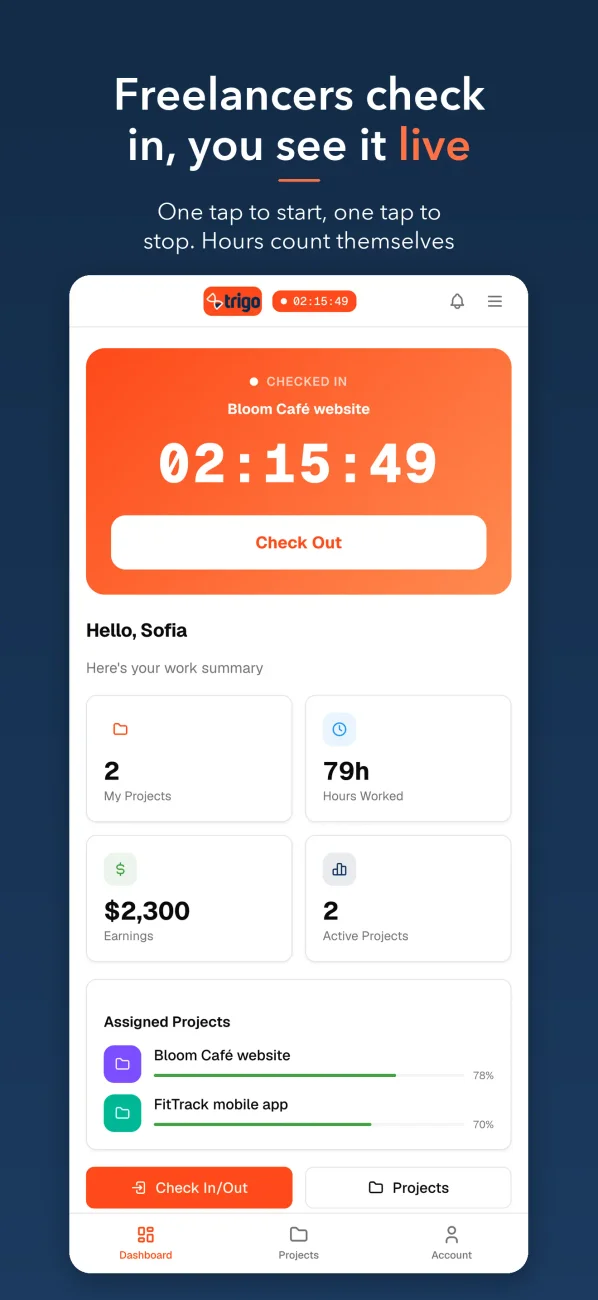
• For your freelancers: check in and out with one tap, log hours, and see their projects, tasks and progress.
HOW IT WORKS
1. Create a project and set the budget and the dates.
2. Add freelancers with their hourly rate and invite them by email.
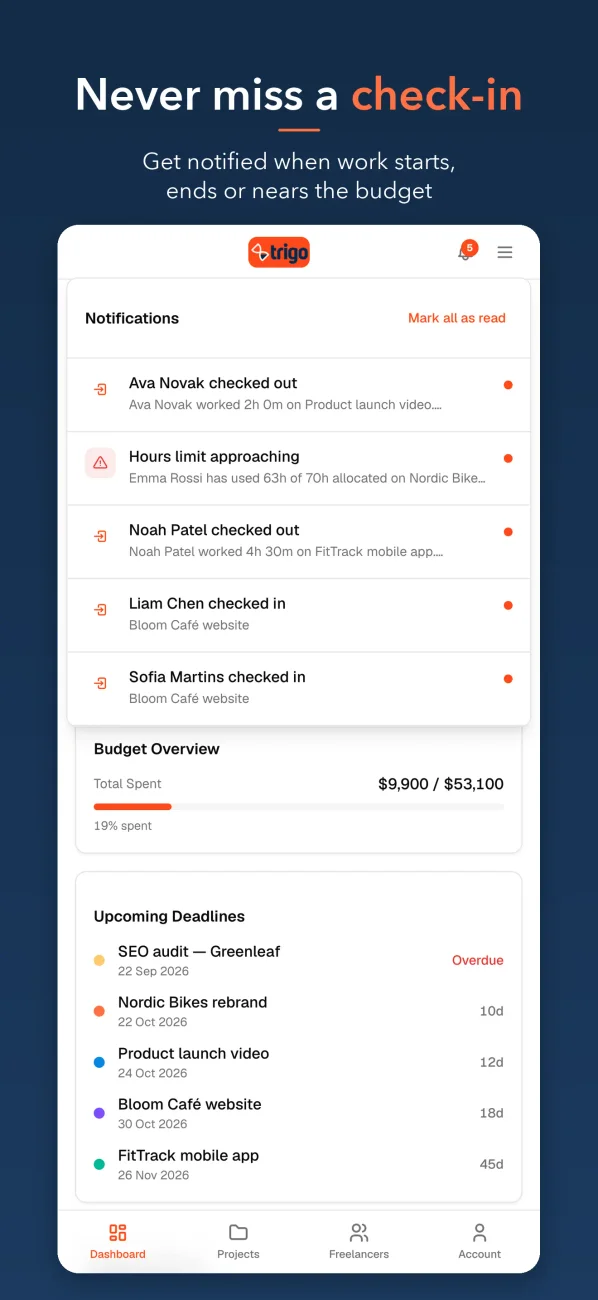
3. They check in when they start and check out with a note on what got done. You get notified.
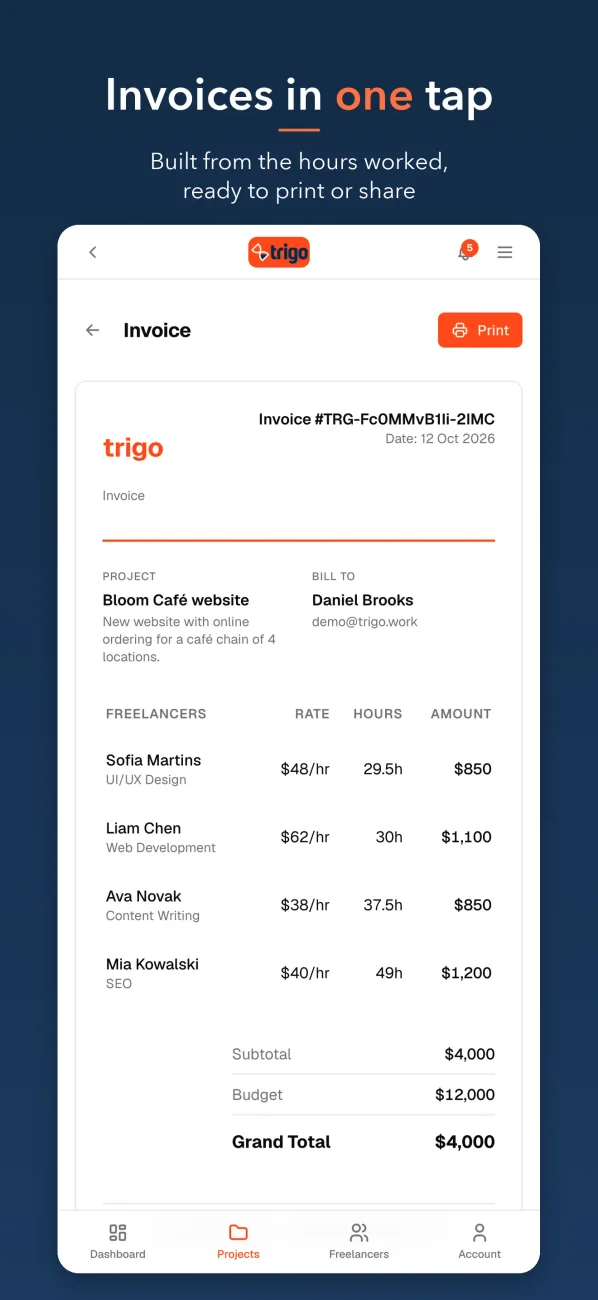
4. Hours, progress and spending add up by themselves. Invoice in one tap.
WHAT YOU GET
• A live check-in timer, and a notification when work starts and ends
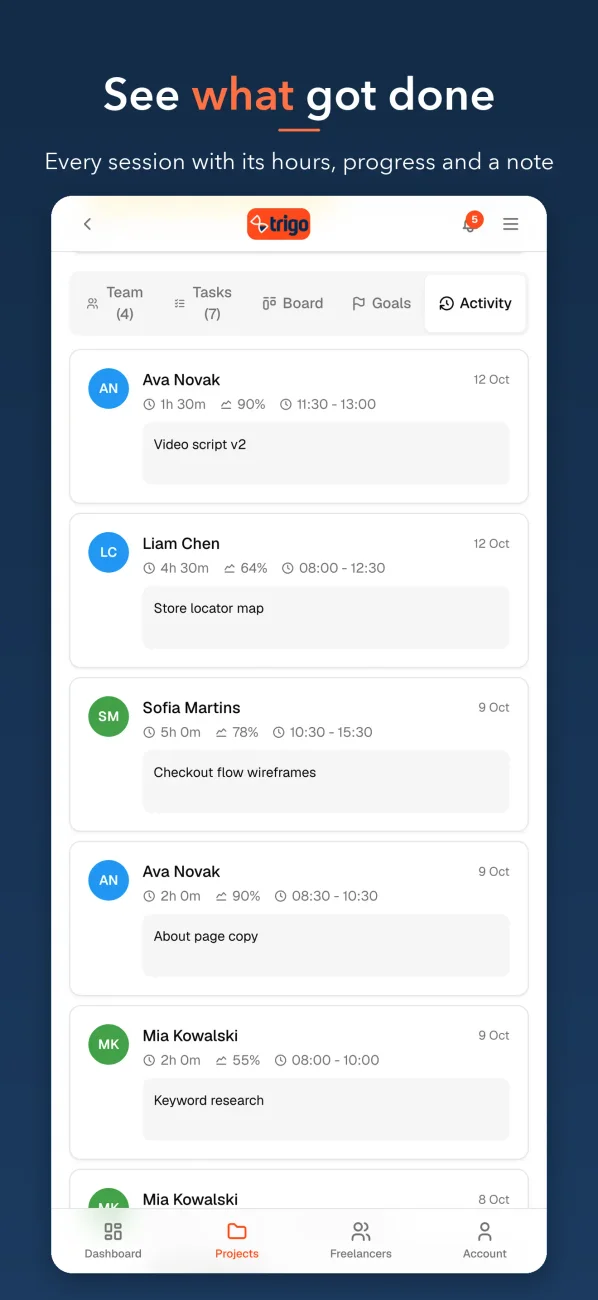
• An activity log: every session with its hours, progress and a note
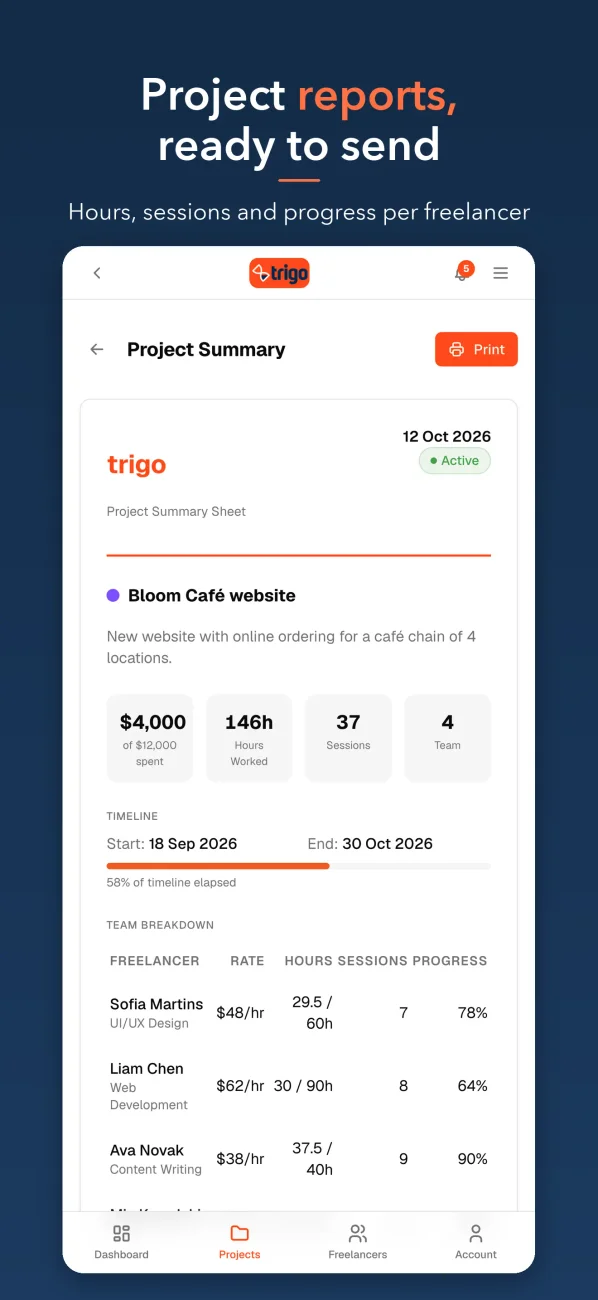
• Budget and hours per project and per freelancer, with an alert before the limit
• Tasks on a board (to do, in progress, review, done) and goal points with dates
• Invoices and project reports built from the hours worked, ready to print
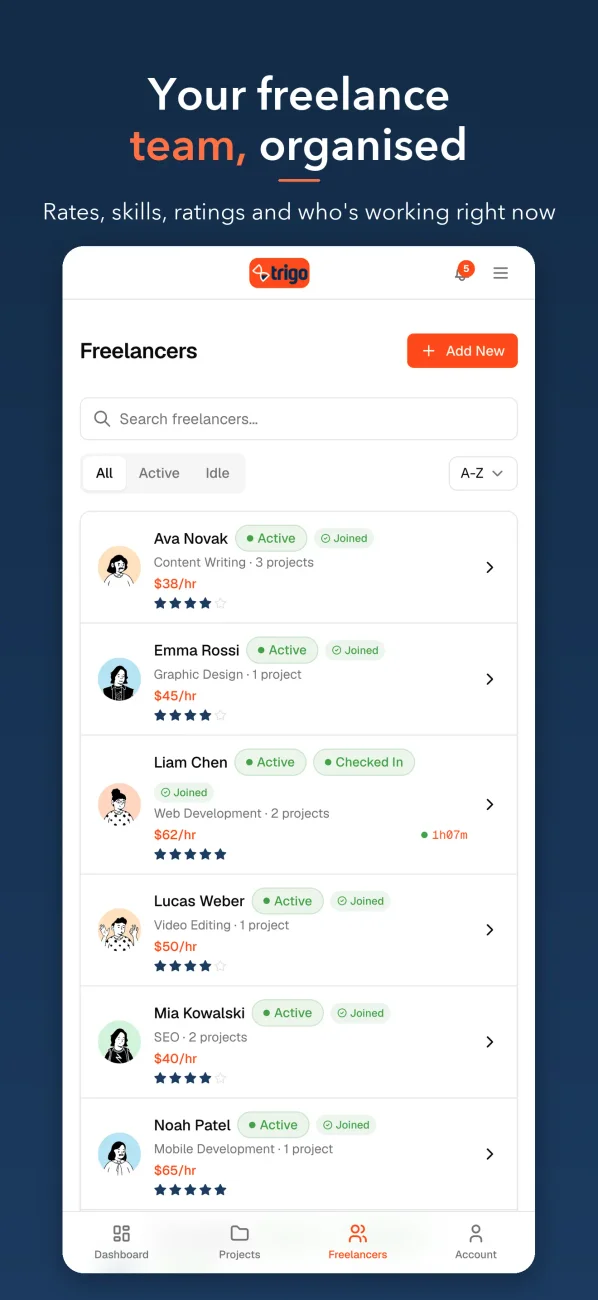
• Freelancer profiles with skills, rates and ratings, and who is working right now
• Optional GPS location on check-in
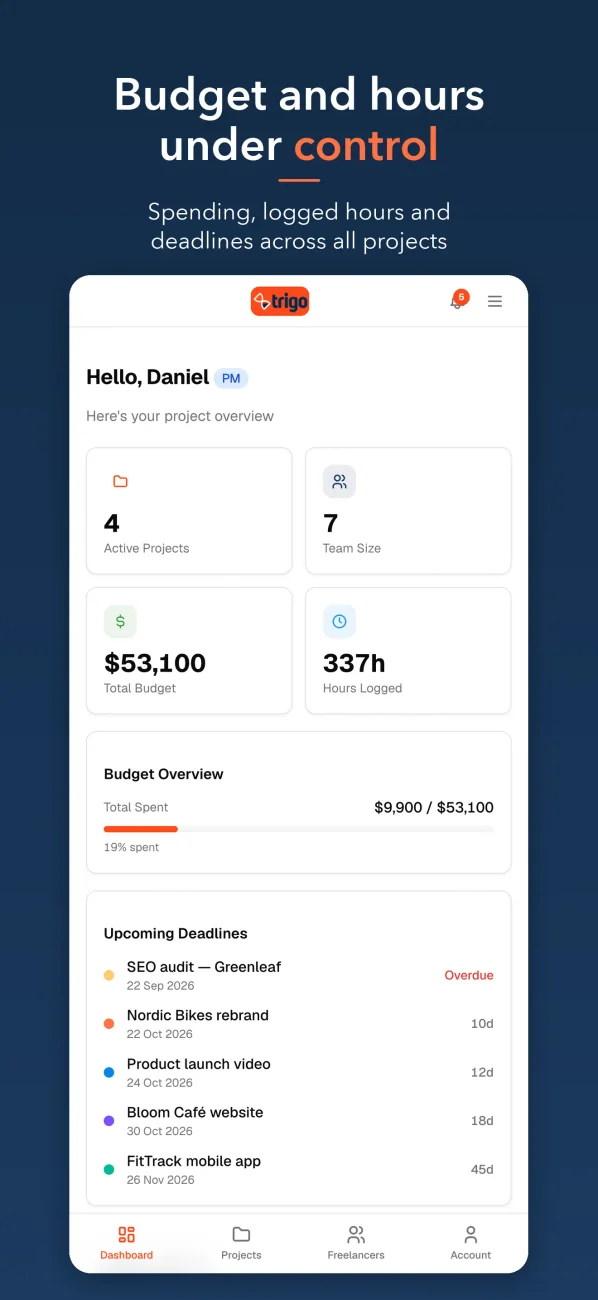
• A dashboard across all projects: spending, logged hours and deadlines
• 13 languages, on iPhone, iPad and the web (app.trigo.work)
WHO USES TRIGO
Agencies and studios working with designers, developers and writers. Startups with remote contractors. Small businesses that hire help by the hour. And freelancers who want a clean record of their own hours.
FREE TO START
Trigo is free for one project with up to two freelancers. Subscribe for unlimited projects and freelancers.
Apple's standard Terms of Use (EULA): https://www.apple.com/legal/internet-services/itunes/dev/stdeula/
Account deletion: https://trigo.work/account-deletion
Offering 1-Month / 3-Months / 6-Months Subscription options:
Payment will be charged to your store account at confirmation of purchase. Subscription automatically renews unless auto-renew is turned off at least 24 hours before the end of the current period.
Your account will be charged for renewal within 24 hours before the end of the current period.
You can manage or turn off auto-renew in your Account settings anytime after purchase.
No cancellation of the current subscription is allowed during the active period.
Terms of use: https://trigo.work/terms-of-use
Privacy policy: https://trigo.work/privacy-policy
What’s new
Version 20261029 · Oct 29, 2026
Bug fixes and performance improvements.
App privacy
What Sellera GmbH declares on the App Store about how this app handles data.
-
Data linked to you
May be collected and linked to your identity.
- Location
- Contact info
- Contacts
Privacy practices may vary, for example with the features you use or your age.
Information
- Seller
- Sellera GmbH
- Category
- Productivity
- Version
- 20261029
- Updated
- Oct 29, 2026
- Released
- Apr 12, 2026
- Size
- 42.5 MB
- Requires
- iOS 15.0 or later
- Age rating
- 4+
- In-app purchases
- Yes
- Languages
- English
- Copyright
- © 2026 Sellera GmbH
You might also like
-
 DWTC WorkHubProductivity
-
 SaveToList - Smart BookmarksRecipe saver & travel planner
-
 Konvo: DMs OnlyStop Doomscrolling
-
 Super ProductivityToDo List & Time Tracker
-
 Photo Gallery - Photo RecoveryPrivate Voice Gallery Vault
-
 Tasks: To Do Lists & RemindersKanban Board, Planner & Widget
-
 To Do List Widget - SimpleHome Screen ToDo Lists & Tasks
-
 Image Converter to JPG-PDF-PNGJPEG Converter HEIC to JPG
-
 SurveyHeart: Online Form MakerMake surveys, quizzes & forms
-
 Darker - Dark Mode for SafariDark mode & Night Eye Protect