Trip Computêr
GPS Mileage & Odometer Tracker
Designed for iPhone, iPad, iPod touch
Free · In-app purchases
- Age rating4+
- CategoryNavigation
- LanguagesEnglish+ 7 more
- Size25.8 MB
Links to the official App Store page
Download.org hosts no file of Trip Computêr. The button opens its official App Store page, published by . Listing last checked on Nov 12, 2026.
Screenshots


About
TRIP COMPUTER
Trip Computer turns your iPhone and iPad into a practical GPS-based trip computer, giving you quick access to distance traveled by your car, average trip speed, real-time speed, direction, location, and trip information.
DESIGNED FOR APPLE CARPLAY
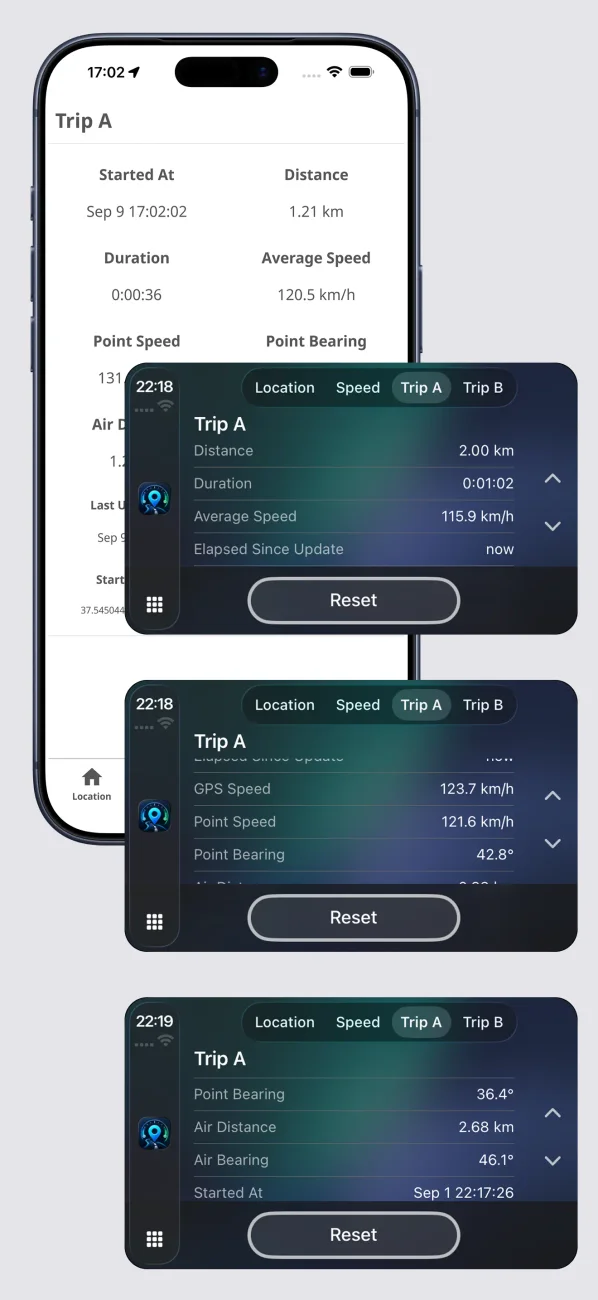
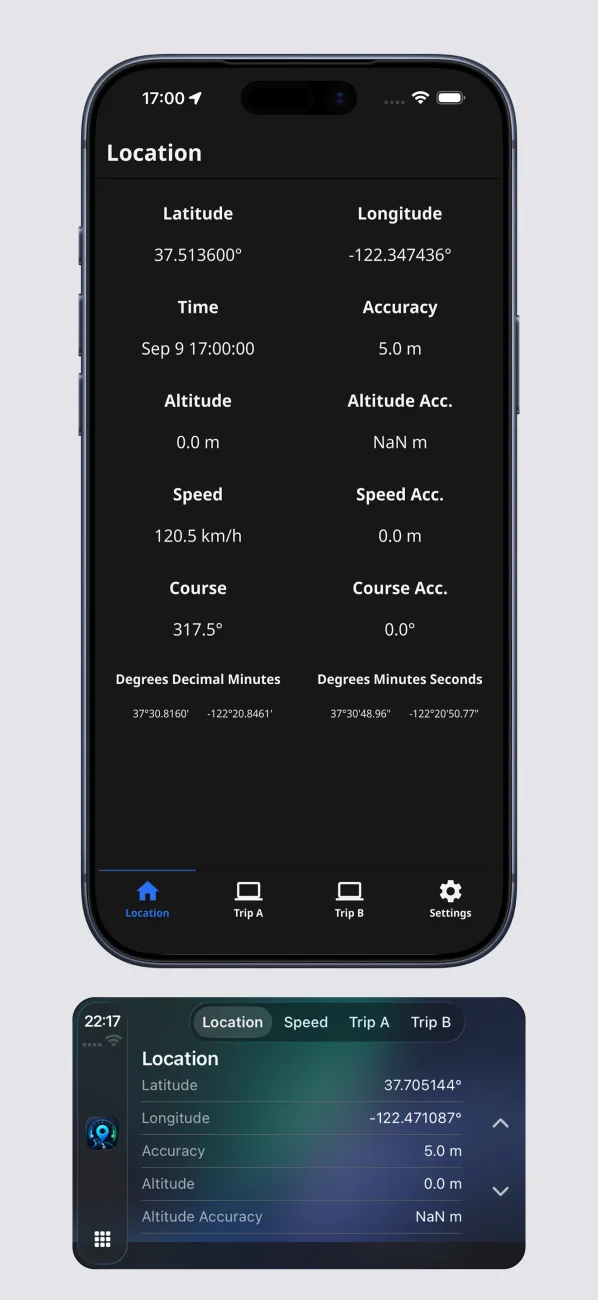
Trip Computer supports CarPlay, allowing you to access driving information from your car's display. Just like an in-vehicle trip computer, it provides Trip A / Trip B / Speed tabs. You can also access all GPS information from the Location tab.
When connected to a compatible CarPlay display, you can view your trip distance, average speed during the trip, trip duration, current speed and direction, real-time location information, and other useful trip data.
Whether you're on a long journey or simply tracking your current driving information, Trip Computer provides everything you need in a simple and easy-to-read interface.
TRIP A & TRIP B
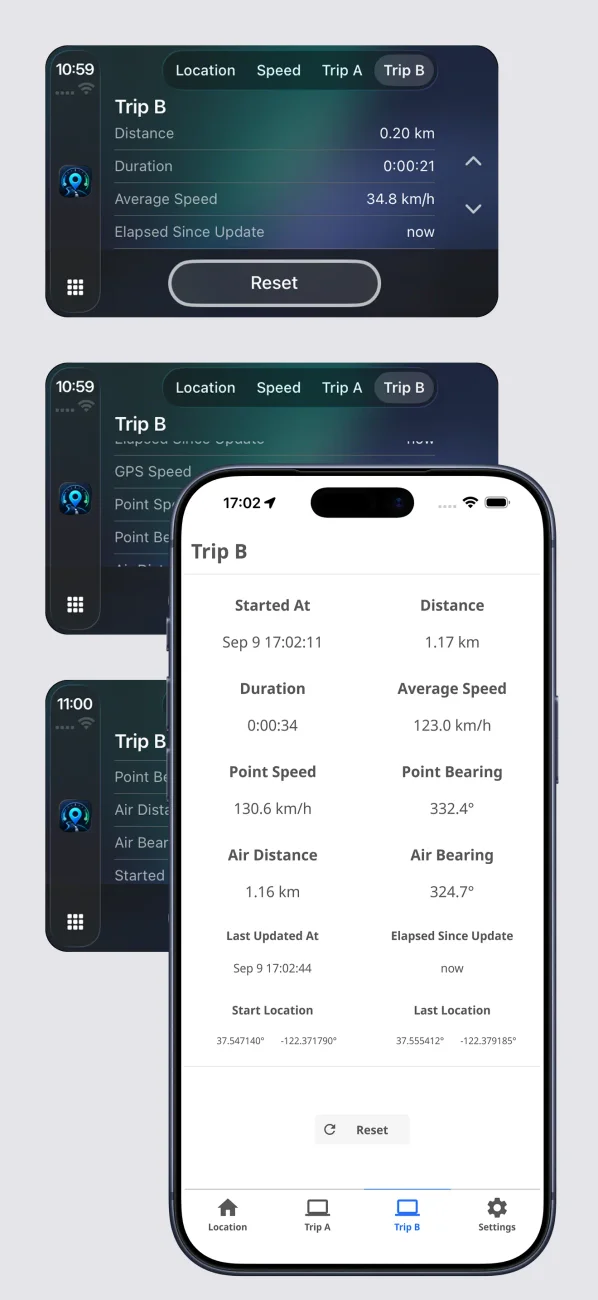
Trip A and Trip B are two independent trip computers that can be used to track different journeys, routes, or different sections of the same trip.
Each trip can display useful driving statistics such as:
• Distance traveled
• Average speed
• Trip duration
• Air distance
• Air bearing
• Start time
• Start location
• Last location
• Last update time
• Time elapsed since the last update
• Point speed
• Point bearing
Trip A and Trip B can be reset independently. This allows you to use them for different purposes. For example, you can track your entire journey with Trip A while using Trip B to monitor a specific section of your route.
Trip A and Trip B are separate one-time In-App Purchases. Each purchase permanently unlocks the corresponding trip computer. No subscription is required.
REAL-TIME LOCATION
View detailed GPS and location data, including:
• Latitude and longitude
• Current speed
• Altitude
• Course and direction
• Location accuracy
• Speed accuracy
• Course accuracy
• Location timestamp
• Coordinates in Decimal Degrees format
• Coordinates in Degrees Decimal Minutes format
• Coordinates in Degrees Minutes Seconds format
See exactly where you are and access useful location information whenever you need it.
IPHONE AND IPAD INTERFACE
Trip Computer works on both iPhone and iPad, allowing you to clearly and easily monitor detailed GPS and trip information on your mobile devices across different screen sizes.
From checking your exact coordinates to tracking your trip statistics, Trip Computer provides a simple and practical way to keep your location and trip data close at hand.
Terms of Use (EULA):
https://www.apple.com/legal/internet-services/itunes/dev/stdeula/
Notes:
CarPlay is an official trademark of Apple.
What’s new
Version 1.6 · Oct 1, 2026
Bug fixes.
App privacy
What declares on the App Store about how this app handles data.
-
Data not collected
The developer does not collect any data from this app.
Privacy practices may vary, for example with the features you use or your age.
Information
- Seller
- Orkun Karaduman
- Category
- Navigation
- Version
- 1.6
- Updated
- Oct 1, 2026
- Released
- Sep 12, 2026
- Size
- 25.8 MB
- Requires
- iOS 15.0 or later
- Age rating
- 4+
- Price
- Free
- In-app purchases
- Yes
- Languages
- English, French, German, Italian, Japanese, Portuguese, Spanish, Turkish
- Copyright
- © Orkun Karaduman
You might also like
-
 TripmeisterThe rally trip computer
-
 Driova: Car Play SpeedometerGPS Trip Tracker & Dashboard
-
 GPS SpeedyThe ideal speedometer
-
 RockQuest – Painted Rock HuntFind painted rocks near you
-
 RouteSky: Weather Route GPSTurn-by-turn, weather & alerts
-
 Nostalgisch RijdenNavigation
-
 SYNC360Navigation
-
 Master-TripYour ultimate trip-master
-
 Classic TripmasterTripmaster for classic tours
-
 Car,Play CarSync SpeedometerSpeed Music Radio & Drive Nav