
TripCFO: Travel Expenses
AI Receipt Scan & Trip Budget
Designed for iPhone, iPad, iPod touch
In-app purchases
- Age rating4+
- CategoryTravel
- DeveloperCHENGWEN WU
- LanguagesTraditional Chinese+ 1 more
- Size23.6 MB
Links to the official App Store page
Download.org hosts no file of TripCFO: Travel Expenses. The button opens its official App Store page, published by CHENGWEN WU. Listing last checked on Nov 14, 2026.
Screenshots

About
TripCFO: Fast Travel Expense Tracker
Don't let complex accounting slow down your adventures. TripCFO is a lightweight tool designed for travelers to log expenses in seconds. Track your spending across multiple currencies, attach photos, and pin locations—keeping your travel memories and finances perfectly organized.
【Key Features】
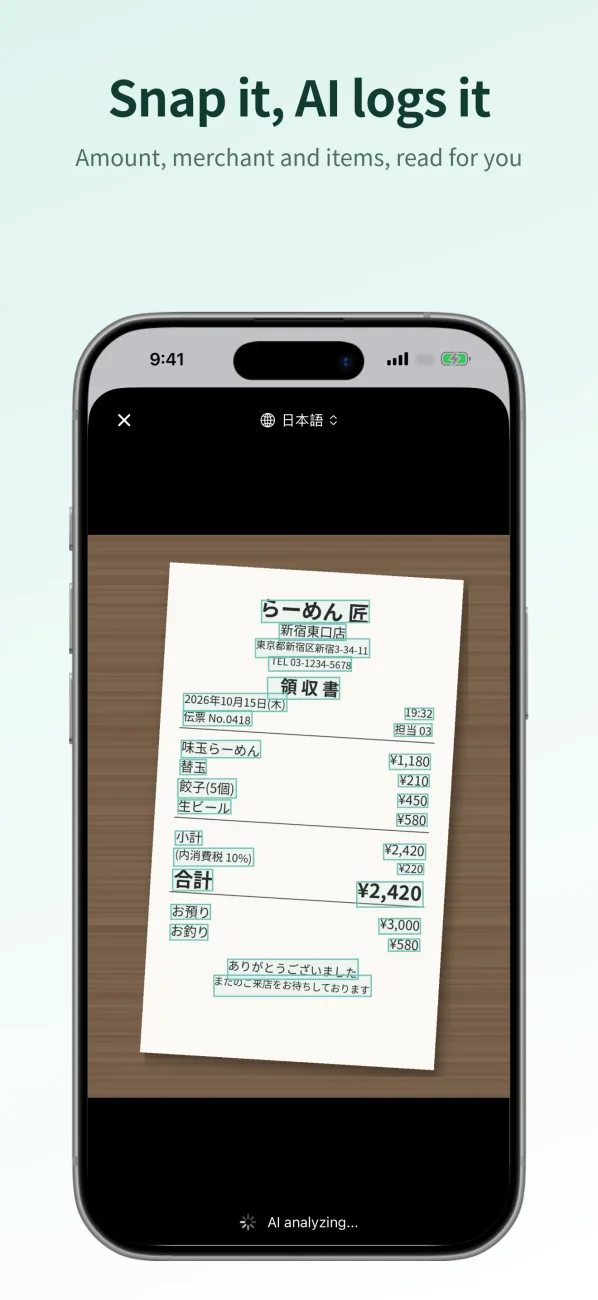
AI-Powered Entry: Snap a receipt and AI recognizes the amount, merchant, items, and category. Or just say it out loud—voice entry organizes it for you.
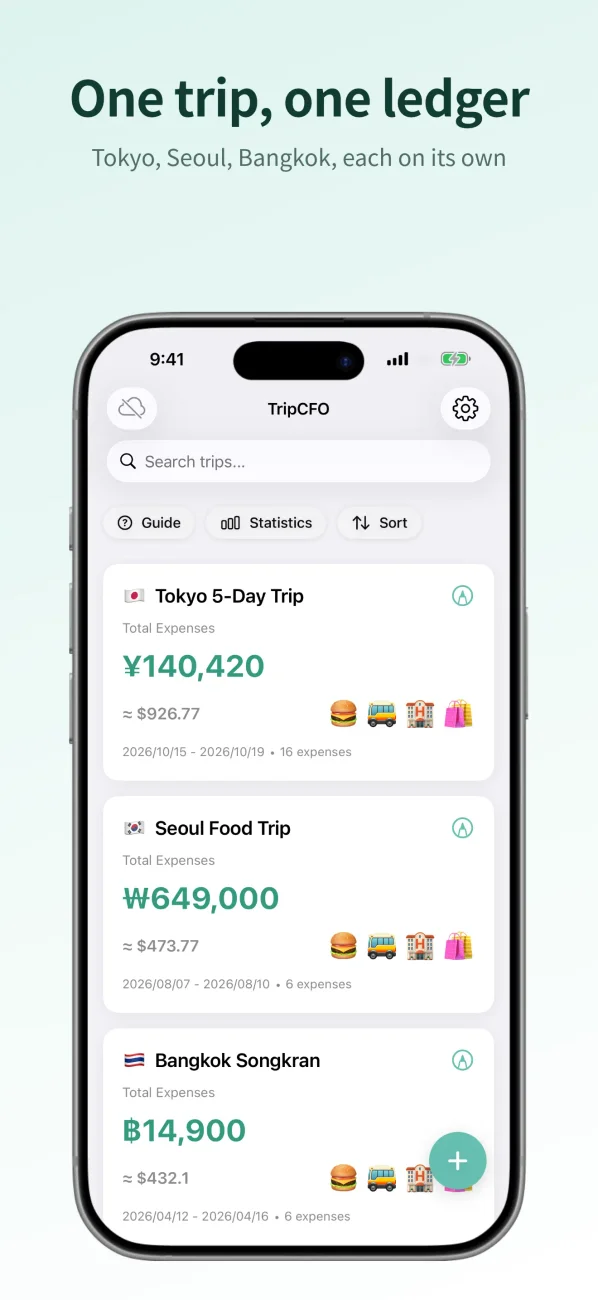
Trip-Specific Projects: Manage budgets and expenses independently for every journey (e.g., Tokyo 2025).
Works Offline: Keep logging expenses without an internet connection. Your data is stored on your phone, with optional iCloud sync across your devices.
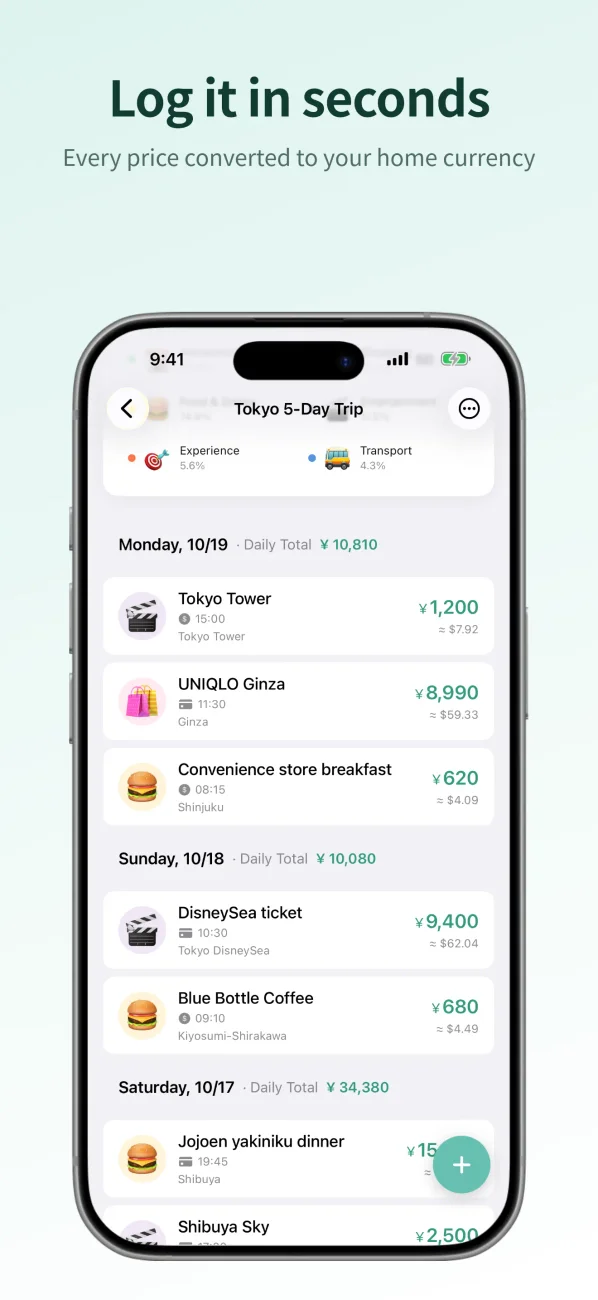
Currency Conversion: Exchange rates are converted automatically, so you always know how much you've spent in your home currency.
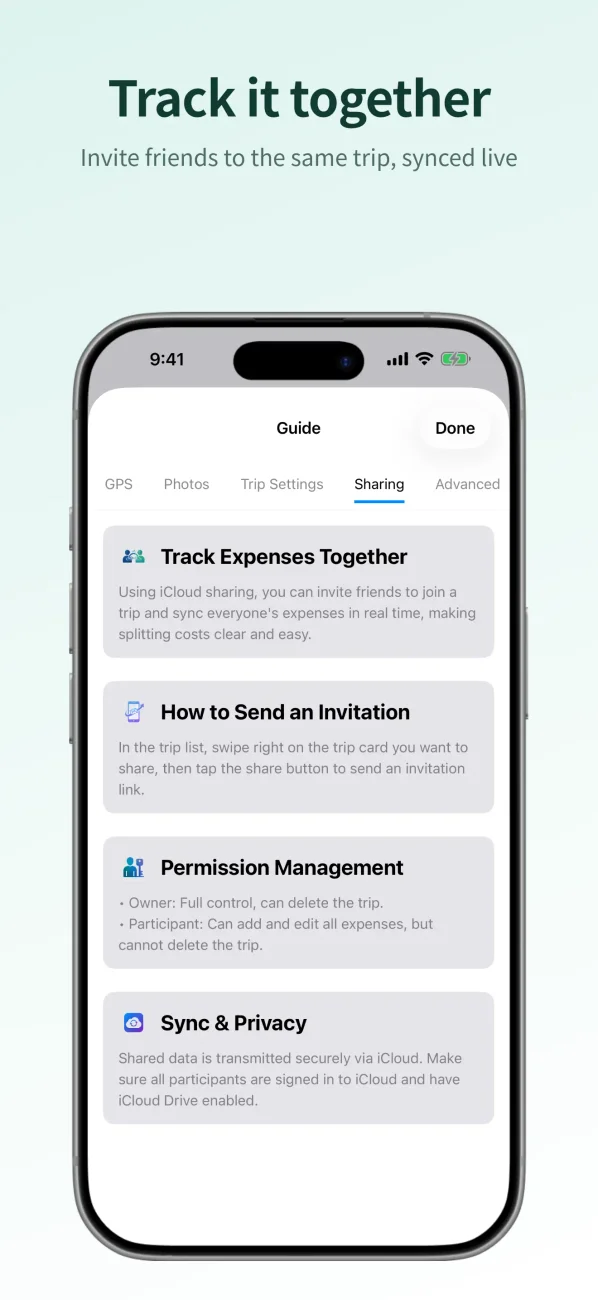
Travel Together: Invite friends to the same trip to log expenses together and stay in sync in real time.
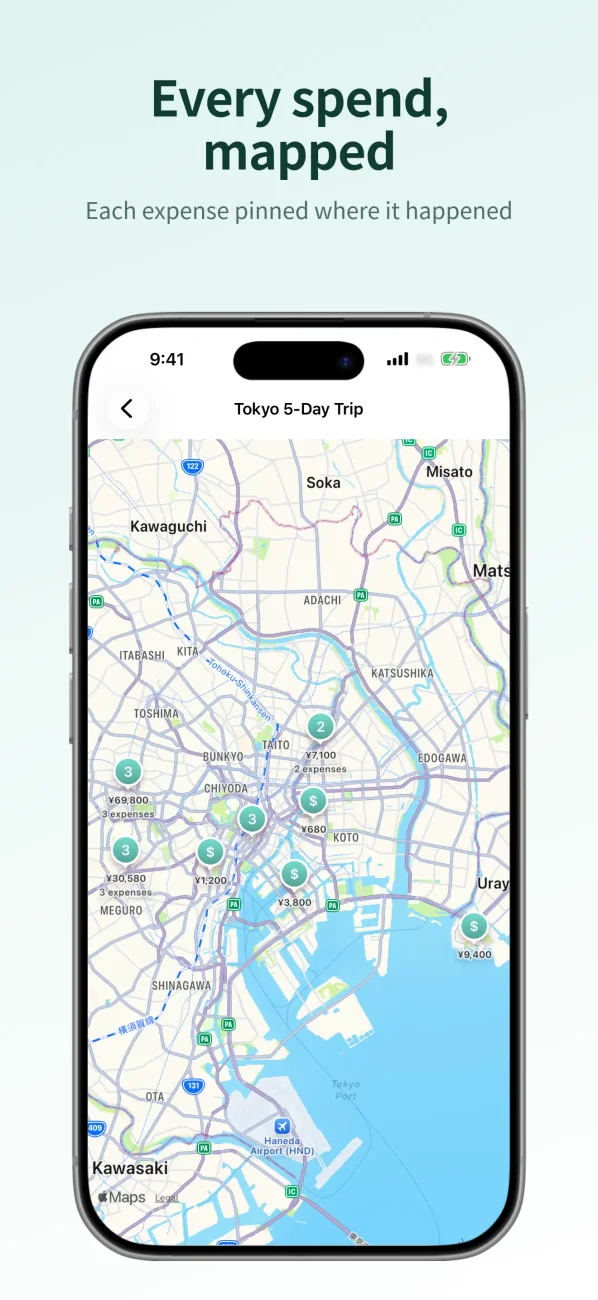
Photos & Map: Capture receipts or souvenirs, and look back at where every purchase happened on a map.
Budget at a Glance: Totals are calculated automatically, with charts to keep you on top of your budget.
Simple and fast—the ultimate financial partner for your next international getaway.
Terms of Use (EULA): https://www.apple.com/legal/internet-services/itunes/dev/stdeula/
What’s new
Version 1.12.0 · Nov 12, 2026
New
• Share Receipts from Photos: In the Photos app, tap Share on a receipt and choose TripCFO to recognize and log it. It's added the next time you open the app.
• Auto-Fill Payment, Currency & Date: Online AI Recognition now tells whether you paid by cash or card, and reads the receipt's currency and date, filling them in for you.
• New recognition screen: Text on the receipt is highlighted while the AI analyzes it.
Fixes
• A trip's end date can no longer be set before its start date. Moving the start date later now moves the end date with it.
• If recognizing a photo from your library fails, the button now reads "Choose Another Photo" and opens your library instead of the camera.
App privacy
What CHENGWEN WU declares on the App Store about how this app handles data.
-
Data linked to you
May be collected and linked to your identity.
- Identifiers
-
Data not linked to you
May be collected but is not linked to your identity.
- User content
Privacy practices may vary, for example with the features you use or your age.
Information
- Seller
- CHENGWEN WU
- Category
- Travel
- Version
- 1.12.0
- Updated
- Nov 12, 2026
- Released
- Dec 1, 2025
- Size
- 23.6 MB
- Requires
- iOS 16 or later
- Age rating
- 4+
- In-app purchases
- Yes
- Languages
- Traditional Chinese, English
- Copyright
- © Ven Wu
You might also like
-
 TravelingCalcTrack travel spending
-
 探險熊熊Travel
-
 Spendlo: Travel Tax RefundScan receipts, track refunds
-
 趣旅 TripFun - AI Trip PlannerItinerary, Maps & Split Bills
-
 TravelBudget AIAI Expense・AI Translate・Split
-
 PackNinja: Travel Packing ListSmart Packing List & Planner
-
 Ryocho: Travel Expense TrackerAI Receipt Scan & Split Bills
-
 I'M Travel CalculatorOffline Exchange Rate Computer
-
 FlightDiaryAppTrack flights & travel stats