Tru-Control
Truma Combi remote control
Designed for iPhone, iPad
Free · In-app purchases
- Age rating4+
- CategoryUtilities
- DeveloperMarco Frigerio
- LanguagesEnglish
- Size6.8 MB
Links to the official App Store page
Download.org hosts no file of Tru-Control. The button opens its official App Store page, published by Marco Frigerio. Listing last checked on Nov 16, 2026.
Screenshots



About
Complete camper and RV heating management, designed for iOS — with a dark
Overview dashboard, history charts, Apple Watch, CarPlay, a Home Screen
widget and a Lock Screen Live Activity.
External hardware required: a self-hosted MQTT/BLE gateway device, configured
and provided by the user (not included, not manufactured or sold by MF-Lab).
CONTROL FROM YOUR IPHONE
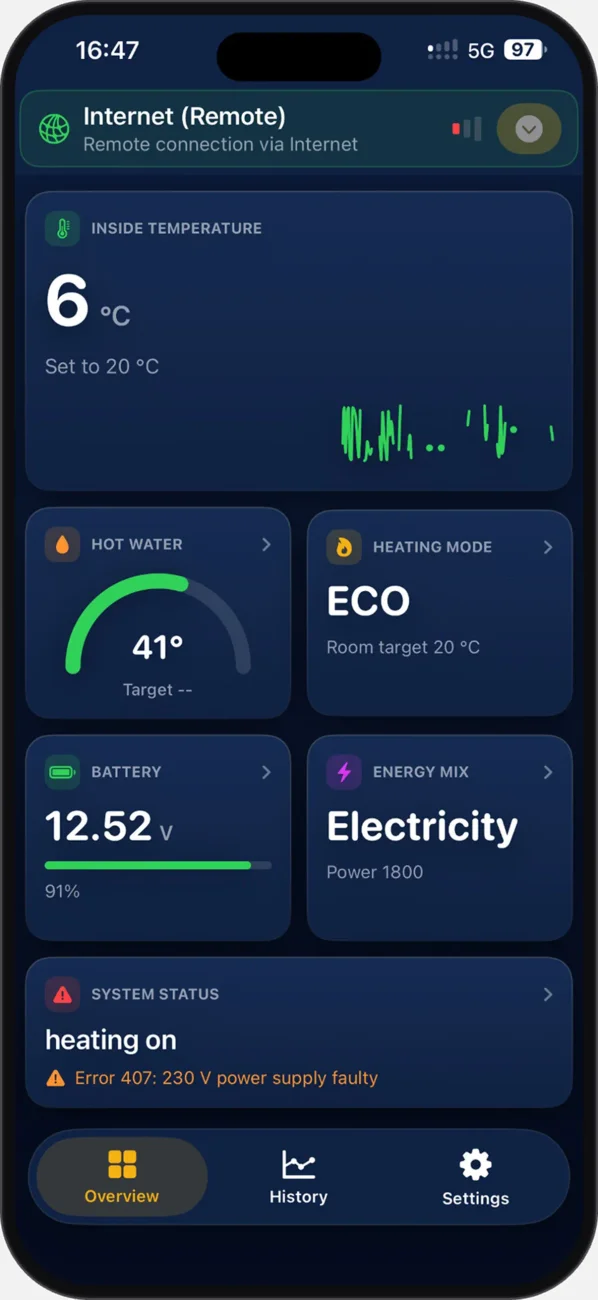
See everything at a glance on the Overview screen and tap a card to change
it. Choose Bluetooth for local, offline control or MQTT for remote access
from anywhere.
• Dual connectivity: Bluetooth (BLE) and MQTT
• Inside temperature with set point and a 6-hour chart
• Hot water half-moon gauge from 0 to 70 °C, with OFF / ECO / HIGH / BOOST
• Heating modes OFF / ECO / HIGH
• Energy mix selection: Gas, Electric or Mix, with power level
• Battery voltage with a charge estimate, or GRID when on shore power
• Detailed error code explanations
• Buttons that always follow the state reported by your gateway
• Built-in Help with setup, controls and troubleshooting
HISTORY
Follow inside temperature, water temperature and battery voltage over 1 hour,
6 hours, 24 hours or 7 days. Data is recorded while the app is connected,
including in the background, and gaps are shown as gaps. An Energy Source
chart shows how long each setting was selected. History is stored on your
device only.
ON YOUR WRIST
A dedicated Apple Watch app shows inside temperature and hot water side by
side, with battery and energy source, and lets you adjust the room
temperature, heating mode and hot water with large buttons that show the
active setting. Get an alert right on your wrist the moment something needs
attention.
IN THE CAR
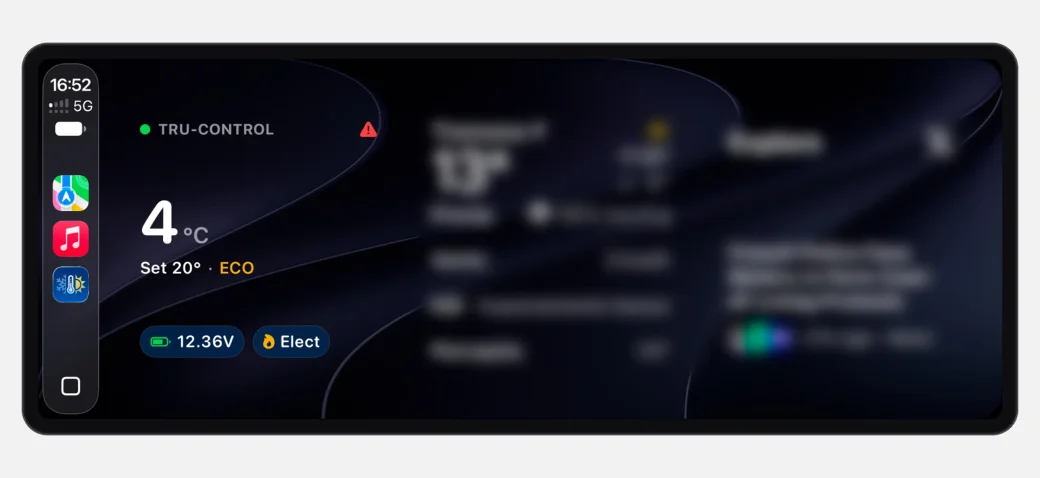
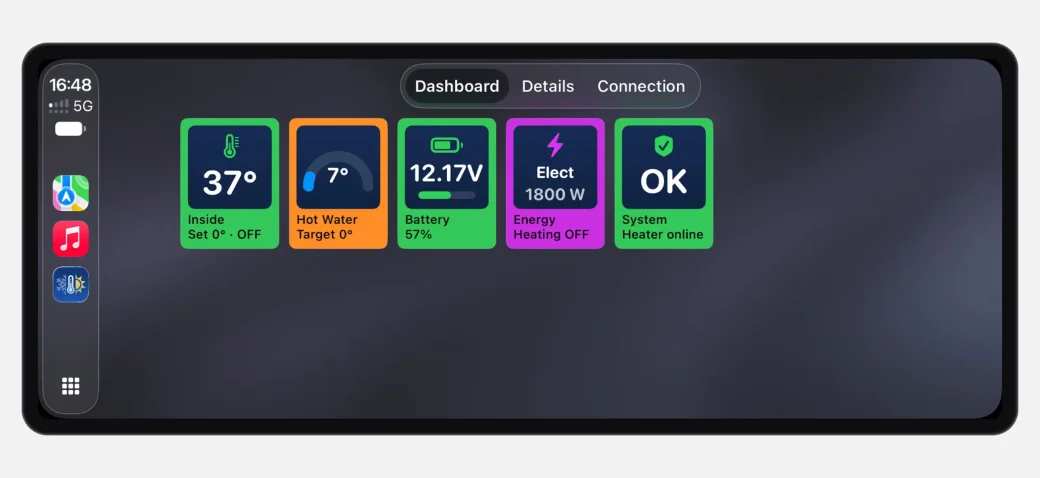
Check your camper's status from the CarPlay screen: large colored cards for
inside temperature, hot water, battery and energy, plus connection details,
laid out for a quick glance with minimal distraction.
ON YOUR HOME SCREEN AND LOCK SCREEN
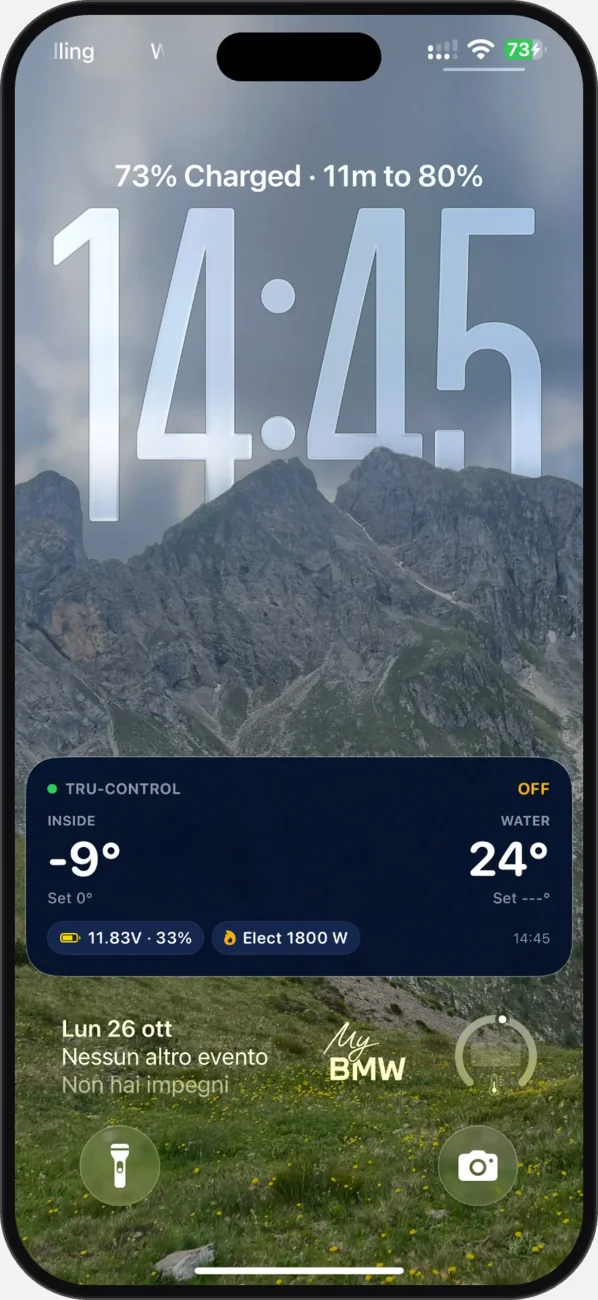
Add the Tru-Control widget to see your heater's last known status without
opening the app, or start the Live Activity to keep temperatures, battery and
energy source on your Lock Screen and Dynamic Island while the app is
connected.
ON IPAD
Tru-Control runs as a compact floating window you can place next to other
apps.
ONE-TIME PURCHASE
A single one-time purchase unlocks commands, Apple Watch, CarPlay and the
widget. No subscription. You can restore a previous purchase or redeem an
offer code from Settings.
Tru-Control is an independent, unofficial application and is not affiliated
with, endorsed by, or sponsored by any heating system manufacturer.
This app uses the standard Apple End User License Agreement (EULA), available here: https://www.apple.com/legal/internet-services/itunes/dev/stdeula/
What’s new
Version 2.0 · Oct 27, 2026
Tru-Control 2.0 is a complete redesign.
NEW LOOK
• A new dark navy and gold design across the whole app
• Overview screen with cards for Inside Temperature, Hot Water, Heating Mode, Energy Mix, Battery and System Status. Tap a card to open its controls
• Three tabs: Overview, History and Settings
HISTORY
• Charts for inside temperature, water temperature and battery voltage over 1 hour, 6 hours, 24 hours or 7 days
• Data is recorded while the app is connected, including in the background. Gaps are shown as gaps
• Energy Source chart showing how long each setting was selected
HOT WATER
• New half-moon gauge showing the tank temperature from 0 to 70 °C, with a mark at the selected target
• Larger buttons that follow the state reported by your gateway
IPAD
• Tru-Control now runs as a compact floating window you can move and resize next to other apps
CARPLAY
• Redesigned Status and Connection screens with large colored cards and icons
APPLE WATCH
• Redesigned to match the app: inside temperature and hot water side by side, battery and energy source at a glance, and larger control buttons that show the active setting
WIDGET AND LIVE ACTIVITY
• Refreshed Home Screen widget and Lock Screen Live Activity showing battery, energy source and errors
PURCHASE
• One-time purchase instead of a subscription. Existing subscribers keep full access
• Restore Purchases and Redeem Code are available in Settings
ALSO NEW
• Built-in Help with setup, controls and troubleshooting
• Updated About screen
• Many small fixes and improvements
App privacy
What Marco Frigerio declares on the App Store about how this app handles data.
-
Data not collected
The developer does not collect any data from this app.
Privacy practices may vary, for example with the features you use or your age.
Information
- Seller
- Marco Frigerio
- Category
- Utilities
- Version
- 2.0
- Updated
- Oct 27, 2026
- Released
- Aug 17, 2026
- Size
- 6.8 MB
- Requires
- iOS 18.2 or later
- Age rating
- 4+
- Price
- Free
- In-app purchases
- Yes
- Languages
- English
- Copyright
- © 2026 MF-lab.com