
Truck Command Driver
Driver app for trucking fleets
Designed for iPhone, iPod touch
Free
- Age rating4+
- CategoryBusiness
- DeveloperTruck Command LLC
- LanguagesEnglish
- Size31.4 MB
Links to the official App Store page
Download.org hosts no file of Truck Command Driver. The button opens its official App Store page, published by Truck Command LLC. Listing last checked on Nov 20, 2026.
Screenshots


About
Truck Command Driver is the official mobile companion for drivers managing loads through the Truck Command dispatch platform. Designed for owner-operators and fleet drivers who need a focused, distraction-free way to handle their day on the road.
STAY FOCUSED ON THE NEXT STOP
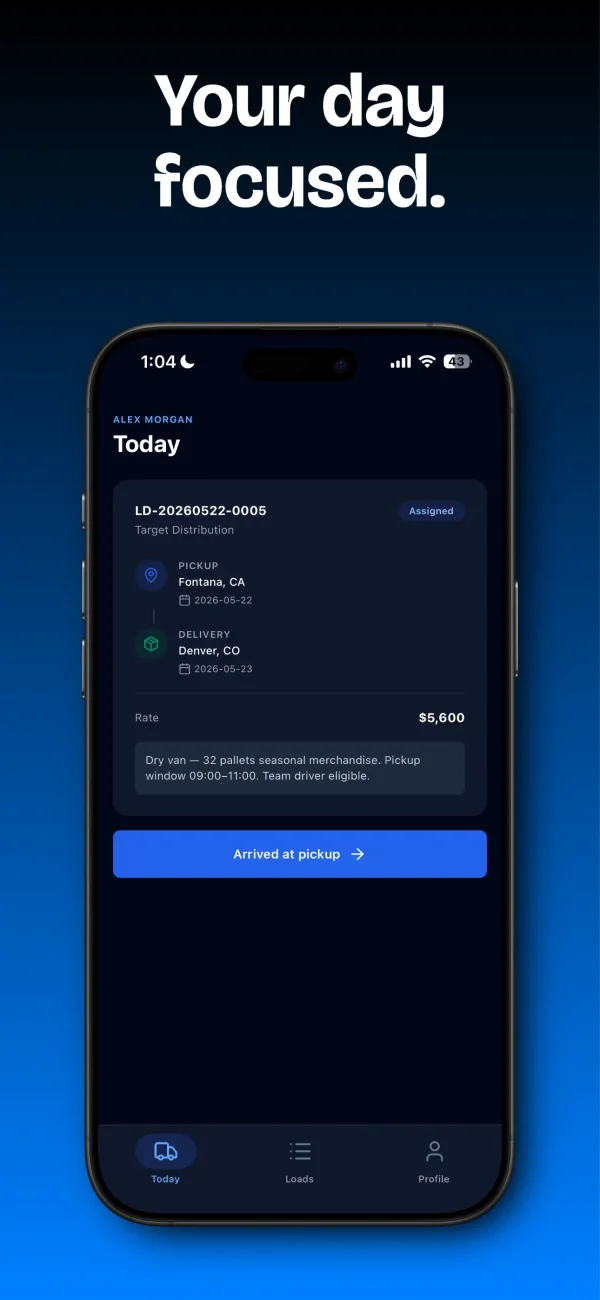
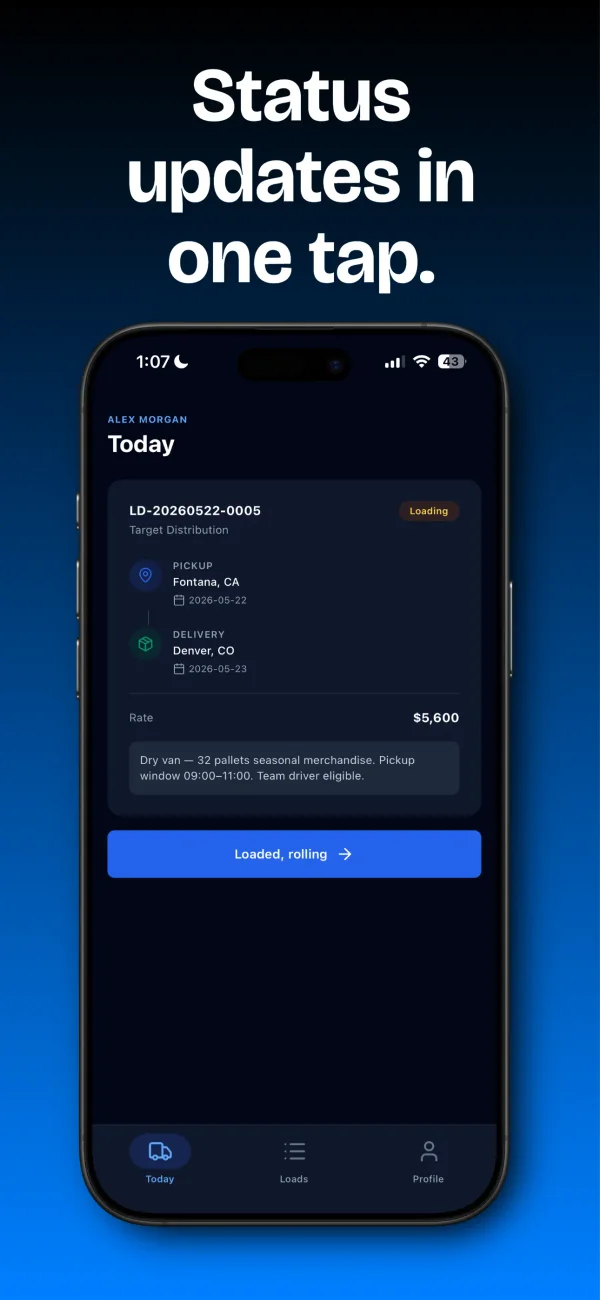
The Today tab cuts the noise. See only your active load: the pickup and delivery locations, the rate, and what to do next. One tap advances your status from Assigned to Loading, to In Transit, to Unloading.
EVERY LOAD IN ONE PLACE
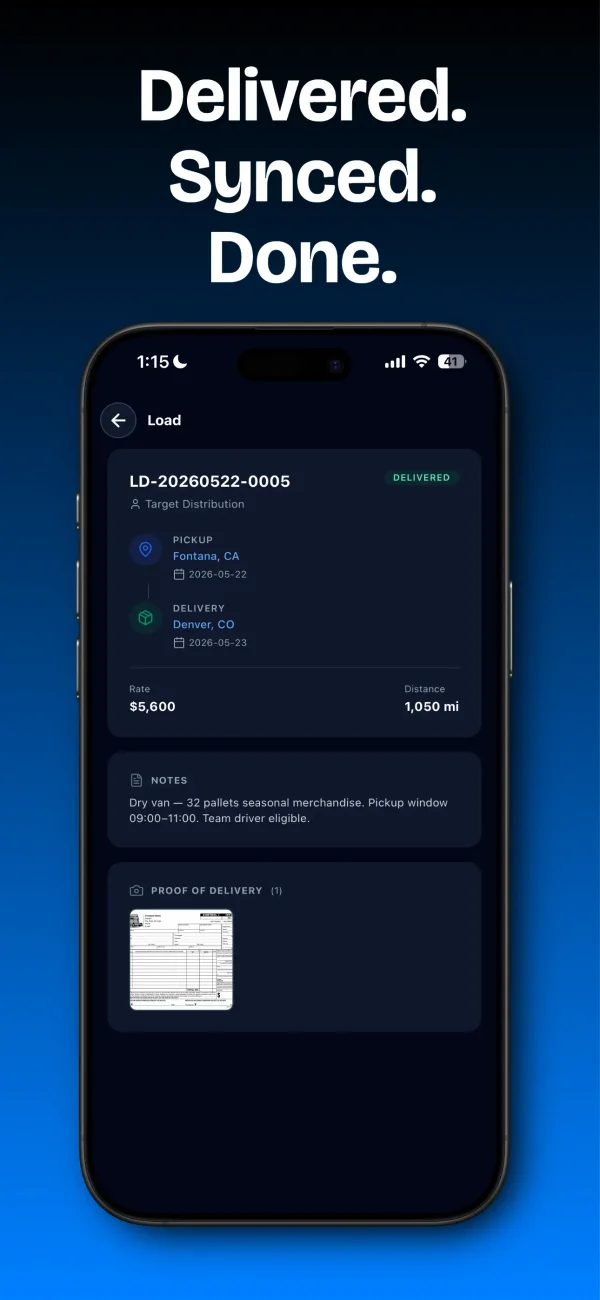
Browse all assigned and completed loads. Tap any load to see the full details: customer, pickup window, delivery window, miles, rate, and trip notes. Tap any address to open it in Maps.
PROOF OF DELIVERY IN SECONDS
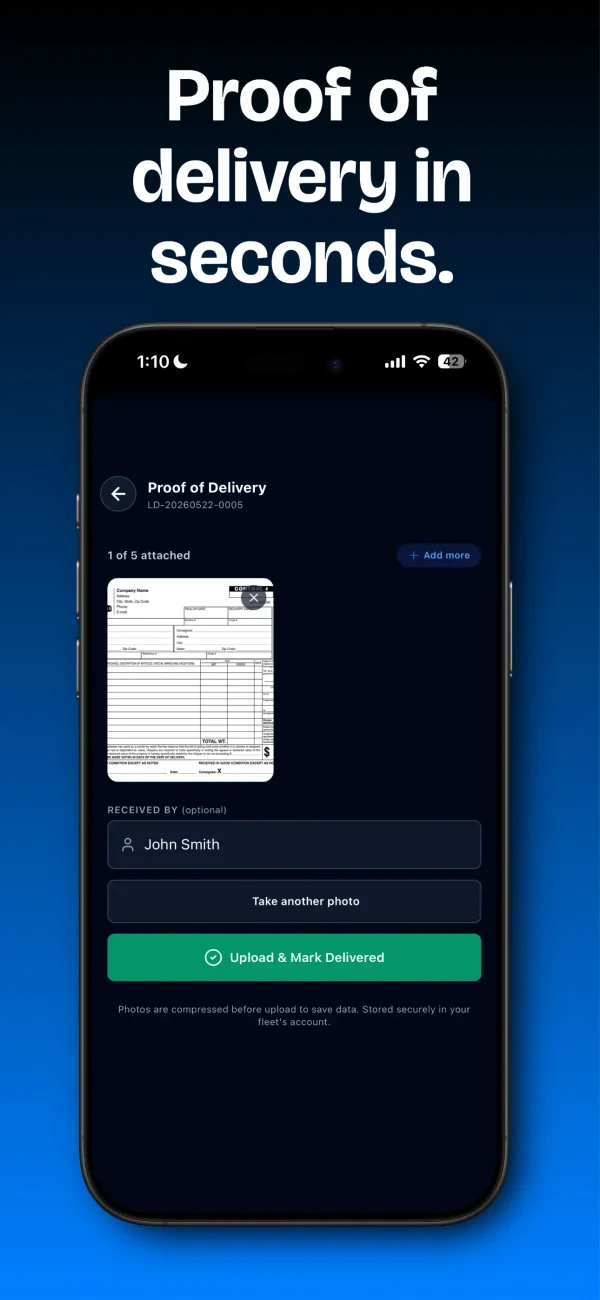
Capture a signed BOL or delivery photo right from the app. Attach up to five photos per load, record the receiver's name, and mark the load delivered. Photos are compressed automatically and synced securely to your fleet's account.
BUILT FOR LIFE ON THE ROAD
- Works offline. Status updates queue automatically when you're out of coverage and sync when you're back online.
- Face ID and fingerprint unlock for quick access between stops.
- Dark mode optimized for night driving and bright daytime cabs.
- Lightweight on data and battery.
Truck Command Driver pairs with the Truck Command dispatch web app. Drivers see only what they're assigned. Fleet managers see everything. There are no separate subscriptions on the driver side — your fleet manager handles billing.
US-only by design. Built for the long haul.
What’s new
Version 1.0.3 · Aug 21, 2026
Your company can now choose whether drivers see what a load pays. Account owners get a switch under Fleet > Drivers on the website. It defaults to showing rates, which is how the app has always worked, so nothing changes unless an owner turns it off.
You can now mark a load delivered when there is genuinely no paperwork to upload. Tick "This load has no documents to upload" on the proof-of-delivery screen and tap Mark Delivered - the same option dispatchers already have on the website. Attaching a photo clears it.
Also in this update:
- A duplicate driver record no longer leaves the app stuck on an empty screen.
- The Today, Loads and Load detail screens now show a real error with a Try Again button, instead of looking like you simply have no work.
- Removed the location, microphone and barcode-scanning permissions the app requested but never actually used.
App privacy
What Truck Command LLC declares on the App Store about how this app handles data.
-
Data linked to you
May be collected and linked to your identity.
- Location
- Contact info
- User content
- Identifiers
-
Data not linked to you
May be collected but is not linked to your identity.
- Diagnostics
Privacy practices may vary, for example with the features you use or your age.
Information
- Seller
- Truck Command LLC
- Category
- Business
- Version
- 1.0.3
- Updated
- Aug 21, 2026
- Released
- May 26, 2026
- Size
- 31.4 MB
- Requires
- iOS 15.1 or later
- Age rating
- 4+
- Price
- Free
- Languages
- English
- Copyright
- © 2026 Truck Command LLC. All rights reserved.
You might also like
-
 JustTracking: Load Board250K+ Daily Loads, Post Truck
-
 Vektor DriverAll-in-One Hauling Companion
-
 Numeo - AI DispatchFind & Book Truck Loads
-
 Highway for CarriersReal loads, vetted brokers
-
 HOS247 ELD LogbookBusiness
-
 ConvoyEasily find & book truck loads
-
 Alvys: Driver CompanionUpload, report, track, and pay
-
 WARP Carrier - DriverBusiness
-
 LandstarOne®Book loads, find fuel and more
-
 ATS FreightMatchBook Loads, Earn More. Faster.